Vectra Detect Integration
Elastic Cloud Serverless projects are autoscaled environments, fully managed by Elastic and available on Elastic Cloud. Availability This functionality is generally available and ready for production usage. Elastic Cloud Serverless projects are autoscaled environments, fully managed by Elastic and available on Elastic Cloud. Availability This functionality is generally available and ready for production usage. The Elastic Stack includes Elastic's core products such as Elasticsearch, Kibana, Logstash, and Beats. Availability This functionality is generally available and ready for production usage. Unless stated otherwise on the page, this functionality is available when your Elastic Stack is deployed on Elastic Cloud Hosted, Elastic Cloud Enterprise, Elastic Cloud on Kubernetes, and self-managed environments. This documentation corresponds to the latest patch available for each minor version. If you're not using the latest patch, check the release notes for changes.
Serverless Observability
Generally available
Serverless Security
Generally available
Stack
9.0+
Generally available since 9.0
| Version | 1.15.0 (View all) |
| Subscription level What's this? |
Basic |
| Developed by What's this? |
Elastic |
| Ingestion method(s) | Network Protocol |
| Minimum Kibana version(s) | 9.0.0 8.13.0 |
The Vectra Detect integration allows you to monitor logs sent in the syslog format. Vectra Detect provides the fastest and most efficient way to prioritize and stop attacks across cloud, data center, applications and workloads as well as user & IoT devices and accounts. Vectra uses artificial intelligence to automate real-time cyberattack detection and response – from network users and IoT devices to data centers and the cloud. All internal traffic is continuously monitored to detect hidden attacks in progress. Detected threats are instantly correlated with host devices that are under attack and unique context shows where attackers are and what they are doing. Threats that pose the biggest risk to an organization are automatically scored and prioritized based on their severity and certainty, which enables security operations teams to quickly focus their time and resources on preventing and mitigating loss.
Vectra Detect integration can be used in two different input modes:
- TCP mode: Vectra Detect sends logs to an Elastic Agent-hosted TCP port.
- UDP mode: Vectra Detect sends logs to an Elastic Agent-hosted UDP port.
The Vectra Detect integration collects logs for the following events:
| Vectra Detect |
|---|
| Account Detection |
| Account Lockdown |
| Account Scoring |
| Alert |
| Audit |
| Campaign |
| Health |
| Host Detection |
| Host Lockdown |
| Host Scoring |
The Vectra Detect integration collects logs for different events, but we have combined all of those in one data stream named log.
This integration has been tested against Vectra Detect 7.4. Versions above this are expected to work but have not been tested.
You need Elasticsearch to store and search your data and Kibana for visualizing and managing it. You can use our hosted Elasticsearch Service on Elastic Cloud, which is recommended or self-manage the Elastic Stack on your hardware.
Please follow Vectra Platform Getting Started Guide to install and setup the Vectra AI platform. To configure the syslog, follow Vectra Syslog Guide. Syslog messages can be sent in 3 formats to the remote syslog server: standard syslog, CEF, or JSON. Consider sending JSON format as we are supporting only the JSON format.
The log data stream collects Vectra Detect logs.
Example
{
    "@timestamp": "2023-02-14T08:52:22.000Z",
    "agent": {
        "ephemeral_id": "d1ccd3bb-36c3-4e60-a806-f450d426238c",
        "id": "70808e18-f29a-48b6-8386-b77582d73652",
        "name": "docker-fleet-agent",
        "type": "filebeat",
        "version": "8.3.0"
    },
    "data_stream": {
        "dataset": "vectra_detect.log",
        "namespace": "ep",
        "type": "logs"
    },
    "ecs": {
        "version": "8.11.0"
    },
    "elastic_agent": {
        "id": "70808e18-f29a-48b6-8386-b77582d73652",
        "snapshot": false,
        "version": "8.3.0"
    },
    "event": {
        "action": "unlock",
        "agent_id_status": "verified",
        "category": [
            "host"
        ],
        "created": "2023-02-14T09:52:22.000Z",
        "dataset": "vectra_detect.log",
        "ingested": "2023-12-27T10:07:02Z",
        "kind": "event",
        "original": "vectra_json_host_lockdown -: {\"version\": \"7.4\", \"host_id\": 231, \"user\": \"vectrademo\", \"headend_addr\": \"89.160.20.112\", \"host_name\": \"conrad-t480\", \"href\": \"https://x29-1-13.sc.tvec/hosts/231\", \"action\": \"unlock\", \"success\": true, \"will_retry\": false, \"category\": \"HOST_LOCKDOWN\", \"edr_type\": \"sentinelone\", \"vectra_timestamp\": \"1676364742\"}",
        "outcome": "success",
        "reference": "https://x29-1-13.sc.tvec/hosts/231",
        "type": [
            "info"
        ]
    },
    "host": {
        "hostname": "conrad-t480",
        "id": "231"
    },
    "input": {
        "type": "udp"
    },
    "log": {
        "source": {
            "address": "192.168.245.4:53106"
        },
        "syslog": {
            "facility": {
                "code": 1,
                "name": "user-level"
            },
            "hostname": "A21000000000248",
            "priority": 13,
            "severity": {
                "code": 5,
                "name": "Notice"
            }
        }
    },
    "observer": {
        "ip": [
            "89.160.20.112"
        ],
        "product": "Detect",
        "serial_number": "A21000000000248",
        "type": "sensor",
        "vendor": "Vectra",
        "version": "7.4"
    },
    "related": {
        "hosts": [
            "conrad-t480"
        ],
        "ip": [
            "89.160.20.112"
        ],
        "user": [
            "vectrademo"
        ]
    },
    "tags": [
        "preserve_original_event",
        "preserve_duplicate_custom_fields",
        "forwarded",
        "vectra_detect-log"
    ],
    "url": {
        "domain": "x29-1-13.sc.tvec",
        "original": "https://x29-1-13.sc.tvec/hosts/231",
        "path": "/hosts/231",
        "scheme": "https"
    },
    "user": {
        "name": "vectrademo"
    },
    "vectra_detect": {
        "log": {
            "action": "unlock",
            "category": "HOST_LOCKDOWN",
            "edr_type": "sentinelone",
            "event_created": "2023-02-14T09:52:22.000Z",
            "event_type": "vectra_json_host_lockdown",
            "headend_addr": "89.160.20.112",
            "host": {
                "id": "231",
                "name": "conrad-t480"
            },
            "href": "https://x29-1-13.sc.tvec/hosts/231",
            "success": true,
            "syslog": {
                "facility": {
                    "code": 1,
                    "name": "user-level"
                },
                "hostname": "A21000000000248",
                "priority": 13,
                "severity": {
                    "code": 5,
                    "name": "Notice"
                }
            },
            "user": {
                "name": "vectrademo"
            },
            "vectra_timestamp": "2023-02-14T08:52:22.000Z",
            "version": "7.4",
            "will_retry": false
        }
    }
}
Exported fields
| Field | Description | Type |
|---|---|---|
| @timestamp | Event timestamp. | date |
| data_stream.dataset | Data stream dataset. | constant_keyword |
| data_stream.namespace | Data stream namespace. | constant_keyword |
| data_stream.type | Data stream type. | constant_keyword |
| event.dataset | Event dataset. | constant_keyword |
| event.module | Event module. | constant_keyword |
| input.type | Type of Filebeat input. | keyword |
| log.offset | Log offset. | long |
| log.source.address | Source address from which the log event was read / sent from. | keyword |
| vectra_detect.log.account.access_history.id | keyword | |
| vectra_detect.log.account.access_history.last_seen | date | |
| vectra_detect.log.account.access_history.privilege_category | keyword | |
| vectra_detect.log.account.access_history.privilege_value | long | |
| vectra_detect.log.account.access_history.uid | keyword | |
| vectra_detect.log.account.domain | keyword | |
| vectra_detect.log.account.id | The ID of the account. | keyword |
| vectra_detect.log.account.info.account_uid | keyword | |
| vectra_detect.log.account.info.counts | long | |
| vectra_detect.log.account.info.host_luid | keyword | |
| vectra_detect.log.account.name | The name of the account. | keyword |
| vectra_detect.log.account.uid | The user ID of the account. | keyword |
| vectra_detect.log.account.user_id | keyword | |
| vectra_detect.log.accounts | The related accounts. | keyword |
| vectra_detect.log.action | The action taken on the host or account (e.g., lock or unlock) OR The action that caused the message to be logged (e.g., START, TRIAGED, TIMEOUT). | keyword |
| vectra_detect.log.alert.category | keyword | |
| vectra_detect.log.alert.gid | keyword | |
| vectra_detect.log.alert.rev | long | |
| vectra_detect.log.alert.severity | long | |
| vectra_detect.log.alert.signature.id | keyword | |
| vectra_detect.log.alert.signature.value | keyword | |
| vectra_detect.log.base_object | The base distinguished name. | keyword |
| vectra_detect.log.bytes.received | The bytes of data received. | long |
| vectra_detect.log.bytes.sent | The bytes of data sent. | long |
| vectra_detect.log.campaign.id | The id of the campaign. | keyword |
| vectra_detect.log.campaign.link | The link to the campaign in the UI. | keyword |
| vectra_detect.log.campaign.name | The name of the campaign. | keyword |
| vectra_detect.log.category | The category of the event (e.g., LOCKDOWN). | keyword |
| vectra_detect.log.certainty | The certainty of the score assigned to this account. | long |
| vectra_detect.log.client.name | The RDP client name. | keyword |
| vectra_detect.log.client.token | The RDP client token. | keyword |
| vectra_detect.log.cookie | The RDP client token. | keyword |
| vectra_detect.log.count | The number of attempts. | long |
| vectra_detect.log.d_type.name | The Vectra internal representation of detection name (e.g., smash_n_grab, or sql_injection). | keyword |
| vectra_detect.log.d_type.vname | The name of the detection. | keyword |
| vectra_detect.log.dd.bytes.rcvd | The number of bytes in the traffic that caused the detection. Does not apply to all detections. Defaults to 0. | long |
| vectra_detect.log.dd.bytes.sent | Meaning differs depending on detection type. Does not apply to all detections. Defaults to 0. | long |
| vectra_detect.log.dd.dst.dns | The destination domain name of detection event. | keyword |
| vectra_detect.log.dd.dst.ip | The destination IP address of detection event. | ip |
| vectra_detect.log.dd.dst.port | The port of the attacked host. Defaults to 80. | long |
| vectra_detect.log.dd.proto | The protocol over which this detection fired (e.g., tcp). Does not apply to all detections. Defaults to empty string. | keyword |
| vectra_detect.log.dest.id | The destination of the campaign. Defaults to 'external'. | keyword |
| vectra_detect.log.dest.ip | The destination IP address the campaign is targeting. | ip |
| vectra_detect.log.dest.name | The external domain of the campaign destination. | keyword |
| vectra_detect.log.dest.port | long | |
| vectra_detect.log.det_id | The ID of the detection that caused the campaign creation. | keyword |
| vectra_detect.log.detection.id | The ID of the detection. | keyword |
| vectra_detect.log.detection.profile.name | keyword | |
| vectra_detect.log.detection.profile.scoring_detections | keyword | |
| vectra_detect.log.detection.profile.vname | keyword | |
| vectra_detect.log.dos_type | The DOS type. | keyword |
| vectra_detect.log.dst.ips | The target subnets. | keyword |
| vectra_detect.log.dst.key_asset | Whether there is a detection that is targeting this host and this host is a key asset. | boolean |
| vectra_detect.log.dst.ports | keyword | |
| vectra_detect.log.dvchost | The hostname of the Cognito Brain. | keyword |
| vectra_detect.log.edr_type | keyword | |
| vectra_detect.log.event_created | date | |
| vectra_detect.log.event_type | keyword | |
| vectra_detect.log.extensions | File extensions used. | keyword |
| vectra_detect.log.function | The executed function. | keyword |
| vectra_detect.log.headend_addr | The IP of the Cognito Brain. | ip |
| vectra_detect.log.host.access_history.id | keyword | |
| vectra_detect.log.host.access_history.last_seen | date | |
| vectra_detect.log.host.access_history.name | keyword | |
| vectra_detect.log.host.access_history.privilege_category | keyword | |
| vectra_detect.log.host.access_history.privilege_value | long | |
| vectra_detect.log.host.groups.can_delete | boolean | |
| vectra_detect.log.host.groups.can_edit | boolean | |
| vectra_detect.log.host.groups.cognito_managed | boolean | |
| vectra_detect.log.host.groups.description | keyword | |
| vectra_detect.log.host.groups.filter_count | long | |
| vectra_detect.log.host.groups.group_type | keyword | |
| vectra_detect.log.host.groups.id | keyword | |
| vectra_detect.log.host.groups.impact | keyword | |
| vectra_detect.log.host.groups.last_modified | date | |
| vectra_detect.log.host.groups.last_modified_by | keyword | |
| vectra_detect.log.host.groups.name | keyword | |
| vectra_detect.log.host.groups.triage_filters.id | keyword | |
| vectra_detect.log.host.groups.triage_filters.triage_as | keyword | |
| vectra_detect.log.host.id | The ID of the host. | keyword |
| vectra_detect.log.host.ip | The IP of the host being scored. | ip |
| vectra_detect.log.host.name | The name of the host. | keyword |
| vectra_detect.log.host.roles | keyword | |
| vectra_detect.log.href | A link to the account in the UI. | keyword |
| vectra_detect.log.http.method | The HTTP method. | keyword |
| vectra_detect.log.http.response_code | The HTTP response code. | keyword |
| vectra_detect.log.http_segment | The HTTP segment. | keyword |
| vectra_detect.log.ip | The internal target host. | ip |
| vectra_detect.log.keyboard.id | They keyboard layout ID. | keyword |
| vectra_detect.log.keyboard.name | They keyboard layout name. | keyword |
| vectra_detect.log.last_detection_type | The most recent type of detection associated with this host. | keyword |
| vectra_detect.log.mac.address | The MAC address of this host. | keyword |
| vectra_detect.log.mac.vendor | The vendor of the MAC address of this host. | keyword |
| vectra_detect.log.matched.domain | The matched domain. | keyword |
| vectra_detect.log.matched.ip | The matched IP. | ip |
| vectra_detect.log.matched.user_agent | The matched user-agent. | keyword |
| vectra_detect.log.message | A message explains the cause/nature of the log. | keyword |
| vectra_detect.log.named_pipe | The named pipe. | keyword |
| vectra_detect.log.networks | The target subnets. | keyword |
| vectra_detect.log.normal.admins | The normal admins observed. | keyword |
| vectra_detect.log.normal.servers | The normal servers observed. | keyword |
| vectra_detect.log.num_attempts | The number of attempts. | long |
| vectra_detect.log.port | The external port used. | keyword |
| vectra_detect.log.ports | Ports scanned. | keyword |
| vectra_detect.log.privilege | The observed privilege level of the host. | long |
| vectra_detect.log.product_id | The unusual product ID. | keyword |
| vectra_detect.log.proto | keyword | |
| vectra_detect.log.protocol | The external protocol used. | keyword |
| vectra_detect.log.proxied_dst | The domain name or IP of the proxy. | keyword |
| vectra_detect.log.quadrant | keyword | |
| vectra_detect.log.ransom_notes | Ransome notes found. | keyword |
| vectra_detect.log.reason | The reason this is suspicious OR the event name of the campaign. | keyword |
| vectra_detect.log.received.normal_pattern | Example received normal pattern. | keyword |
| vectra_detect.log.received.pattern | The received pattern. | keyword |
| vectra_detect.log.referer | The referer. | keyword |
| vectra_detect.log.reply_cache_control | The replay cache control setting. | keyword |
| vectra_detect.log.request | The LDAP request. | keyword |
| vectra_detect.log.result | A string indicating either a success or failure. | keyword |
| vectra_detect.log.role | Role of the user who caused the log (e.g., admin, super admin, etc.). | keyword |
| vectra_detect.log.scans | The number of attempts. | keyword |
| vectra_detect.log.score_decreases | Indicates whether both Threat and Certainty scores are decreasing. | boolean |
| vectra_detect.log.sensor | The sensor associated with this host. | keyword |
| vectra_detect.log.sent.normal_pattern | Example sent normal pattern. | keyword |
| vectra_detect.log.sent.pattern | The sent pattern. | keyword |
| vectra_detect.log.service.access_history.id | keyword | |
| vectra_detect.log.service.access_history.last_seen | date | |
| vectra_detect.log.service.access_history.privilege_category | keyword | |
| vectra_detect.log.service.access_history.privilege_value | long | |
| vectra_detect.log.service.access_history.uid | keyword | |
| vectra_detect.log.service.info.account_uid | keyword | |
| vectra_detect.log.service.info.counts | long | |
| vectra_detect.log.service.info.host_luid | keyword | |
| vectra_detect.log.service.name | The service name. | keyword |
| vectra_detect.log.severity | A score proportional to threat. | double |
| vectra_detect.log.shares | The related files shares. | keyword |
| vectra_detect.log.source.ip | IP address of the machine that initiated the action. | ip |
| vectra_detect.log.sql_fragment | The SQL fragment. | keyword |
| vectra_detect.log.src.hid | The original host ID of the member host in this campaign. | keyword |
| vectra_detect.log.src.ip | The host IP of the source host. | ip |
| vectra_detect.log.src.key_asset | Whether the host being scored is marked as a key asset. | boolean |
| vectra_detect.log.src.name | The host name of the source host. | keyword |
| vectra_detect.log.src.port | long | |
| vectra_detect.log.success | Confirmation if the lockdown action was successful. | boolean |
| vectra_detect.log.successes | The number of successes. | keyword |
| vectra_detect.log.syslog.facility.code | long | |
| vectra_detect.log.syslog.facility.name | keyword | |
| vectra_detect.log.syslog.hostname | keyword | |
| vectra_detect.log.syslog.priority | The syslog priority of the event. | long |
| vectra_detect.log.syslog.severity.code | long | |
| vectra_detect.log.syslog.severity.name | keyword | |
| vectra_detect.log.tags | A list of tags applied to the host. | keyword |
| vectra_detect.log.threat.feeds | The name of the threat feed. | keyword |
| vectra_detect.log.threat.score | Newly calculated host threat. | long |
| vectra_detect.log.timestamp | The epoch timestamp for when syslog received the message (e.g., 1550014653). | date |
| vectra_detect.log.triaged | Whether the detection has been triaged yet or not. | boolean |
| vectra_detect.log.tunnel_type | The type of hidden tunnel. | keyword |
| vectra_detect.log.type | A string to indicate what type of health message this is. Valid types include sensor_connectivity, disk_hardware_raid_check, system_cpuflags_valid, disk_ro_mount_check, capture_interface_flap_status, capture_interface_bandwidth_status,colossus_packet_drop_rate, heartbeat_check, and stream_health. | keyword |
| vectra_detect.log.url | The suspicous URL. | keyword |
| vectra_detect.log.user.agent | The user agent. | keyword |
| vectra_detect.log.user.domain | keyword | |
| vectra_detect.log.user.name | Username of the user who caused the log. | keyword |
| vectra_detect.log.user.registered_domain | keyword | |
| vectra_detect.log.user.subdomain | keyword | |
| vectra_detect.log.user.top_level_domain | keyword | |
| vectra_detect.log.uuid | The RPC UUID. | keyword |
| vectra_detect.log.vectra_timestamp | The epoch timestamp for when the event occurred (e.g., 1550014653). | date |
| vectra_detect.log.version | The version of Vectra platform running the Cognito Brain. | keyword |
| vectra_detect.log.will_retry | When a Lockdown action has failed, this indicates whether the system will retry the action. | boolean |
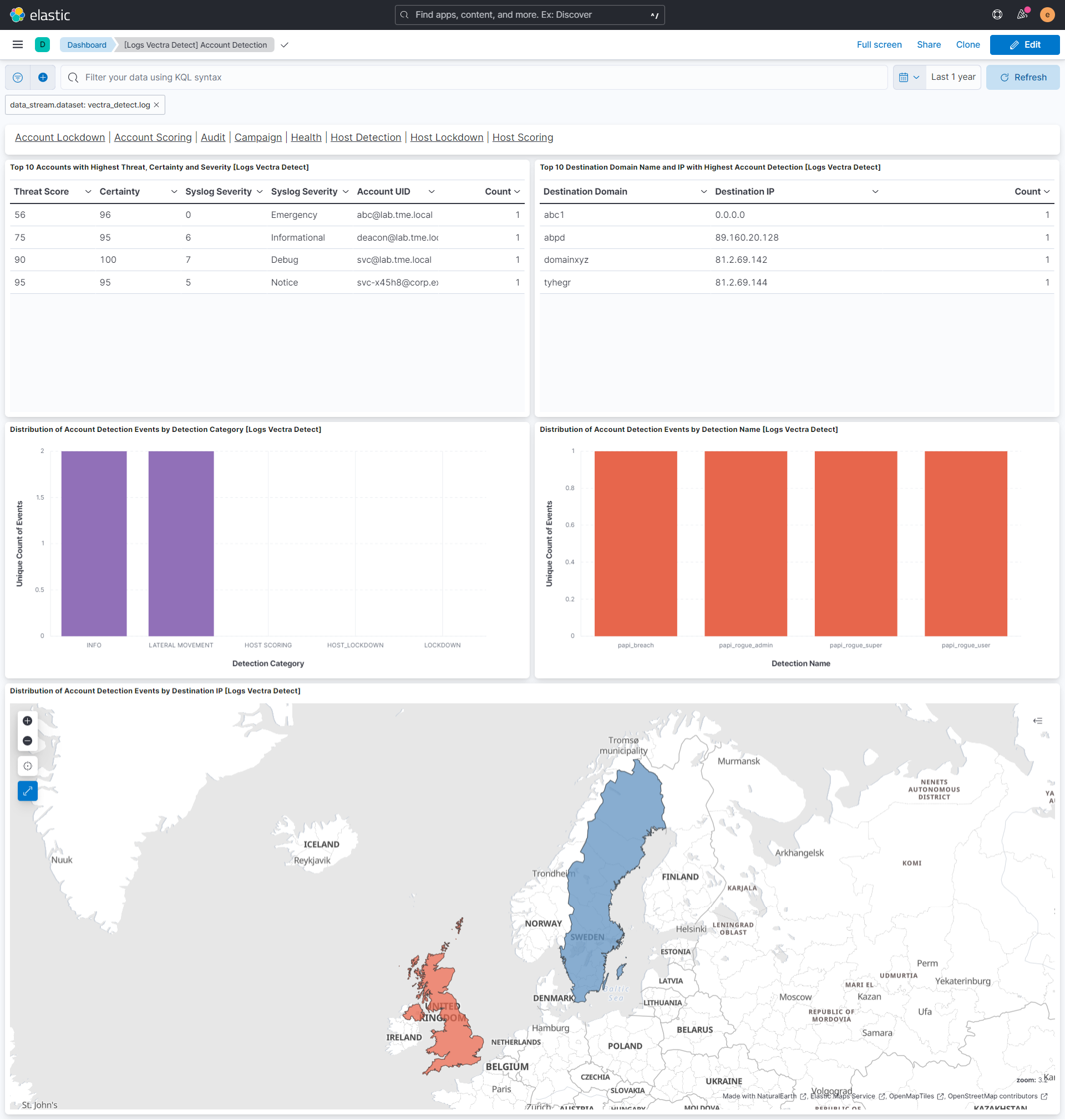
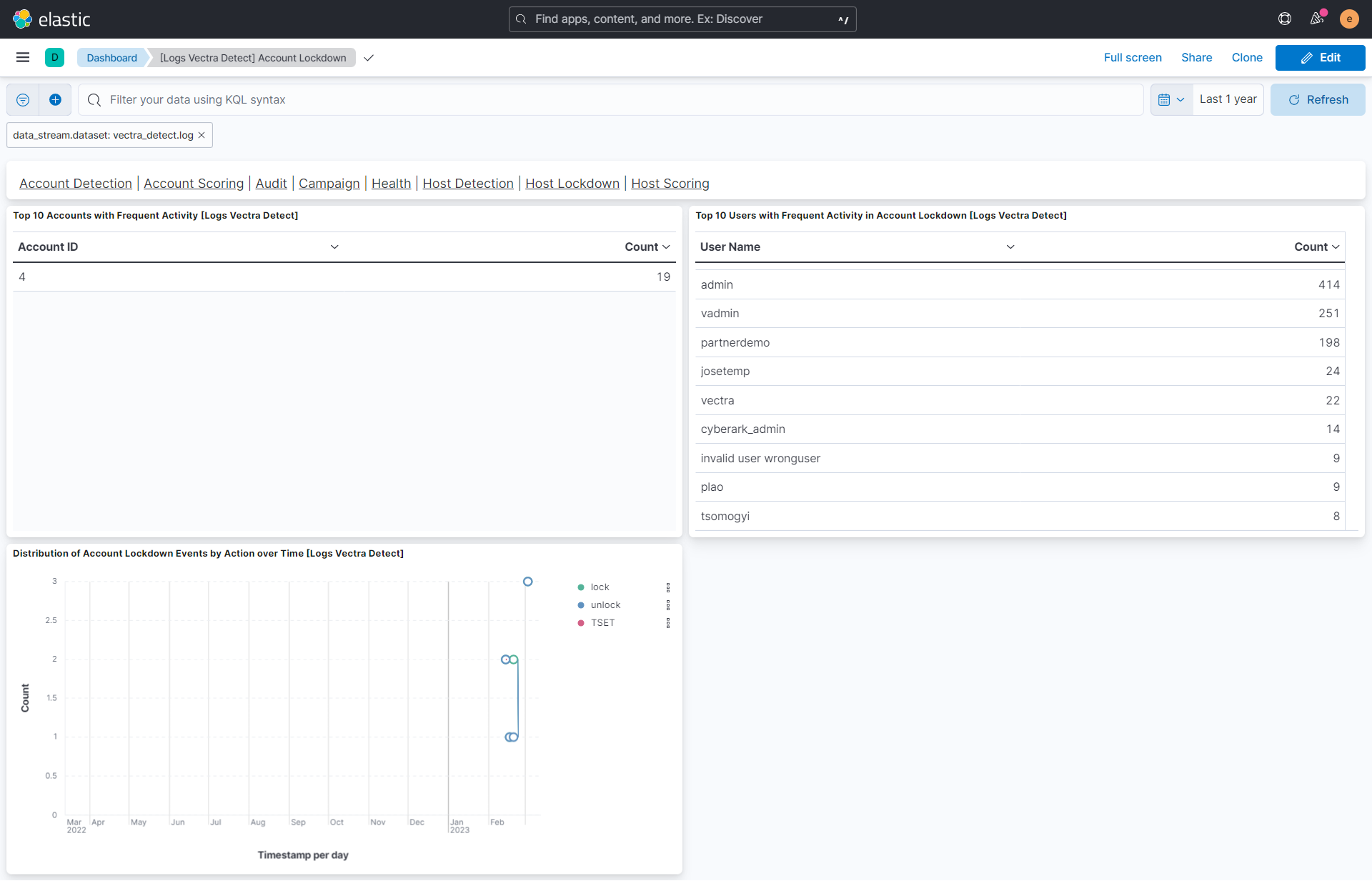
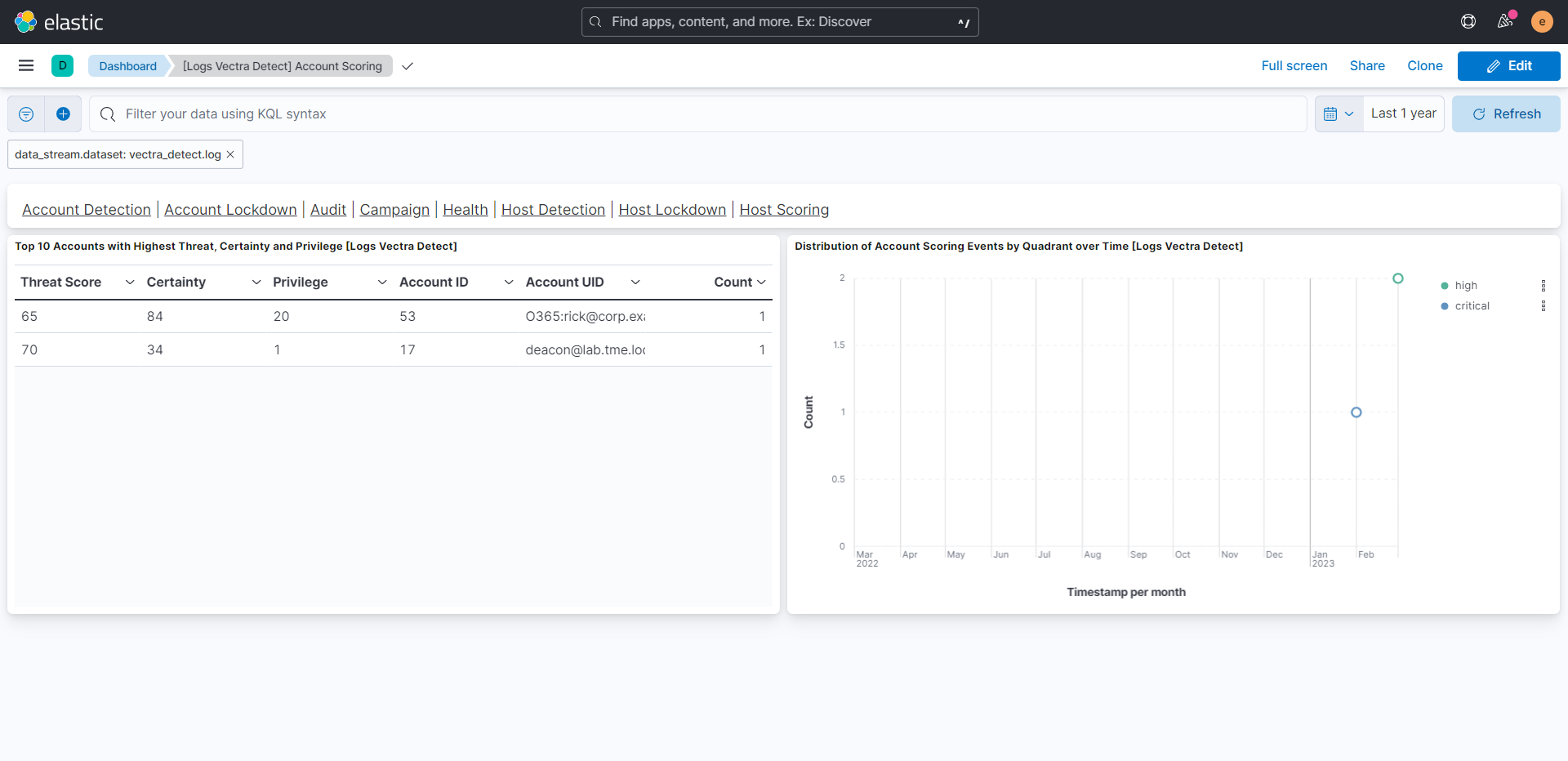
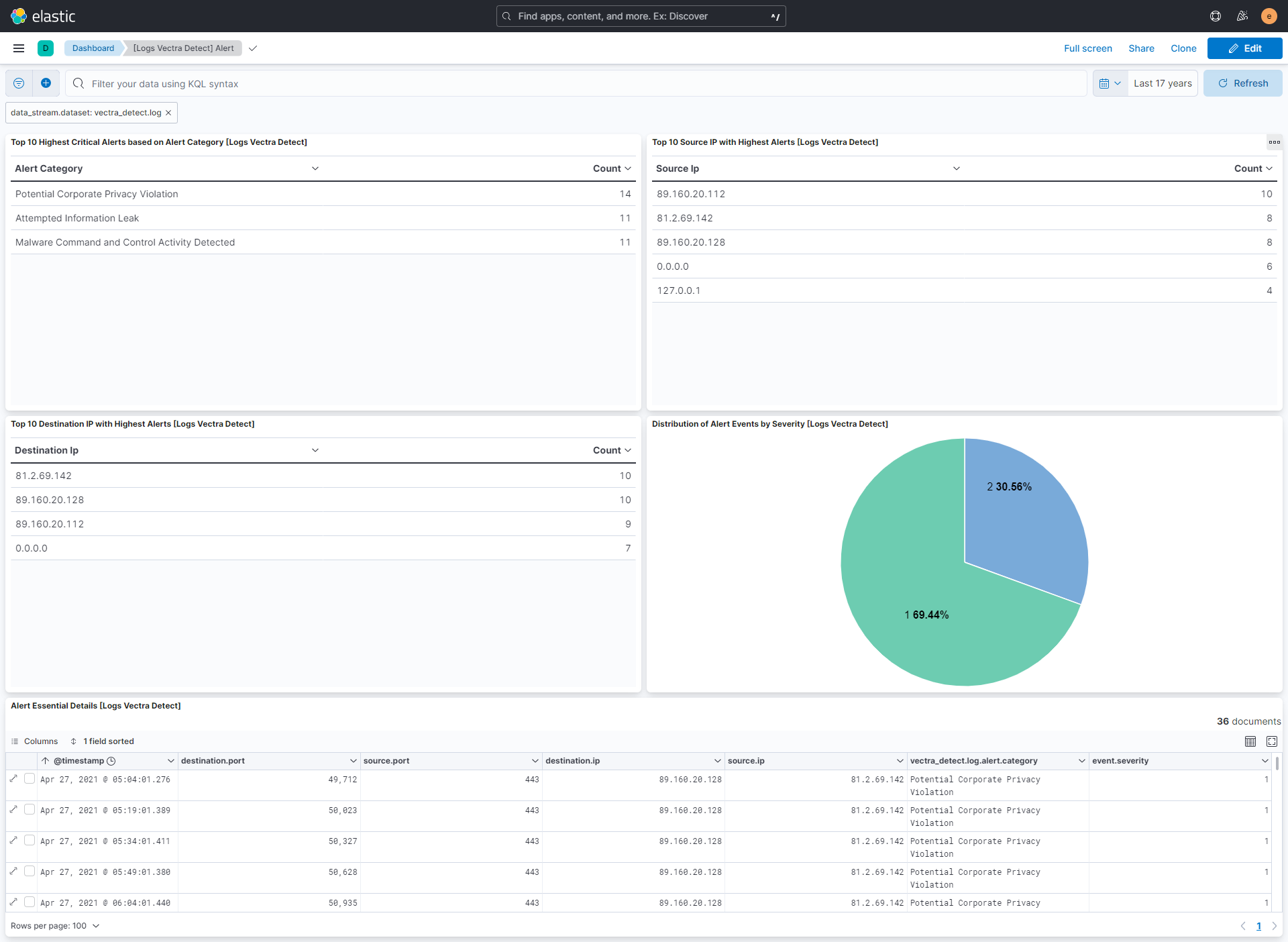
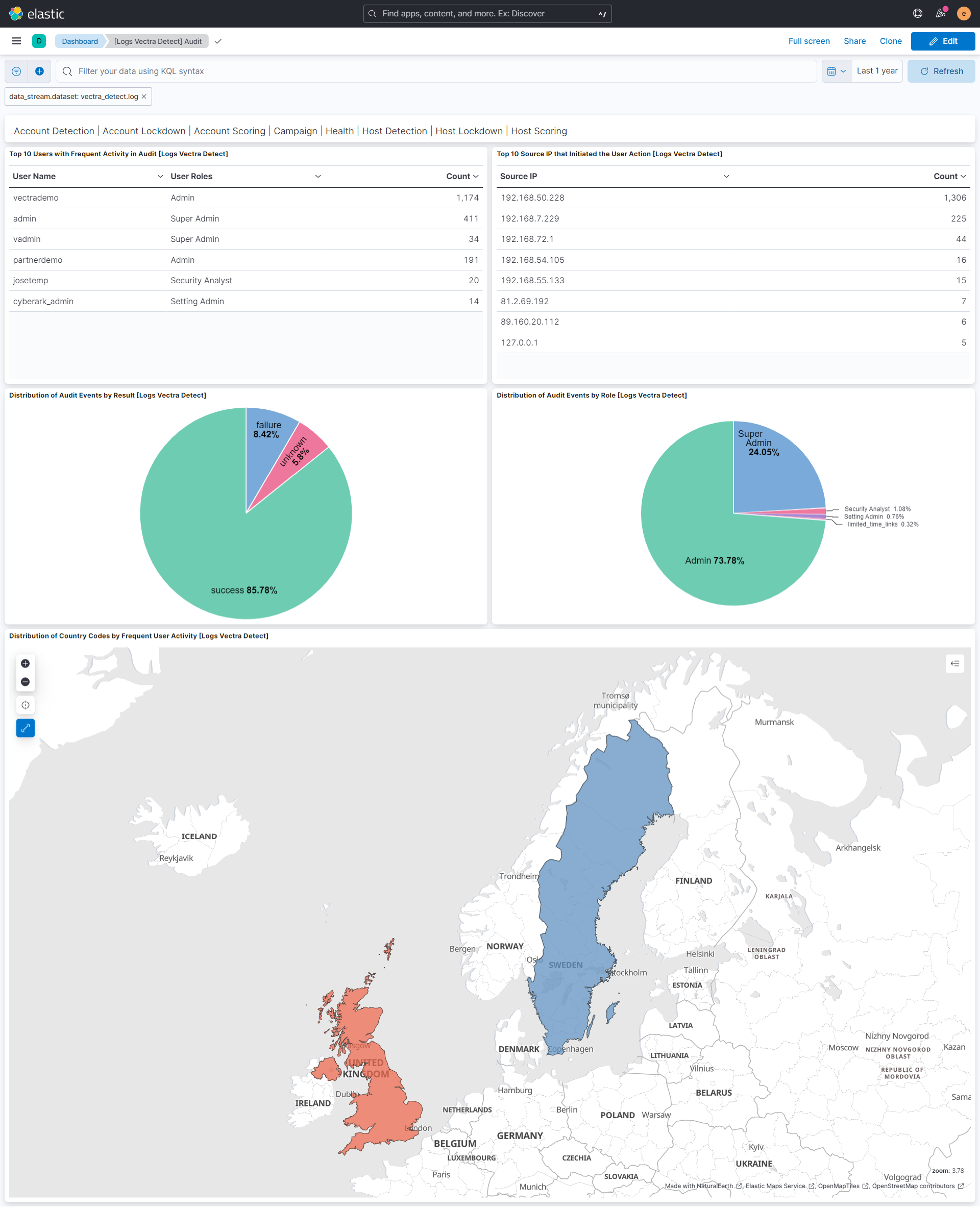
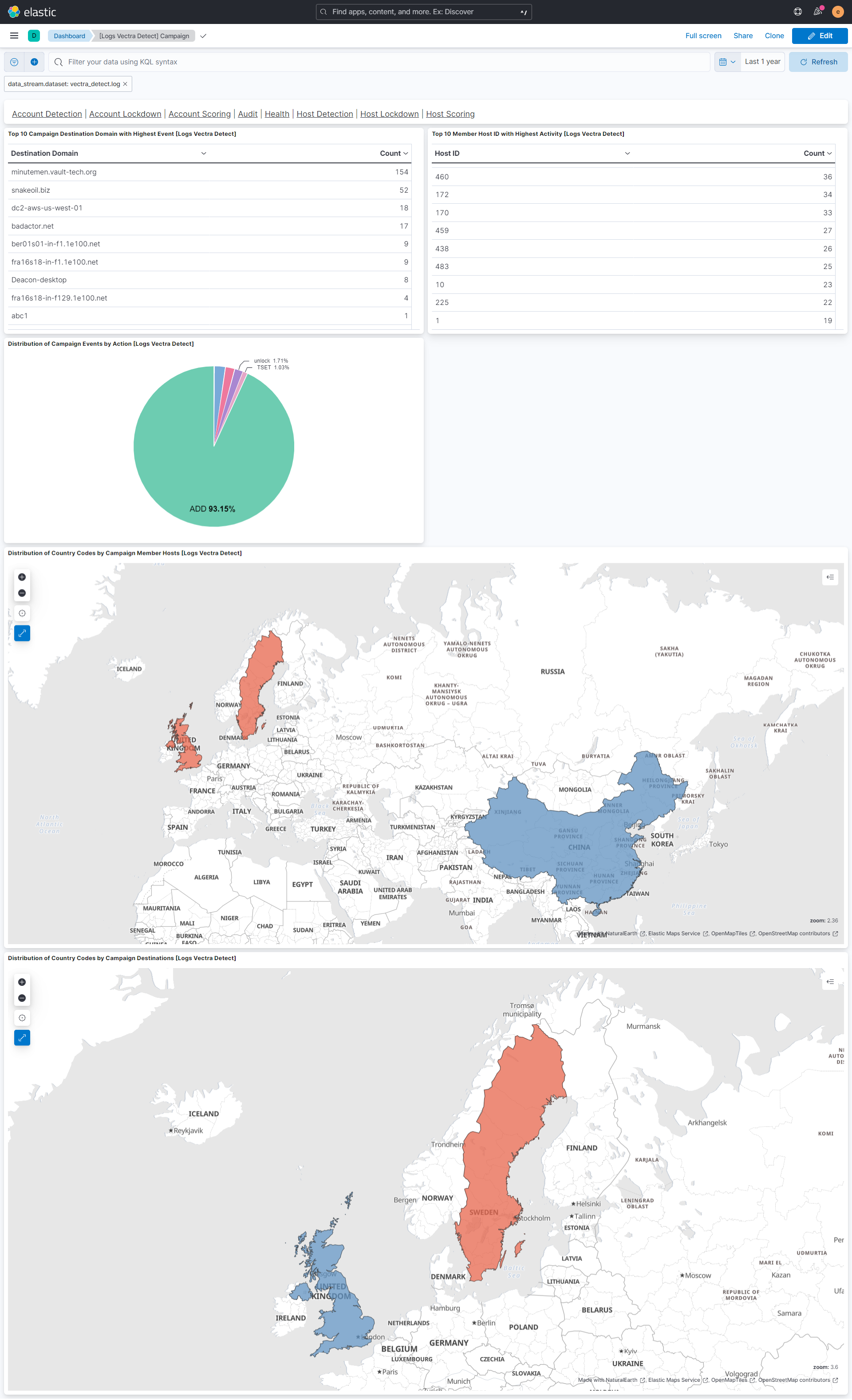
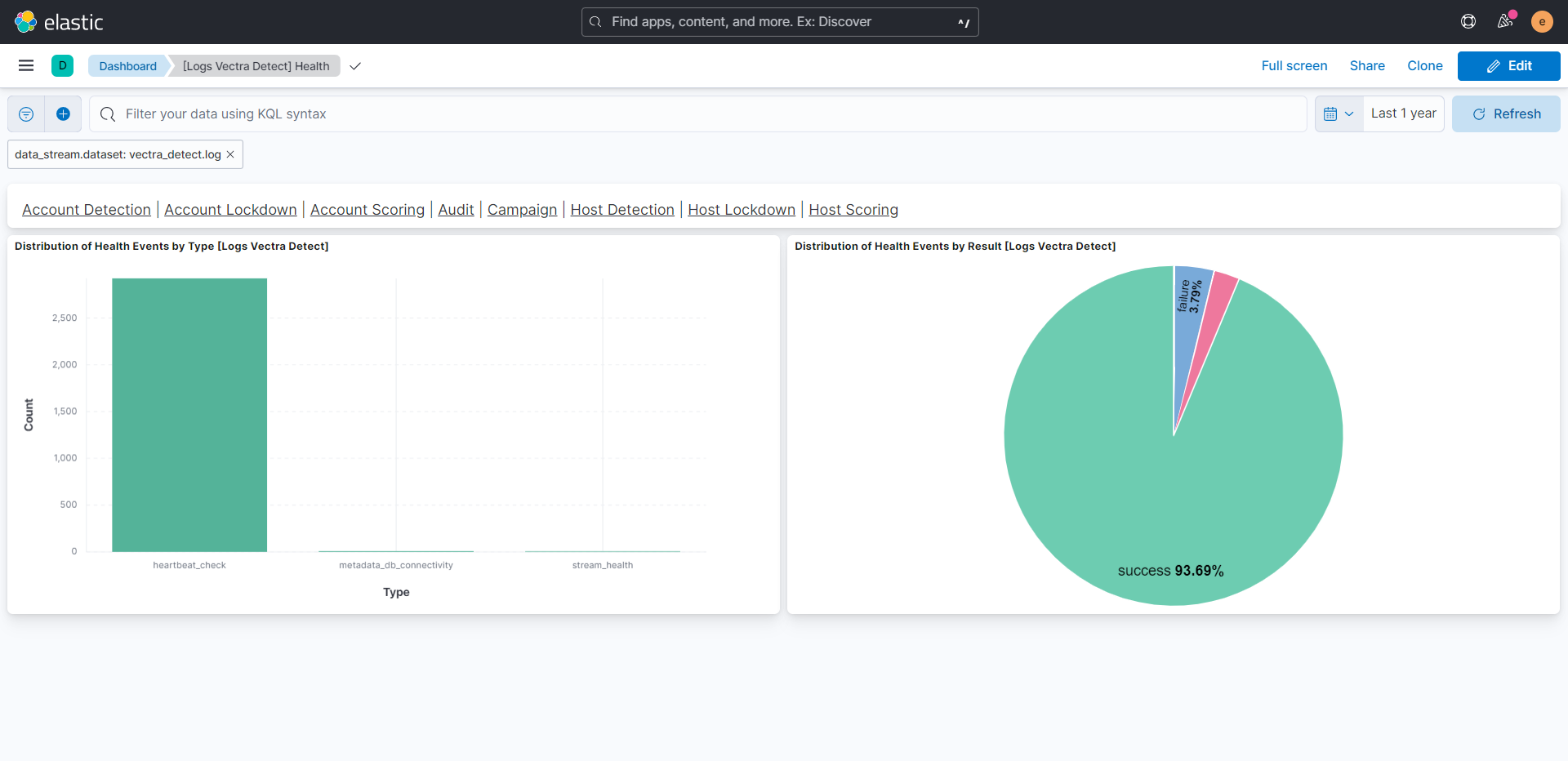
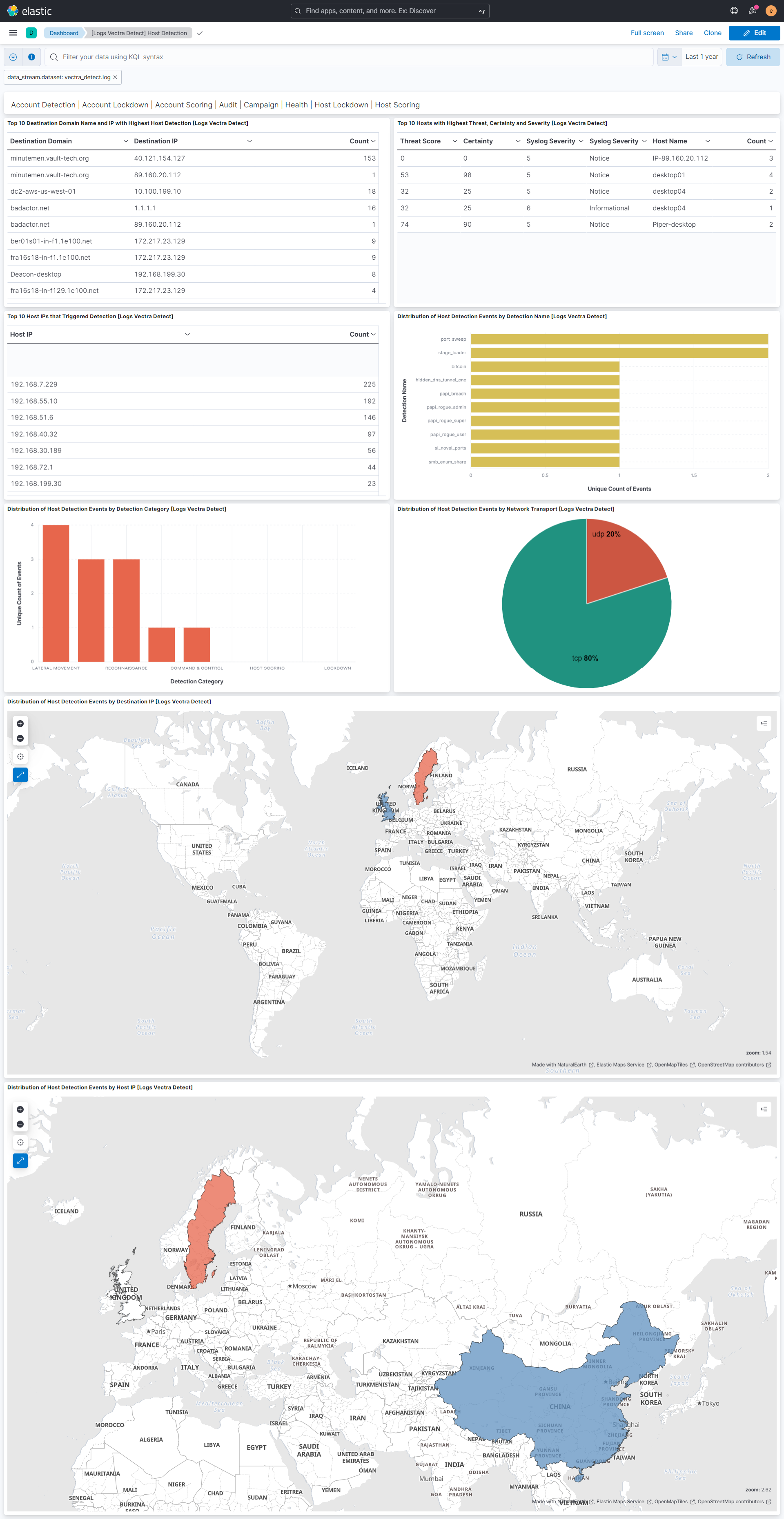
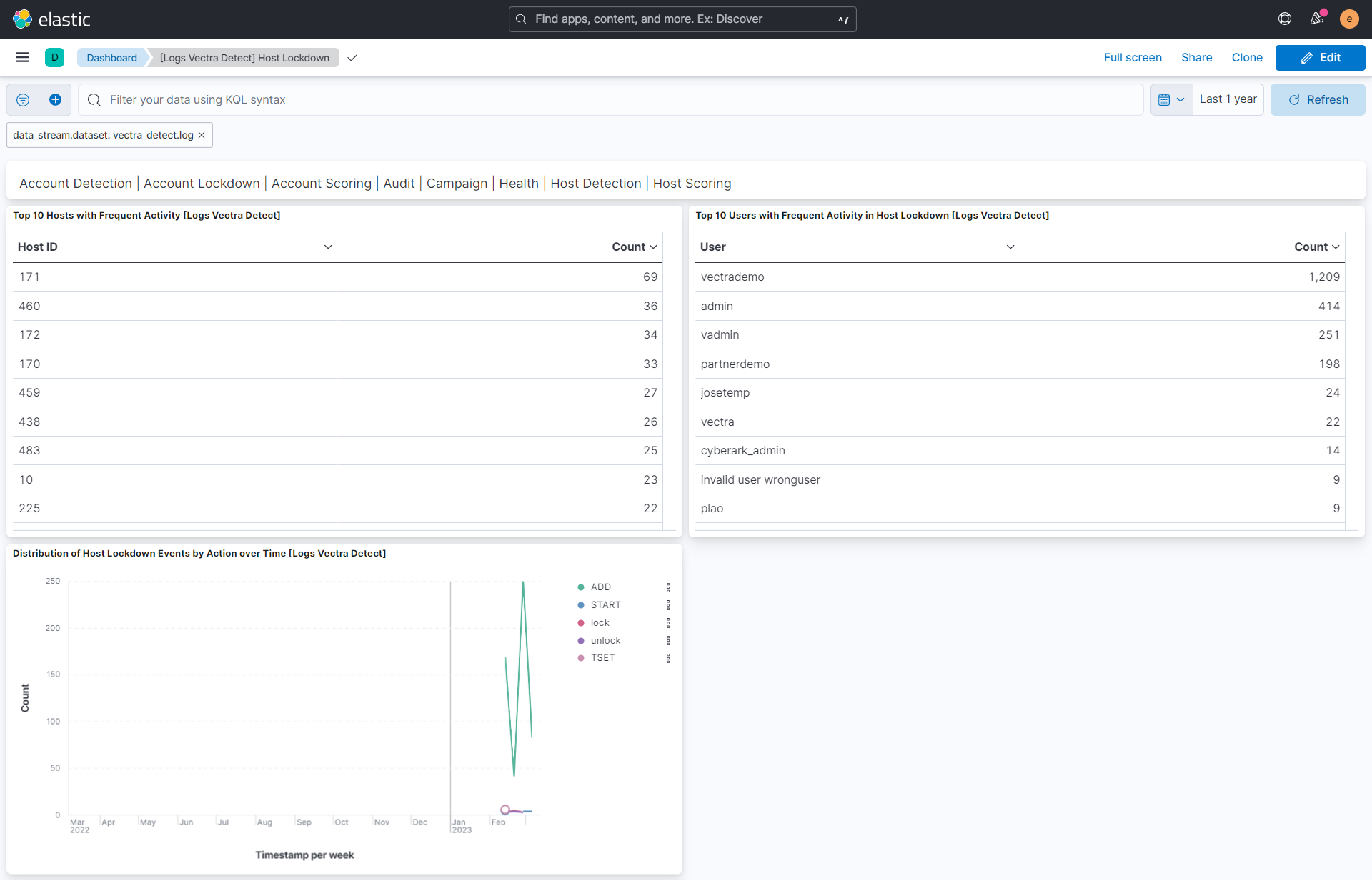
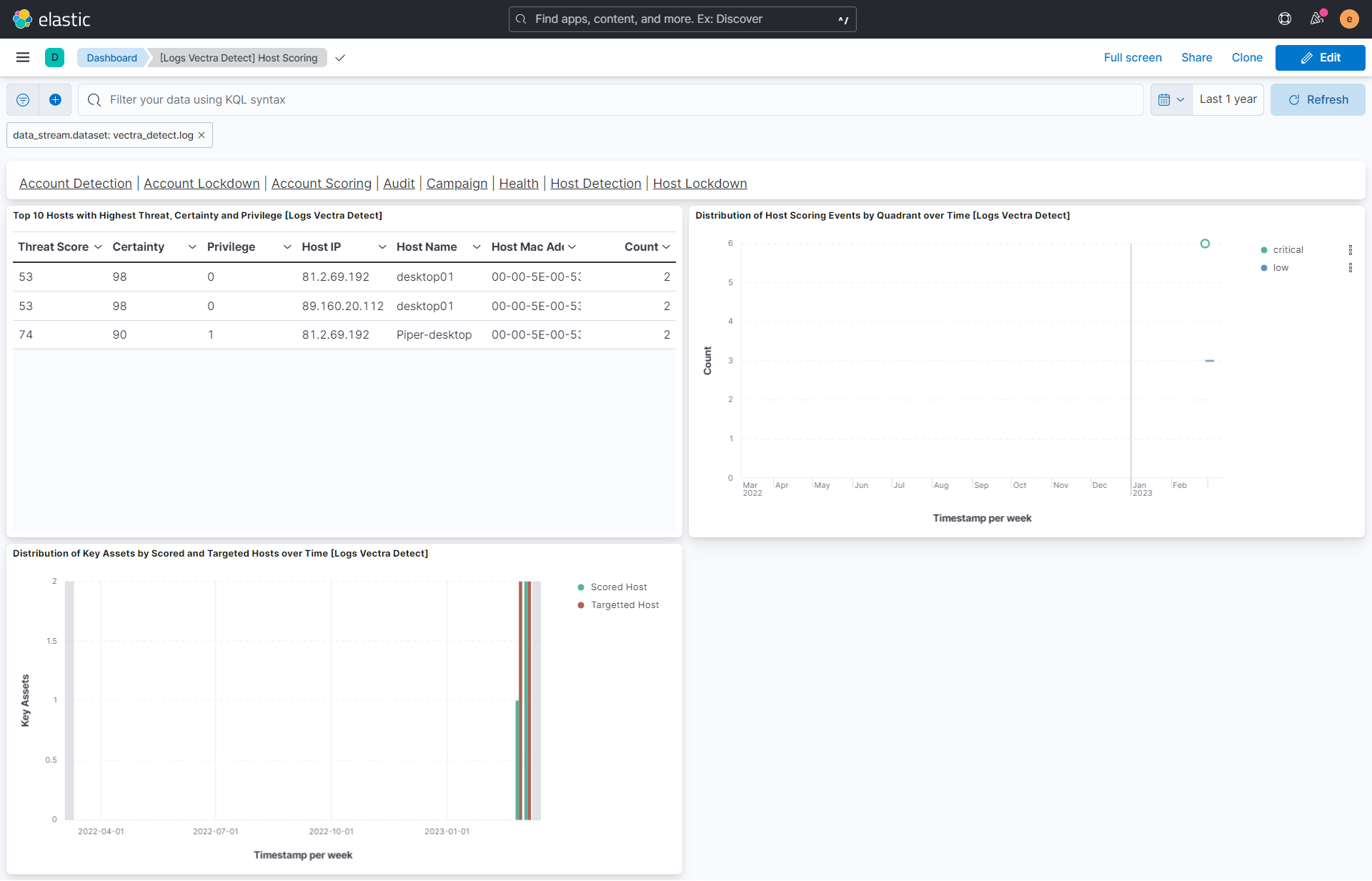
This integration includes one or more Kibana dashboards that visualizes the data collected by the integration. The screenshots below illustrate how the ingested data is displayed.
Changelog
| Version | Details | Minimum Kibana version |
|---|---|---|
| 1.15.0 | Enhancement (View pull request) Add tags to ingest pipeline processors and add preserve_original_event to pipeline-level on_failure handlers. |
9.0.0 8.13.0 |
| 1.14.0 | Enhancement (View pull request) Standardize user fields processing across integrations. |
9.0.0 8.13.0 |
| 1.13.0 | Enhancement (View pull request) Update Kibana constraint to support 9.0.0. |
9.0.0 8.13.0 |
| 1.12.1 | Bug fix (View pull request) Updated SSL description to be uniform and to include links to documentation. |
8.13.0 |
| 1.12.0 | Enhancement (View pull request) Add "preserve_original_event" tag to documents with event.kind manually set to "pipeline_error". |
8.13.0 |
| 1.11.0 | Enhancement (View pull request) Do not remove event.original in main ingest pipeline. |
8.13.0 |
| 1.10.0 | Enhancement (View pull request) Add "preserve_original_event" tag to documents with event.kind set to "pipeline_error". |
8.13.0 |
| 1.9.0 | Enhancement (View pull request) Removed import_mappings. Update the kibana constraint to ^8.13.0. Modified the field definitions to remove ECS fields made redundant by the ecs@mappings component template. |
8.13.0 |
| 1.8.0 | Enhancement (View pull request) Update manifest format version to v3.0.3. |
8.3.0 |
| 1.7.2 | Bug fix (View pull request) Clean up null handling |
8.3.0 |
| 1.7.1 | Enhancement (View pull request) Changed owners |
8.3.0 |
| 1.7.0 | Enhancement (View pull request) Added support for new event type vectra_json. |
8.3.0 |
| 1.6.0 | Enhancement (View pull request) ECS version updated to 8.11.0. |
8.3.0 |
| 1.5.0 | Enhancement (View pull request) Improve 'event.original' check to avoid errors if set. |
8.3.0 |
| 1.4.0 | Enhancement (View pull request) ECS version updated to 8.10.0. |
8.3.0 |
| 1.3.0 | Enhancement (View pull request) The format_version in the package manifest changed from 2.11.0 to 3.0.0. Removed dotted YAML keys from package manifest. Added 'owner.type: elastic' to package manifest. |
8.3.0 |
| 1.2.0 | Enhancement (View pull request) Add tags.yml file so that integration's dashboards and saved searches are tagged with "Security Solution" and displayed in the Security Solution UI. |
8.3.0 |
| 1.1.0 | Enhancement (View pull request) Update package to ECS 8.9.0. |
8.3.0 |
| 1.0.1 | Bug fix (View pull request) Remove confusing error message tag prefix. |
8.3.0 |
| 1.0.0 | Enhancement (View pull request) Release Vectra Detect as GA. |
8.3.0 |
| 0.4.0 | Enhancement (View pull request) Update package to ECS 8.8.0. |
8.3.0 |
| 0.3.0 | Enhancement (View pull request) Add new event type vectra match v2. |
8.3.0 |
| 0.2.0 | Enhancement (View pull request) Update package to ECS 8.7.0 and package-spec version to 2.7.0. |
8.3.0 |
| 0.1.0 | Enhancement (View pull request) Initial release. |
8.3.0 |