System Audit Integration \
Elastic Cloud Serverless projects are autoscaled environments, fully managed by Elastic and available on Elastic Cloud. Availability This functionality is generally available and ready for production usage. Elastic Cloud Serverless projects are autoscaled environments, fully managed by Elastic and available on Elastic Cloud. Availability This functionality is generally available and ready for production usage. The Elastic Stack includes Elastic's core products such as Elasticsearch, Kibana, Logstash, and Beats. Availability This functionality is generally available and ready for production usage. Unless stated otherwise on the page, this functionality is available when your Elastic Stack is deployed on Elastic Cloud Hosted, Elastic Cloud Enterprise, Elastic Cloud on Kubernetes, and self-managed environments. This documentation corresponds to the latest patch available for each minor version. If you're not using the latest patch, check the release notes for changes.
Serverless Observability
Generally available
Serverless Security
Generally available
Stack
9.0+
Generally available since 9.0
| Version | 1.11.2 (View all) |
| Subscription level What's this? |
Basic |
| Developed by What's this? |
Elastic |
| Required permissions | Root privileges |
| Minimum Kibana version(s) | 9.0.0 8.7.1 |
The System Audit integration collects various security-related information about
a system. All data streams send both periodic state information (e.g. all currently
installed packages) and real-time changes (e.g. when a new package is installed/uninstalled
or an existing package is updated). Currently, the only implemented data stream is the
package data stream, which collects various information about system packages. In the future,
more data streams like (process, socket, hosts .. etc) will be added.
Each data stream sends two kinds of information: state and events.
State information is sent periodically. A state update will consist of events
for each package that is installed or has had its state change in the polling period.
All events belonging to the same state update will share the same UUID in event.id.
The frequency of state updates can be controlled for all data streams using the
state.period configuration option. The default is 12h.
Event information is sent as the events occur (e.g. a package is installed, uninstalled or updated).
All data streams are currently using a poll model to retrieve their data.
The frequency of these polls is controlled by the period configuration parameter.
This module populates entity_id fields to uniquely identify entities (packages) within a host.
This requires the module to obtain a unique identifier for the host:
- macOS: Uses the value returned by
gethostuuid(2)system call. - Linux: Uses the content of one of the following files, created by either
systemdordbus:
- /etc/machine-id
- /var/lib/dbus/machine-id
- /var/db/dbus/machine-id
Under CentOS 6.x, it's possible that none of the files above exist. In that case, running dbus-uuidgen --ensure (provided by the dbus package)
will generate one for you. One more thing to consider is that at the moment this integration is not supported on Windows systems.
You need Elasticsearch for storing and searching your data and Kibana for visualizing and managing it. You can use our hosted Elasticsearch Service on Elastic Cloud, which is recommended, or self-manage the Elastic Stack on your own hardware.
For step-by-step instructions on how to set up an integration, see the Getting Started guide.
If you want to supress host related information, please consider adding the tag: forwarded. Adding this tag to the tag list will remove
any host-related data from the output, this will also stop certain dashboards from displaying host/os-related information/charts.
The data streams which are currently supported are:-
- package
Package helps you keep a record of events and changes happening to different packages on your system. The fields & events associated with the data stream are as follows:-
Exported fields
| Field | Description | Type |
|---|---|---|
| @timestamp | Date/time when the event originated. This is the date/time extracted from the event, typically representing when the event was generated by the source. If the event source has no original timestamp, this value is typically populated by the first time the event was received by the pipeline. Required field for all events. | date |
| data_stream.dataset | The field can contain anything that makes sense to signify the source of the data. Examples include nginx.access, prometheus, endpoint etc. For data streams that otherwise fit, but that do not have dataset set we use the value "generic" for the dataset value. event.dataset should have the same value as data_stream.dataset. Beyond the Elasticsearch data stream naming criteria noted above, the dataset value has additional restrictions: * Must not contain - * No longer than 100 characters |
constant_keyword |
| data_stream.namespace | A user defined namespace. Namespaces are useful to allow grouping of data. Many users already organize their indices this way, and the data stream naming scheme now provides this best practice as a default. Many users will populate this field with default. If no value is used, it falls back to default. Beyond the Elasticsearch index naming criteria noted above, namespace value has the additional restrictions: * Must not contain - * No longer than 100 characters |
constant_keyword |
| data_stream.type | An overarching type for the data stream. Currently allowed values are "logs" and "metrics". We expect to also add "traces" and "synthetics" in the near future. | constant_keyword |
| ecs.version | ECS version this event conforms to. ecs.version is a required field and must exist in all events. When querying across multiple indices -- which may conform to slightly different ECS versions -- this field lets integrations adjust to the schema version of the events. |
keyword |
| event.dataset | Event dataset | constant_keyword |
| event.module | Event module | constant_keyword |
| event.original | Raw text message of entire event. Used to demonstrate log integrity or where the full log message (before splitting it up in multiple parts) may be required, e.g. for reindex. This field is not indexed and doc_values are disabled. It cannot be searched, but it can be retrieved from _source. If users wish to override this and index this field, please see Field data types in the Elasticsearch Reference. |
keyword |
| host.architecture | Operating system architecture. | keyword |
| host.domain | Name of the domain of which the host is a member. For example, on Windows this could be the host's Active Directory domain or NetBIOS domain name. For Linux this could be the domain of the host's LDAP provider. | keyword |
| host.hostname | Hostname of the host. It normally contains what the hostname command returns on the host machine. |
keyword |
| host.id | Unique host id. As hostname is not always unique, use values that are meaningful in your environment. Example: The current usage of beat.name. |
keyword |
| host.ip | Host ip addresses. | ip |
| host.mac | Host MAC addresses. The notation format from RFC 7042 is suggested: Each octet (that is, 8-bit byte) is represented by two [uppercase] hexadecimal digits giving the value of the octet as an unsigned integer. Successive octets are separated by a hyphen. | keyword |
| host.name | Name of the host. It can contain what hostname returns on Unix systems, the fully qualified domain name (FQDN), or a name specified by the user. The recommended value is the lowercase FQDN of the host. | keyword |
| host.os.family | OS family (such as redhat, debian, freebsd, windows). | keyword |
| host.os.kernel | Operating system kernel version as a raw string. | keyword |
| host.os.name | Operating system name, without the version. | keyword |
| host.os.name.text | Multi-field of host.os.name. |
match_only_text |
| host.os.platform | Operating system platform (such centos, ubuntu, windows). | keyword |
| host.os.version | Operating system version as a raw string. | keyword |
| host.type | Type of host. For Cloud providers this can be the machine type like t2.medium. If vm, this could be the container, for example, or other information meaningful in your environment. |
keyword |
| input.type | Type of Auditbeat input. | keyword |
| log.level | Original log level of the log event. If the source of the event provides a log level or textual severity, this is the one that goes in log.level. If your source doesn't specify one, you may put your event transport's severity here (e.g. Syslog severity). Some examples are warn, err, i, informational. |
keyword |
| message | For log events the message field contains the log message, optimized for viewing in a log viewer. For structured logs without an original message field, other fields can be concatenated to form a human-readable summary of the event. If multiple messages exist, they can be combined into one message. | match_only_text |
| package.architecture | Package architecture. | keyword |
| package.build_version | Additional information about the build version of the installed package. For example use the commit SHA of a non-released package. | keyword |
| package.checksum | Checksum of the installed package for verification. | keyword |
| package.description | Description of the package. | keyword |
| package.install_scope | Indicating how the package was installed, e.g. user-local, global. | keyword |
| package.installed | Time when package was installed. | date |
| package.license | License under which the package was released. Use a short name, e.g. the license identifier from SPDX License List where possible (https://spdx.org/licenses/). | keyword |
| package.name | Package name | keyword |
| package.path | Path where the package is installed. | keyword |
| package.reference | Home page or reference URL of the software in this package, if available. | keyword |
| package.size | Package size in bytes. | long |
| package.type | Type of package. This should contain the package file type, rather than the package manager name. Examples: rpm, dpkg, brew, npm, gem, nupkg, jar. | keyword |
| package.version | Package version | keyword |
| system_audit.package.arch | Package architecture. | keyword |
| system_audit.package.entity_id | ID uniquely identifying the package. It is computed as a SHA-256 hash of the host ID, package name, and package version. | keyword |
| system_audit.package.installtime | Package install time. | date |
| system_audit.package.license | Package license. | keyword |
| system_audit.package.name | Package name. | keyword |
| system_audit.package.release | Package release. | keyword |
| system_audit.package.size | Package size. | long |
| system_audit.package.summary | Package summary. | |
| system_audit.package.url | Package URL. | keyword |
| system_audit.package.version | Package version. | keyword |
| tags | User defined tags | keyword |
Example
{
    "@timestamp": "2025-03-13T12:31:03.105Z",
    "agent": {
        "ephemeral_id": "7fcac89f-c92b-4d86-8853-ec20dec921b6",
        "id": "5c29f084-41d5-4418-bcdf-c8e009cb955b",
        "name": "elastic-agent-43116",
        "type": "auditbeat",
        "version": "8.17.3"
    },
    "data_stream": {
        "dataset": "system_audit.package",
        "namespace": "32543",
        "type": "logs"
    },
    "ecs": {
        "version": "8.17.0"
    },
    "elastic_agent": {
        "id": "5c29f084-41d5-4418-bcdf-c8e009cb955b",
        "snapshot": false,
        "version": "8.17.3"
    },
    "event": {
        "action": "existing_package",
        "agent_id_status": "verified",
        "category": [
            "package"
        ],
        "dataset": "system_audit.package",
        "id": "7fbdd8bc-ac6c-4830-9541-e870532e7cef",
        "ingested": "2025-03-13T12:31:05Z",
        "kind": "state",
        "module": "system",
        "timezone": "+00:00",
        "type": [
            "info"
        ]
    },
    "host": {
        "architecture": "x86_64",
        "containerized": true,
        "hostname": "elastic-agent-43116",
        "ip": [
            "172.20.0.2",
            "172.18.0.7"
        ],
        "mac": [
            "02-42-AC-12-00-07",
            "02-42-AC-14-00-02"
        ],
        "name": "elastic-agent-43116",
        "os": {
            "codename": "focal",
            "family": "debian",
            "kernel": "5.15.153.1-microsoft-standard-WSL2",
            "name": "Ubuntu",
            "platform": "ubuntu",
            "type": "linux",
            "version": "20.04.6 LTS (Focal Fossa)"
        }
    },
    "input": {
        "type": "audit/system"
    },
    "message": "Package adduser (3.118ubuntu2) is already installed",
    "package": {
        "architecture": "all",
        "description": "add and remove users and groups",
        "name": "adduser",
        "size": 624,
        "type": "dpkg",
        "version": "3.118ubuntu2"
    },
    "system_audit": {
        "package": {
            "arch": "all",
            "name": "adduser",
            "size": 624,
            "summary": "add and remove users and groups",
            "version": "3.118ubuntu2"
        }
    },
    "tags": [
        "audit-system-package"
    ]
}
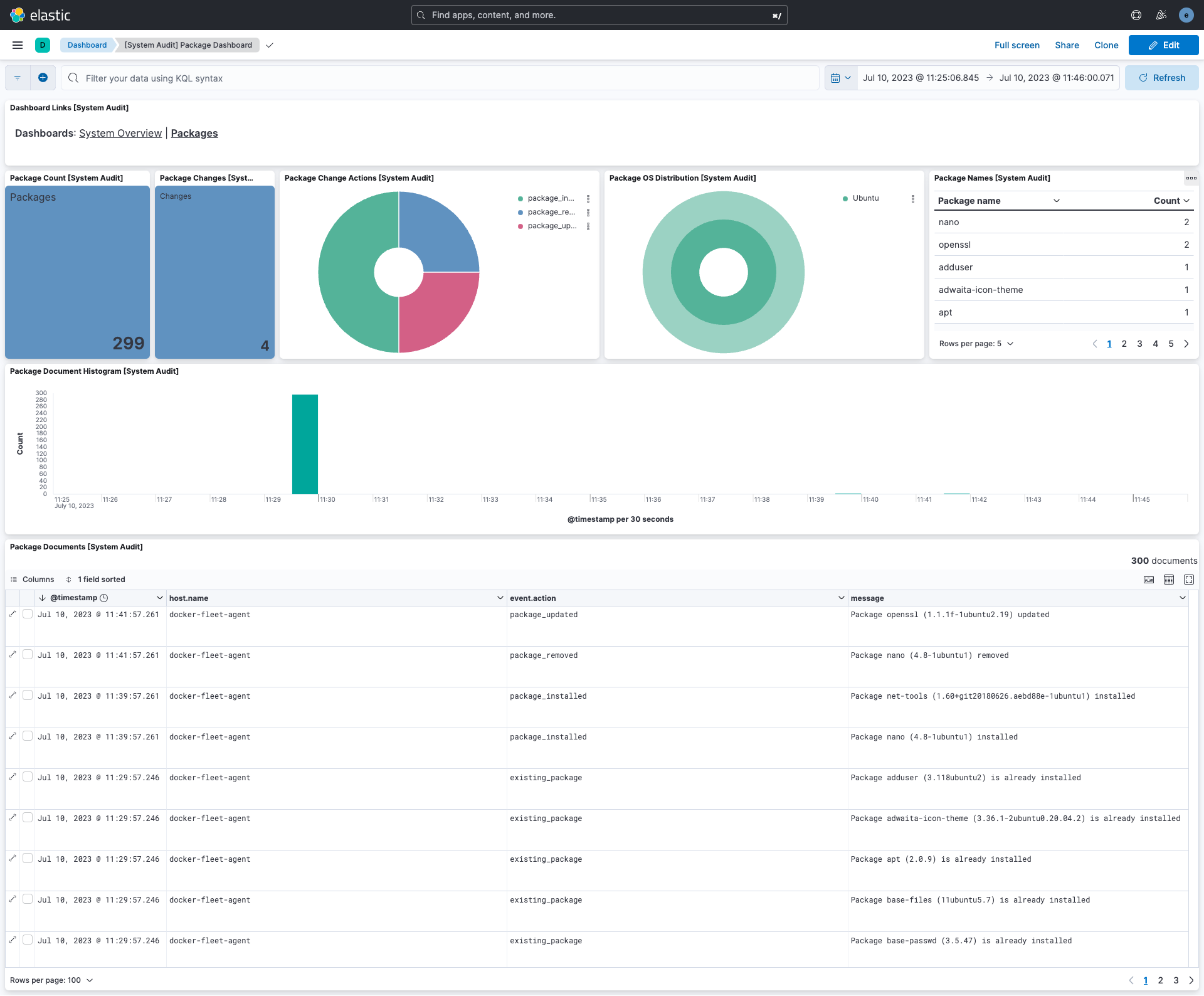
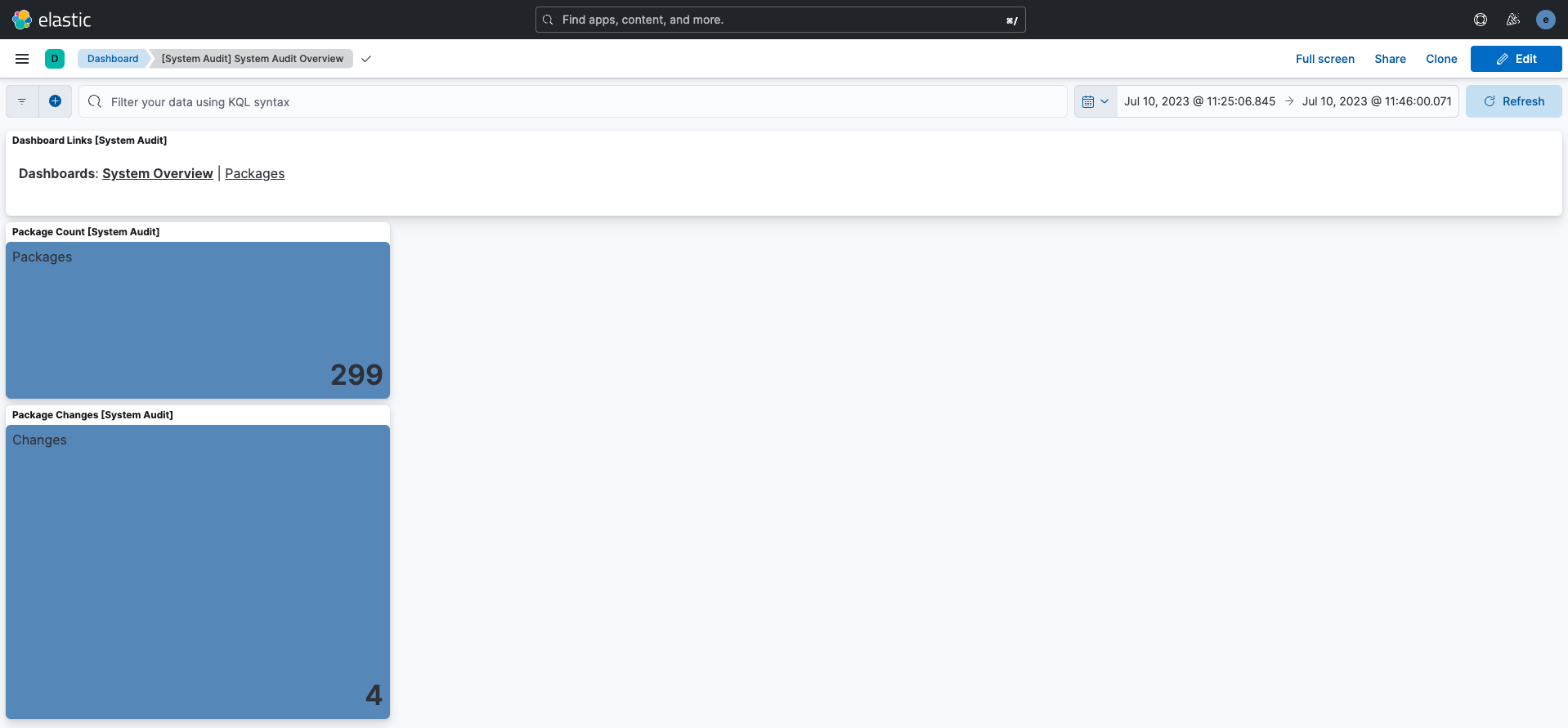
The integration comes with a package & audit system dashboard for easy identification of events and data overview :
Package Dashboard:
System Audit Dashboard:
For further information, please look at the Auditbeat System Module documentation.
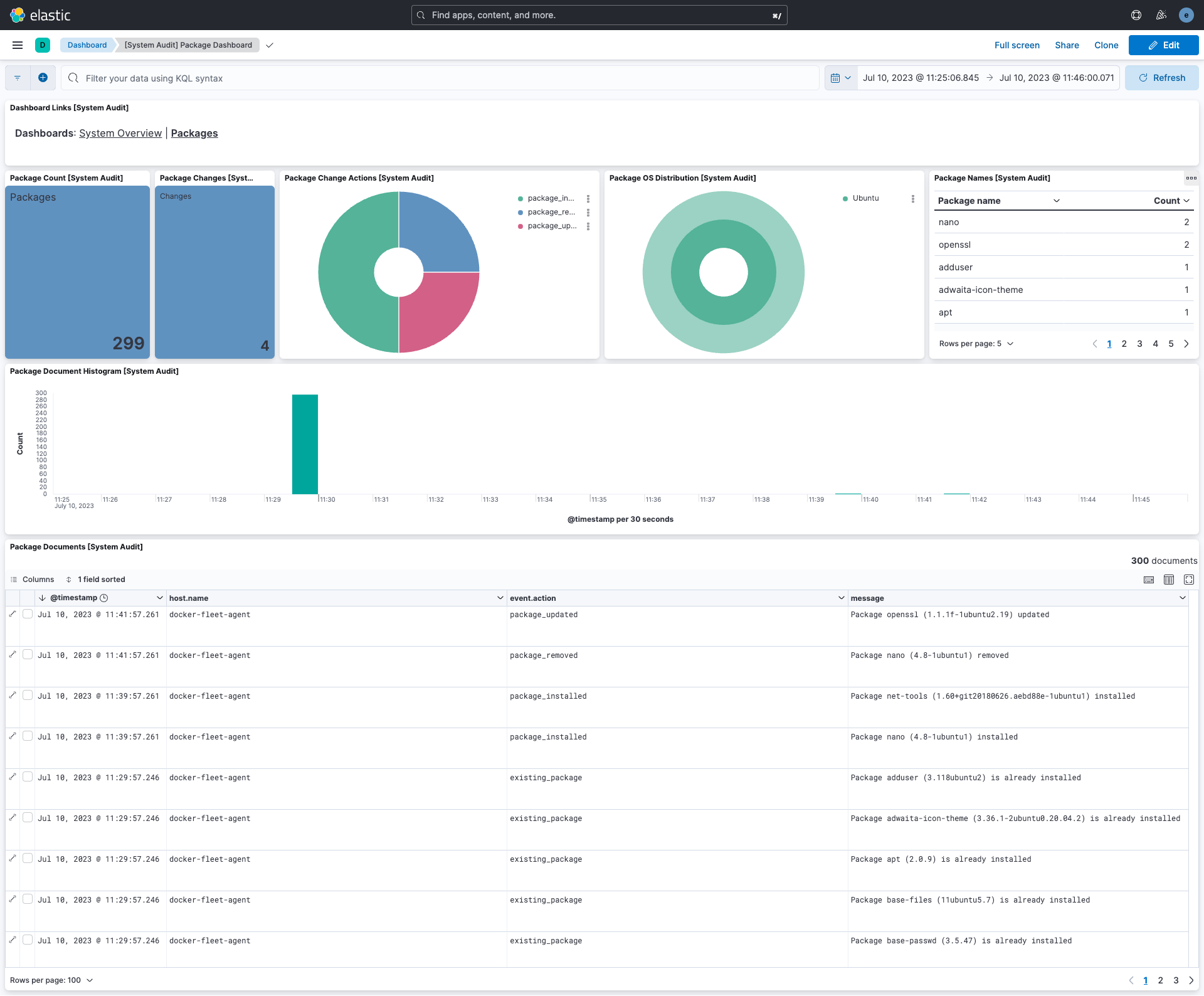
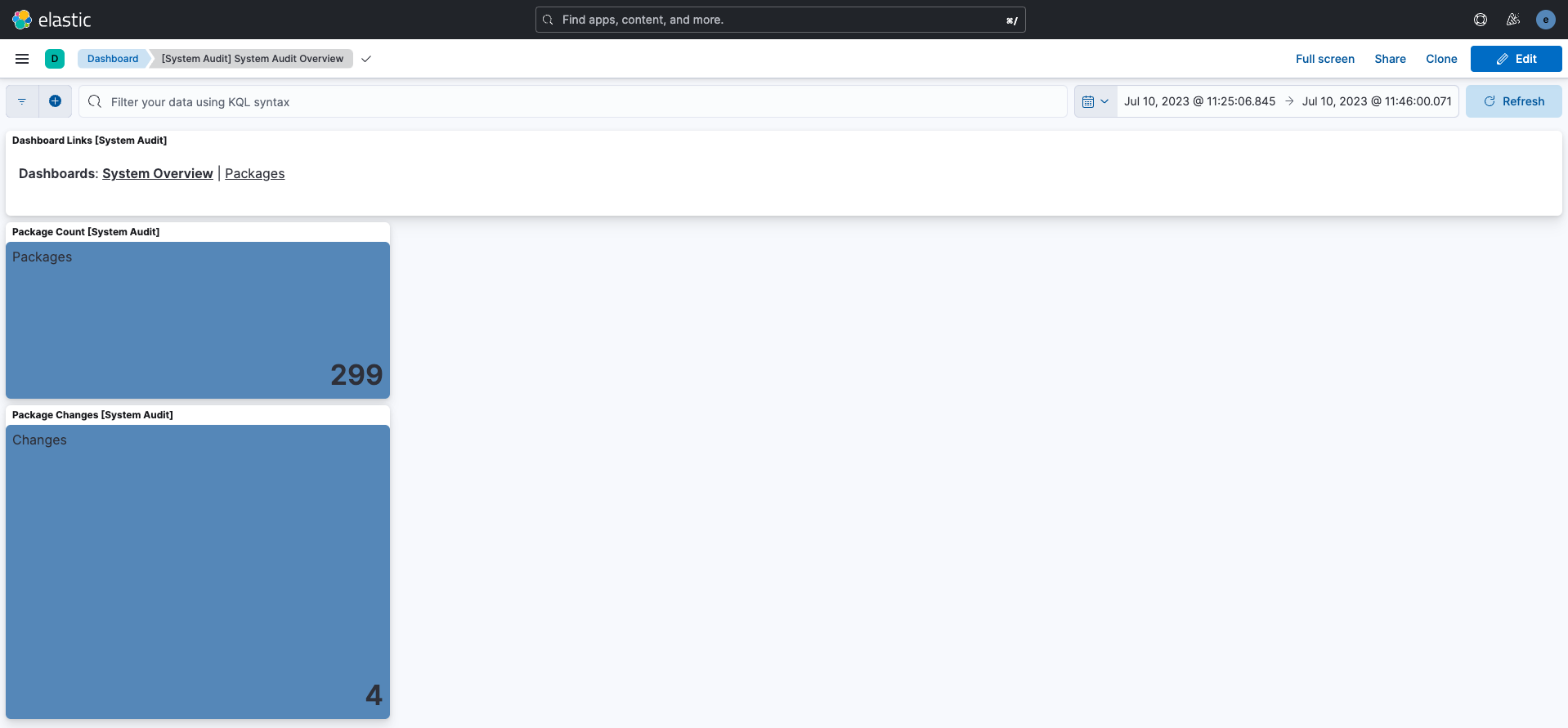
This integration includes one or more Kibana dashboards that visualizes the data collected by the integration. The screenshots below illustrate how the ingested data is displayed.
Changelog
| Version | Details | Minimum Kibana version |
|---|---|---|
| 1.11.2 | Bug fix (View pull request) Use the links panel in the dashboards. |
9.0.0 8.7.1 |
| 1.11.1 | Enhancement (View pull request) Transfer package ownership to elastic/security-service-integrations. |
9.0.0 8.7.1 |
| 1.11.0 | Enhancement (View pull request) Add 9.0.0 constraint and update to ECS 8.17.0 |
9.0.0 8.7.1 |
| 1.10.4 | Bug fix (View pull request) Update links to getting started docs |
8.7.1 |
| 1.10.3 | Bug fix (View pull request) Use triple-brace Mustache templating when referencing variables in ingest pipelines. |
8.7.1 |
| 1.10.2 | Enhancement (View pull request) capture root requirement |
8.7.1 |
| 1.10.1 | Enhancement (View pull request) Changed owners |
8.7.1 |
| 1.10.0 | Enhancement (View pull request) ECS version updated to 8.11.0. |
8.7.1 |
| 1.9.0 | Enhancement (View pull request) ECS version updated to 8.10.0. |
8.7.1 |
| 1.8.0 | Enhancement (View pull request) The format_version in the package manifest changed from 2.11.0 to 3.0.0. Removed dotted YAML keys from package manifest. Added 'owner.type: elastic' to package manifest. |
8.7.1 |
| 1.7.0 | Enhancement (View pull request) Add tags.yml file so that integration's dashboards and saved searches are tagged with "Security Solution" and displayed in the Security Solution UI. |
8.7.1 |
| 1.6.0 | Enhancement (View pull request) Update package to ECS 8.9.0. |
8.7.1 |
| 1.5.1 | Bug fix (View pull request) Fix processor UI handling. |
8.7.1 |
| 1.5.0 | Enhancement (View pull request) Convert dashboards to Lens. |
8.7.1 |
| 1.4.0 | Enhancement (View pull request) Ensure event.kind is correctly set for pipeline errors. |
8.5.0 |
| 1.3.0 | Enhancement (View pull request) Update package to ECS 8.8.0. |
8.5.0 |
| 1.2.1 | Bug fix (View pull request) Improved the documentation and explicitly mentioned that Windows is not supported. |
8.5.0 |
| 1.2.0 | Enhancement (View pull request) Update package-spec version to 2.7.0. |
8.5.0 |
| 1.1.0 | Enhancement (View pull request) Update package to ECS 8.7.0. |
8.5.0 |
| 1.0.1 | Enhancement (View pull request) Fix documentation bug |
8.5.0 |
| 1.0.0 | Enhancement (View pull request) Initial Release |
8.5.0 |