Box Events Integration
Elastic Cloud Serverless projects are autoscaled environments, fully managed by Elastic and available on Elastic Cloud. Availability This functionality is generally available and ready for production usage. Elastic Cloud Serverless projects are autoscaled environments, fully managed by Elastic and available on Elastic Cloud. Availability This functionality is generally available and ready for production usage. The Elastic Stack includes Elastic's core products such as Elasticsearch, Kibana, Logstash, and Beats. Availability This functionality is generally available and ready for production usage. Unless stated otherwise on the page, this functionality is available when your Elastic Stack is deployed on Elastic Cloud Hosted, Elastic Cloud Enterprise, Elastic Cloud on Kubernetes, and self-managed environments. This documentation corresponds to the latest patch available for each minor version. If you're not using the latest patch, check the release notes for changes.
Serverless Observability
Generally available
Serverless Security
Generally available
Stack
9.1+
Generally available since 9.1
| Version | 4.1.0 (View all) |
| Managed integration release status | GA |
| Subscription level What's this? |
Basic |
| Developed by What's this? |
Elastic |
| Ingestion method(s) | API |
| Minimum Kibana version(s) | 9.1.4 8.19.4 |
You can use this integration as an Elastic Managed integration on Elastic Cloud Hosted deployments running this version or later.
The Box Events integration allows you to monitor Box. Box is a secure cloud storage and collaboration service that allows businesses and individuals to easily share files.
Use the Box Events integration to ingest the activity logs which are generated each time files are uploaded, accessed, or modified in Box, enabling you to monitor data movement to the cloud. If you have opted-in to receive additional events, the Box Events integration will ingest context-rich alerts on potential threats, such as compromised accounts and data theft, based on anomalous user behavior. Combining this data with other events can lead to the detection of data exfiltration attacks.
Then visualize that data in Kibana, create alerts to notify you if something goes wrong, and reference box_events.events when troubleshooting an issue.
Elastic Managed integrations are only supported on Elastic Cloud Serverless and Elastic Cloud Hosted deployments. An Elastic Managed integration lets you ingest data from a cloud source while avoiding the orchestration, management, and maintenance associated with standard ingest infrastructure. Elastic runs the collector for you, so you can focus on your data instead of the infrastructure that collects it.
For more information, refer to Elastic Managed integrations and the Elastic Managed integrations FAQ.
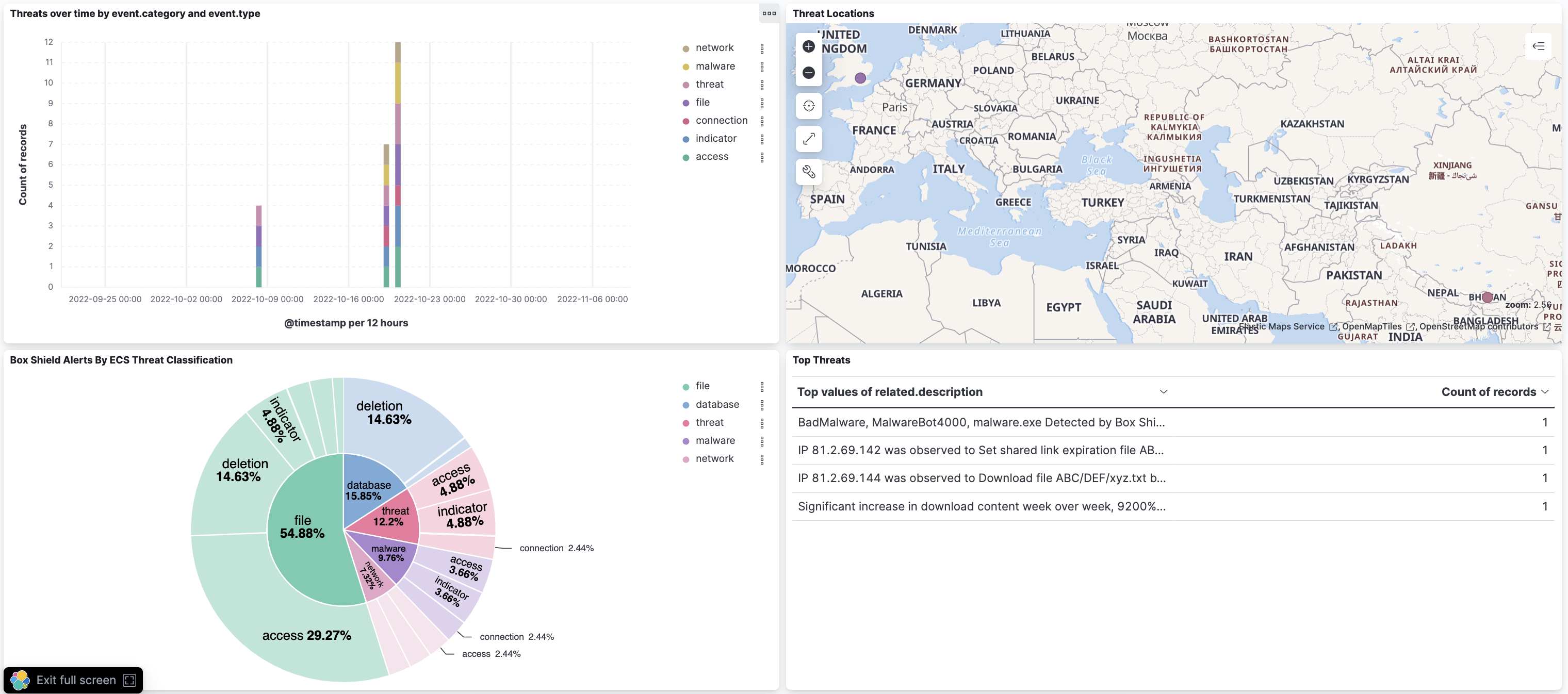
For example, if you wanted to set up notifications for incoming Box Shield alerts you could verify that this data is being ingested from the Box Shield Alerts Dashboard. Then, go to Alerts and Insights / Rules and Connectors in the sidebar and set up a Rule using an Elasticsearch Query against index *box*alert* with time field @timestamp and DSL
{
  "query":{
    "match" : {
      "event.kind": "alert"
    }
  }
}
to match incoming box alerts during your desired timeframe and notify you using your preferred connector.
The Box Web Application does not feature version numbers, see this Community Post. This integration was configured and tested against Box in the second quarter of 2022.
Version 4.0.0 changes the code used to collect events from Box. This update fixes a bug that could occasionally cause small gaps in your data.
- Check your
stream_typesetting
This determines how far back events may temporarily reappear after upgrading - see the table below. If you're not sure what yours is set to, check your integration policies before upgrading. - No other action is required
The upgrade is safe to run as-is once you know what to expect for your setup. It's most noticeable if you're onadmin_logs, where events from up to a year back may be collected again.
You'll need to re-enter your Box credentials
Go to your integration policy and re-enter your Client ID, Client Secret, and Box Subject ID. This is a one-time step.You'll see some old events collected again
The integration will briefly restart collection from further back in your Box history, so events you've already ingested may be requested a second time. This is expected and temporary - it won't create duplicate records in your data (see below).How far back it goes depends on your stream type
If you're usingadmin_logs, the type with the longest history available, expect the collection to take longer to finish processing. If you don't need to fill a data gap older than 14 days, it's recommended you switch fromadmin_logstoadmin_logs_streaming.Stream Type Maximum Data all(default)21 days admin_logs_streaming14 days admin_logs365 days changes21 days sync31 days You won't end up with duplicate events
As long as you keep using the same setup you have today and don't manually roll over the data stream to a new backing index.
The Box events API enables subscribing to live events across the enterprise or for a particular user, or querying historical events across the enterprise.
The API Returns up to a year of past events for configurable to the admin user (default) or for the entire enterprise.
The Elastic Integration for Box Events requires the following Authentication Settings in order to connect to the Target service:
- Client ID
- Client Secret
- Box Subject ID
- Box Subject Type
- Grant Type
The Elastic Integration for Box Events requires the following Data Stream Settings to configure the request to the Target API:
- Interval
- Stream Type
- Preserve Original Event
Here is a brief guide to help you generate these settings
The Elastic Integration for Box Events connects using OAuth 2.0 to interact with a Box Custom App. As prerequisites you will need to:
- Enable
MFA/2FAon your admin account by following the instructions in MFA Setup on Box Support - Configure a
Box Custom Application using Server Authentication
(with Client Credentials Grant). A suggested workflow is provided below, see Setup with OAuth 2.0 for additional information.
It is important to login to the Box Developer Console as an admin and not co-admin.
- Open the Box Developer Console
- Click on
Create new App - Click on
Custom App - Select
Server Authentication (Client Credentials Grant) - Provide an App name, for example
elastic-box-integration - Click on
Create App - When your App has been created, scroll down and under
App Access LevelselectApp + Enterprise Access - Scroll down to
Application Scopesand underAdministrative Actionsselect -Manage users-Manage enterprise properties - Scroll down to
Advanced Featuresand select -Generate user access tokens - Click on
Save Changes
- In the left side bar, at the bottom, click on
</> Dev Console - Click on your application, which should now have an extra
Authorizationtab, so click on this - Click on
Review and Submit, add a comment to explain your changes then click onSubmit.
If you are the admin user you can do this yourself, otherwise reach out to the admin to confirm your motives and request that they authorize your request, since there may be some delay before they are aware of your request.
To authorize the App ensure you are logged in to the Admin Console and follow these steps:
- In the left side bar click on Apps
- Click on the Custom Apps Manager tab, you should see your App under
Server Authentication Appsand theAuthorisation Statusshould bePending Reauth - Click on your App, it should have the following
App Details: - Last Activity<date>- Developer Email<your email>- Authorization StatusPending Reauthorization- Enablement StatusEnabled- Client ID<alphanumeric id>- App AccessAll Users- App ScopesRead and write all files and folders stored in BoxManage enterprise propertiesManage usersManage app usersGenerate user access tokens- Authentication TypeOAuth 2.0 with Client Credentials Grant
- Click on
Authorize- a pop up will reconfirm these details - Click on
Authorize- the Authorization Status should update to - Authorized
Click on your App in the Box Developer Console, under the Configuration tab, scroll down to OAuth 2.0 Credentials and copy the Client ID
Have your 2FA device prepared and to hand. Click on your App in the Box Developer Console, under the Configuration tab, scroll down to OAuth 2.0 Credentials and click on Fetch Client Secret. Complete the 2FA challenge to copy the Client Secret
Click on your App in the Box Developer Console, under the General Settings tab, scroll down to App Info. If you intend to harvest events solely for the admin user copy the User ID otherwise copy the Enterprise ID
If you intend to harvest events solely for the admin user set this to user otherwise set to enterprise
Use the provided default client_credentials
This sets the interval between requests to the Target Service, for example 300s will send a request every 300 seconds. Events will be returned in batches of up to 100, with successive calls on expiry of the configured interval so you may wish to specify a lower interval when a substantial number of events are expected, however, we suggest to consider bandwidth when using lower settings
To retrieve events for a single user, set stream type to all (default). To select only events that may cause file tree changes such as file updates or collaborations, use changes. To select a subset of changes for synced folders, use sync. To retrieve events for the entire enterprise, set the stream_type to admin_logs_streaming for live monitoring of new events, or admin_logs for querying across historical events.
Preserves a raw copy of the original event, added to the field event.original.
Exported fields
| Field | Description | Type |
|---|---|---|
| @timestamp | Date/time when the event originated. This is the date/time extracted from the event, typically representing when the event was generated by the source. If the event source has no original timestamp, this value is typically populated by the first time the event was received by the pipeline. Required field for all events. | date |
| box.accessible_by.id | ID of the entity that can access the item. | keyword |
| box.accessible_by.login | Login of the entity that can access the item. | keyword |
| box.accessible_by.name | Name of the entity that can access the item. | keyword |
| box.accessible_by.type | Type of entity that can access the item. | keyword |
| box.additional_details.collab_id | ID of the collaboration. | keyword |
| box.additional_details.is_performed_by_admin | Whether the action was performed by an admin. | boolean |
| box.additional_details.role | Role associated with the event. | keyword |
| box.additional_details.shield_alert.alert_id | Box Shield alert ID | long |
| box.additional_details.shield_alert.alert_summary.anomaly_period.date_range.end_date | When the anomaly was last observed | keyword |
| box.additional_details.shield_alert.alert_summary.anomaly_period.date_range.start_date | When the anomaly was last observed | keyword |
| box.additional_details.shield_alert.alert_summary.anomaly_period.download_size | Volume of Anomalous Downloads detected by Box Shield relating to an account holder who may be stealing sensitive content | keyword |
| box.additional_details.shield_alert.alert_summary.anomaly_period.downloaded_files_count | Number of Anomalous Downloads detected by Box Shield relating to an account holder who may be stealing sensitive content | long |
| box.additional_details.shield_alert.alert_summary.description | Description of Alert | keyword |
| box.additional_details.shield_alert.alert_summary.download_delta_percent | Anomaly delta percentage relative to historical expectation | long |
| box.additional_details.shield_alert.alert_summary.download_delta_size | Anomaly delta size relative to historical expectation | keyword |
| box.additional_details.shield_alert.alert_summary.download_ips.ip | IP address | ip |
| box.additional_details.shield_alert.alert_summary.historical_period.date_range.end_date | End of historical period for calculation of historical expectation | keyword |
| box.additional_details.shield_alert.alert_summary.historical_period.date_range.start_date | Start of historical period for calculation of historical expectation | keyword |
| box.additional_details.shield_alert.alert_summary.historical_period.download_size | Volume of Anomalous Downloads detected by Box Shield relating to an account holder who may be stealing sensitive content | keyword |
| box.additional_details.shield_alert.alert_summary.historical_period.downloaded_files_count | Number of Anomalous Downloads detected by Box Shield relating to an account holder who may be stealing sensitive content | long |
| box.additional_details.shield_alert.alert_summary.upload_activity.event_type | Type of event, e.g. Upload |
keyword |
| box.additional_details.shield_alert.alert_summary.upload_activity.ip_info.ip | IP address | ip |
| box.additional_details.shield_alert.alert_summary.upload_activity.ip_info.registrant | Registrant of IP | keyword |
| box.additional_details.shield_alert.alert_summary.upload_activity.item_id | ID of item | keyword |
| box.additional_details.shield_alert.alert_summary.upload_activity.item_name | Name of item | keyword |
| box.additional_details.shield_alert.alert_summary.upload_activity.item_path | Path to Item | keyword |
| box.additional_details.shield_alert.alert_summary.upload_activity.item_type | Type of Item | keyword |
| box.additional_details.shield_alert.alert_summary.upload_activity.occurred_at | Time of Upload | keyword |
| box.additional_details.shield_alert.alert_summary.upload_activity.service_name | Service used to upload the suspected Malware | keyword |
| box.additional_details.shield_alert.created_at | Time alert was created | date |
| box.additional_details.shield_alert.link | URL with information about this alert | keyword |
| box.additional_details.shield_alert.malware_info.categories | Array of Malware Categories e.g. Adware, Spyware |
keyword |
| box.additional_details.shield_alert.malware_info.description | Describes the Malware | keyword |
| box.additional_details.shield_alert.malware_info.detail_link | URL with detail of Malware | keyword |
| box.additional_details.shield_alert.malware_info.family | Malware Family | keyword |
| box.additional_details.shield_alert.malware_info.file_created | Date of file creation | date |
| box.additional_details.shield_alert.malware_info.file_created_by.email | Email of file creator | keyword |
| box.additional_details.shield_alert.malware_info.file_created_by.id | ID of file creator. The Box Shield documentation example uses long, not string |
long |
| box.additional_details.shield_alert.malware_info.file_created_by.name | Display name of file creator | keyword |
| box.additional_details.shield_alert.malware_info.file_hash | File hash | keyword |
| box.additional_details.shield_alert.malware_info.file_hash_type | Hash type, e.g. SHA-1 |
keyword |
| box.additional_details.shield_alert.malware_info.file_id | File ID | long |
| box.additional_details.shield_alert.malware_info.file_name | File name | keyword |
| box.additional_details.shield_alert.malware_info.file_size_bytes | File size in bytes | long |
| box.additional_details.shield_alert.malware_info.file_version | File version | long |
| box.additional_details.shield_alert.malware_info.file_version_uploaded | Date this version of file was uploaded | date |
| box.additional_details.shield_alert.malware_info.file_version_uploaded_by.email | Email of file uploader | keyword |
| box.additional_details.shield_alert.malware_info.file_version_uploaded_by.id | ID of file uploader | long |
| box.additional_details.shield_alert.malware_info.file_version_uploaded_by.name | Display name of file uploader | keyword |
| box.additional_details.shield_alert.malware_info.first_seen | Time Malware first observed | date |
| box.additional_details.shield_alert.malware_info.last_seen | Time Malware last observed | date |
| box.additional_details.shield_alert.malware_info.malware_name | Malware name | keyword |
| box.additional_details.shield_alert.malware_info.status | Malware status e.g. Malicious |
keyword |
| box.additional_details.shield_alert.malware_info.tags | Array of Malware Tags e.g. FILE_MALICIOUS_EXECUTION |
keyword |
| box.additional_details.shield_alert.priority | Box Shield priority of alert | keyword |
| box.additional_details.shield_alert.risk_score | Risk score as calculated by Box Shield | long |
| box.additional_details.shield_alert.rule_category | Rule Category as allocated by Box Shield | keyword |
| box.additional_details.shield_alert.rule_id | Box Shield rule ID | long |
| box.additional_details.shield_alert.rule_name | Box Shield rule name | keyword |
| box.additional_details.shield_alert.user.email | User email | keyword |
| box.additional_details.shield_alert.user.id | User ID | long |
| box.additional_details.shield_alert.user.name | User name | keyword |
| box.additional_details.type | Type of the event. | keyword |
| box.created_at | When the event object was created | date |
| box.created_by.id | The unique identifier for the connection user. | keyword |
| box.created_by.login | The primary email address of the connection user. Maps from **.login | keyword |
| box.created_by.name | The display name of the connection user. Maps from **.name | keyword |
| box.created_by.type | E.g. user |
keyword |
| box.ip_address | IP Address | keyword |
| box.recorded_at | The date and time at which this event occurred | date |
| box.session.id | Box session_id field |
keyword |
| box.source.address | Physical Address associated with the event | keyword |
| box.source.avatar_url | URL for user avatar | boolean |
| box.source.created_at | The date and time at which this folder was originally created | date |
| box.source.created_by.id | The unique identifier for this user | keyword |
| box.source.created_by.login | The primary email address of this user. Maps from **.login | keyword |
| box.source.created_by.name | The display name of this user. Maps from **.name | keyword |
| box.source.created_by.type | Value is always user |
keyword |
| box.source.description | The optional description of this folder | text |
| box.source.etag | The HTTP etag of this folder | keyword |
| box.source.file_version.id | The unique identifier that represent a file version | keyword |
| box.source.file_version.type | Value is always file_version |
keyword |
| box.source.folder_name | The name of a folder | keyword |
| box.source.id | The unique identifier that represent a folder | keyword |
| box.source.item_status | Defines if this item has been deleted or not. The values are "active" when the item is not in the trash, "trashed" when the item has been moved to the trash but not deleted, and "deleted" when the item has been permanently deleted. | keyword |
| box.source.job_title | User job title | boolean |
| box.source.language | User preferred language | boolean |
| box.source.login | User login | keyword |
| box.source.max_upload_size | Max upload size | boolean |
| box.source.modified_at | The date and time at which this folder was last updated | date |
| box.source.modified_by.id | The unique identifier for this user that last modified the file. | keyword |
| box.source.modified_by.login | The primary email address of this user. Maps from **.login | keyword |
| box.source.modified_by.name | The display name of this user. Maps from **.name | keyword |
| box.source.modified_by.type | Value is always user |
keyword |
| box.source.notification_email.email | Email to send notifications | boolean |
| box.source.notification_email.is_confirmed | True if notification_email.email has been confirmed else false |
boolean |
| box.source.owned_by.id | The unique identifier for this user | keyword |
| box.source.owned_by.login | The primary email address of this user. Maps from **.login | keyword |
| box.source.owned_by.name | The display name of this user. Maps from **.name | keyword |
| box.source.owned_by.type | Value is always user |
keyword |
| box.source.parent.etag | The HTTP etag of this folder | keyword |
| box.source.parent.id | The unique identifier that represent a folder | keyword |
| box.source.parent.name | The name of the folder | keyword |
| box.source.parent.sequence_id | A numeric identifier that represents the most recent user event that has been applied to this item (parent) | keyword |
| box.source.parent.type | Value is always folder |
keyword |
| box.source.path_collection.entries.etag | The HTTP etag of this folder | keyword |
| box.source.path_collection.entries.id | The unique identifier that represent a folder. This field is an array | keyword |
| box.source.path_collection.entries.name | The name of the parent folder. This field is an array | keyword |
| box.source.path_collection.entries.sequence_id | A numeric identifier that represents the most recent user event that has been applied to this item | keyword |
| box.source.path_collection.entries.type | Value is always folder. This field is an array |
keyword |
| box.source.path_collection.total_count | The number of folders in this list | long |
| box.source.phone | Phone number | boolean |
| box.source.purged_at | The time at which this file is expected to be purged from the trash | boolean |
| box.source.sequence_id | A numeric identifier that represents the most recent user event that has been applied to this item | keyword |
| box.source.sha1 | SHA1 hash of the item concerned | keyword |
| box.source.space_amount | Space amount | boolean |
| box.source.space_used | Space used | boolean |
| box.source.status | For example: active |
boolean |
| box.source.synced | Legacy property for compatibility with Box Desktop | boolean |
| box.source.timezone | Timezone | boolean |
| box.source.trashed_at | The time at which this file was put in the trash | boolean |
| box.source.user_id | Unique user ID of the user that triggered the event. | keyword |
| box.source.user_name | The name of the user that triggered the event. | keyword |
| cloud.image.id | Image ID for the cloud instance. | keyword |
| data_stream.dataset | The field can contain anything that makes sense to signify the source of the data. Examples include nginx.access, prometheus, endpoint etc. For data streams that otherwise fit, but that do not have dataset set we use the value "generic" for the dataset value. event.dataset should have the same value as data_stream.dataset. Beyond the Elasticsearch data stream naming criteria noted above, the dataset value has additional restrictions: * Must not contain - * No longer than 100 characters |
constant_keyword |
| data_stream.namespace | A user defined namespace. Namespaces are useful to allow grouping of data. Many users already organize their indices this way, and the data stream naming scheme now provides this best practice as a default. Many users will populate this field with default. If no value is used, it falls back to default. Beyond the Elasticsearch index naming criteria noted above, namespace value has the additional restrictions: * Must not contain - * No longer than 100 characters |
constant_keyword |
| data_stream.type | An overarching type for the data stream. Currently allowed values are "logs" and "metrics". We expect to also add "traces" and "synthetics" in the near future. | constant_keyword |
| event.dataset | Name of the dataset. If an event source publishes more than one type of log or events (e.g. access log, error log), the dataset is used to specify which one the event comes from. It's recommended but not required to start the dataset name with the module name, followed by a dot, then the dataset name. | constant_keyword |
| event.module | Name of the module this data is coming from. If your monitoring agent supports the concept of modules or plugins to process events of a given source (e.g. Apache logs), event.module should contain the name of this module. |
constant_keyword |
| host.containerized | If the host is a container. | boolean |
| host.os.build | OS build information. | keyword |
| host.os.codename | OS codename, if any. | keyword |
| input.type | Type of Filebeat input. | keyword |
| threat.enrichments | A list of associated indicators objects enriching the event, and the context of that association/enrichment. | nested |
| threat.enrichments.indicator.first_seen | The date and time when intelligence source first reported sighting this indicator. | date |
| threat.enrichments.indicator.last_seen | The date and time when intelligence source last reported sighting this indicator. | date |
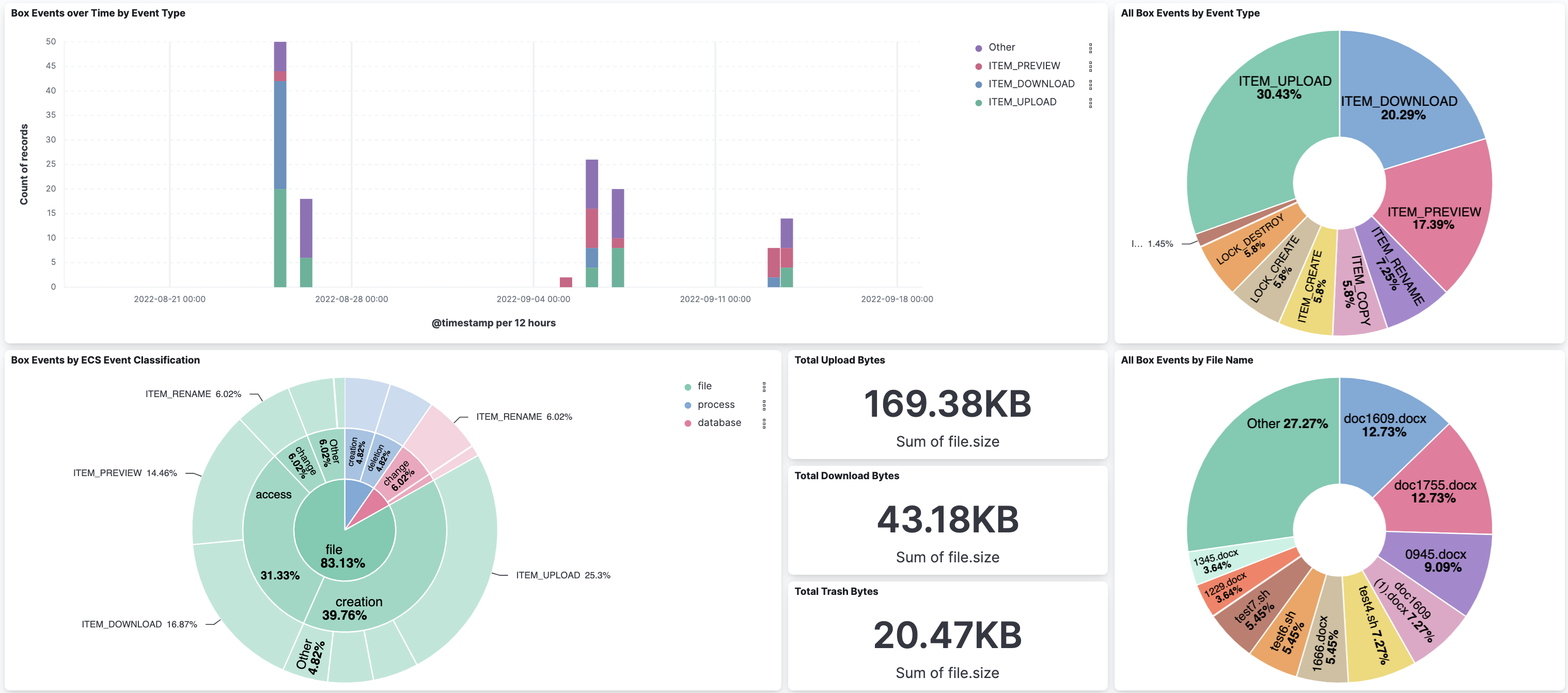
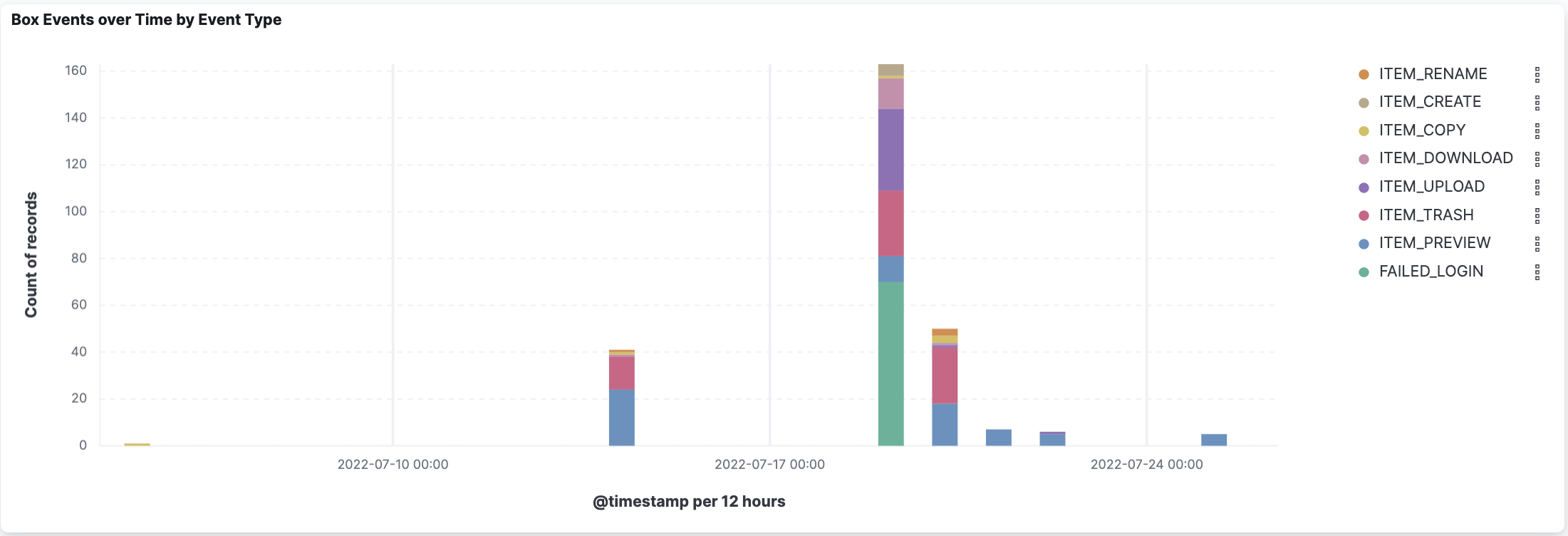
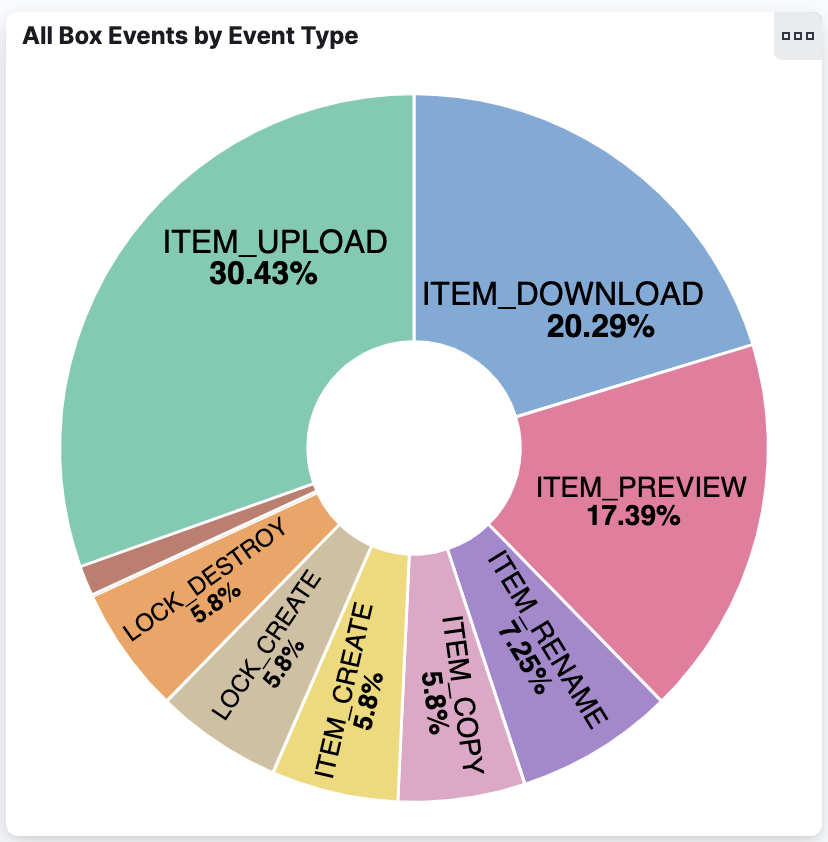
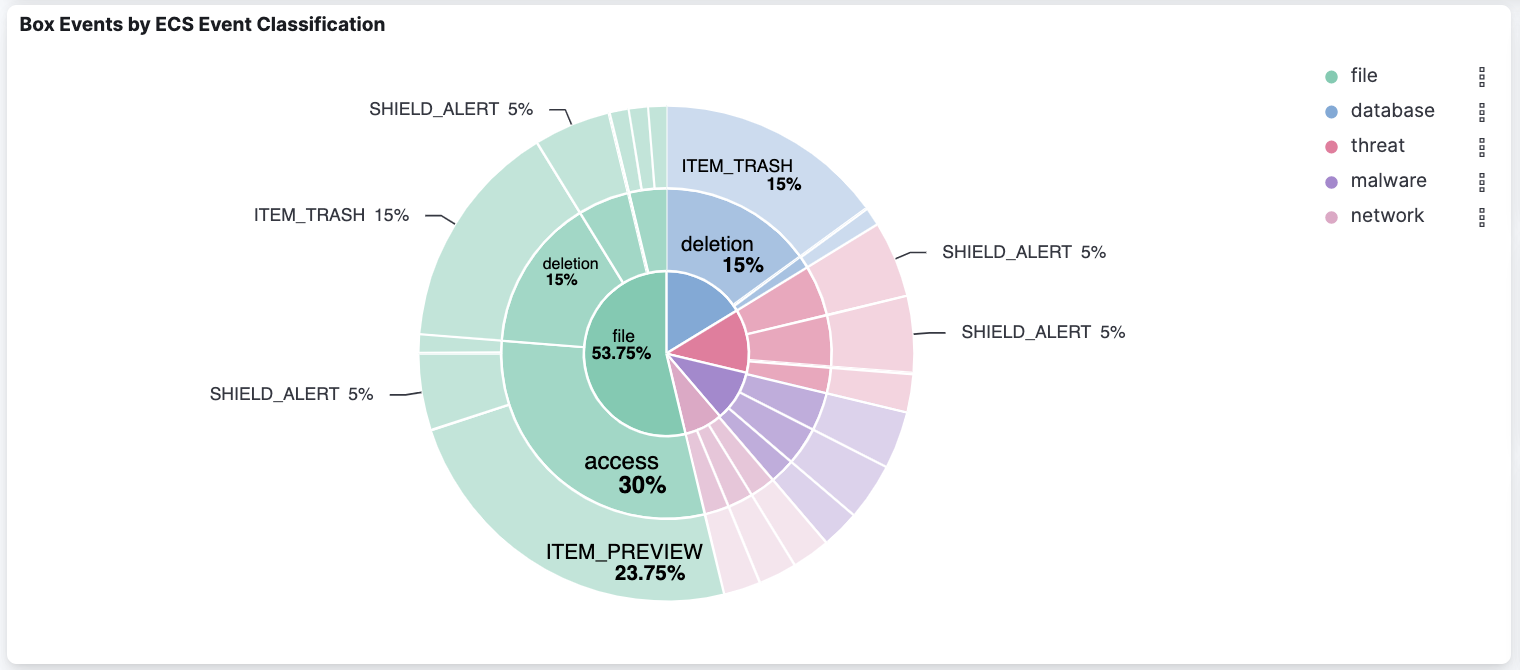
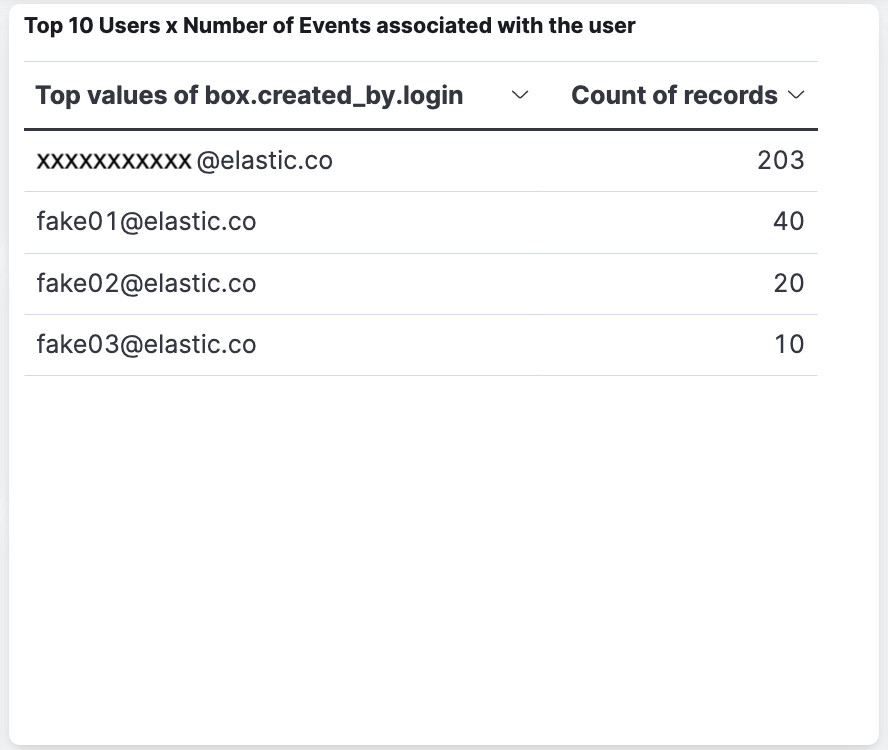
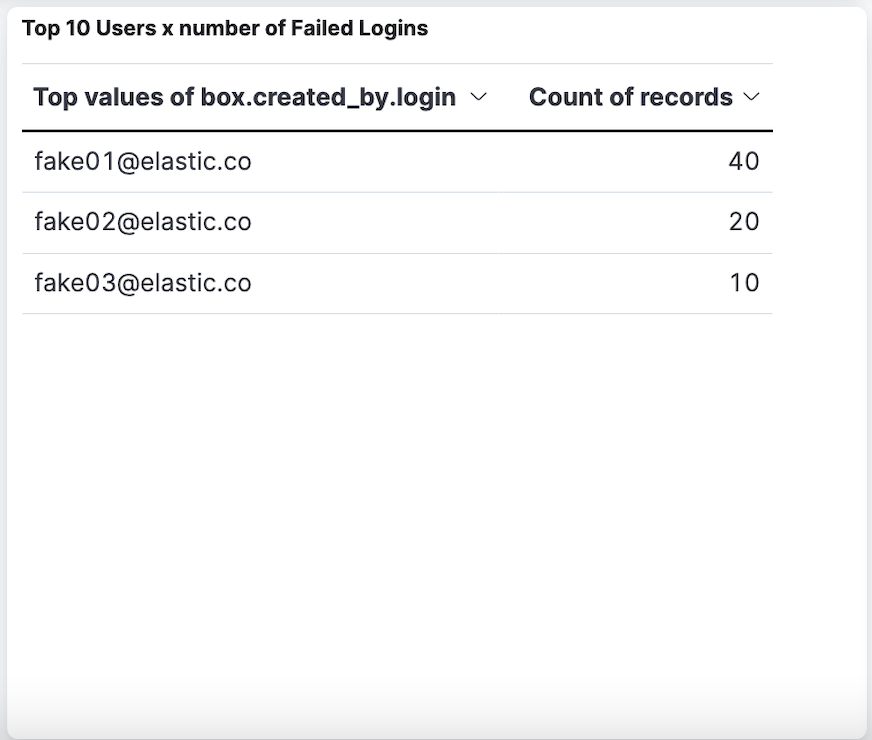
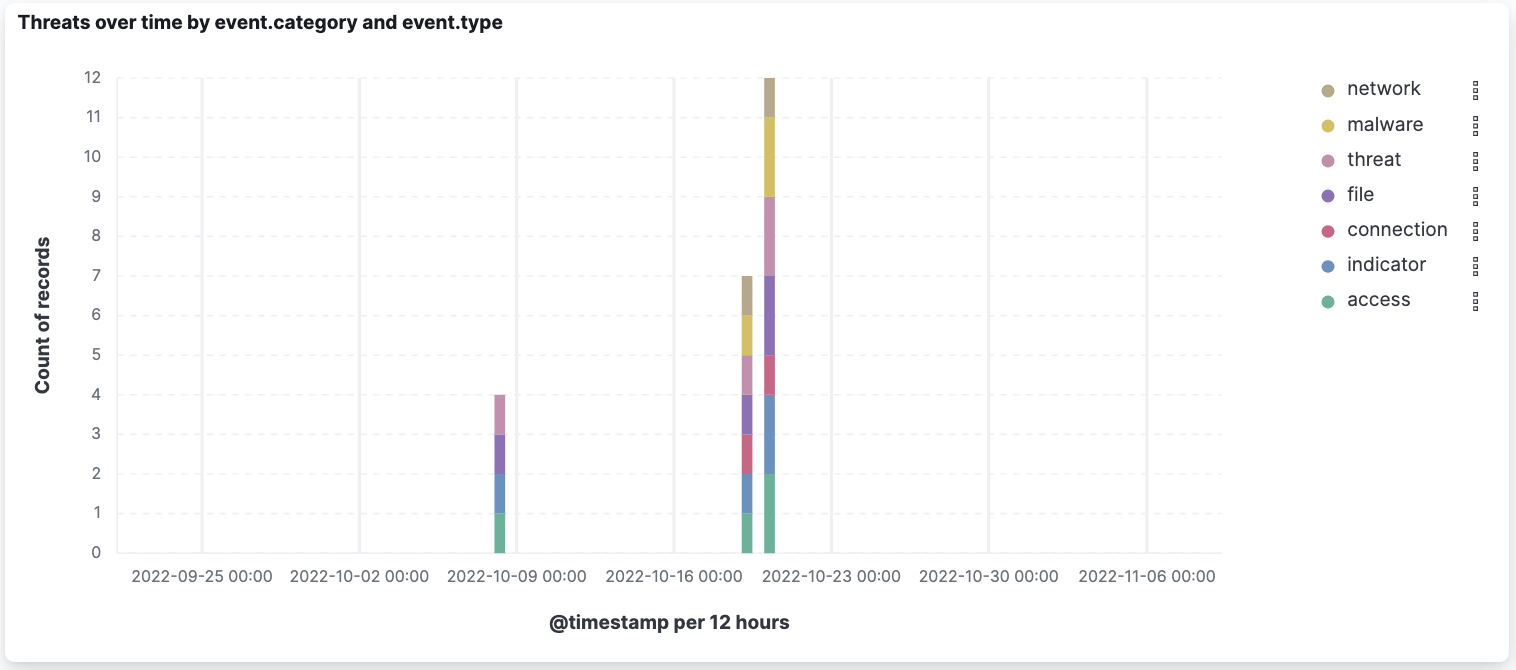
This integration includes one or more Kibana dashboards that visualizes the data collected by the integration. The screenshots below illustrate how the ingested data is displayed.
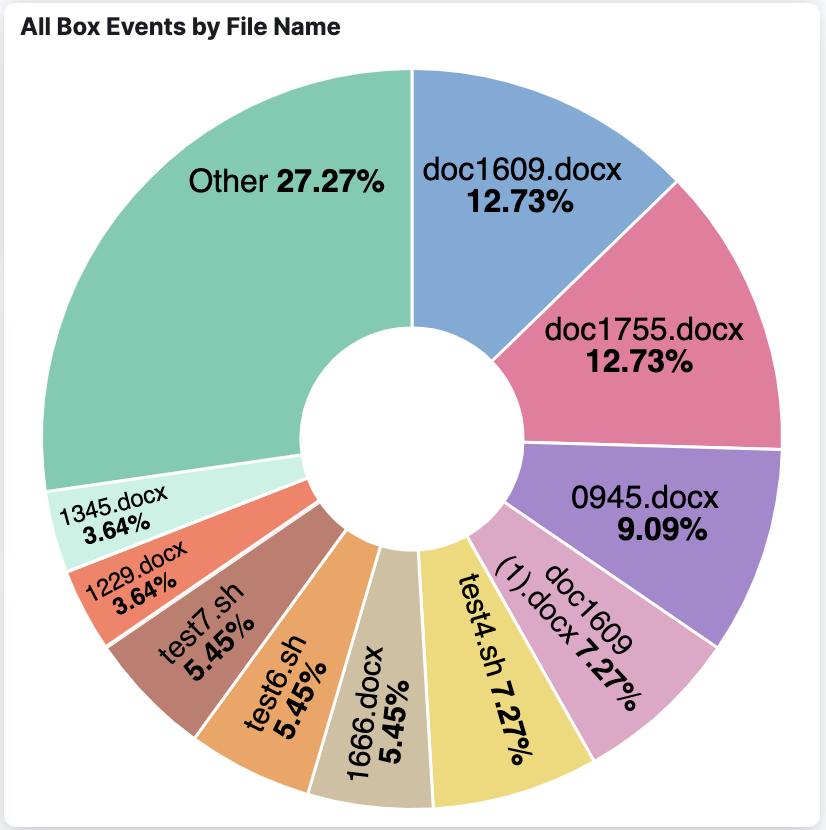
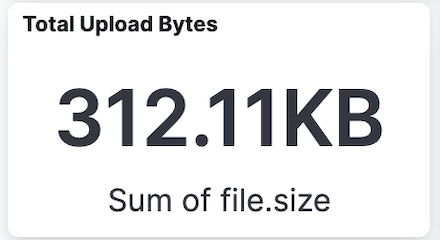
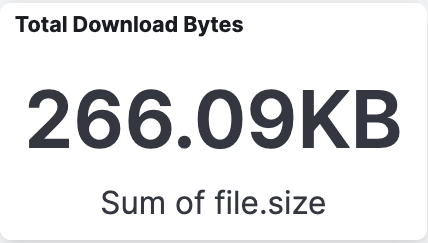
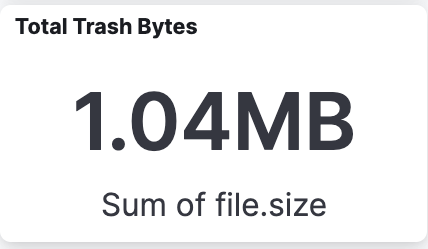
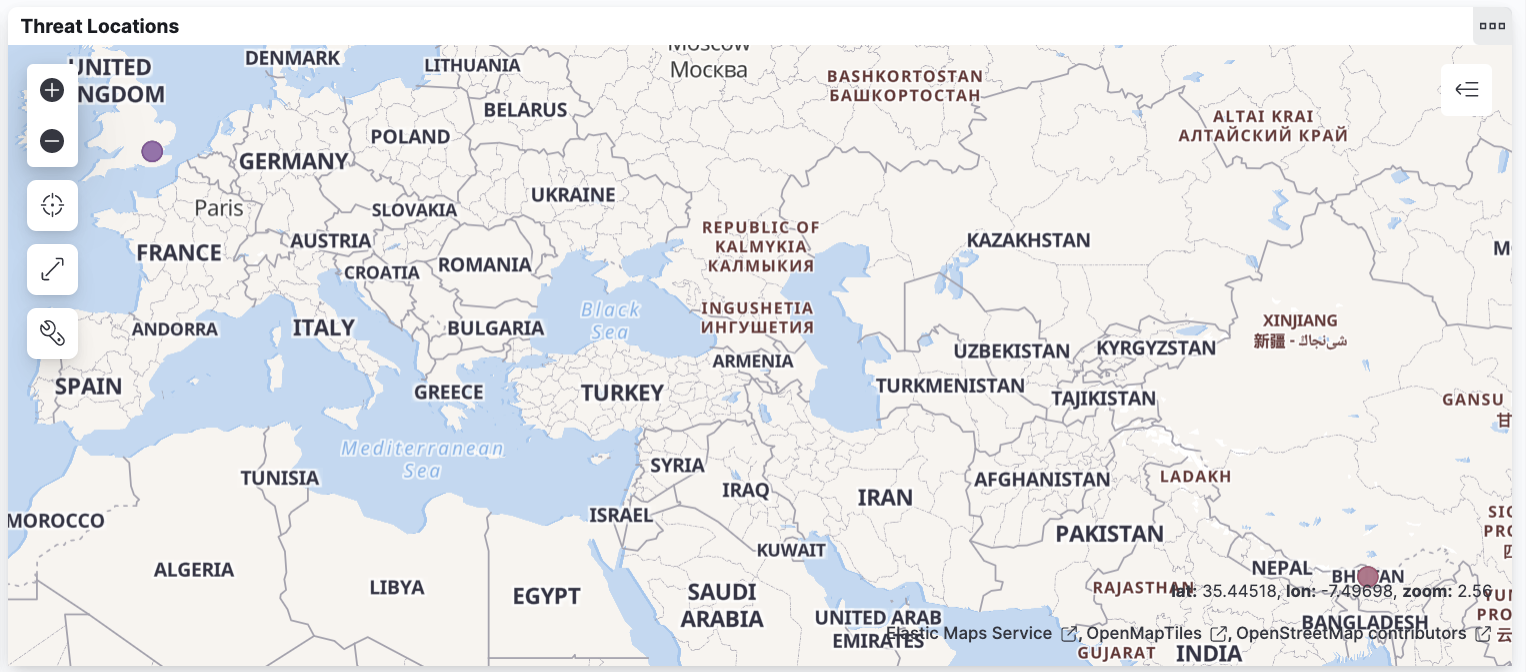
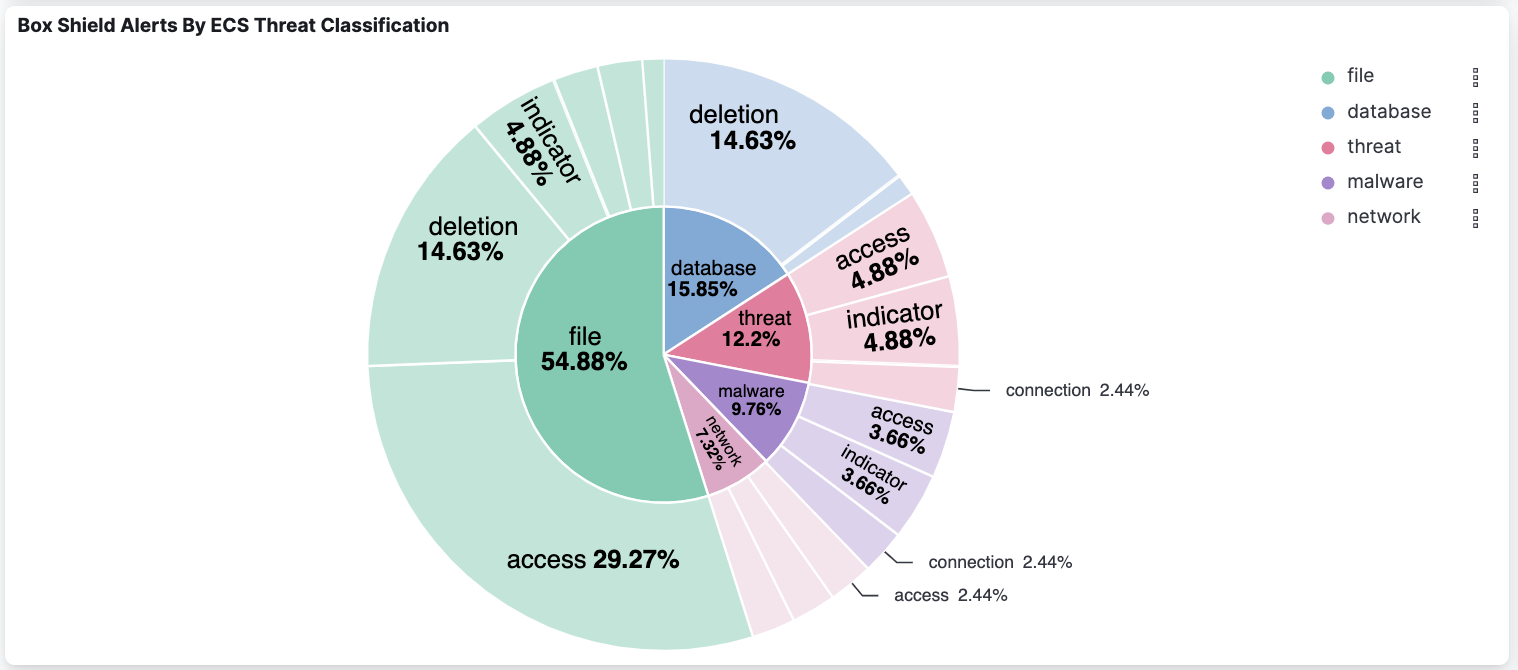
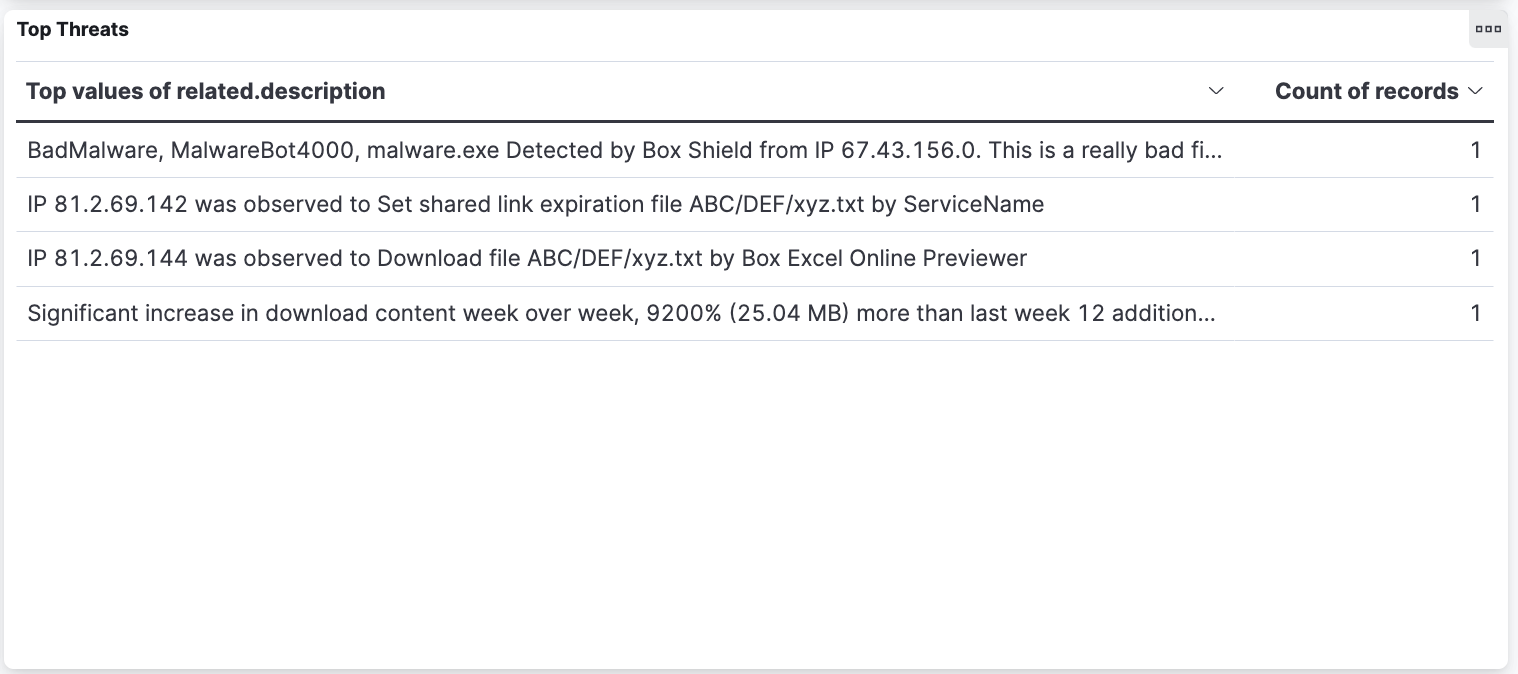
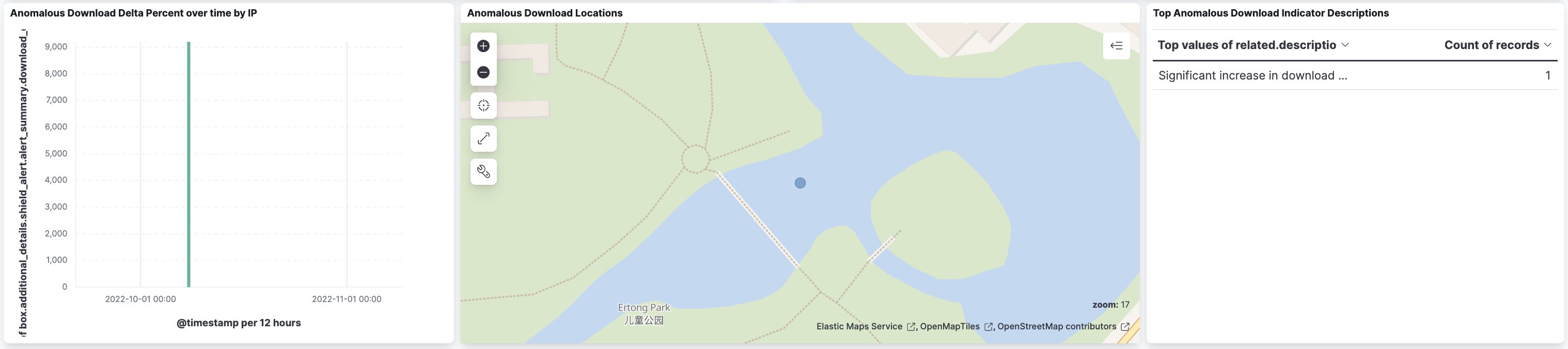
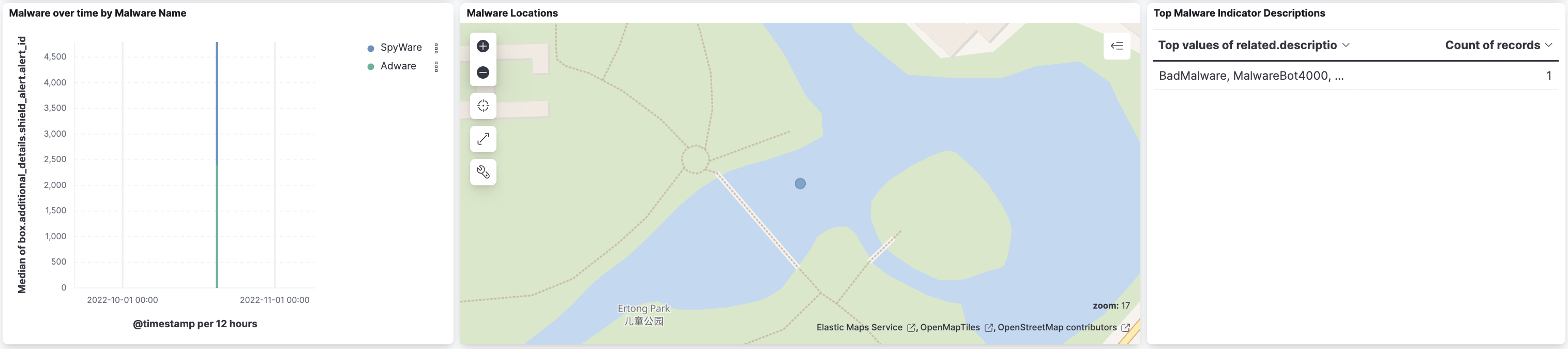
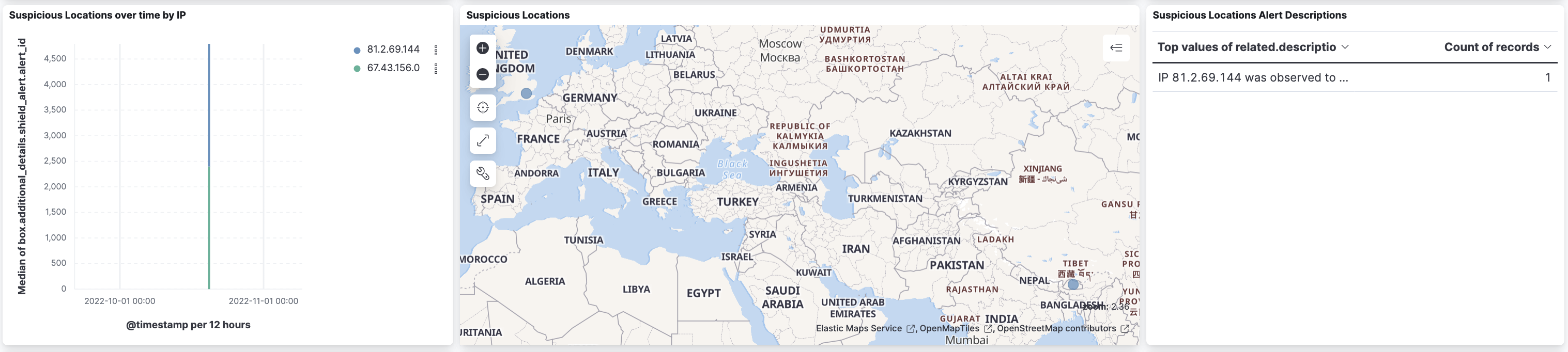
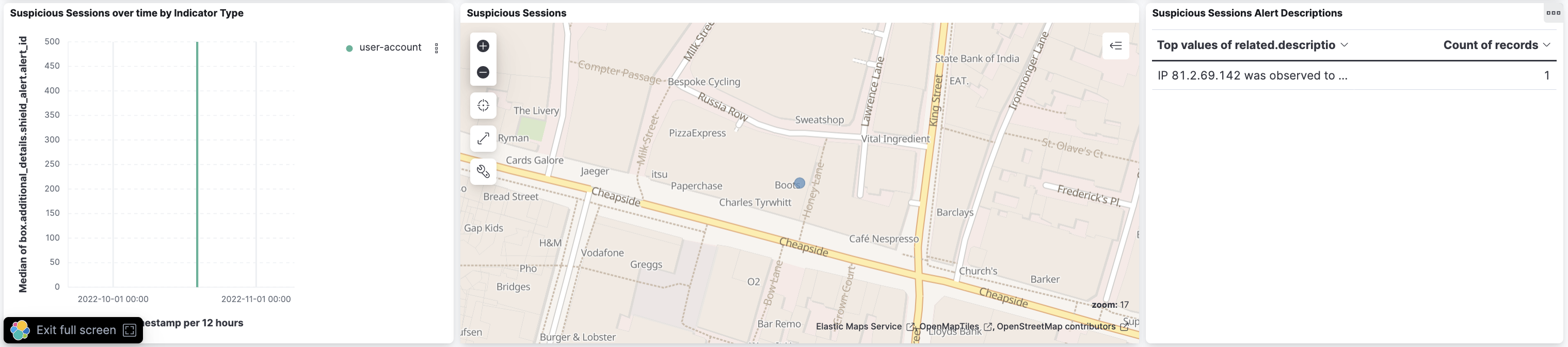
Changelog
| Version | Details | Minimum Kibana version |
|---|---|---|
| 4.1.0 | Enhancement (View pull request) Update Elastic Managed integration documentation to the current wording and docs links. |
9.1.4 8.19.4 |
| 4.0.1 | Bug fix (View pull request) Fix timestamp handling. |
9.1.4 8.19.4 |
| 4.0.0 | Bug fix (View pull request) Migrate from the HTTPJSON input to the CEL input, parsing responses so that the next_stream_position cursor value is handled as a stringend-to-end. This fixes rounding of stream position values above 2^53, which could cause data gaps. Breaking change (View pull request) The input type change from httpjson to cel requires existingintegration policies to be updated with credentials re-entered, and resets the stored stream position, causing a one-time bounded re-ingest of available events. The minimum supported stack version is now 8.19.4 or 9.1.4; 9.0.x is no longer supported. |
9.1.4 8.19.4 |
| 3.5.2 | Bug fix (View pull request) Fix cursor handling. |
9.1.4 9.0.7 8.19.4 |
| 3.5.1 | Enhancement (View pull request) Set agentless deployment mode release field to ga. |
9.1.4 9.0.7 8.19.4 |
| 3.5.0 | Enhancement (View pull request) Publish Agentless to Elastic Managed integrations name change. |
9.1.4 9.0.7 8.19.4 |
| 3.4.0 | Enhancement (View pull request) Reorganize variables, and make agentless the default deployment mode. |
9.1.4 9.0.7 8.19.4 |
| 3.3.1 | Bug fix (View pull request) Use the ECS definition for threat.enrichments. |
9.1.4 9.0.7 8.19.4 |
| 3.3.0 | Enhancement (View pull request) Use new release field for agentless deployment mode to establish as beta. |
9.1.4 9.0.7 8.19.4 |
| 3.2.0 | Enhancement (View pull request) Enable Agentless deployment. |
9.1.4 9.0.7 8.19.4 |
| 3.1.2 | Bug fix (View pull request) Change box.source.login from boolean to keyword. |
9.1.4 9.0.7 8.19.4 |
| 3.1.1 | Bug fix (View pull request) Update stream position handling to match string type provided by API. |
9.1.4 9.0.7 8.19.4 |
| 3.1.0 | Enhancement (View pull request) Prevent updating fleet health status to degraded when pagination completes. |
9.1.4 9.0.7 8.19.4 |
| 3.0.0 | Breaking change (View pull request) Remove non-ECS fields that are collided with ECS namespace. Following fields will no longer be available: related.location.lat, related.location.lon, related.description, related.indicator_type. |
9.0.0 8.13.0 |
| 2.15.1 | Bug fix (View pull request) Fix the description of the interval setting. |
9.0.0 8.13.0 |
| 2.15.0 | Enhancement (View pull request) Add limit parameter for API requests. Bug fix (View pull request) Fix the absence of pagination logic. |
9.0.0 8.13.0 |
| 2.14.1 | Bug fix (View pull request) Fix handling of large cursor offsets. |
9.0.0 8.13.0 |
| 2.14.0 | Enhancement (View pull request) Update and expand ECS user.* field mappings. |
9.0.0 8.13.0 |
| 2.13.0 | Enhancement (View pull request) Handle collaboration invite events and improve user field handling. |
9.0.0 8.13.0 |
| 2.12.0 | Enhancement (View pull request) Update Kibana constraint to support 9.0.0. |
9.0.0 8.13.0 |
| 2.11.1 | Bug fix (View pull request) Add missing ECS mappings. |
8.13.0 |
| 2.11.0 | Enhancement (View pull request) Add "preserve_original_event" tag to documents with event.kind set to "pipeline_error". |
8.13.0 |
| 2.10.0 | Enhancement (View pull request) Allow @custom pipeline access to event.original without setting preserve_original_event. |
8.13.0 |
| 2.9.1 | Enhancement (View pull request) Fix handling of empty API responses. |
8.13.0 |
| 2.9.0 | Enhancement (View pull request) Update the kibana constraint to ^8.13.0. Modified the field definitions to remove ECS fields made redundant by the ecs@mappings component template. |
8.13.0 |
| 2.8.0 | Enhancement (View pull request) Use event_id field for document fingerprinting. |
8.12.0 |
| 2.7.0 | Enhancement (View pull request) Update manifest format version to v3.0.3. |
8.12.0 |
| 2.6.0 | Enhancement (View pull request) Set sensitive values as secret. |
8.12.0 |
| 2.5.1 | Enhancement (View pull request) Changed owners |
8.7.1 |
| 2.5.0 | Enhancement (View pull request) Limit request tracer log count to five. |
8.7.1 |
| 2.4.0 | Enhancement (View pull request) ECS version updated to 8.11.0. |
8.7.1 |
| 2.3.0 | Enhancement (View pull request) Improve 'event.original' check to avoid errors if set. |
8.7.1 |
| 2.2.0 | Enhancement (View pull request) Modified the field definitions to reference ECS where possible and remove invalid field attributes. |
8.7.1 |
| 2.1.0 | Enhancement (View pull request) Update the package format_version to 3.0.0. |
8.7.1 |
| 2.0.0 | Enhancement (View pull request) Aligned ECS categorization fields and update package to ECS 8.10.0. |
8.7.1 |
| 1.9.0 | Enhancement (View pull request) Add tags.yml file so that integration's dashboards and saved searches are tagged with "Security Solution" and displayed in the Security Solution UI. |
8.7.1 |
| 1.8.0 | Enhancement (View pull request) Update package-spec to 2.10.0. |
8.7.1 |
| 1.7.0 | Enhancement (View pull request) Update package to ECS 8.9.0. |
8.7.1 |
| 1.6.0 | Enhancement (View pull request) Document valid duration units. |
8.7.1 |
| 1.5.0 | Enhancement (View pull request) Ensure event.kind is correctly set for pipeline errors. |
8.7.1 |
| 1.4.0 | Enhancement (View pull request) Sanitise IP values. |
8.7.1 |
| 1.3.0 | Enhancement (View pull request) Update package to ECS 8.8.0. |
8.7.1 |
| 1.2.0 | Enhancement (View pull request) Add a new flag to enable request tracing |
8.7.1 |
| 1.1.0 | Enhancement (View pull request) Update package to ECS 8.7.0. |
8.3.0 7.17.0 |
| 1.0.0 | Enhancement (View pull request) Release Box Events as GA. |
8.3.0 7.17.0 |
| 0.4.1 | Enhancement (View pull request) Added categories and/or subcategories. |
8.3.0 7.17.0 |
| 0.4.0 | Enhancement (View pull request) Update package to ECS 8.6.0. |
8.3.0 7.17.0 |
| 0.3.0 | Enhancement (View pull request) Consolidate all event streams to reduce bandwidth |
8.3.0 7.17.0 |
| 0.2.0 | Enhancement (View pull request) Update package to ECS 8.5.0. |
8.3.0 7.17.0 |
| 0.1.0 | Enhancement (View pull request) Initial beta version of the package |
8.3.0 7.17.0 |