Google Security Command Center
Elastic Cloud Serverless projects are autoscaled environments, fully managed by Elastic and available on Elastic Cloud. Availability This functionality is generally available and ready for production usage. Elastic Cloud Serverless projects are autoscaled environments, fully managed by Elastic and available on Elastic Cloud. Availability This functionality is generally available and ready for production usage. The Elastic Stack includes Elastic's core products such as Elasticsearch, Kibana, Logstash, and Beats. Availability This functionality is generally available and ready for production usage. Unless stated otherwise on the page, this functionality is available when your Elastic Stack is deployed on Elastic Cloud Hosted, Elastic Cloud Enterprise, Elastic Cloud on Kubernetes, and self-managed environments. This documentation corresponds to the latest patch available for each minor version. If you're not using the latest patch, check the release notes for changes.
Serverless Observability
Generally available
Serverless Security
Generally available
Stack
9.1+
Generally available since 9.1
| Version | 2.10.0 (View all) |
| Managed integration release status | GA |
| Subscription level What's this? |
Basic |
| Developed by What's this? |
Elastic |
| Ingestion method(s) | API, GCP Pub/Sub |
| Minimum Kibana version(s) | 9.1.4 8.19.4 |
You can use this integration as an Elastic Managed integration on Elastic Cloud Hosted deployments running this version or later.
The Google Security Command Center integration allows users to monitor finding, audit, asset, and source. Security Command Center Premium provides comprehensive threat detection for Google Cloud that includes Event Threat Detection, Container Threat Detection, and Virtual Machine Threat Detection as built-in services.
Use the Google SCC integration to collect and parse data from the Google SCC REST API (finding, asset, and source) or GCP Pub/Sub (finding, asset, and audit). Then visualize that data through search, correlation, and visualization within Elastic Security.
The Google SCC integration collects four types of data: finding, audit, asset, and source.
Finding is a record of assessment data like security, risk, health, or privacy, that is ingested into Security Command Center for presentation, notification, analysis, policy testing, and enforcement. For example, a cross-site scripting (XSS) vulnerability in an App Engine application is a finding.
Audit logs created by Security Command Center as part of Cloud Audit Logs.
Asset lists assets with time and resource types and returns paged results in response.
Source is an entity or a mechanism that can produce a finding. A source is like a container of findings that come from the same scanner, logger, monitor, and other tools.
This module has been tested against the latest Google SCC API version v1.
Elastic Managed integrations are only supported on Elastic Cloud Serverless and Elastic Cloud Hosted deployments. An Elastic Managed integration lets you ingest data from a cloud source while avoiding the orchestration, management, and maintenance associated with standard ingest infrastructure. Elastic runs the collector for you, so you can focus on your data instead of the infrastructure that collects it.
When using this integration as an Elastic Managed integration, only the following data streams are available: Collect Asset logs from Google Security Command Center, Collect Finding logs from Google Security Command Center, and Collect Source logs from Google Security Command Center. These data streams use inputs compatible with the Elastic Managed deployment mode. Other data streams (Collect Audit logs from Google Security Command Center) require the GCP Pub/Sub input, which is not supported in the Elastic Managed deployment mode. To collect data from these data streams, use Elastic Agent.
For more information, refer to Elastic Managed integrations and the Elastic Managed integrations FAQ.
Elastic Agent must be installed. For more details, check the Elastic Agent installation instructions. You can install only one Elastic Agent per host.
To create your Google SCC service account, you have to follow these steps and the following permissions are required:
- Cloud Asset Viewer at Organization Level
- Pub/Sub Subscriber at Project Level
- Security Center Admin Editor at Organization Level
- Security Command Center API and Cloud Asset API must be enabled.
This integration will make use of the following oauth2 scope:
https://www.googleapis.com/auth/cloud-platform
Once Service Account credentials are downloaded as a JSON file, then the integration can be setup to collect data.
If installing in GCP-Cloud Environment, No need to provide any credentials and make sure the account linked with the VM has all the required IAM permissions. Steps to Set up Application Default Credentials.
- Configure to export finding to GCP Pub/Sub.
- Configure to export asset to GCP Pub/Sub.
- Configure to export audit to GCP Pub/Sub.
NOTE:
- Sink destination must be Pub/Sub topic while exporting audit logs to GCP Pub/Sub.
- Create unique Pub/Sub topic per data-stream.
In Kibana go to Management > Integrations.
In "Search for integrations" search bar, type Google Security Command Center.
Click on the Google Security Command Center integration from the search results.
Click on the Add Google Security Command Center Integration button to add the integration.
While adding the integration, if you want to collect logs via Rest API, turn on the toggle and then put the following details:
- credentials type
- credentials JSON/file
- parent type
- id
- To collect asset logs, put the following details:
- content type
or if you want to collect logs via GCP Pub/Sub, turn on the toggle and then put the following details:
- credentials type
- credentials JSON/file
- project id
- To collect asset, audit, or finding logs, put the following details:
- topic
- subscription name
Version 2.0.0 of the Google Security Command Center integration adds support for Elastic Cloud Security workflow. The enhancement enables the users of Google Security Command Center integration to ingest vulnerabilities and misconfiguration findings from Google Security Command Center platform into Elastic and get insights directly from Vulnerability Findings page and Misconfiguration Findings page.
Version 2.0.0 adds Elastic Latest Transform which copies the latest findings from source indices matching the pattern logs-google_scc.finding-* into new destination indices matching the pattern security_solution-google_scc.vulnerability_latest-* and security_solution-google_scc.misconfiguration_latest-. The Elastic Findings pages will display findings based on the destination indices.
For existing users of Google Security Command Center integration, before upgrading to version 2.0.0 please ensure following requirements are met:
- Users need Elastic Security solution which has requirements documented here.
- To use transforms, users must have:
- at least one transform node,
- management features visible in the Kibana space, and
- security privileges that:
- grant use of transforms, and
- grant access to source and destination indices For more details on Transform Setup, refer to the link here
- Because the latest copy of findings is now indexed in two places, that is, in both source and destination indices, users must anticipate storage requirements accordingly.
This is the Asset dataset.
Example
{
    "@timestamp": "2025-09-22T06:42:04.366Z",
    "agent": {
        "ephemeral_id": "19ae287b-9df1-4ad2-aefc-3e4b7ed5f4cb",
        "id": "f328e75d-699a-4ce4-a43e-384f9708872d",
        "name": "elastic-agent-37206",
        "type": "filebeat",
        "version": "8.19.4"
    },
    "data_stream": {
        "dataset": "google_scc.asset",
        "namespace": "31892",
        "type": "logs"
    },
    "ecs": {
        "version": "8.11.0"
    },
    "elastic_agent": {
        "id": "f328e75d-699a-4ce4-a43e-384f9708872d",
        "snapshot": true,
        "version": "8.19.4"
    },
    "event": {
        "agent_id_status": "verified",
        "category": [
            "host"
        ],
        "created": "2025-09-22T06:42:11.546Z",
        "dataset": "google_scc.asset",
        "id": "f14c38ac40-5",
        "ingested": "2025-09-22T06:42:14Z",
        "kind": "event",
        "type": [
            "info"
        ]
    },
    "google_scc": {
        "asset": {
            "ancestors": [
                "projects/123456987522",
                "folders/123456987520",
                "organizations/523456987520"
            ],
            "prior": {
                "ancestors": [
                    "projects/123456987522",
                    "folders/123456987520",
                    "organizations/523456987520"
                ],
                "name": "//logging.googleapis.com/projects/123456987522/locations/global/buckets/_Default",
                "resource": {
                    "data": {
                        "analyticsEnabled": true,
                        "description": "Default bucket",
                        "lifecycleState": "ACTIVE",
                        "name": "projects/123456987522/locations/global/buckets/_Default",
                        "retentionDays": 30
                    },
                    "discovery": {
                        "document_uri": "https://logging.googleapis.com/$discovery/rest",
                        "name": "LogBucket"
                    },
                    "location": "global",
                    "parent": "//cloudresourcemanager.googleapis.com/projects/123456987522",
                    "version": "v2"
                },
                "type": "logging.googleapis.com/LogBucket",
                "update_time": "2023-05-27T18:53:48.843Z"
            },
            "prior_asset_state": "PRESENT",
            "resource": {
                "data": {
                    "description": "Default bucket",
                    "lifecycleState": "ACTIVE",
                    "name": "projects/123456987522/locations/global/buckets/_Default",
                    "retentionDays": 30
                },
                "discovery": {
                    "document_uri": "https://logging.googleapis.com/$discovery/rest",
                    "name": "LogBucket"
                },
                "location": "global",
                "parent": "//cloudresourcemanager.googleapis.com/projects/123456987522",
                "version": "v2"
            },
            "update_time": "2023-05-28T06:59:48.052Z",
            "window": {
                "start_time": "2023-05-28T06:59:48.052Z"
            }
        }
    },
    "host": {
        "name": "//logging.googleapis.com/projects/123456987522/locations/global/buckets/_Default",
        "type": "logging.googleapis.com/LogBucket"
    },
    "input": {
        "type": "gcp-pubsub"
    },
    "related": {
        "hosts": [
            "//logging.googleapis.com/projects/123456987522/locations/global/buckets/_Default"
        ]
    },
    "tags": [
        "forwarded",
        "google_scc-asset"
    ]
}
Exported fields
| Field | Description | Type | ||
|---|---|---|---|---|
| @timestamp | Event timestamp. | date | ||
| data_stream.dataset | Data stream dataset. | constant_keyword | ||
| data_stream.namespace | Data stream namespace. | constant_keyword | ||
| data_stream.type | Data stream type. | constant_keyword | ||
| event.dataset | Event dataset. | constant_keyword | ||
| event.module | Event module. | constant_keyword | ||
| google_scc.asset.access_level.basic.combining_function | How the conditions list should be combined to determine if a request is granted this AccessLevel. If AND is used, each Condition in conditions must be satisfied for the AccessLevel to be applied. If OR is used, at least one Condition in conditions must be satisfied for the AccessLevel to be applied. Default behavior is AND. | keyword | ||
| google_scc.asset.access_level.basic.conditions.device_policy.allowed_device_management_levels | Allowed device management levels, an empty list allows all management levels. | keyword | ||
| google_scc.asset.access_level.basic.conditions.device_policy.allowed_encryption_statuses | Allowed encryptions statuses, an empty list allows all statuses. | keyword | ||
| google_scc.asset.access_level.basic.conditions.device_policy.os_constraints.minimum_version | The minimum allowed OS version. If not set, any version of this OS satisfies the constraint. Format: "major.minor.patch". Examples: "10.5.301", "9.2.1". | keyword | ||
| google_scc.asset.access_level.basic.conditions.device_policy.os_constraints.os_type | Required. The allowed OS type. | keyword | ||
| google_scc.asset.access_level.basic.conditions.device_policy.os_constraints.require_verified_chrome_os | Only allows requests from devices with a verified Chrome OS. Verifications includes requirements that the device is enterprise-managed, conformant to domain policies, and the caller has permission to call the API targeted by the request. | boolean | ||
| google_scc.asset.access_level.basic.conditions.device_policy.require_admin_approval | Whether the device needs to be approved by the customer admin. | boolean | ||
| google_scc.asset.access_level.basic.conditions.device_policy.require_corp_owned | Whether the device needs to be corp owned. | boolean | ||
| google_scc.asset.access_level.basic.conditions.device_policy.require_screenlock | Whether or not screenlock is required for the DevicePolicy to be true. Defaults to false. | boolean | ||
| google_scc.asset.access_level.basic.conditions.members | The request must be made by one of the provided user or service accounts. Groups are not supported. Syntax: user:{emailid} serviceAccount:{emailid} If not specified, a request may come from any user. | keyword | ||
| google_scc.asset.access_level.basic.conditions.negate | Whether to negate the Condition. If true, the Condition becomes a NAND over its non-empty fields, each field must be false for the Condition overall to be satisfied. Defaults to false. | boolean | ||
| google_scc.asset.access_level.basic.conditions.regions | The request must originate from one of the provided countries/regions. Must be valid ISO 3166-1 alpha-2 codes. | keyword | ||
| google_scc.asset.access_level.basic.conditions.required_access_levels | A list of other access levels defined in the same Policy, referenced by resource name. Referencing an AccessLevel which does not exist is an error. All access levels listed must be granted for the Condition to be true. Example: "accessPolicies/MY_POLICY/accessLevels/LEVEL_NAME". | keyword | ||
| google_scc.asset.access_level.basic.conditions.sub_networks | CIDR block IP subnetwork specification. May be IPv4 or IPv6. Note that for a CIDR IP address block, the specified IP address portion must be properly truncated (i.e. all the host bits must be zero) or the input is considered malformed. For example, "192.0.2.0/24" is accepted but "192.0.2.1/24" is not. Similarly, for IPv6, "2001:db8::/32" is accepted whereas "2001:db8<>1/32" is not. The originating IP of a request must be in one of the listed subnets in order for this Condition to be true. If empty, all IP addresses are allowed. | keyword | ||
| google_scc.asset.access_level.custom.expression.description | Optional. Description of the expression. This is a longer text which describes the expression, e.g. when hovered over it in a UI. | keyword | ||
| google_scc.asset.access_level.custom.expression.location | Optional. String indicating the location of the expression for error reporting, e.g. a file name and a position in the file. | keyword | ||
| google_scc.asset.access_level.custom.expression.text | Textual representation of an expression in Common Expression Language syntax. | keyword | ||
| google_scc.asset.access_level.custom.expression.title | Optional. Title for the expression, i.e. a short string describing its purpose. This can be used e.g. in UIs which allow to enter the expression. | keyword | ||
| google_scc.asset.access_level.description | Description of the AccessLevel and its use. Does not affect behavior. | keyword | ||
| google_scc.asset.access_level.name | Required. Resource name for the Access Level. The shortName component must begin with a letter and only include alphanumeric and '_'. Format: accessPolicies/{accessPolicy}/accessLevels/{accessLevel}. The maximum length of the accessLevel component is 50 characters. | keyword | ||
| google_scc.asset.access_level.title | Human readable title. Must be unique within the Policy. | keyword | ||
| google_scc.asset.access_policy.etag | Output only. An opaque identifier for the current version of the AccessPolicy. This will always be a strongly validated etag, meaning that two Access Polices will be identical if and only if their etags are identical. Clients should not expect this to be in any specific format. | keyword | ||
| google_scc.asset.access_policy.name | Output only. Resource name of the AccessPolicy. Format: accessPolicies/{accessPolicy}. | keyword | ||
| google_scc.asset.access_policy.parent | Required. The parent of this AccessPolicy in the Cloud Resource Hierarchy. Currently immutable once created. Format: organizations/{organization_id}. | keyword | ||
| google_scc.asset.access_policy.scopes | The scopes of a policy define which resources an ACM policy can restrict, and where ACM resources can be referenced. For example, a policy with scopes=["folders/123"] has the following behavior: - vpcsc perimeters can only restrict projects within folders/123 - access levels can only be referenced by resources within folders/123. If empty, there are no limitations on which resources can be restricted by an ACM policy, and there are no limitations on where ACM resources can be referenced. Only one policy can include a given scope (attempting to create a second policy which includes "folders/123" will result in an error). Currently, scopes cannot be modified after a policy is created. Currently, policies can only have a single scope. Format: list of folders/{folder_number} or projects/{project_number}. | keyword | ||
| google_scc.asset.access_policy.title | Required. Human readable title. Does not affect behavior. | keyword | ||
| google_scc.asset.ancestors | The ancestry path of an asset in Google Cloud resource hierarchy, represented as a list of relative resource names. An ancestry path starts with the closest ancestor in the hierarchy and ends at root. If the asset is a project, folder, or organization, the ancestry path starts from the asset itself. Example: ["projects/123456789", "folders/5432", "organizations/1234"]. | keyword | ||
| google_scc.asset.iam_policy.audit_configs.audit_log_configs.exempted_members | Specifies the identities that do not cause logging for this type of permission. Follows the same format of Binding.members. | keyword | ||
| google_scc.asset.iam_policy.audit_configs.audit_log_configs.log_type | The log type that this config enables. | keyword | ||
| google_scc.asset.iam_policy.audit_configs.service | Specifies a service that will be enabled for audit logging. For example, storage.googleapis.com, cloudsql.googleapis.com. allServices is a special value that covers all services. | keyword | ||
| google_scc.asset.iam_policy.bindings.condition | The condition that is associated with this binding. If the condition evaluates to true, then this binding applies to the current request. If the condition evaluates to false, then this binding does not apply to the current request. However, a different role binding might grant the same role to one or more of the principals in this binding. To learn which resources support conditions in their IAM policies, see the IAM documentation. | flattened | ||
| google_scc.asset.iam_policy.bindings.members | Specifies the principals requesting access for a Google Cloud resource. members can have the following values: allUsers: A special identifier that represents anyone who is on the internet; with or without a Google account. allAuthenticatedUsers: A special identifier that represents anyone who is authenticated with a Google account or a service account. user:{emailid}: An email address that represents a specific Google account. For example, alice@example.com . serviceAccount:{emailid}: An email address that represents a Google service account. For example, my-other-app@appspot.gserviceaccount.com. serviceAccount:{projectid}.svc.id.goog[{namespace}/{kubernetes-sa}]: An identifier for a Kubernetes service account. For example, my-project.svc.id.goog[my-namespace/my-kubernetes-sa]. group:{emailid}: An email address that represents a Google group. For example, admins@example.com. deleted:user:{emailid}?uid={uniqueid}: An email address (plus unique identifier) representing a user that has been recently deleted. For example, alice@example.com?uid=123456789012345678901. If the user is recovered, this value reverts to user:{emailid} and the recovered user retains the role in the binding. deleted:serviceAccount:{emailid}?uid={uniqueid}: An email address (plus unique identifier) representing a service account that has been recently deleted. For example, my-other-app@appspot.gserviceaccount.com?uid=123456789012345678901. If the service account is undeleted, this value reverts to serviceAccount:{emailid} and the undeleted service account retains the role in the binding. deleted:group:{emailid}?uid={uniqueid}: An email address (plus unique identifier) representing a Google group that has been recently deleted. For example, admins@example.com?uid=123456789012345678901. If the group is recovered, this value reverts to group:{emailid} and the recovered group retains the role in the binding. domain:{domain}: The G Suite domain (primary) that represents all the users of that domain. For example, google.com or example.com. | keyword | ||
| google_scc.asset.iam_policy.bindings.role | Role that is assigned to the list of members, or principals. For example, roles/viewer, roles/editor, or roles/owner. | keyword | ||
| google_scc.asset.iam_policy.etag | etag is used for optimistic concurrency control as a way to help prevent simultaneous updates of a policy from overwriting each other. It is strongly suggested that systems make use of the etag in the read-modify-write cycle to perform policy updates in order to avoid race conditions: An etag is returned in the response to getIamPolicy, and systems are expected to put that etag in the request to setIamPolicy to ensure that their change will be applied to the same version of the policy. Important: If you use IAM Conditions, you must include the etag field whenever you call setIamPolicy. If you omit this field, then IAM allows you to overwrite a version 3 policy with a version 1 policy, and all of the conditions in the version 3 policy are lost. A base64-encoded string. | keyword | ||
| google_scc.asset.iam_policy.version | Specifies the format of the policy. Valid values are 0, 1, and 3. Requests that specify an invalid value are rejected. Any operation that affects conditional role bindings must specify version 3. This requirement applies to the following operations: Getting a policy that includes a conditional role binding.Adding a conditional role binding to a policy.Changing a conditional role binding in a policy.Removing any role binding, with or without a condition, from a policy that includes conditions.Important: If you use IAM Conditions, you must include the etag field whenever you call setIamPolicy. If you omit this field, then IAM allows you to overwrite a version 3 policy with a version 1 policy, and all of the conditions in the version 3 policy are lost. If a policy does not include any conditions, operations on that policy may specify any valid version or leave the field unset. To learn which resources support conditions in their IAM policies, see the IAM documentation. | keyword | ||
| google_scc.asset.name | The full name of the asset. Example: //compute.googleapis.com/projects/my_project_123/zones/zone1/instances/instance1. See Resource names for more information. | keyword | ||
| google_scc.asset.organization_policy.boolean_policy.enforced | If true, then the Policy is enforced. If false, then any configuration is acceptable. | boolean | ||
| google_scc.asset.organization_policy.constraint | The name of the Constraint the Policy is configuring, for example, constraints/serviceuser.services. A list of available constraints is available. Immutable after creation. | keyword | ||
| google_scc.asset.organization_policy.etag | An opaque tag indicating the current version of the Policy, used for concurrency control. When the Policy is returned from either a policies.get or a ListOrgPolicy request, this etag indicates the version of the current Policy to use when executing a read-modify-write loop. When the Policy is returned from a policies.getEffectivePolicy request, the etag will be unset. When the Policy is used in a SetOrgPolicy method, use the etag value that was returned from a GetOrgPolicy request as part of a read-modify-write loop for concurrency control. Not setting the etagin a SetOrgPolicy request will result in an unconditional write of the Policy. A base64-encoded string. | keyword | ||
| google_scc.asset.organization_policy.list_policy.all_values | The policy allValues state. | keyword | ||
| google_scc.asset.organization_policy.list_policy.allowed_values | List of values allowed at this resource. Can only be set if allValues is set to ALL_VALUES_UNSPECIFIED. | keyword | ||
| google_scc.asset.organization_policy.list_policy.denied_values | List of values denied at this resource. Can only be set if allValues is set to ALL_VALUES_UNSPECIFIED. | keyword | ||
| google_scc.asset.organization_policy.list_policy.inherit_from_parent | Determines the inheritance behavior for this Policy. | boolean | ||
| google_scc.asset.organization_policy.list_policy.suggested_value | Optional. The Google Cloud Console will try to default to a configuration that matches the value specified in this Policy. If suggestedValue is not set, it will inherit the value specified higher in the hierarchy, unless inheritFromParent is false. | keyword | ||
| google_scc.asset.organization_policy.restore_default.etag | Output only. An opaque identifier for the current version of the AccessPolicy. This will always be a strongly validated etag, meaning that two Access Polices will be identical if and only if their etags are identical. Clients should not expect this to be in any specific format. | keyword | ||
| google_scc.asset.organization_policy.restore_default.name | Output only. Resource name of the AccessPolicy. Format: accessPolicies/{accessPolicy}. | keyword | ||
| google_scc.asset.organization_policy.restore_default.parent | Required. The parent of this AccessPolicy in the Cloud Resource Hierarchy. Currently immutable once created. Format: organizations/{organization_id}. | keyword | ||
| google_scc.asset.organization_policy.restore_default.scopes | The scopes of a policy define which resources an ACM policy can restrict, and where ACM resources can be referenced. For example, a policy with scopes=["folders/123"] has the following behavior: - vpcsc perimeters can only restrict projects within folders/123 - access levels can only be referenced by resources within folders/123. If empty, there are no limitations on which resources can be restricted by an ACM policy, and there are no limitations on where ACM resources can be referenced. Only one policy can include a given scope (attempting to create a second policy which includes "folders/123" will result in an error). Currently, scopes cannot be modified after a policy is created. Currently, policies can only have a single scope. Format: list of folders/{folder_number} or projects/{project_number}. | keyword | ||
| google_scc.asset.organization_policy.restore_default.title | Required. Human readable title. Does not affect behavior. | keyword | ||
| google_scc.asset.organization_policy.update_time | The time stamp the Policy was previously updated. This is set by the server, not specified by the caller, and represents the last time a call to SetOrgPolicy was made for that Policy. Any value set by the client will be ignored. A timestamp in RFC3339 UTC "Zulu" format, with nanosecond resolution and up to nine fractional digits. Examples: "2014-10-02T15:01:23Z" and "2014-10-02T15:01:23.045123456Z". | date | ||
| google_scc.asset.organization_policy.version | Version of the Policy. Default version is 0. | keyword | ||
| google_scc.asset.os_inventory.items | flattened | |||
| google_scc.asset.os_inventory.name | Output only. The Inventory API resource name. Format: projects/{project_number}/locations/{location}/instances/{instance_id}/inventory. | keyword | ||
| google_scc.asset.os_inventory.os_info.architecture | The system architecture of the operating system. | keyword | ||
| google_scc.asset.os_inventory.os_info.hostname | The VM hostname. | keyword | ||
| google_scc.asset.os_inventory.os_info.kernel.release | The kernel release of the operating system. | keyword | ||
| google_scc.asset.os_inventory.os_info.kernel.version | The kernel version of the operating system. | keyword | ||
| google_scc.asset.os_inventory.os_info.long_name | The operating system long name. For example 'Debian GNU/Linux 9' or 'Microsoft Window Server 2019 Datacenter'. | keyword | ||
| google_scc.asset.os_inventory.os_info.os_config_agent_version | The current version of the OS Config agent running on the VM. | keyword | ||
| google_scc.asset.os_inventory.os_info.short_name | The operating system short name. For example, 'windows' or 'debian'. | keyword | ||
| google_scc.asset.os_inventory.os_info.version | The version of the operating system. | keyword | ||
| google_scc.asset.os_inventory.update_time | Output only. Timestamp of the last reported inventory for the VM. A timestamp in RFC3339 UTC "Zulu" format, with nanosecond resolution and up to nine fractional digits. Examples: "2014-10-02T15:01:23Z" and "2014-10-02T15:01:23.045123456Z". | date | ||
| google_scc.asset.prior.access_level.basic.combining_function | How the conditions list should be combined to determine if a request is granted this AccessLevel. If AND is used, each Condition in conditions must be satisfied for the AccessLevel to be applied. If OR is used, at least one Condition in conditions must be satisfied for the AccessLevel to be applied. Default behavior is AND. | keyword | ||
| google_scc.asset.prior.access_level.basic.conditions.device_policy.allowed_device_management_levels | Allowed device management levels, an empty list allows all management levels. | keyword | ||
| google_scc.asset.prior.access_level.basic.conditions.device_policy.allowed_encryption_statuses | Allowed encryptions statuses, an empty list allows all statuses. | keyword | ||
| google_scc.asset.prior.access_level.basic.conditions.device_policy.os_constraints.minimum_version | The minimum allowed OS version. If not set, any version of this OS satisfies the constraint. Format: "major.minor.patch". Examples: "10.5.301", "9.2.1". | keyword | ||
| google_scc.asset.prior.access_level.basic.conditions.device_policy.os_constraints.os_type | Required. The allowed OS type. | keyword | ||
| google_scc.asset.prior.access_level.basic.conditions.device_policy.os_constraints.require_verified_chrome_os | Only allows requests from devices with a verified Chrome OS. Verifications includes requirements that the device is enterprise-managed, conformant to domain policies, and the caller has permission to call the API targeted by the request. | boolean | ||
| google_scc.asset.prior.access_level.basic.conditions.device_policy.require_admin_approval | Whether the device needs to be approved by the customer admin. | boolean | ||
| google_scc.asset.prior.access_level.basic.conditions.device_policy.require_corp_owned | Whether the device needs to be corp owned. | boolean | ||
| google_scc.asset.prior.access_level.basic.conditions.device_policy.require_screenlock | Whether or not screenlock is required for the DevicePolicy to be true. Defaults to false. | boolean | ||
| google_scc.asset.prior.access_level.basic.conditions.members | The request must be made by one of the provided user or service accounts. Groups are not supported. Syntax: user:{emailid} serviceAccount:{emailid} If not specified, a request may come from any user. | keyword | ||
| google_scc.asset.prior.access_level.basic.conditions.negate | Whether to negate the Condition. If true, the Condition becomes a NAND over its non-empty fields, each field must be false for the Condition overall to be satisfied. Defaults to false. | boolean | ||
| google_scc.asset.prior.access_level.basic.conditions.regions | The request must originate from one of the provided countries/regions. Must be valid ISO 3166-1 alpha-2 codes. | keyword | ||
| google_scc.asset.prior.access_level.basic.conditions.required_access_levels | A list of other access levels defined in the same Policy, referenced by resource name. Referencing an AccessLevel which does not exist is an error. All access levels listed must be granted for the Condition to be true. Example: "accessPolicies/MY_POLICY/accessLevels/LEVEL_NAME". | keyword | ||
| google_scc.asset.prior.access_level.basic.conditions.sub_networks | CIDR block IP subnetwork specification. May be IPv4 or IPv6. Note that for a CIDR IP address block, the specified IP address portion must be properly truncated (i.e. all the host bits must be zero) or the input is considered malformed. For example, "192.0.2.0/24" is accepted but "192.0.2.1/24" is not. Similarly, for IPv6, "2001:db8/32" is accepted whereas "2001:db8::1/32" is not. The originating IP of a request must be in one of the listed subnets in order for this Condition to be true. If empty, all IP addresses are allowed. | keyword | ||
| google_scc.asset.prior.access_level.custom.expression.description | Optional. Description of the expression. This is a longer text which describes the expression, e.g. when hovered over it in a UI. | keyword | ||
| google_scc.asset.prior.access_level.custom.expression.location | Optional. String indicating the location of the expression for error reporting, e.g. a file name and a position in the file. | keyword | ||
| google_scc.asset.prior.access_level.custom.expression.text | Textual representation of an expression in Common Expression Language syntax. | keyword | ||
| google_scc.asset.prior.access_level.custom.expression.title | Optional. Title for the expression, i.e. a short string describing its purpose. This can be used e.g. in UIs which allow to enter the expression. | keyword | ||
| google_scc.asset.prior.access_level.description | Description of the AccessLevel and its use. Does not affect behavior. | keyword | ||
| google_scc.asset.prior.access_level.name | Required. Resource name for the Access Level. The shortName component must begin with a letter and only include alphanumeric and '_'. Format: accessPolicies/{accessPolicy}/accessLevels/{accessLevel}. The maximum length of the accessLevel component is 50 characters. | keyword | ||
| google_scc.asset.prior.access_level.title | Human readable title. Must be unique within the Policy. | keyword | ||
| google_scc.asset.prior.access_policy.etag | Output only. An opaque identifier for the current version of the AccessPolicy. This will always be a strongly validated etag, meaning that two Access Polices will be identical if and only if their etags are identical. Clients should not expect this to be in any specific format. | keyword | ||
| google_scc.asset.prior.access_policy.name | Output only. Resource name of the AccessPolicy. Format: accessPolicies/{accessPolicy}. | keyword | ||
| google_scc.asset.prior.access_policy.parent | Required. The parent of this AccessPolicy in the Cloud Resource Hierarchy. Currently immutable once created. Format: organizations/{organization_id} | keyword | ||
| google_scc.asset.prior.access_policy.scopes | The scopes of a policy define which resources an ACM policy can restrict, and where ACM resources can be referenced. For example, a policy with scopes=["folders/123"] has the following behavior: - vpcsc perimeters can only restrict projects within folders/123 - access levels can only be referenced by resources within folders/123. If empty, there are no limitations on which resources can be restricted by an ACM policy, and there are no limitations on where ACM resources can be referenced. Only one policy can include a given scope (attempting to create a second policy which includes "folders/123" will result in an error). Currently, scopes cannot be modified after a policy is created. Currently, policies can only have a single scope. Format: list of folders/{folder_number} or projects/{project_number}. | keyword | ||
| google_scc.asset.prior.access_policy.title | Required. Human readable title. Does not affect behavior. | keyword | ||
| google_scc.asset.prior.ancestors | The ancestry path of an asset in Google Cloud resource hierarchy, represented as a list of relative resource names. An ancestry path starts with the closest ancestor in the hierarchy and ends at root. If the asset is a project, folder, or organization, the ancestry path starts from the asset itself. Example: ["projects/123456789", "folders/5432", "organizations/1234"]. | keyword | ||
| google_scc.asset.prior.iam_policy.audit_configs.audit_log_configs.exempted_members | Specifies the identities that do not cause logging for this type of permission. Follows the same format of Binding.members. | keyword | ||
| google_scc.asset.prior.iam_policy.audit_configs.audit_log_configs.log_type | The log type that this config enables. | keyword | ||
| google_scc.asset.prior.iam_policy.audit_configs.service | Specifies a service that will be enabled for audit logging. For example, storage.googleapis.com, cloudsql.googleapis.com. allServices is a special value that covers all services. | keyword | ||
| google_scc.asset.prior.iam_policy.bindings.condition | The condition that is associated with this binding. If the condition evaluates to true, then this binding applies to the current request. If the condition evaluates to false, then this binding does not apply to the current request. However, a different role binding might grant the same role to one or more of the principals in this binding. To learn which resources support conditions in their IAM policies, see the IAM documentation. | flattened | ||
| google_scc.asset.prior.iam_policy.bindings.members | Specifies the principals requesting access for a Google Cloud resource. members can have the following values: allUsers: A special identifier that represents anyone who is on the internet; with or without a Google account. allAuthenticatedUsers: A special identifier that represents anyone who is authenticated with a Google account or a service account. user:{emailid}: An email address that represents a specific Google account. For example, alice@example.com . serviceAccount:{emailid}: An email address that represents a Google service account. For example, my-other-app@appspot.gserviceaccount.com. serviceAccount:{projectid}.svc.id.goog[{namespace}/{kubernetes-sa}]: An identifier for a Kubernetes service account. For example, my-project.svc.id.goog[my-namespace/my-kubernetes-sa]. group:{emailid}: An email address that represents a Google group. For example, admins@example.com. deleted:user:{emailid}?uid={uniqueid}: An email address (plus unique identifier) representing a user that has been recently deleted. For example, alice@example.com?uid=123456789012345678901. If the user is recovered, this value reverts to user:{emailid} and the recovered user retains the role in the binding. deleted:serviceAccount:{emailid}?uid={uniqueid}: An email address (plus unique identifier) representing a service account that has been recently deleted. For example, my-other-app@appspot.gserviceaccount.com?uid=123456789012345678901. If the service account is undeleted, this value reverts to serviceAccount:{emailid} and the undeleted service account retains the role in the binding. deleted:group:{emailid}?uid={uniqueid}: An email address (plus unique identifier) representing a Google group that has been recently deleted. For example, admins@example.com?uid=123456789012345678901. If the group is recovered, this value reverts to group:{emailid} and the recovered group retains the role in the binding. domain:{domain}: The G Suite domain (primary) that represents all the users of that domain. For example, google.com or example.com. | keyword | ||
| google_scc.asset.prior.iam_policy.bindings.role | Role that is assigned to the list of members, or principals. For example, roles/viewer, roles/editor, or roles/owner. | keyword | ||
| google_scc.asset.prior.iam_policy.etag | etag is used for optimistic concurrency control as a way to help prevent simultaneous updates of a policy from overwriting each other. It is strongly suggested that systems make use of the etag in the read-modify-write cycle to perform policy updates in order to avoid race conditions: An etag is returned in the response to getIamPolicy, and systems are expected to put that etag in the request to setIamPolicy to ensure that their change will be applied to the same version of the policy. Important: If you use IAM Conditions, you must include the etag field whenever you call setIamPolicy. If you omit this field, then IAM allows you to overwrite a version 3 policy with a version 1 policy, and all of the conditions in the version 3 policy are lost. A base64-encoded string. | keyword | ||
| google_scc.asset.prior.iam_policy.version | Specifies the format of the policy. Valid values are 0, 1, and 3. Requests that specify an invalid value are rejected. Any operation that affects conditional role bindings must specify version 3. This requirement applies to the following operations: Getting a policy that includes a conditional role binding.Adding a conditional role binding to a policy.Changing a conditional role binding in a policy.Removing any role binding, with or without a condition, from a policy that includes conditions.Important: If you use IAM Conditions, you must include the etag field whenever you call setIamPolicy. If you omit this field, then IAM allows you to overwrite a version 3 policy with a version 1 policy, and all of the conditions in the version 3 policy are lost. If a policy does not include any conditions, operations on that policy may specify any valid version or leave the field unset. To learn which resources support conditions in their IAM policies, see the IAM documentation. | keyword | ||
| google_scc.asset.prior.name | The full name of the asset. Example: //compute.googleapis.com/projects/my_project_123/zones/zone1/instances/instance1. See Resource names for more information. | keyword | ||
| google_scc.asset.prior.organization_policy.boolean_policy.enforced | If true, then the Policy is enforced. If false, then any configuration is acceptable. | boolean | ||
| google_scc.asset.prior.organization_policy.constraint | The name of the Constraint the Policy is configuring, for example, constraints/serviceuser.services. A list of available constraints is available. Immutable after creation. | keyword | ||
| google_scc.asset.prior.organization_policy.etag | An opaque tag indicating the current version of the Policy, used for concurrency control. When the Policy is returned from either a policies.get or a ListOrgPolicy request, this etag indicates the version of the current Policy to use when executing a read-modify-write loop. When the Policy is returned from a policies.getEffectivePolicy request, the etag will be unset. When the Policy is used in a SetOrgPolicy method, use the etag value that was returned from a GetOrgPolicy request as part of a read-modify-write loop for concurrency control. Not setting the etagin a SetOrgPolicy request will result in an unconditional write of the Policy. A base64-encoded string. | keyword | ||
| google_scc.asset.prior.organization_policy.list_policy.all_values | The policy allValues state. | keyword | ||
| google_scc.asset.prior.organization_policy.list_policy.allowed_values | List of values allowed at this resource. Can only be set if allValues is set to ALL_VALUES_UNSPECIFIED. | keyword | ||
| google_scc.asset.prior.organization_policy.list_policy.denied_values | List of values denied at this resource. Can only be set if allValues is set to ALL_VALUES_UNSPECIFIED. | keyword | ||
| google_scc.asset.prior.organization_policy.list_policy.inherit_from_parent | Determines the inheritance behavior for this Policy. | boolean | ||
| google_scc.asset.prior.organization_policy.list_policy.suggested_value | Optional. The Google Cloud Console will try to default to a configuration that matches the value specified in this Policy. If suggestedValue is not set, it will inherit the value specified higher in the hierarchy, unless inheritFromParent is false. | keyword | ||
| google_scc.asset.prior.organization_policy.restore_default.etag | Output only. An opaque identifier for the current version of the AccessPolicy. This will always be a strongly validated etag, meaning that two Access Polices will be identical if and only if their etags are identical. Clients should not expect this to be in any specific format. | keyword | ||
| google_scc.asset.prior.organization_policy.restore_default.name | Output only. Resource name of the AccessPolicy. Format: accessPolicies/{accessPolicy}. | keyword | ||
| google_scc.asset.prior.organization_policy.restore_default.parent | Required. The parent of this AccessPolicy in the Cloud Resource Hierarchy. Currently immutable once created. Format: organizations/{organization_id}. | keyword | ||
| google_scc.asset.prior.organization_policy.restore_default.scopes | The scopes of a policy define which resources an ACM policy can restrict, and where ACM resources can be referenced. For example, a policy with scopes=["folders/123"] has the following behavior: - vpcsc perimeters can only restrict projects within folders/123 - access levels can only be referenced by resources within folders/123. If empty, there are no limitations on which resources can be restricted by an ACM policy, and there are no limitations on where ACM resources can be referenced. Only one policy can include a given scope (attempting to create a second policy which includes "folders/123" will result in an error). Currently, scopes cannot be modified after a policy is created. Currently, policies can only have a single scope. Format: list of folders/{folder_number} or projects/{project_number} | keyword | ||
| google_scc.asset.prior.organization_policy.restore_default.title | Required. Human readable title. Does not affect behavior. | keyword | ||
| google_scc.asset.prior.organization_policy.update_time | The time stamp the Policy was previously updated. This is set by the server, not specified by the caller, and represents the last time a call to SetOrgPolicy was made for that Policy. Any value set by the client will be ignored. A timestamp in RFC3339 UTC "Zulu" format, with nanosecond resolution and up to nine fractional digits. Examples: "2014-10-02T15:01:23Z" and "2014-10-02T15:01:23.045123456Z". | date | ||
| google_scc.asset.prior.organization_policy.version | Version of the Policy. Default version is 0. | keyword | ||
| google_scc.asset.prior.os_inventory.items | flattened | |||
| google_scc.asset.prior.os_inventory.name | Output only. The Inventory API resource name. Format: projects/{project_number}/locations/{location}/instances/{instance_id}/inventory. | keyword | ||
| google_scc.asset.prior.os_inventory.os_info.architecture | The system architecture of the operating system. | keyword | ||
| google_scc.asset.prior.os_inventory.os_info.hostname | The VM hostname. | keyword | ||
| google_scc.asset.prior.os_inventory.os_info.kernel.release | The kernel release of the operating system. | keyword | ||
| google_scc.asset.prior.os_inventory.os_info.kernel.version | The kernel version of the operating system. | keyword | ||
| google_scc.asset.prior.os_inventory.os_info.long_name | The operating system long name. For example 'Debian GNU/Linux 9' or 'Microsoft Window Server 2019 Datacenter'. | keyword | ||
| google_scc.asset.prior.os_inventory.os_info.os_config_agent_version | The current version of the OS Config agent running on the VM. | keyword | ||
| google_scc.asset.prior.os_inventory.os_info.short_name | The operating system short name. For example, 'windows' or 'debian'. | keyword | ||
| google_scc.asset.prior.os_inventory.os_info.version | The version of the operating system. | keyword | ||
| google_scc.asset.prior.os_inventory.update_time | Output only. Timestamp of the last reported inventory for the VM. A timestamp in RFC3339 UTC "Zulu" format, with nanosecond resolution and up to nine fractional digits. Examples: "2014-10-02T15:01:23Z" and "2014-10-02T15:01:23.045123456Z". | date | ||
| google_scc.asset.prior.related_asset.ancestors | The ancestors of an asset in Google Cloud resource hierarchy, represented as a list of relative resource names. An ancestry path starts with the closest ancestor in the hierarchy and ends at root. Example: ["projects/123456789", "folders/5432", "organizations/1234"]. | keyword | ||
| google_scc.asset.prior.related_asset.name | The full name of the asset. Example: //compute.googleapis.com/projects/my_project_123/zones/zone1/instances/instance1. See Resource names for more information. | keyword | ||
| google_scc.asset.prior.related_asset.relationship_type | The unique identifier of the relationship type. Example: INSTANCE_TO_INSTANCEGROUP | keyword | ||
| google_scc.asset.prior.related_asset.type | The type of the asset. Example: compute.googleapis.com/Disk. See Supported asset types for more information. | keyword | ||
| google_scc.asset.prior.related_assets.assets.ancestors | The ancestors of an asset in Google Cloud resource hierarchy, represented as a list of relative resource names. An ancestry path starts with the closest ancestor in the hierarchy and ends at root. Example: ["projects/123456789", "folders/5432", "organizations/1234"]. | keyword | ||
| google_scc.asset.prior.related_assets.assets.name | The full name of the asset. Example: //compute.googleapis.com/projects/my_project_123/zones/zone1/instances/instance1. See Resource names for more information. | keyword | ||
| google_scc.asset.prior.related_assets.assets.relationship_type | The unique identifier of the relationship type. Example: INSTANCE_TO_INSTANCEGROUP | keyword | ||
| google_scc.asset.prior.related_assets.assets.type | The type of the asset. Example: compute.googleapis.com/Disk. See Supported asset types for more information. | keyword | ||
| google_scc.asset.prior.related_assets.relationship_attributes.action | The detail of the relationship, e.g. contains, attaches. | keyword | ||
| google_scc.asset.prior.related_assets.relationship_attributes.source_resource_type | The source asset type. Example: compute.googleapis.com/Instance. | keyword | ||
| google_scc.asset.prior.related_assets.relationship_attributes.target_resource_type | The target asset type. Example: compute.googleapis.com/Disk. | keyword | ||
| google_scc.asset.prior.related_assets.relationship_attributes.type | The unique identifier of the relationship type. Example: INSTANCE_TO_INSTANCEGROUP. | keyword | ||
| google_scc.asset.prior.resource.data | The content of the resource, in which some sensitive fields are removed and may not be present. | flattened | ||
| google_scc.asset.prior.resource.discovery.document_uri | The URL of the discovery document containing the resource's JSON schema. Example: https://www.googleapis.com/discovery/v1/apis/compute/v1/rest This value is unspecified for resources that do not have an API based on a discovery document, such as Cloud Bigtable. | keyword | ||
| google_scc.asset.prior.resource.discovery.name | The JSON schema name listed in the discovery document. Example: Project This value is unspecified for resources that do not have an API based on a discovery document, such as Cloud Bigtable. | keyword | ||
| google_scc.asset.prior.resource.location | The location of the resource in Google Cloud, such as its zone and region. For more information, see https://cloud.google.com/about/locations/. | keyword | ||
| google_scc.asset.prior.resource.parent | The full name of the immediate parent of this resource. See Resource Names for more information. For Google Cloud assets, this value is the parent resource defined in the Cloud IAM policy hierarchy. Example: //cloudresourcemanager.googleapis.com/projects/my_project_123 For third-party assets, this field may be set differently. | keyword | ||
| google_scc.asset.prior.resource.url | The REST URL for accessing the resource. An HTTP GET request using this URL returns the resource itself. Example:https://cloudresourcemanager.googleapis.com/v1/projects/my-project-1233 This value is unspecified for resources without a REST API. | keyword | ||
| google_scc.asset.prior.resource.version | The API version. Example: v1. | keyword | ||
| google_scc.asset.prior.service_perimeter.description | Description of the ServicePerimeter and its use. Does not affect behavior. | keyword | ||
| google_scc.asset.prior.service_perimeter.name | Required. Resource name for the ServicePerimeter. The shortName component must begin with a letter and only include alphanumeric and '_'. Format: accessPolicies/{accessPolicy}/servicePerimeters/{servicePerimeter}. | keyword | ||
| google_scc.asset.prior.service_perimeter.spec.access_levels | A list of AccessLevel resource names that allow resources within the ServicePerimeter to be accessed from the internet. AccessLevels listed must be in the same policy as this ServicePerimeter. Referencing a nonexistent AccessLevel is a syntax error. If no AccessLevel names are listed, resources within the perimeter can only be accessed via Google Cloud calls with request origins within the perimeter. Example: "accessPolicies/MY_POLICY/accessLevels/MY_LEVEL". For Service Perimeter Bridge, must be empty. | keyword | ||
| google_scc.asset.prior.service_perimeter.spec.egress_policies.egress_from.identities | A list of identities that are allowed access through this [EgressPolicy]. Should be in the format of email address. The email address should represent individual user or service account only. | keyword | ||
| google_scc.asset.prior.service_perimeter.spec.egress_policies.egress_from.identity_type | Specifies the type of identities that are allowed access to outside the perimeter. If left unspecified, then members of identities field will be allowed access. | keyword | ||
| google_scc.asset.prior.service_perimeter.spec.egress_policies.egress_to.external_resources | A list of external resources that are allowed to be accessed. Only AWS and Azure resources are supported. For Amazon S3, the supported format is s3://BUCKET_NAME. For Azure Storage, the supported format is azure://myaccount.blob.core.windows.net/CONTAINER_NAME. A request matches if it contains an external resource in this list (Example: s3://bucket/path). Currently '*' is not allowed. | keyword | ||
| google_scc.asset.prior.service_perimeter.spec.egress_policies.egress_to.operations.method_selectors.method | Value for method should be a valid method name for the corresponding serviceName in ApiOperation. If * used as value for method, then ALL methods and permissions are allowed. | keyword | ||
| google_scc.asset.prior.service_perimeter.spec.egress_policies.egress_to.operations.method_selectors.permission | Value for permission should be a valid Cloud IAM permission for the corresponding serviceName in ApiOperation. | keyword | ||
| google_scc.asset.prior.service_perimeter.spec.egress_policies.egress_to.operations.service_name | The name of the API whose methods or permissions the IngressPolicy or EgressPolicy want to allow. A single ApiOperation with serviceName field set to * will allow all methods AND permissions for all services. | keyword | ||
| google_scc.asset.prior.service_perimeter.spec.egress_policies.egress_to.resources | A list of resources, currently only projects in the form projects/<projectnumber>, that are allowed to be accessed by sources defined in the corresponding EgressFrom. A request matches if it contains a resource in this list. If * is specified for resources, then this EgressTo rule will authorize access to all resources outside the perimeter. | keyword | ||
| google_scc.asset.prior.service_perimeter.spec.ingress_policies.ingress_from.identities | A list of identities that are allowed access through this ingress policy. Should be in the format of email address. The email address should represent individual user or service account only. | keyword | ||
| google_scc.asset.prior.service_perimeter.spec.ingress_policies.ingress_from.identity_type | Specifies the type of identities that are allowed access from outside the perimeter. If left unspecified, then members of identities field will be allowed access. | keyword | ||
| google_scc.asset.prior.service_perimeter.spec.ingress_policies.ingress_from.sources.access_level | An AccessLevel resource name that allow resources within the ServicePerimeters to be accessed from the internet. AccessLevels listed must be in the same policy as this ServicePerimeter. Referencing a nonexistent AccessLevel will cause an error. If no AccessLevel names are listed, resources within the perimeter can only be accessed via Google Cloud calls with request origins within the perimeter. Example: accessPolicies/MY_POLICY/accessLevels/MY_LEVEL. If a single * is specified for accessLevel, then all IngressSources will be allowed. | keyword | ||
| google_scc.asset.prior.service_perimeter.spec.ingress_policies.ingress_from.sources.resource | A Google Cloud resource that is allowed to ingress the perimeter. Requests from these resources will be allowed to access perimeter data. Currently only projects are allowed. Format: projects/{project_number} The project may be in any Google Cloud organization, not just the organization that the perimeter is defined in. * is not allowed, the case of allowing all Google Cloud resources only is not supported. | keyword | ||
| google_scc.asset.prior.service_perimeter.spec.ingress_policies.ingress_to.operations.method_selectors.method | Value for method should be a valid method name for the corresponding serviceName in ApiOperation. If * used as value for method, then ALL methods and permissions are allowed. | keyword | ||
| google_scc.asset.prior.service_perimeter.spec.ingress_policies.ingress_to.operations.method_selectors.permission | Value for permission should be a valid Cloud IAM permission for the corresponding serviceName in ApiOperation. | keyword | ||
| google_scc.asset.prior.service_perimeter.spec.ingress_policies.ingress_to.operations.service_name | The name of the API whose methods or permissions the IngressPolicy or EgressPolicy want to allow. A single ApiOperation with serviceName field set to * will allow all methods AND permissions for all services. | keyword | ||
| google_scc.asset.prior.service_perimeter.spec.ingress_policies.ingress_to.resources | A list of resources, currently only projects in the form projects/<projectnumber>, protected by this ServicePerimeter that are allowed to be accessed by sources defined in the corresponding IngressFrom. If a single * is specified, then access to all resources inside the perimeter are allowed. | keyword | ||
| google_scc.asset.prior.service_perimeter.spec.resources | A list of Google Cloud resources that are inside of the service perimeter. Currently only projects are allowed. Format: projects/{project_number}. | keyword | ||
| google_scc.asset.prior.service_perimeter.spec.restricted_services | Google Cloud services that are subject to the Service Perimeter restrictions. For example, if storage.googleapis.com is specified, access to the storage buckets inside the perimeter must meet the perimeter's access restrictions. | keyword | ||
| google_scc.asset.prior.service_perimeter.spec.vpc_accessible_services.allowed_services | The list of APIs usable within the Service Perimeter. Must be empty unless 'enableRestriction' is True. You can specify a list of individual services, as well as include the 'RESTRICTED-SERVICES' value, which automatically includes all of the services protected by the perimeter. | keyword | ||
| google_scc.asset.prior.service_perimeter.spec.vpc_accessible_services.enable_restriction | Whether to restrict API calls within the Service Perimeter to the list of APIs specified in 'allowedServices'. | boolean | ||
| google_scc.asset.prior.service_perimeter.status.access_levels | A list of AccessLevel resource names that allow resources within the ServicePerimeter to be accessed from the internet. AccessLevels listed must be in the same policy as this ServicePerimeter. Referencing a nonexistent AccessLevel is a syntax error. If no AccessLevel names are listed, resources within the perimeter can only be accessed via Google Cloud calls with request origins within the perimeter. Example: "accessPolicies/MY_POLICY/accessLevels/MY_LEVEL". For Service Perimeter Bridge, must be empty. | keyword | ||
| google_scc.asset.prior.service_perimeter.status.egress_policies.egress_from.identities | A list of identities that are allowed access through this [EgressPolicy]. Should be in the format of email address. The email address should represent individual user or service account only. | keyword | ||
| google_scc.asset.prior.service_perimeter.status.egress_policies.egress_from.identity_type | Specifies the type of identities that are allowed access to outside the perimeter. If left unspecified, then members of identities field will be allowed access. | keyword | ||
| google_scc.asset.prior.service_perimeter.status.egress_policies.egress_to.external_resources | A list of external resources that are allowed to be accessed. Only AWS and Azure resources are supported. For Amazon S3, the supported format is s3://BUCKET_NAME. For Azure Storage, the supported format is azure://myaccount.blob.core.windows.net/CONTAINER_NAME. A request matches if it contains an external resource in this list (Example: s3://bucket/path). Currently '*' is not allowed. | keyword | ||
| google_scc.asset.prior.service_perimeter.status.egress_policies.egress_to.operations.method_selectors.method | Value for method should be a valid method name for the corresponding serviceName in ApiOperation. If * used as value for method, then ALL methods and permissions are allowed. | keyword | ||
| google_scc.asset.prior.service_perimeter.status.egress_policies.egress_to.operations.method_selectors.permission | Value for permission should be a valid Cloud IAM permission for the corresponding serviceName in ApiOperation. | keyword | ||
| google_scc.asset.prior.service_perimeter.status.egress_policies.egress_to.operations.service_name | The name of the API whose methods or permissions the IngressPolicy or EgressPolicy want to allow. A single ApiOperation with serviceName field set to * will allow all methods AND permissions for all services. | keyword | ||
| google_scc.asset.prior.service_perimeter.status.egress_policies.egress_to.resources | A list of resources, currently only projects in the form projects/<projectnumber>, that are allowed to be accessed by sources defined in the corresponding EgressFrom. A request matches if it contains a resource in this list. If * is specified for resources, then this EgressTo rule will authorize access to all resources outside the perimeter. | keyword | ||
| google_scc.asset.prior.service_perimeter.status.ingress_policies.ingress_from.identities | A list of identities that are allowed access through this ingress policy. Should be in the format of email address. The email address should represent individual user or service account only. | keyword | ||
| google_scc.asset.prior.service_perimeter.status.ingress_policies.ingress_from.identity_type | Specifies the type of identities that are allowed access from outside the perimeter. If left unspecified, then members of identities field will be allowed access. | keyword | ||
| google_scc.asset.prior.service_perimeter.status.ingress_policies.ingress_from.sources.access_level | An AccessLevel resource name that allow resources within the ServicePerimeters to be accessed from the internet. AccessLevels listed must be in the same policy as this ServicePerimeter. Referencing a nonexistent AccessLevel will cause an error. If no AccessLevel names are listed, resources within the perimeter can only be accessed via Google Cloud calls with request origins within the perimeter. Example: accessPolicies/MY_POLICY/accessLevels/MY_LEVEL. If a single * is specified for accessLevel, then all IngressSources will be allowed. | keyword | ||
| google_scc.asset.prior.service_perimeter.status.ingress_policies.ingress_from.sources.resource | A Google Cloud resource that is allowed to ingress the perimeter. Requests from these resources will be allowed to access perimeter data. Currently only projects are allowed. Format: projects/{project_number} The project may be in any Google Cloud organization, not just the organization that the perimeter is defined in. * is not allowed, the case of allowing all Google Cloud resources only is not supported. | keyword | ||
| google_scc.asset.prior.service_perimeter.status.ingress_policies.ingress_to.operations.method_selectors.method | Value for method should be a valid method name for the corresponding serviceName in ApiOperation. If * used as value for method, then ALL methods and permissions are allowed. | keyword | ||
| google_scc.asset.prior.service_perimeter.status.ingress_policies.ingress_to.operations.method_selectors.permission | Value for permission should be a valid Cloud IAM permission for the corresponding serviceName in ApiOperation. | keyword | ||
| google_scc.asset.prior.service_perimeter.status.ingress_policies.ingress_to.operations.service_name | The name of the API whose methods or permissions the IngressPolicy or EgressPolicy want to allow. A single ApiOperation with serviceName field set to * will allow all methods AND permissions for all services. | keyword | ||
| google_scc.asset.prior.service_perimeter.status.ingress_policies.ingress_to.resources | A list of resources, currently only projects in the form projects/<projectnumber>, protected by this ServicePerimeter that are allowed to be accessed by sources defined in the corresponding IngressFrom. If a single * is specified, then access to all resources inside the perimeter are allowed. | keyword | ||
| google_scc.asset.prior.service_perimeter.status.resources | A list of Google Cloud resources that are inside of the service perimeter. Currently only projects are allowed. Format: projects/{project_number}. | keyword | ||
| google_scc.asset.prior.service_perimeter.status.restricted_services | Google Cloud services that are subject to the Service Perimeter restrictions. For example, if storage.googleapis.com is specified, access to the storage buckets inside the perimeter must meet the perimeter's access restrictions. | keyword | ||
| google_scc.asset.prior.service_perimeter.status.vpc_accessible_services.allowed_services | The list of APIs usable within the Service Perimeter. Must be empty unless 'enableRestriction' is True. You can specify a list of individual services, as well as include the 'RESTRICTED-SERVICES' value, which automatically includes all of the services protected by the perimeter. | keyword | ||
| google_scc.asset.prior.service_perimeter.status.vpc_accessible_services.enable_restriction | Whether to restrict API calls within the Service Perimeter to the list of APIs specified in 'allowedServices'. | boolean | ||
| google_scc.asset.prior.service_perimeter.title | Human readable title. Must be unique within the Policy. | keyword | ||
| google_scc.asset.prior.service_perimeter.type | Perimeter type indicator. A single project is allowed to be a member of single regular perimeter, but multiple service perimeter bridges. A project cannot be a included in a perimeter bridge without being included in regular perimeter. For perimeter bridges, the restricted service list as well as access level lists must be empty. | keyword | ||
| google_scc.asset.prior.service_perimeter.use_explicit_dry_run_spec | Use explicit dry run spec flag. Ordinarily, a dry-run spec implicitly exists for all Service Perimeters, and that spec is identical to the status for those Service Perimeters. When this flag is set, it inhibits the generation of the implicit spec, thereby allowing the user to explicitly provide a configuration ("spec") to use in a dry-run version of the Service Perimeter. This allows the user to test changes to the enforced config ("status") without actually enforcing them. This testing is done through analyzing the differences between currently enforced and suggested restrictions. useExplicitDryRunSpec must bet set to True if any of the fields in the spec are set to non-default values. | boolean | ||
| google_scc.asset.prior.type | The type of the asset. Example: compute.googleapis.com/Disk.See Supported asset types for more information. | keyword | ||
| google_scc.asset.prior.update_time | The last update timestamp of an asset. updateTime is updated when create/update/delete operation is performed. A timestamp in RFC3339 UTC "Zulu" format, with nanosecond resolution and up to nine fractional digits. Examples: "2014-10-02T15:01:23Z" and "2014-10-02T15:01:23.045123456Z". | date | ||
| google_scc.asset.prior_asset_state | keyword | |||
| google_scc.asset.related_asset.ancestors | The ancestors of an asset in Google Cloud resource hierarchy, represented as a list of relative resource names. An ancestry path starts with the closest ancestor in the hierarchy and ends at root. Example: ["projects/123456789", "folders/5432", "organizations/1234"]. | keyword | ||
| google_scc.asset.related_asset.name | The full name of the asset. Example: //compute.googleapis.com/projects/my_project_123/zones/zone1/instances/instance1. See Resource names for more information. | keyword | ||
| google_scc.asset.related_asset.relationship_type | The unique identifier of the relationship type. Example: INSTANCE_TO_INSTANCEGROUP. | keyword | ||
| google_scc.asset.related_asset.type | The type of the asset. Example: compute.googleapis.com/Disk. See Supported asset types for more information. | keyword | ||
| google_scc.asset.related_assets.assets.ancestors | The ancestors of an asset in Google Cloud resource hierarchy, represented as a list of relative resource names. An ancestry path starts with the closest ancestor in the hierarchy and ends at root. Example: ["projects/123456789", "folders/5432", "organizations/1234"]. | keyword | ||
| google_scc.asset.related_assets.assets.name | The full name of the asset. Example: //compute.googleapis.com/projects/my_project_123/zones/zone1/instances/instance1. See Resource names for more information. | keyword | ||
| google_scc.asset.related_assets.assets.relationship_type | The unique identifier of the relationship type. Example: INSTANCE_TO_INSTANCEGROUP. | keyword | ||
| google_scc.asset.related_assets.assets.type | The type of the asset. Example: compute.googleapis.com/Disk. See Supported asset types for more information. | keyword | ||
| google_scc.asset.related_assets.relationship_attributes.action | The detail of the relationship, e.g. contains, attaches. | keyword | ||
| google_scc.asset.related_assets.relationship_attributes.source_resource_type | The source asset type. Example: compute.googleapis.com/Instance. | keyword | ||
| google_scc.asset.related_assets.relationship_attributes.target_resource_type | The target asset type. Example: compute.googleapis.com/Disk. | keyword | ||
| google_scc.asset.related_assets.relationship_attributes.type | The unique identifier of the relationship type. Example: INSTANCE_TO_INSTANCEGROUP. | keyword | ||
| google_scc.asset.resource.data | The content of the resource, in which some sensitive fields are removed and may not be present. | flattened | ||
| google_scc.asset.resource.discovery.document_uri | The URL of the discovery document containing the resource's JSON schema. Example: https://www.googleapis.com/discovery/v1/apis/compute/v1/rest This value is unspecified for resources that do not have an API based on a discovery document, such as Cloud Bigtable. | keyword | ||
| google_scc.asset.resource.discovery.name | The JSON schema name listed in the discovery document. Example: Project This value is unspecified for resources that do not have an API based on a discovery document, such as Cloud Bigtable. | keyword | ||
| google_scc.asset.resource.location | The location of the resource in Google Cloud, such as its zone and region. For more information, see https://cloud.google.com/about/locations/. | keyword | ||
| google_scc.asset.resource.parent | The full name of the immediate parent of this resource. See Resource Names for more information. For Google Cloud assets, this value is the parent resource defined in the Cloud IAM policy hierarchy. Example: //cloudresourcemanager.googleapis.com/projects/my_project_123 For third-party assets, this field may be set differently. | keyword | ||
| google_scc.asset.resource.url | The REST URL for accessing the resource. An HTTP GET request using this URL returns the resource itself. Example:https://cloudresourcemanager.googleapis.com/v1/projects/my-project-1233 This value is unspecified for resources without a REST API. | keyword | ||
| google_scc.asset.resource.version | The API version. Example: v1. | keyword | ||
| google_scc.asset.service_perimeter.description | Description of the ServicePerimeter and its use. Does not affect behavior. | keyword | ||
| google_scc.asset.service_perimeter.name | Required. Resource name for the ServicePerimeter. The shortName component must begin with a letter and only include alphanumeric and '_'. Format: accessPolicies/{accessPolicy}/servicePerimeters/{servicePerimeter}. | keyword | ||
| google_scc.asset.service_perimeter.spec.access_levels | A list of AccessLevel resource names that allow resources within the ServicePerimeter to be accessed from the internet. AccessLevels listed must be in the same policy as this ServicePerimeter. Referencing a nonexistent AccessLevel is a syntax error. If no AccessLevel names are listed, resources within the perimeter can only be accessed via Google Cloud calls with request origins within the perimeter. Example: "accessPolicies/MY_POLICY/accessLevels/MY_LEVEL". For Service Perimeter Bridge, must be empty. | keyword | ||
| google_scc.asset.service_perimeter.spec.egress_policies.egress_from.identities | A list of identities that are allowed access through this [EgressPolicy]. Should be in the format of email address. The email address should represent individual user or service account only. | keyword | ||
| google_scc.asset.service_perimeter.spec.egress_policies.egress_from.identity_type | Specifies the type of identities that are allowed access to outside the perimeter. If left unspecified, then members of identities field will be allowed access. | keyword | ||
| google_scc.asset.service_perimeter.spec.egress_policies.egress_to.external_resources | A list of external resources that are allowed to be accessed. Only AWS and Azure resources are supported. For Amazon S3, the supported format is s3://BUCKET_NAME. For Azure Storage, the supported format is azure://myaccount.blob.core.windows.net/CONTAINER_NAME. A request matches if it contains an external resource in this list (Example: s3://bucket/path). Currently '*' is not allowed. | keyword | ||
| google_scc.asset.service_perimeter.spec.egress_policies.egress_to.operations.method_selectors.method | Value for method should be a valid method name for the corresponding serviceName in ApiOperation. If * used as value for method, then ALL methods and permissions are allowed. | keyword | ||
| google_scc.asset.service_perimeter.spec.egress_policies.egress_to.operations.method_selectors.permission | Value for permission should be a valid Cloud IAM permission for the corresponding serviceName in ApiOperation. | keyword | ||
| google_scc.asset.service_perimeter.spec.egress_policies.egress_to.operations.service_name | The name of the API whose methods or permissions the IngressPolicy or EgressPolicy want to allow. A single ApiOperation with serviceName field set to * will allow all methods AND permissions for all services. | keyword | ||
| google_scc.asset.service_perimeter.spec.egress_policies.egress_to.resources | A list of resources, currently only projects in the form projects/<projectnumber>, that are allowed to be accessed by sources defined in the corresponding EgressFrom. A request matches if it contains a resource in this list. If * is specified for resources, then this EgressTo rule will authorize access to all resources outside the perimeter. | keyword | ||
| google_scc.asset.service_perimeter.spec.ingress_policies.ingress_from.identities | A list of identities that are allowed access through this ingress policy. Should be in the format of email address. The email address should represent individual user or service account only. | keyword | ||
| google_scc.asset.service_perimeter.spec.ingress_policies.ingress_from.identity_type | Specifies the type of identities that are allowed access from outside the perimeter. If left unspecified, then members of identities field will be allowed access. | keyword | ||
| google_scc.asset.service_perimeter.spec.ingress_policies.ingress_from.sources.access_level | An AccessLevel resource name that allow resources within the ServicePerimeters to be accessed from the internet. AccessLevels listed must be in the same policy as this ServicePerimeter. Referencing a nonexistent AccessLevel will cause an error. If no AccessLevel names are listed, resources within the perimeter can only be accessed via Google Cloud calls with request origins within the perimeter. Example: accessPolicies/MY_POLICY/accessLevels/MY_LEVEL. If a single * is specified for accessLevel, then all IngressSources will be allowed. | keyword | ||
| google_scc.asset.service_perimeter.spec.ingress_policies.ingress_from.sources.resource | A Google Cloud resource that is allowed to ingress the perimeter. Requests from these resources will be allowed to access perimeter data. Currently only projects are allowed. Format: projects/{project_number} The project may be in any Google Cloud organization, not just the organization that the perimeter is defined in. * is not allowed, the case of allowing all Google Cloud resources only is not supported. | keyword | ||
| google_scc.asset.service_perimeter.spec.ingress_policies.ingress_to.operations.method_selectors.method | Value for method should be a valid method name for the corresponding serviceName in ApiOperation. If * used as value for method, then ALL methods and permissions are allowed. | keyword | ||
| google_scc.asset.service_perimeter.spec.ingress_policies.ingress_to.operations.method_selectors.permission | Value for permission should be a valid Cloud IAM permission for the corresponding serviceName in ApiOperation. | keyword | ||
| google_scc.asset.service_perimeter.spec.ingress_policies.ingress_to.operations.service_name | The name of the API whose methods or permissions the IngressPolicy or EgressPolicy want to allow. A single ApiOperation with serviceName field set to * will allow all methods AND permissions for all services. | keyword | ||
| google_scc.asset.service_perimeter.spec.ingress_policies.ingress_to.resources | A list of resources, currently only projects in the form projects/<projectnumber>, protected by this ServicePerimeter that are allowed to be accessed by sources defined in the corresponding IngressFrom. If a single * is specified, then access to all resources inside the perimeter are allowed. | keyword | ||
| google_scc.asset.service_perimeter.spec.resources | A list of Google Cloud resources that are inside of the service perimeter. Currently only projects are allowed. Format: projects/{project_number}. | keyword | ||
| google_scc.asset.service_perimeter.spec.restricted_services | Google Cloud services that are subject to the Service Perimeter restrictions. For example, if storage.googleapis.com is specified, access to the storage buckets inside the perimeter must meet the perimeter's access restrictions. | keyword | ||
| google_scc.asset.service_perimeter.spec.vpc_accessible_services.allowed_services | The list of APIs usable within the Service Perimeter. Must be empty unless 'enableRestriction' is True. You can specify a list of individual services, as well as include the 'RESTRICTED-SERVICES' value, which automatically includes all of the services protected by the perimeter. | keyword | ||
| google_scc.asset.service_perimeter.spec.vpc_accessible_services.enable_restriction | Whether to restrict API calls within the Service Perimeter to the list of APIs specified in 'allowedServices'. | boolean | ||
| google_scc.asset.service_perimeter.status.access_levels | A list of AccessLevel resource names that allow resources within the ServicePerimeter to be accessed from the internet. AccessLevels listed must be in the same policy as this ServicePerimeter. Referencing a nonexistent AccessLevel is a syntax error. If no AccessLevel names are listed, resources within the perimeter can only be accessed via Google Cloud calls with request origins within the perimeter. Example: "accessPolicies/MY_POLICY/accessLevels/MY_LEVEL". For Service Perimeter Bridge, must be empty. | keyword | ||
| google_scc.asset.service_perimeter.status.egress_policies.egress_from.identities | A list of identities that are allowed access through this [EgressPolicy]. Should be in the format of email address. The email address should represent individual user or service account only. | keyword | ||
| google_scc.asset.service_perimeter.status.egress_policies.egress_from.identity_type | Specifies the type of identities that are allowed access to outside the perimeter. If left unspecified, then members of identities field will be allowed access. | keyword | ||
| google_scc.asset.service_perimeter.status.egress_policies.egress_to.external_resources | A list of external resources that are allowed to be accessed. Only AWS and Azure resources are supported. For Amazon S3, the supported format is s3://BUCKET_NAME. For Azure Storage, the supported format is azure://myaccount.blob.core.windows.net/CONTAINER_NAME. A request matches if it contains an external resource in this list (Example: s3://bucket/path). Currently '*' is not allowed. | keyword | ||
| google_scc.asset.service_perimeter.status.egress_policies.egress_to.operations.method_selectors.method | Value for method should be a valid method name for the corresponding serviceName in ApiOperation. If * used as value for method, then ALL methods and permissions are allowed. | keyword | ||
| google_scc.asset.service_perimeter.status.egress_policies.egress_to.operations.method_selectors.permission | Value for permission should be a valid Cloud IAM permission for the corresponding serviceName in ApiOperation. | keyword | ||
| google_scc.asset.service_perimeter.status.egress_policies.egress_to.operations.service_name | The name of the API whose methods or permissions the IngressPolicy or EgressPolicy want to allow. A single ApiOperation with serviceName field set to * will allow all methods AND permissions for all services. | keyword | ||
| google_scc.asset.service_perimeter.status.egress_policies.egress_to.resources | A list of resources, currently only projects in the form projects/<projectnumber>, that are allowed to be accessed by sources defined in the corresponding EgressFrom. A request matches if it contains a resource in this list. If * is specified for resources, then this EgressTo rule will authorize access to all resources outside the perimeter. | keyword | ||
| google_scc.asset.service_perimeter.status.ingress_policies.ingress_from.identities | A list of identities that are allowed access through this ingress policy. Should be in the format of email address. The email address should represent individual user or service account only. | keyword | ||
| google_scc.asset.service_perimeter.status.ingress_policies.ingress_from.identity_type | Specifies the type of identities that are allowed access from outside the perimeter. If left unspecified, then members of identities field will be allowed access. | keyword | ||
| google_scc.asset.service_perimeter.status.ingress_policies.ingress_from.sources.access_level | An AccessLevel resource name that allow resources within the ServicePerimeters to be accessed from the internet. AccessLevels listed must be in the same policy as this ServicePerimeter. Referencing a nonexistent AccessLevel will cause an error. If no AccessLevel names are listed, resources within the perimeter can only be accessed via Google Cloud calls with request origins within the perimeter. Example: accessPolicies/MY_POLICY/accessLevels/MY_LEVEL. If a single * is specified for accessLevel, then all IngressSources will be allowed. | keyword | ||
| google_scc.asset.service_perimeter.status.ingress_policies.ingress_from.sources.resource | A Google Cloud resource that is allowed to ingress the perimeter. Requests from these resources will be allowed to access perimeter data. Currently only projects are allowed. Format: projects/{project_number} The project may be in any Google Cloud organization, not just the organization that the perimeter is defined in. * is not allowed, the case of allowing all Google Cloud resources only is not supported. | keyword | ||
| google_scc.asset.service_perimeter.status.ingress_policies.ingress_to.operations.method_selectors.method | Value for method should be a valid method name for the corresponding serviceName in ApiOperation. If * used as value for method, then ALL methods and permissions are allowed. | keyword | ||
| google_scc.asset.service_perimeter.status.ingress_policies.ingress_to.operations.method_selectors.permission | Value for permission should be a valid Cloud IAM permission for the corresponding serviceName in ApiOperation. | keyword | ||
| google_scc.asset.service_perimeter.status.ingress_policies.ingress_to.operations.service_name | The name of the API whose methods or permissions the IngressPolicy or EgressPolicy want to allow. A single ApiOperation with serviceName field set to * will allow all methods AND permissions for all services. | keyword | ||
| google_scc.asset.service_perimeter.status.ingress_policies.ingress_to.resources | A list of resources, currently only projects in the form projects/<projectnumber>, protected by this ServicePerimeter that are allowed to be accessed by sources defined in the corresponding IngressFrom. If a single * is specified, then access to all resources inside the perimeter are allowed. | keyword | ||
| google_scc.asset.service_perimeter.status.resources | A list of Google Cloud resources that are inside of the service perimeter. Currently only projects are allowed. Format: projects/{project_number}. | keyword | ||
| google_scc.asset.service_perimeter.status.restricted_services | Google Cloud services that are subject to the Service Perimeter restrictions. For example, if storage.googleapis.com is specified, access to the storage buckets inside the perimeter must meet the perimeter's access restrictions. | keyword | ||
| google_scc.asset.service_perimeter.status.vpc_accessible_services.allowed_services | The list of APIs usable within the Service Perimeter. Must be empty unless 'enableRestriction' is True. You can specify a list of individual services, as well as include the 'RESTRICTED-SERVICES' value, which automatically includes all of the services protected by the perimeter. | keyword | ||
| google_scc.asset.service_perimeter.status.vpc_accessible_services.enable_restriction | Whether to restrict API calls within the Service Perimeter to the list of APIs specified in 'allowedServices'. | boolean | ||
| google_scc.asset.service_perimeter.title | Human readable title. Must be unique within the Policy. | keyword | ||
| google_scc.asset.service_perimeter.type | Perimeter type indicator. A single project is allowed to be a member of single regular perimeter, but multiple service perimeter bridges. A project cannot be a included in a perimeter bridge without being included in regular perimeter. For perimeter bridges, the restricted service list as well as access level lists must be empty. | keyword | ||
| google_scc.asset.service_perimeter.use_explicit_dry_run_spec | Use explicit dry run spec flag. Ordinarily, a dry-run spec implicitly exists for all Service Perimeters, and that spec is identical to the status for those Service Perimeters. When this flag is set, it inhibits the generation of the implicit spec, thereby allowing the user to explicitly provide a configuration ("spec") to use in a dry-run version of the Service Perimeter. This allows the user to test changes to the enforced config ("status") without actually enforcing them. This testing is done through analyzing the differences between currently enforced and suggested restrictions. useExplicitDryRunSpec must bet set to True if any of the fields in the spec are set to non-default values. | boolean | ||
| google_scc.asset.type | The type of the asset. Example: compute.googleapis.com/Disk.See Supported asset types for more information. | keyword | ||
| google_scc.asset.update_time | The last update timestamp of an asset. updateTime is updated when create/update/delete operation is performed. A timestamp in RFC3339 UTC "Zulu" format, with nanosecond resolution and up to nine fractional digits. Examples: "2014-10-02T15:01:23Z" and "2014-10-02T15:01:23.045123456Z". | date | ||
| google_scc.asset.window.start_time | date | |||
| input.type | Type of Filebeat input. | keyword | ||
| log.offset | Log offset. | long |
This is the Finding dataset.
Example
{
    "@timestamp": "2023-06-02T05:17:41.936Z",
    "agent": {
        "ephemeral_id": "323af201-445a-4faa-baba-4afa4def86fd",
        "id": "57175b7e-cbdc-44ca-838b-ddc894cbc7f4",
        "name": "elastic-agent-33670",
        "type": "filebeat",
        "version": "8.19.4"
    },
    "data_stream": {
        "dataset": "google_scc.finding",
        "namespace": "34124",
        "type": "logs"
    },
    "ecs": {
        "version": "8.11.0"
    },
    "elastic_agent": {
        "id": "57175b7e-cbdc-44ca-838b-ddc894cbc7f4",
        "snapshot": true,
        "version": "8.19.4"
    },
    "event": {
        "agent_id_status": "verified",
        "created": "2020-02-19T13:37:43.858Z",
        "dataset": "google_scc.finding",
        "id": "organizations/515665165161/sources/98481484454154454545/findings/414rfrhjebhrbhjbr444454hv54545",
        "ingested": "2025-09-22T06:45:47Z",
        "kind": "event",
        "original": "{\"finding\":{\"canonicalName\":\"organizations/515665165161/sources/98481484454154454545/findings/414rfrhjebhrbhjbr444454hv54545\",\"category\":\"application\",\"createTime\":\"2020-02-19T13:37:43.858Z\",\"eventTime\":\"2023-06-02T05:17:41.936Z\",\"externalSystems\":{\"test\":{\"assignees\":[\"primary\"],\"externalSystemUpdateTime\":\"2022-01-05T05:00:35.674Z\",\"externalUid\":\"test_scc_finding_2\",\"name\":\"organizations/515665165161/sources/98481484454154454545/findings/414rfrhjebhrbhjbr444454hv54545/externalSystems/test\",\"status\":\"updated1\"}},\"externalUri\":\"http://www.adwait.com\",\"mute\":\"UNMUTED\",\"muteInitiator\":\"Unmuted by john@gmail.com\",\"muteUpdateTime\":\"2022-03-23T05:50:21.804Z\",\"name\":\"organizations/515665165161/sources/98481484454154454545/findings/414rfrhjebhrbhjbr444454hv54545\",\"parent\":\"organizations/515665165161/sources/98481484454154454545\",\"resourceName\":\"//cloudresourcemanager.googleapis.com/projects/45455445554\",\"securityMarks\":{\"name\":\"organizations/515665165161/sources/98481484454154454545/findings/414rfrhjebhrbhjbr444454hv54545/securityMarks\"},\"severity\":\"CRITICAL\",\"state\":\"ACTIVE\"},\"resource\":{\"name\":\"//cloudresourcemanager.googleapis.com/projects/45455445554\"}}",
        "severity": 99,
        "type": [
            "info"
        ]
    },
    "google_scc": {
        "finding": {
            "canonical_name": "organizations/515665165161/sources/98481484454154454545/findings/414rfrhjebhrbhjbr444454hv54545",
            "category": "application",
            "create_time": "2020-02-19T13:37:43.858Z",
            "event_time": "2023-06-02T05:17:41.936Z",
            "external_systems": {
                "test": {
                    "assignees": [
                        "primary"
                    ],
                    "external_system_update_time": "2022-01-05T05:00:35.674Z",
                    "external_uid": "test_scc_finding_2",
                    "name": "organizations/515665165161/sources/98481484454154454545/findings/414rfrhjebhrbhjbr444454hv54545/externalSystems/test",
                    "status": "updated1"
                }
            },
            "external_uri": "http://www.adwait.com",
            "mute": {
                "initiator": "Unmuted by john@gmail.com",
                "state": "UNMUTED",
                "update_time": "2022-03-23T05:50:21.804Z"
            },
            "name": "organizations/515665165161/sources/98481484454154454545/findings/414rfrhjebhrbhjbr444454hv54545",
            "parent": "organizations/515665165161/sources/98481484454154454545",
            "resource": {
                "name": "//cloudresourcemanager.googleapis.com/projects/45455445554"
            },
            "resource_name": "//cloudresourcemanager.googleapis.com/projects/45455445554",
            "security_marks": {
                "name": "organizations/515665165161/sources/98481484454154454545/findings/414rfrhjebhrbhjbr444454hv54545/securityMarks"
            },
            "severity": "CRITICAL",
            "source_id": "98481484454154454545",
            "state": "ACTIVE"
        }
    },
    "input": {
        "type": "httpjson"
    },
    "observer": {
        "vendor": "Google Security Command Center"
    },
    "organization": {
        "id": "515665165161"
    },
    "resource": {
        "id": "//cloudresourcemanager.googleapis.com/projects/45455445554"
    },
    "tags": [
        "preserve_original_event",
        "preserve_duplicate_custom_fields",
        "forwarded",
        "google_scc-finding"
    ],
    "url": {
        "domain": "www.adwait.com",
        "original": "http://www.adwait.com",
        "scheme": "http"
    }
}
Exported fields
| Field | Description | Type |
|---|---|---|
| @timestamp | Date/time when the event originated. This is the date/time extracted from the event, typically representing when the event was generated by the source. If the event source has no original timestamp, this value is typically populated by the first time the event was received by the pipeline. Required field for all events. | date |
| data_stream.dataset | The field can contain anything that makes sense to signify the source of the data. Examples include nginx.access, prometheus, endpoint etc. For data streams that otherwise fit, but that do not have dataset set we use the value "generic" for the dataset value. event.dataset should have the same value as data_stream.dataset. Beyond the Elasticsearch data stream naming criteria noted above, the dataset value has additional restrictions: * Must not contain - * No longer than 100 characters |
constant_keyword |
| data_stream.namespace | A user defined namespace. Namespaces are useful to allow grouping of data. Many users already organize their indices this way, and the data stream naming scheme now provides this best practice as a default. Many users will populate this field with default. If no value is used, it falls back to default. Beyond the Elasticsearch index naming criteria noted above, namespace value has the additional restrictions: * Must not contain - * No longer than 100 characters |
constant_keyword |
| data_stream.type | An overarching type for the data stream. Currently allowed values are "logs" and "metrics". We expect to also add "traces" and "synthetics" in the near future. | constant_keyword |
| event.dataset | Name of the dataset. If an event source publishes more than one type of log or events (e.g. access log, error log), the dataset is used to specify which one the event comes from. It's recommended but not required to start the dataset name with the module name, followed by a dot, then the dataset name. | constant_keyword |
| event.module | Name of the module this data is coming from. If your monitoring agent supports the concept of modules or plugins to process events of a given source (e.g. Apache logs), event.module should contain the name of this module. |
constant_keyword |
| google_scc.finding.access.caller_ip | Caller's IP address, such as "1.1.1.1". | ip |
| google_scc.finding.access.caller_ip_geo.region_code | A CLDR. | keyword |
| google_scc.finding.access.method_name | The method that the service account called, e.g. "SetIamPolicy". | keyword |
| google_scc.finding.access.principal.email | Associated email, such as "foo@google.com". | keyword |
| google_scc.finding.access.principal.subject | A string that represents the principalSubject that is associated with the identity. Unlike principalEmail, principalSubject supports principals that aren't associated with email addresses, such as third party principals. For most identities, the format is principal://iam.googleapis.com/{identity pool name}/subject/{subject}. Some GKE identities, such as GKE_WORKLOAD, FREEFORM, and GKE_HUB_WORKLOAD, still use the legacy format serviceAccount:{identity pool name}[{subject}]. | keyword |
| google_scc.finding.access.service_account.delegation_info.principal.email | The email address of a Google account. | keyword |
| google_scc.finding.access.service_account.delegation_info.principal.subject | A string representing the principalSubject associated with the identity. As compared to principalEmail, supports principals that aren't associated with email addresses, such as third party principals. For most identities, the format will be principal://iam.googleapis.com/{identity pool name}/subject/{subject} except for some GKE identities (GKE_WORKLOAD, FREEFORM, GKE_HUB_WORKLOAD) that are still in the legacy format serviceAccount:{identity pool name}[{subject}]. | keyword |
| google_scc.finding.access.service_account.key_name | The name of the service account key that was used to create or exchange credentials for authenticating the service account that made the request. This is a scheme-less URI full resource name. For example: "//iam.googleapis.com/projects/{PROJECT_ID}/serviceAccounts/{ACCOUNT}/keys/{key}". | keyword |
| google_scc.finding.access.service_name | This is the API service that the service account made a call to, e.g. "iam.googleapis.com". | keyword |
| google_scc.finding.access.user_agent | The caller's user agent string associated with the finding. | keyword |
| google_scc.finding.access.user_agent_family | Type of user agent associated with the finding, for example, operating system shells and embedded or stand-alone applications. | keyword |
| google_scc.finding.access.user_name | A string that represents a username. The username provided depends on the type of the finding and is likely not an IAM principal. For example, this can be a system username if the finding is related to a virtual machine, or it can be an application login username. | keyword |
| google_scc.finding.canonical_name | The canonical name of the finding. It's either "organizations/{organization_id}/sources/{source_id}/findings/{findingId}", "folders/{folder_id}/sources/{source_id}/findings/{findingId}" or "projects/{project_number}/sources/{source_id}/findings/{findingId}", depending on the closest CRM ancestor of the resource associated with the finding. | keyword |
| google_scc.finding.category | The additional taxonomy group within findings from a given source. This field is immutable after creation time. Example: "XSS_FLASH_INJECTION". | keyword |
| google_scc.finding.class | The class of the finding. | keyword |
| google_scc.finding.cloud_dlp.data_profile.value | Name of the data profile, for example, projects/123/locations/europe/tableProfiles/8383929. | keyword |
| google_scc.finding.cloud_dlp.inspection.full_scan | Whether Cloud DLP scanned the complete resource or a sampled subset. | boolean |
| google_scc.finding.cloud_dlp.inspection.info_type.count | The number of times Cloud DLP found this infoType within this job and resource. | long |
| google_scc.finding.cloud_dlp.inspection.info_type.value | The type of information (or infoType) found, for example, EMAIL_ADDRESS or STREET_ADDRESS. | keyword |
| google_scc.finding.cloud_dlp.inspection.inspect_job | Name of the inspection job, for example, projects/123/locations/europe/dlpJobs/i-8383929. | keyword |
| google_scc.finding.compliances.ids | Policies within the standard or benchmark, for example, A.12.4.1. | keyword |
| google_scc.finding.compliances.standard | Industry-wide compliance standards or benchmarks, such as "cis", "pci", and "owasp". | keyword |
| google_scc.finding.compliances.version | Version of the standard or benchmark, for example, "1.1". | keyword |
| google_scc.finding.connections.destination.ip | Destination IP address. Not present for sockets that are listening and not connected. | ip |
| google_scc.finding.connections.destination.port | Destination port. Not present for sockets that are listening and not connected. | long |
| google_scc.finding.connections.protocol | IANA Internet Protocol Number such as TCP(6) and UDP(17). | keyword |
| google_scc.finding.connections.source.ip | Source IP address. | ip |
| google_scc.finding.connections.source.port | Source port. | long |
| google_scc.finding.contacts.all.email | keyword | |
| google_scc.finding.contacts.billing.email | keyword | |
| google_scc.finding.contacts.legal.email | keyword | |
| google_scc.finding.contacts.product_updates.email | keyword | |
| google_scc.finding.contacts.security.email | keyword | |
| google_scc.finding.contacts.suspension.email | keyword | |
| google_scc.finding.contacts.technical.email | keyword | |
| google_scc.finding.contacts.technical_incidents.email | keyword | |
| google_scc.finding.containers.image_id | Optional container image ID, if provided by the container runtime. Uniquely identifies the container image launched using a container image digest. | keyword |
| google_scc.finding.containers.labels.name | Name of the label. | keyword |
| google_scc.finding.containers.labels.value | Value that corresponds to the label's name. | keyword |
| google_scc.finding.containers.name | Name of the container. | keyword |
| google_scc.finding.containers.uri | Container image URI provided when configuring a pod or container. May identify a container image version using mutable tags. | keyword |
| google_scc.finding.create_time | The time at which the finding was created in Security Command Center. | date |
| google_scc.finding.database.display_name | The human-readable name of the database that the user connected to. | keyword |
| google_scc.finding.database.grantees | The target usernames, roles, or groups of an SQL privilege grant, which is not an IAM policy change. | keyword |
| google_scc.finding.database.name | The full resource name of the database that the user connected to, if it is supported by Cloud Asset Inventory. (https://google.aip.dev/122#full-resource-names) | keyword |
| google_scc.finding.database.query | The SQL statement that is associated with the database access. | keyword |
| google_scc.finding.database.user_name | The username used to connect to the database. The username might not be an IAM principal and does not have a set format. | keyword |
| google_scc.finding.description | Contains more details about the finding. | keyword |
| google_scc.finding.event_time | The time the finding was first detected. If an existing finding is updated, then this is the time the update occurred. For example, if the finding represents an open firewall, this property captures the time the detector believes the firewall became open. The accuracy is determined by the detector. If the finding is later resolved, then this time reflects when the finding was resolved. This must not be set to a value greater than the current timestamp. | date |
| google_scc.finding.exfiltration.sources.components | Subcomponents of the asset that was exfiltrated, like URIs used during exfiltration, table names, databases, and filenames. For example, multiple tables might have been exfiltrated from the same CloudSQL instance, or multiple files might have been exfiltrated from the same Cloud Storage bucket. | keyword |
| google_scc.finding.exfiltration.sources.name | The resource's full resource name. | keyword |
| google_scc.finding.exfiltration.targets.components | Subcomponents of the asset that was exfiltrated, like URIs used during exfiltration, table names, databases, and filenames. For example, multiple tables might have been exfiltrated from the same CloudSQL instance, or multiple files might have been exfiltrated from the same Cloud Storage bucket. | keyword |
| google_scc.finding.exfiltration.targets.name | The resource's full resource name. | keyword |
| google_scc.finding.external_systems | Output only. Third party SIEM/SOAR fields within SCC, contains external system information and external system finding fields. | flattened |
| google_scc.finding.external_uri | The URI that, if available, points to a web page outside of Security Command Center where additional information about the finding can be found. This field is guaranteed to be either empty or a well formed URL. | keyword |
| google_scc.finding.files.contents | Prefix of the file contents as a JSON-encoded string. | keyword |
| google_scc.finding.files.hashed_size | The length in bytes of the file prefix that was hashed. If hashedSize == size, any hashes reported represent the entire file. | long |
| google_scc.finding.files.partially_hashed | True when the hash covers only a prefix of the file. | boolean |
| google_scc.finding.files.path | Absolute path of the file as a JSON encoded string. | keyword |
| google_scc.finding.files.sha256 | SHA256 hash of the first hashedSize bytes of the file encoded as a hex string. If hashedSize == size, sha256 represents the SHA256 hash of the entire file. | keyword |
| google_scc.finding.files.size | Size of the file in bytes. | long |
| google_scc.finding.iam_bindings.action | The action that was performed on a Binding. | keyword |
| google_scc.finding.iam_bindings.member | A single identity requesting access for a Cloud Platform resource, for example, "foo@google.com". | keyword |
| google_scc.finding.iam_bindings.role | Role that is assigned to "members". For example, "roles/viewer", "roles/editor", or "roles/owner". | keyword |
| google_scc.finding.indicator.domains | List of domains associated with the finding. | keyword |
| google_scc.finding.indicator.ip_addresses | List of IP addresses associated with the finding. | ip |
| google_scc.finding.indicator.signatures.memory_hash_signature.binary_family | The binary family. | keyword |
| google_scc.finding.indicator.signatures.memory_hash_signature.detections.binary | The name of the binary associated with the memory hash signature detection. | keyword |
| google_scc.finding.indicator.signatures.memory_hash_signature.detections.percent_pages_matched | The percentage of memory page hashes in the signature that matched. | long |
| google_scc.finding.indicator.signatures.yara.rule | The name of the YARA rule. | keyword |
| google_scc.finding.indicator.uris | The list of URIs that are associated with a finding. | keyword |
| google_scc.finding.kernel_root_kit.name | Rootkit name, when available. | keyword |
| google_scc.finding.kernel_root_kit.unexpected.code_modification | True if unexpected modifications of kernel code memory are present. | boolean |
| google_scc.finding.kernel_root_kit.unexpected.ftrace_handler | True if ftrace points are present with callbacks pointing to regions that are not in the expected kernel or module code range. | boolean |
| google_scc.finding.kernel_root_kit.unexpected.interrupt_handler | True if interrupt handlers that are are not in the expected kernel or module code regions are present. | boolean |
| google_scc.finding.kernel_root_kit.unexpected.kernel_code_pages | True if kernel code pages that are not in the expected kernel or module code regions are present. | boolean |
| google_scc.finding.kernel_root_kit.unexpected.kprobe_handler | True if kprobe points are present with callbacks pointing to regions that are not in the expected kernel or module code range. | boolean |
| google_scc.finding.kernel_root_kit.unexpected.processes_in_runqueue | True if unexpected processes in the scheduler run queue are present. Such processes are in the run queue, but not in the process task list. | boolean |
| google_scc.finding.kernel_root_kit.unexpected.read_only_data_modification | True if unexpected modifications of kernel read-only data memory are present. | boolean |
| google_scc.finding.kernel_root_kit.unexpected.system_call_handler | True if system call handlers that are are not in the expected kernel or module code regions are present. | boolean |
| google_scc.finding.kubernetes.access_reviews.group | The API group of the resource. "*" means all. | keyword |
| google_scc.finding.kubernetes.access_reviews.name | The name of the resource being requested. Empty means all. | keyword |
| google_scc.finding.kubernetes.access_reviews.namespace | Namespace of the action being requested. Currently, there is no distinction between no namespace and all namespaces. Both are represented by "" (empty). | keyword |
| google_scc.finding.kubernetes.access_reviews.resource | The optional resource type requested. "*" means all. | keyword |
| google_scc.finding.kubernetes.access_reviews.subresource | The optional subresource type. | keyword |
| google_scc.finding.kubernetes.access_reviews.verb | A Kubernetes resource API verb, like get, list, watch, create, update, delete, proxy. "*" means all. | keyword |
| google_scc.finding.kubernetes.access_reviews.version | The API version of the resource. "*" means all. | keyword |
| google_scc.finding.kubernetes.bindings.name | Name for the binding. | keyword |
| google_scc.finding.kubernetes.bindings.namespace | Namespace for the binding. | keyword |
| google_scc.finding.kubernetes.bindings.role.kind | Role type. | keyword |
| google_scc.finding.kubernetes.bindings.role.name | Role name. | keyword |
| google_scc.finding.kubernetes.bindings.role.namespace | Role namespace. | keyword |
| google_scc.finding.kubernetes.bindings.subjects.kind | Authentication type for the subject. | keyword |
| google_scc.finding.kubernetes.bindings.subjects.name | Name for the subject. | keyword |
| google_scc.finding.kubernetes.bindings.subjects.namespace | Namespace for the subject. | keyword |
| google_scc.finding.kubernetes.node_pools.name | Kubernetes node pool name. | keyword |
| google_scc.finding.kubernetes.node_pools.nodes.name | Full resource name of the Compute Engine VM running the cluster node. | keyword |
| google_scc.finding.kubernetes.nodes.name | Full resource name of the Compute Engine VM running the cluster node. | keyword |
| google_scc.finding.kubernetes.pods.containers.image_id | Optional container image ID, if provided by the container runtime. Uniquely identifies the container image launched using a container image digest. | keyword |
| google_scc.finding.kubernetes.pods.containers.labels.name | Name of the label. | keyword |
| google_scc.finding.kubernetes.pods.containers.labels.value | Value that corresponds to the label's name. | keyword |
| google_scc.finding.kubernetes.pods.containers.name | Name of the container. | keyword |
| google_scc.finding.kubernetes.pods.containers.uri | Container image URI provided when configuring a pod or container. May identify a container image version using mutable tags. | keyword |
| google_scc.finding.kubernetes.pods.labels.name | Name of the label. | keyword |
| google_scc.finding.kubernetes.pods.labels.value | Value that corresponds to the label's name. | keyword |
| google_scc.finding.kubernetes.pods.name | Kubernetes Pod name. | keyword |
| google_scc.finding.kubernetes.pods.namespace | Kubernetes Pod namespace. | keyword |
| google_scc.finding.kubernetes.roles.kind | Role type. | keyword |
| google_scc.finding.kubernetes.roles.name | Role name. | keyword |
| google_scc.finding.kubernetes.roles.namespace | Role namespace. | keyword |
| google_scc.finding.log_entries.cloud_logging_entry.insert_id | A unique identifier for the log entry. | keyword |
| google_scc.finding.log_entries.cloud_logging_entry.log_id | The type of the log. | keyword |
| google_scc.finding.log_entries.cloud_logging_entry.resource_container | The organization, folder, or project of the monitored resource that produced this log entry. | keyword |
| google_scc.finding.log_entries.cloud_logging_entry.timestamp | The time the event described by the log entry occurred. | date |
| google_scc.finding.mitre_attack.additional.tactics | Additional MITRE ATT&CK tactics related to this finding, if any. | keyword |
| google_scc.finding.mitre_attack.additional.techniques | Additional MITRE ATT&CK techniques related to this finding, if any, along with any of their respective parent techniques. | keyword |
| google_scc.finding.mitre_attack.primary.tactic | The MITRE ATT&CK tactic most closely represented by this finding, if any. | keyword |
| google_scc.finding.mitre_attack.primary.techniques | The MITRE ATT&CK technique most closely represented by this finding, if any. primaryTechniques is a repeated field because there are multiple levels of MITRE ATT&CK techniques. If the technique most closely represented by this finding is a sub-technique (e.g. SCANNING_IP_BLOCKS), both the sub-technique and its parent technique(s) will be listed (e.g. SCANNING_IP_BLOCKS, ACTIVE_SCANNING). | keyword |
| google_scc.finding.mitre_attack.version | The MITRE ATT&CK version referenced by the above fields. E.g. "8". | keyword |
| google_scc.finding.module_name | Unique identifier of the module which generated the finding. Example: folders/598186756061/securityHealthAnalyticsSettings/customModules/56799441161885. | keyword |
| google_scc.finding.mute.initiator | Records additional information about the mute operation, for example, the mute configuration that muted the finding and the user who muted the finding. | keyword |
| google_scc.finding.mute.state | Indicates the mute state of a finding (either muted, unmuted or undefined). Unlike other attributes of a finding, a finding provider shouldn't set the value of mute. | keyword |
| google_scc.finding.mute.update_time | Output only. The most recent time this finding was muted or unmuted. | date |
| google_scc.finding.mute_info.dynamic_mute_records.match_time | When the dynamic mute rule first matched the finding. | date |
| google_scc.finding.mute_info.dynamic_mute_records.mute_config | The relative resource name of the mute rule, represented by a mute config. | keyword |
| google_scc.finding.mute_info.static_mute.apply_time | When the static mute was applied. | date |
| google_scc.finding.mute_info.static_mute.state | The static mute state. If the value is MUTED or UNMUTED, then the finding's overall mute state will have the same value. | keyword |
| google_scc.finding.name | The relative resource name of this finding. See: https://cloud.google.com/apis/design/resource_names#relative_resource_name Example: "organizations/{organization_id}/sources/{source_id}/findings/{findingId}". | keyword |
| google_scc.finding.next_steps | Steps to address the finding. | keyword |
| google_scc.finding.notification_config_name | keyword | |
| google_scc.finding.parent | The relative resource name of the source the finding belongs to. See: https://cloud.google.com/apis/design/resource_names#relative_resource_name This field is immutable after creation time. For example: "organizations/{organization_id}/sources/{source_id}". | keyword |
| google_scc.finding.parent_display_name | Output only. The human readable display name of the finding source such as "Event Threat Detection" or "Security Health Analytics". | keyword |
| google_scc.finding.processes.args | Process arguments as JSON encoded strings. | keyword |
| google_scc.finding.processes.arguments_truncated | True if args is incomplete. | boolean |
| google_scc.finding.processes.binary.contents | Prefix of the file contents as a JSON encoded string. | keyword |
| google_scc.finding.processes.binary.hashed_size | The length in bytes of the file prefix that was hashed. If hashedSize == size, any hashes reported represent the entire file. | long |
| google_scc.finding.processes.binary.partially_hashed | True when the hash covers only a prefix of the file. | boolean |
| google_scc.finding.processes.binary.path | Absolute path of the file as a JSON encoded string. | keyword |
| google_scc.finding.processes.binary.sha256 | SHA256 hash of the first hashedSize bytes of the file encoded as a hex string. If hashedSize == size, sha256 represents the SHA256 hash of the entire file. | keyword |
| google_scc.finding.processes.binary.size | Size of the file in bytes. | long |
| google_scc.finding.processes.environment_variables.name | Environment variable name as a JSON encoded string. | keyword |
| google_scc.finding.processes.environment_variables.value | Environment variable value as a JSON encoded string. | keyword |
| google_scc.finding.processes.environment_variables_truncated | True if envVariables is incomplete. | boolean |
| google_scc.finding.processes.libraries.contents | Prefix of the file contents as a JSON encoded string. | keyword |
| google_scc.finding.processes.libraries.hashed_size | The length in bytes of the file prefix that was hashed. If hashedSize == size, any hashes reported represent the entire file. | long |
| google_scc.finding.processes.libraries.partially_hashed | True when the hash covers only a prefix of the file. | boolean |
| google_scc.finding.processes.libraries.path | Absolute path of the file as a JSON encoded string. | keyword |
| google_scc.finding.processes.libraries.sha256 | SHA256 hash of the first hashedSize bytes of the file encoded as a hex string. If hashedSize == size, sha256 represents the SHA256 hash of the entire file. | keyword |
| google_scc.finding.processes.libraries.size | Size of the file in bytes. | long |
| google_scc.finding.processes.name | The process name, as displayed in utilities like top and ps. This name can be accessed through /proc/[pid]/comm and changed with prctl(PR_SET_NAME). | keyword |
| google_scc.finding.processes.parent.pid | The parent process ID. | long |
| google_scc.finding.processes.pid | The process ID. | long |
| google_scc.finding.processes.script.contents | Prefix of the file contents as a JSON encoded string. | keyword |
| google_scc.finding.processes.script.hashed_size | The length in bytes of the file prefix that was hashed. If hashedSize == size, any hashes reported represent the entire file. | long |
| google_scc.finding.processes.script.partially_hashed | True when the hash covers only a prefix of the file. | boolean |
| google_scc.finding.processes.script.path | Absolute path of the file as a JSON encoded string. | keyword |
| google_scc.finding.processes.script.sha256 | SHA256 hash of the first hashedSize bytes of the file encoded as a hex string. If hashedSize == size, sha256 represents the SHA256 hash of the entire file. | keyword |
| google_scc.finding.processes.script.size | Size of the file in bytes. | long |
| google_scc.finding.resource.cloud_provider | Indicates which cloud provider the finding is from. | keyword |
| google_scc.finding.resource.display_name | The human readable name of the resource. | keyword |
| google_scc.finding.resource.gcp_metadata.folders.resource_folder | Full resource name of this folder. | keyword |
| google_scc.finding.resource.gcp_metadata.folders.resource_folder_display_name | The user defined display name for this folder. | keyword |
| google_scc.finding.resource.gcp_metadata.organization | The name of the organization that the resource belongs to. | keyword |
| google_scc.finding.resource.gcp_metadata.parent | The full resource name of resource's parent. | keyword |
| google_scc.finding.resource.gcp_metadata.parent_display_name | The human readable name of resource's parent. | keyword |
| google_scc.finding.resource.gcp_metadata.project | The full resource name of project that the resource belongs to. | keyword |
| google_scc.finding.resource.gcp_metadata.project_display_name | The project ID that the resource belongs to. | keyword |
| google_scc.finding.resource.location | The region or location of the service (if applicable). | keyword |
| google_scc.finding.resource.name | The full resource name of the resource. | keyword |
| google_scc.finding.resource.resource_path.nodes.display_name | The display name of the resource this node represents. | keyword |
| google_scc.finding.resource.resource_path.nodes.id | The ID of the resource this node represents. | keyword |
| google_scc.finding.resource.resource_path.nodes.node_type | The type of resource this node represents. | keyword |
| google_scc.finding.resource.resource_path_string | A string representation of the resource path. | keyword |
| google_scc.finding.resource.service | The service or resource provider associated with the resource. | keyword |
| google_scc.finding.resource.type | The full resource type of the resource. | keyword |
| google_scc.finding.resource_name | For findings on Google Cloud resources, the full resource name of the Google Cloud resource this finding is for. See: https://cloud.google.com/apis/design/resource_names#full_resource_name When the finding is for a non-Google Cloud resource, the resourceName can be a customer or partner defined string. This field is immutable after creation time. | keyword |
| google_scc.finding.security_marks.canonical_name | The canonical name of the marks. Examples: "organizations/{organization_id}/assets/{asset_id}/securityMarks" "folders/{folder_id}/assets/{asset_id}/securityMarks" "projects/{project_number}/assets/{asset_id}/securityMarks" "organizations/{organization_id}/sources/{source_id}/findings/{findingId}/securityMarks" "folders/{folder_id}/sources/{source_id}/findings/{findingId}/securityMarks" "projects/{project_number}/sources/{source_id}/findings/{findingId}/securityMarks". | keyword |
| google_scc.finding.security_marks.name | The relative resource name of the SecurityMarks. See: https://cloud.google.com/apis/design/resource_names#relative_resource_name Examples: "organizations/{organization_id}/assets/{asset_id}/securityMarks" "organizations/{organization_id}/sources/{source_id}/findings/{findingId}/securityMarks". | keyword |
| google_scc.finding.security_marks.value | Mutable user specified security marks belonging to the parent resource. Constraints are as follows:Keys and values are treated as case insensitive. Keys must be between 1 - 256 characters (inclusive). Keys must be letters, numbers, underscores, or dashes. Values have leading and trailing whitespace trimmed, remaining characters must be between 1 - 4096 characters (inclusive). | flattened |
| google_scc.finding.severity | The severity of the finding. This field is managed by the source that writes the finding. | keyword |
| google_scc.finding.source_id | keyword | |
| google_scc.finding.source_properties | Source specific properties. These properties are managed by the source that writes the finding. The key names in the sourceProperties map must be between 1 and 255 characters, and must start with a letter and contain alphanumeric characters or underscores only. | flattened |
| google_scc.finding.source_properties_supporting_data | keyword | |
| google_scc.finding.state | The state of the finding. | keyword |
| google_scc.finding.vulnerability.cve.cvssv3.attack.complexity | This metric describes the conditions beyond the attacker's control that must exist in order to exploit the vulnerability. | keyword |
| google_scc.finding.vulnerability.cve.cvssv3.attack.vector | Base Metrics Represents the intrinsic characteristics of a vulnerability that are constant over time and across user environments. This metric reflects the context by which vulnerability exploitation is possible. | keyword |
| google_scc.finding.vulnerability.cve.cvssv3.availability_impact | This metric measures the impact to the availability of the impacted component resulting from a successfully exploited vulnerability. | keyword |
| google_scc.finding.vulnerability.cve.cvssv3.base_score | The base score is a function of the base metric scores. | float |
| google_scc.finding.vulnerability.cve.cvssv3.confidentiality_impact | This metric measures the impact to the confidentiality of the information resources managed by a software component due to a successfully exploited vulnerability. | keyword |
| google_scc.finding.vulnerability.cve.cvssv3.integrity_impact | This metric measures the impact to integrity of a successfully exploited vulnerability. | keyword |
| google_scc.finding.vulnerability.cve.cvssv3.privileges_required | This metric describes the level of privileges an attacker must possess before successfully exploiting the vulnerability. | keyword |
| google_scc.finding.vulnerability.cve.cvssv3.scope | The Scope metric captures whether a vulnerability in one vulnerable component impacts resources in components beyond its security scope. | keyword |
| google_scc.finding.vulnerability.cve.cvssv3.user_interaction | This metric captures the requirement for a human user, other than the attacker, to participate in the successful compromise of the vulnerable component. | keyword |
| google_scc.finding.vulnerability.cve.exploit_release_date | Date the first publicly available exploit or PoC was released. | date |
| google_scc.finding.vulnerability.cve.exploitation_activity | The exploitation activity of the vulnerability in the wild. | keyword |
| google_scc.finding.vulnerability.cve.first_exploitation_date | Date of the earliest known exploitation. | date |
| google_scc.finding.vulnerability.cve.id | The unique identifier for the vulnerability, for example, CVE-2021-34527. | keyword |
| google_scc.finding.vulnerability.cve.impact | The potential impact of the vulnerability if it was to be exploited. | keyword |
| google_scc.finding.vulnerability.cve.observed_in_the_wild | Whether or not the vulnerability has been observed in the wild. | boolean |
| google_scc.finding.vulnerability.cve.references.source | Source of the reference, for example, NVD. | keyword |
| google_scc.finding.vulnerability.cve.references.uri | URI for the source, for example, https://cve.mitre.org/cgi-bin/cvename.cgi?name=CVE-2021-34527. | keyword |
| google_scc.finding.vulnerability.cve.upstream_fix_available | Whether upstream fix is available for the CVE. | boolean |
| google_scc.finding.vulnerability.cve.zero_day | Whether or not the vulnerability was zero day when the finding was published. | boolean |
| google_scc.finding.vulnerability.cwes.id | The CWE identifier. | keyword |
| google_scc.finding.vulnerability.cwes.references.source | Source of the reference. | keyword |
| google_scc.finding.vulnerability.cwes.references.uri | Uri for the mentioned source. | keyword |
| google_scc.finding.vulnerability.fixed_package.cpe_uri | The CPE URI where the vulnerability was detected. | keyword |
| google_scc.finding.vulnerability.fixed_package.package_name | The name of the package where the vulnerability was detected. | keyword |
| google_scc.finding.vulnerability.fixed_package.package_type | Type of package, for example, os, maven, or go. | keyword |
| google_scc.finding.vulnerability.fixed_package.package_version | The version of the package. | keyword |
| google_scc.finding.vulnerability.offending_package.cpe_uri | The CPE URI where the vulnerability was detected. | keyword |
| google_scc.finding.vulnerability.offending_package.package_name | The name of the package where the vulnerability was detected. | keyword |
| google_scc.finding.vulnerability.offending_package.package_type | Type of package, for example, os, maven, or go. | keyword |
| google_scc.finding.vulnerability.offending_package.package_version | The version of the package. | keyword |
| google_scc.finding.vulnerability.provider_risk_score | Provider provided risk_score based on multiple factors. The higher the risk score, the more risky the vulnerability is. | long |
| google_scc.finding.vulnerability.reachable | Represents whether the vulnerability is reachable (detected via static analysis). | boolean |
| google_scc.finding.vulnerability.security_bulletin.bulletin_id | ID of the bulletin corresponding to the vulnerability. | keyword |
| google_scc.finding.vulnerability.security_bulletin.submission_time | Submission time of this Security Bulletin. | date |
| google_scc.finding.vulnerability.security_bulletin.suggested_upgrade_version | This represents a version that the cluster receiving this notification should be upgraded to, based on its current version. | keyword |
| input.type | Type of Filebeat input. | keyword |
| log.file.device_id | Device Id of the log file this event came from. | keyword |
| log.file.fingerprint | The sha256 fingerprint identity of the file when fingerprinting is enabled. | keyword |
| log.file.inode | Inode number of the log file. | keyword |
| log.offset | Log offset. | long |
| observer.vendor | Vendor name of the observer. | constant_keyword |
| package.fixed_version | In which version of the package the vulnerability was fixed. | keyword |
| resource.id | The ID of the resource. | keyword |
| resource.name | The name of the resource. | keyword |
| resource.type | The type of the resource. | keyword |
| result.evaluation | The result of the evaluation. | keyword |
| rule.remediation | The remediation actions for the rule. | keyword |
| vulnerability.cve | The CVE id of the vulnerability. | keyword |
| vulnerability.published_date | When the vulnerability was published. | date |
| vulnerability.scanner.vendor | The name of the vulnerability scanner vendor. | constant_keyword |
| vulnerability.title | The human readeable title of the vulnerability. | keyword |
This is the Source dataset.
Example
{
    "@timestamp": "2025-09-22T06:48:41.936Z",
    "agent": {
        "ephemeral_id": "a83fcd20-b12b-4129-b286-793cf79fed2a",
        "id": "9beabdd4-a44e-44e0-ab12-194f9d4643e1",
        "name": "elastic-agent-25436",
        "type": "filebeat",
        "version": "8.19.4"
    },
    "data_stream": {
        "dataset": "google_scc.source",
        "namespace": "70533",
        "type": "logs"
    },
    "ecs": {
        "version": "8.11.0"
    },
    "elastic_agent": {
        "id": "9beabdd4-a44e-44e0-ab12-194f9d4643e1",
        "snapshot": true,
        "version": "8.19.4"
    },
    "event": {
        "agent_id_status": "verified",
        "created": "2025-09-22T06:48:41.936Z",
        "dataset": "google_scc.source",
        "ingested": "2025-09-22T06:48:44Z",
        "kind": "event",
        "original": "{\"canonicalName\":\"organizations/595779152576/sources/10134421585261057824\",\"description\":\"Extend your security view from the edge.\",\"displayName\":\"Cloudflare Security Events\",\"name\":\"organizations/595779152576/sources/10134421585261057824\"}"
    },
    "google_scc": {
        "source": {
            "canonical_name": "organizations/595779152576/sources/10134421585261057824",
            "description": "Extend your security view from the edge.",
            "display_name": "Cloudflare Security Events",
            "id": "10134421585261057824",
            "name": "organizations/595779152576/sources/10134421585261057824"
        }
    },
    "input": {
        "type": "httpjson"
    },
    "message": "Extend your security view from the edge.",
    "organization": {
        "id": "595779152576"
    },
    "tags": [
        "preserve_original_event",
        "preserve_duplicate_custom_fields",
        "forwarded",
        "google_scc-source"
    ]
}
Exported fields
| Field | Description | Type |
|---|---|---|
| @timestamp | Event timestamp. | date |
| data_stream.dataset | Data stream dataset. | constant_keyword |
| data_stream.namespace | Data stream namespace. | constant_keyword |
| data_stream.type | Data stream type. | constant_keyword |
| event.dataset | Event dataset. | constant_keyword |
| event.module | Event module. | constant_keyword |
| google_scc.source.canonical_name | The canonical name of the finding. It's either "organizations/{organization_id}/sources/{source_id}", "folders/{folder_id}/sources/{source_id}" or "projects/{project_number}/sources/{source_id}", depending on the closest CRM ancestor of the resource associated with the finding. | keyword |
| google_scc.source.description | The description of the source (max of 1024 characters). Example: "Web Security Scanner is a web security scanner for common vulnerabilities in App Engine applications. It can automatically scan and detect four common vulnerabilities, including cross-site-scripting (XSS), Flash injection, mixed content (HTTP in HTTPS), and outdated or insecure libraries." | keyword |
| google_scc.source.display_name | The source's display name. A source's display name must be unique amongst its siblings, for example, two sources with the same parent can't share the same display name. The display name must have a length between 1 and 64 characters (inclusive). | keyword |
| google_scc.source.id | keyword | |
| google_scc.source.name | The relative resource name of this source. See: https://cloud.google.com/apis/design/resource_names#relative_resource_name Example: "organizations/{organization_id}/sources/{source_id}". | keyword |
| input.type | Type of Filebeat input. | keyword |
| log.offset | Log offset. | long |
This is the Audit dataset.
Example
{
    "@timestamp": "2021-09-24T16:16:57.183Z",
    "agent": {
        "ephemeral_id": "b4678a8a-3cc3-4bac-88cd-b26cf499b5e1",
        "id": "c69f8959-96cf-4d7f-9eb1-e5db8539b868",
        "name": "elastic-agent-22848",
        "type": "filebeat",
        "version": "8.19.4"
    },
    "cloud": {
        "service": {
            "name": "login.googleapis.com"
        }
    },
    "data_stream": {
        "dataset": "google_scc.audit",
        "namespace": "32444",
        "type": "logs"
    },
    "ecs": {
        "version": "8.11.0"
    },
    "elastic_agent": {
        "id": "c69f8959-96cf-4d7f-9eb1-e5db8539b868",
        "snapshot": true,
        "version": "8.19.4"
    },
    "event": {
        "action": "google.login.LoginService.loginFailure",
        "agent_id_status": "verified",
        "created": "2025-09-22T06:43:22.724Z",
        "dataset": "google_scc.audit",
        "id": "-nahbepd4l1x",
        "ingested": "2025-09-22T06:43:25Z",
        "kind": "event",
        "severity": 300
    },
    "google_scc": {
        "audit": {
            "http_request": {
                "remote": {
                    "ip": "FE80::0202:B3FF:FE1E",
                    "port": 1010
                }
            },
            "log_name": "organizations/123/logs/cloudaudit.googleapis.com%2Fdata_access",
            "proto_payload": {
                "resource_name": "organizations/123",
                "type": "type.googleapis.com/google.cloud.audit.AuditLog"
            },
            "receive_timestamp": "2021-09-24T17:51:25.034Z",
            "resource": {
                "type": "audited_resource"
            }
        }
    },
    "input": {
        "type": "gcp-pubsub"
    },
    "log": {
        "level": "NOTICE"
    },
    "related": {
        "ip": [
            "175.16.199.1",
            "FE80::0202:B3FF:FE1E"
        ],
        "user": [
            "test-user@example.net"
        ]
    },
    "source": {
        "ip": "175.16.199.1",
        "user": {
            "email": "test-user@example.net"
        }
    },
    "tags": [
        "forwarded",
        "google_scc-audit"
    ]
}
Exported fields
| Field | Description | Type | ||
|---|---|---|---|---|
| @timestamp | Event timestamp. | date | ||
| data_stream.dataset | Data stream dataset. | constant_keyword | ||
| data_stream.namespace | Data stream namespace. | constant_keyword | ||
| data_stream.type | Data stream type. | constant_keyword | ||
| event.dataset | Event dataset. | constant_keyword | ||
| event.module | Event module. | constant_keyword | ||
| google_scc.audit.http_request.cache.fill_bytes | The number of HTTP response bytes inserted into cache. Set only when a cache fill was attempted. | long | ||
| google_scc.audit.http_request.cache.hit | Whether or not an entity was served from cache (with or without validation). | boolean | ||
| google_scc.audit.http_request.cache.look_up | Whether or not a cache lookup was attempted. | boolean | ||
| google_scc.audit.http_request.cache.validated_with_origin_server | Whether or not the response was validated with the origin server before being served from cache. This field is only meaningful if cacheHit is True. | boolean | ||
| google_scc.audit.http_request.latency | The request processing latency on the server, from the time the request was received until the response was sent. | keyword | ||
| google_scc.audit.http_request.protocol | Protocol used for the request. | keyword | ||
| google_scc.audit.http_request.referer | The referer URL of the request. | keyword | ||
| google_scc.audit.http_request.remote.ip | The IP address (IPv4 or IPv6) of the client that issued the HTTP request. | ip | ||
| google_scc.audit.http_request.remote.port | The Port of the client that issued the HTTP request. | long | ||
| google_scc.audit.http_request.request_method | The request method. | keyword | ||
| google_scc.audit.http_request.request_size | The size of the HTTP request message in bytes, including the request headers and the request body. | long | ||
| google_scc.audit.http_request.request_url | The scheme (http, https), the host name, the path and the query portion of the URL that was requested. | keyword | ||
| google_scc.audit.http_request.response_size | The size of the HTTP response message sent back to the client, in bytes, including the response headers and the response body. | long | ||
| google_scc.audit.http_request.server.ip | The IP address (IPv4 or IPv6) of the origin server that the request was sent to. This field can include port information. | ip | ||
| google_scc.audit.http_request.server.port | The Port of the origin server that the request was sent to. | long | ||
| google_scc.audit.http_request.status | The response code indicating the status of response. | long | ||
| google_scc.audit.http_request.user_agent | The user agent sent by the client. | keyword | ||
| google_scc.audit.insert_id | A unique identifier for the log entry. | keyword | ||
| google_scc.audit.labels | A map of key, value pairs that provides additional information about the log entry. The labels can be user-defined or system-defined. | object | ||
| google_scc.audit.log_name | The resource name of the log to which this log entry belongs. | keyword | ||
| google_scc.audit.operation.first | Set this to True if this is the first log entry in the operation. | boolean | ||
| google_scc.audit.operation.id | An arbitrary operation identifier. | keyword | ||
| google_scc.audit.operation.last | Set this to True if this is the last log entry in the operation. | boolean | ||
| google_scc.audit.operation.producer | An arbitrary producer identifier. | keyword | ||
| google_scc.audit.proto_payload.authentication_info.authority_selector | The authority selector specified by the requestor, if any. It is not guaranteed that the principal was allowed to use this authority. | keyword | ||
| google_scc.audit.proto_payload.authentication_info.principal_email | The email address of the authenticated user (or service account on behalf of third party principal) making the request. | keyword | ||
| google_scc.audit.proto_payload.authentication_info.principal_subject | String representation of identity of requesting party. Populated for both first and third party identities. | keyword | ||
| google_scc.audit.proto_payload.authentication_info.service_account_delegation_info.first_party_principal.email | The email address of a Google account. | keyword | ||
| google_scc.audit.proto_payload.authentication_info.service_account_delegation_info.first_party_principal.service_metadata | Metadata about the service that uses the service account. | flattened | ||
| google_scc.audit.proto_payload.authentication_info.service_account_delegation_info.principal_subject | A string representing the principalSubject associated with the identity. | keyword | ||
| google_scc.audit.proto_payload.authentication_info.service_account_delegation_info.third_party_principal.claims | Metadata about third party identity. | flattened | ||
| google_scc.audit.proto_payload.authentication_info.service_account_key_name | The name of the service account key used to create or exchange credentials for authenticating the service account making the request. This is a scheme-less URI full resource name. | keyword | ||
| google_scc.audit.proto_payload.authentication_info.third_party_principal | The third party identification (if any) of the authenticated user making the request. | flattened | ||
| google_scc.audit.proto_payload.authorization_info.granted | Whether or not authorization for resource and permission was granted. | boolean | ||
| google_scc.audit.proto_payload.authorization_info.permission | The required IAM permission. | keyword | ||
| google_scc.audit.proto_payload.authorization_info.resource | The resource being accessed, as a REST-style or cloud resource string. | keyword | ||
| google_scc.audit.proto_payload.authorization_info.resource_attributes.annotations | Annotations is an unstructured key-value map stored with a resource that may be set by external tools to store and retrieve arbitrary metadata. | flattened | ||
| google_scc.audit.proto_payload.authorization_info.resource_attributes.create_time | The timestamp when the resource was created. | date | ||
| google_scc.audit.proto_payload.authorization_info.resource_attributes.delete_time | The timestamp when the resource was last deleted. | date | ||
| google_scc.audit.proto_payload.authorization_info.resource_attributes.display_name | The display name set by clients. | keyword | ||
| google_scc.audit.proto_payload.authorization_info.resource_attributes.etag | An opaque value that uniquely identifies a version or generation of a resource. | keyword | ||
| google_scc.audit.proto_payload.authorization_info.resource_attributes.labels | The labels or tags on the resource, such as AWS resource tags and Kubernetes resource labels. | object | ||
| google_scc.audit.proto_payload.authorization_info.resource_attributes.location | The location of the resource. | keyword | ||
| google_scc.audit.proto_payload.authorization_info.resource_attributes.name | The stable identifier (name) of a resource on the service. A resource can be logically identified as "//{resource.service}/{resource.name}". | keyword | ||
| google_scc.audit.proto_payload.authorization_info.resource_attributes.service | The name of the service that this resource belongs to, such as pubsub.googleapis.com. The service may be different from the DNS hostname that actually serves the request. | keyword | ||
| google_scc.audit.proto_payload.authorization_info.resource_attributes.type | The type of the resource. The syntax is platform-specific because different platforms define their resources differently. | keyword | ||
| google_scc.audit.proto_payload.authorization_info.resource_attributes.uid | The unique identifier of the resource. | keyword | ||
| google_scc.audit.proto_payload.authorization_info.resource_attributes.update_time | The timestamp when the resource was last updated. | date | ||
| google_scc.audit.proto_payload.metadata | Other service-specific data about the request, response, and other information associated with the current audited event. | flattened | ||
| google_scc.audit.proto_payload.method_name | The name of the service method or operation. For API calls, this should be the name of the API method. | keyword | ||
| google_scc.audit.proto_payload.num_response_items | The number of items returned from a List or Query API method, if applicable. | long | ||
| google_scc.audit.proto_payload.policy_violation_info.org_policy_violation_info.payload | Resource payload that is currently in scope and is subjected to orgpolicy conditions. | flattened | ||
| google_scc.audit.proto_payload.policy_violation_info.org_policy_violation_info.resource.tags | Tags referenced on the resource at the time of evaluation. | flattened | ||
| google_scc.audit.proto_payload.policy_violation_info.org_policy_violation_info.resource.type | Resource type that the orgpolicy is checked against. | keyword | ||
| google_scc.audit.proto_payload.policy_violation_info.org_policy_violation_info.violation_info.checked_value | Value that is being checked for the policy. | keyword | ||
| google_scc.audit.proto_payload.policy_violation_info.org_policy_violation_info.violation_info.constraint | Constraint name. | keyword | ||
| google_scc.audit.proto_payload.policy_violation_info.org_policy_violation_info.violation_info.error_message | Error message that policy is indicating. | keyword | ||
| google_scc.audit.proto_payload.policy_violation_info.org_policy_violation_info.violation_info.policy_type | Indicates the type of the policy. | keyword | ||
| google_scc.audit.proto_payload.request | The operation request. | flattened | ||
| google_scc.audit.proto_payload.request_metadata.caller.ip | The IP address of the caller. | ip | ||
| google_scc.audit.proto_payload.request_metadata.caller.ip_value | keyword | |||
| google_scc.audit.proto_payload.request_metadata.caller.network | The network of the caller. | keyword | ||
| google_scc.audit.proto_payload.request_metadata.caller.supplied_user_agent | The user agent of the caller. | keyword | ||
| google_scc.audit.proto_payload.request_metadata.destination_attributes.ip | The IP address of the peer. | ip | ||
| google_scc.audit.proto_payload.request_metadata.destination_attributes.labels | The labels associated with the peer. | object | ||
| google_scc.audit.proto_payload.request_metadata.destination_attributes.port | The network port of the peer. | long | ||
| google_scc.audit.proto_payload.request_metadata.destination_attributes.principal | The identity of this peer. | keyword | ||
| google_scc.audit.proto_payload.request_metadata.destination_attributes.region_code | The CLDR country/region code associated with the above IP address. | keyword | ||
| google_scc.audit.proto_payload.request_metadata.request_attributes.auth.access_levels | A list of access level resource names that allow resources to be accessed by authenticated requester. | keyword | ||
| google_scc.audit.proto_payload.request_metadata.request_attributes.auth.audiences | The intended audience(s) for this authentication information. | keyword | ||
| google_scc.audit.proto_payload.request_metadata.request_attributes.auth.claims | Structured claims presented with the credential. | flattened | ||
| google_scc.audit.proto_payload.request_metadata.request_attributes.auth.presenter | The authorized presenter of the credential. | keyword | ||
| google_scc.audit.proto_payload.request_metadata.request_attributes.auth.principal | The authenticated principal. | keyword | ||
| google_scc.audit.proto_payload.request_metadata.request_attributes.headers | The HTTP request headers. | flattened | ||
| google_scc.audit.proto_payload.request_metadata.request_attributes.host | The HTTP request Host header value. | keyword | ||
| google_scc.audit.proto_payload.request_metadata.request_attributes.id | The unique ID for a request, which can be propagated to downstream systems. | keyword | ||
| google_scc.audit.proto_payload.request_metadata.request_attributes.method | The HTTP request method, such as GET, POST. | keyword | ||
| google_scc.audit.proto_payload.request_metadata.request_attributes.path | The HTTP URL path, excluding the query parameters. | keyword | ||
| google_scc.audit.proto_payload.request_metadata.request_attributes.protocol | The network protocol used with the request, such as "http/1.1", "spdy/3", "h2", "h2c", "webrtc", "tcp", "udp", "quic". | keyword | ||
| google_scc.audit.proto_payload.request_metadata.request_attributes.query | The HTTP URL query in the format of name1=value1&name2=value2, as it appears in the first line of the HTTP request. | keyword | ||
| google_scc.audit.proto_payload.request_metadata.request_attributes.reason | A special parameter for request reason. It is used by security systems to associate auditing information with a request. | keyword | ||
| google_scc.audit.proto_payload.request_metadata.request_attributes.schema | The HTTP URL scheme, such as http and https. | keyword | ||
| google_scc.audit.proto_payload.request_metadata.request_attributes.size | The HTTP request size in bytes. | long | ||
| google_scc.audit.proto_payload.request_metadata.request_attributes.time | The timestamp when the destination service receives the last byte of the request. | date | ||
| google_scc.audit.proto_payload.resource_location.current_locations | The locations of a resource after the execution of the operation. | keyword | ||
| google_scc.audit.proto_payload.resource_location.original_locations | The locations of a resource prior to the execution of the operation. | keyword | ||
| google_scc.audit.proto_payload.resource_name | The resource or collection that is the target of the operation. The name is a scheme-less URI, not including the API service name. | keyword | ||
| google_scc.audit.proto_payload.resource_original_state | The resource's original state before mutation. | flattened | ||
| google_scc.audit.proto_payload.response | The operation response. | flattened | ||
| google_scc.audit.proto_payload.service_data | Other service-specific data about the request, response, and other activities. | flattened | ||
| google_scc.audit.proto_payload.service_name | The name of the API service performing the operation. | keyword | ||
| google_scc.audit.proto_payload.status.code | The status code, which should be an enum value of google.rpc.Code. | long | ||
| google_scc.audit.proto_payload.status.details | A list of messages that carry the error details. | nested | ||
| google_scc.audit.proto_payload.status.message | A developer-facing error message, which should be in English. Any user-facing error message should be localized and sent in the google.rpc.Status.details field, or localized by the client. | keyword | ||
| google_scc.audit.proto_payload.type | keyword | |||
| google_scc.audit.receive_timestamp | The time the log entry was received by Logging. | date | ||
| google_scc.audit.resource.labels | Values for all of the labels listed in the associated monitored resource descriptor. | object | ||
| google_scc.audit.resource.type | The monitored resource type. | keyword | ||
| google_scc.audit.severity.code | The severity of the log entry. | long | ||
| google_scc.audit.severity.value | The severity of the log entry. | keyword | ||
| google_scc.audit.source_location.file | Source file name. Depending on the runtime environment, this might be a simple name or a fully-qualified name. | keyword | ||
| google_scc.audit.source_location.function | Human-readable name of the function or method being invoked, with optional context such as the class or package name. | keyword | ||
| google_scc.audit.source_location.line | Line within the source file. 1-based; 0 indicates no line number available. | long | ||
| google_scc.audit.span_id | The ID of the Cloud Trace span associated with the current operation in which the log is being written. | keyword | ||
| google_scc.audit.split.index | The index of this LogEntry in the sequence of split log entries. Log entries are given | index | values 0, 1, ..., n-1 for a sequence of n log entries. | long |
| google_scc.audit.split.total_splits | The total number of log entries that the original LogEntry was split into. | long | ||
| google_scc.audit.split.uid | A globally unique identifier for all log entries in a sequence of split log entries. All log entries with the same | LogSplit.uid | are assumed to be part of the same sequence of split log entries. | keyword |
| google_scc.audit.timestamp | The time the event described by the log entry occurred. | date | ||
| google_scc.audit.trace | The REST resource name of the trace being written to Cloud Trace in association with this log entry. | keyword | ||
| google_scc.audit.trace_sampled | The sampling decision of the trace associated with the log entry. | boolean | ||
| input.type | Type of Filebeat input. | keyword | ||
| log.offset | Log offset. | long |
This integration includes one or more Kibana dashboards that visualizes the data collected by the integration. The screenshots below illustrate how the ingested data is displayed.
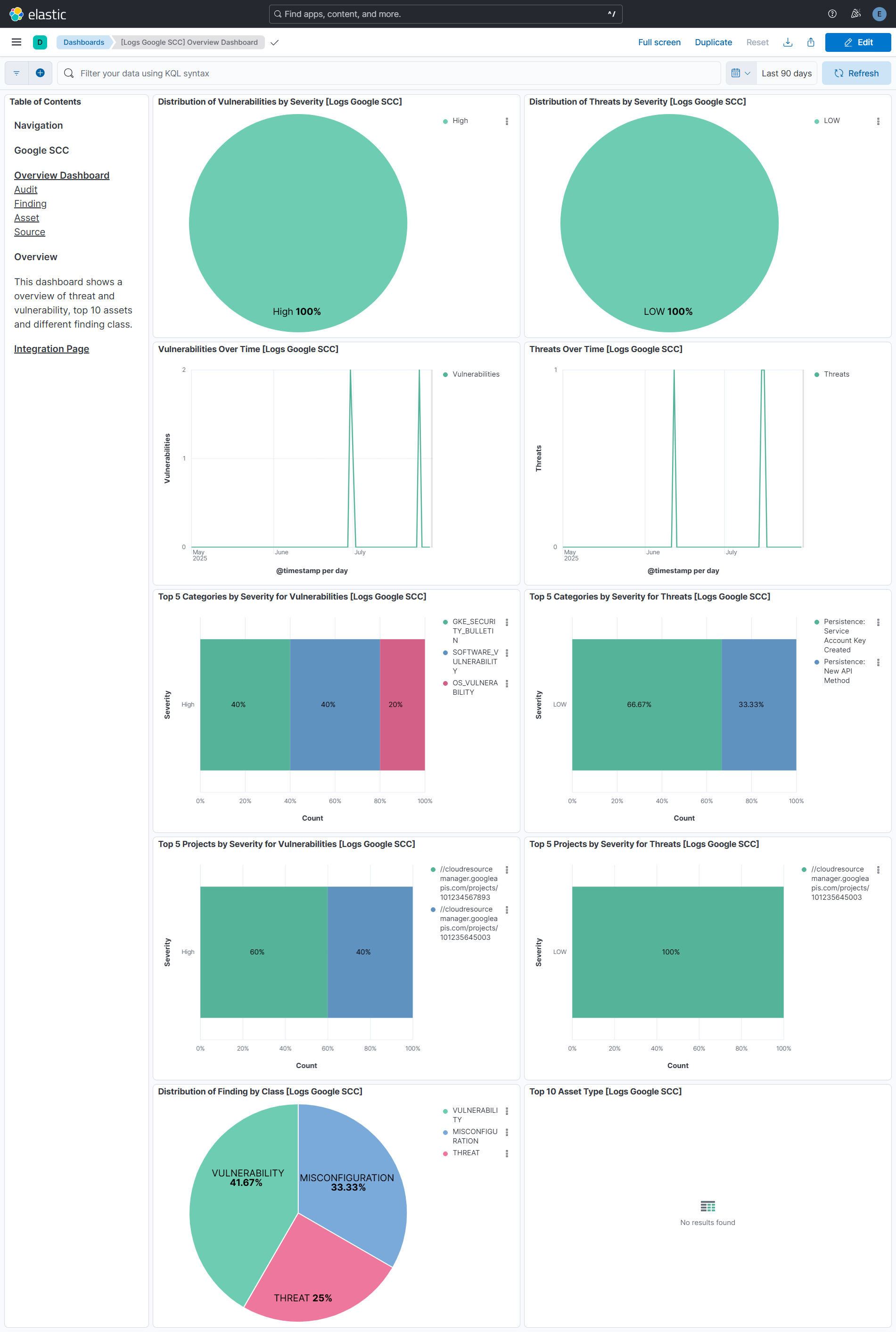
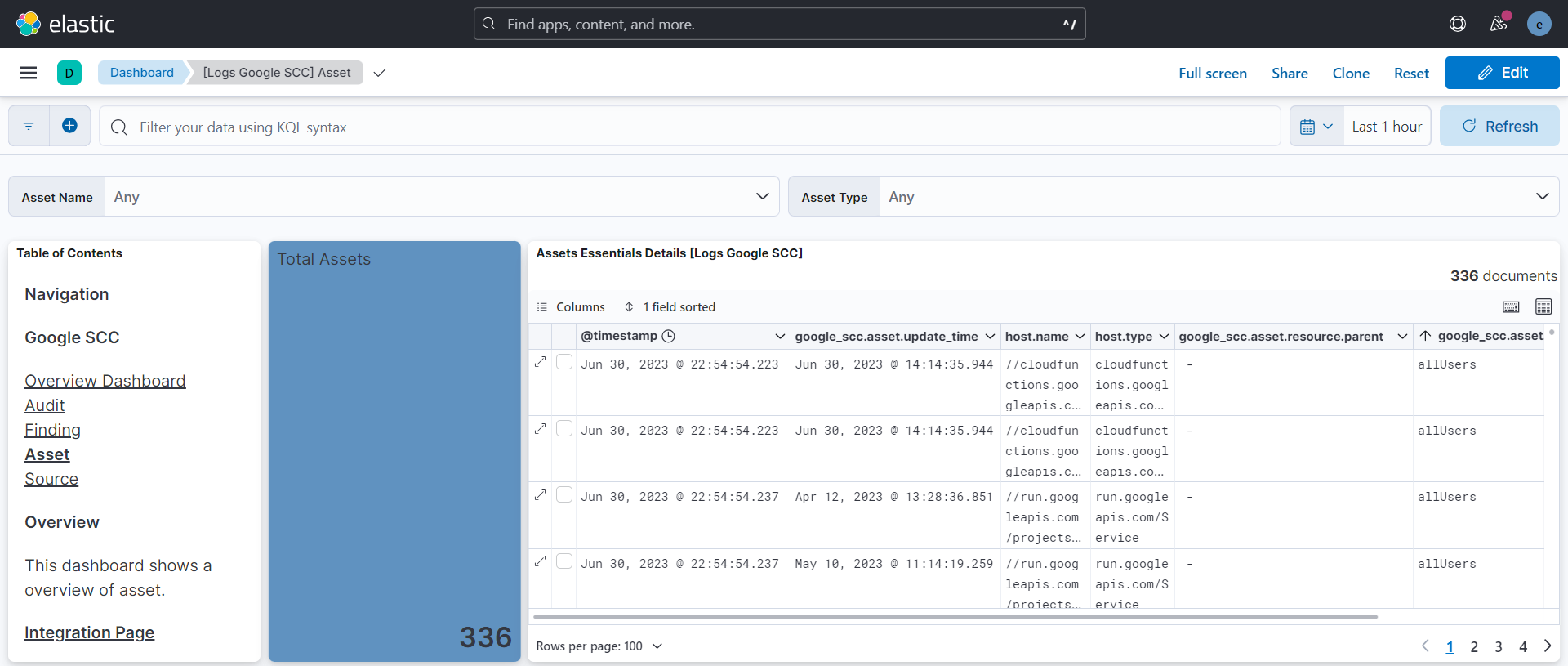
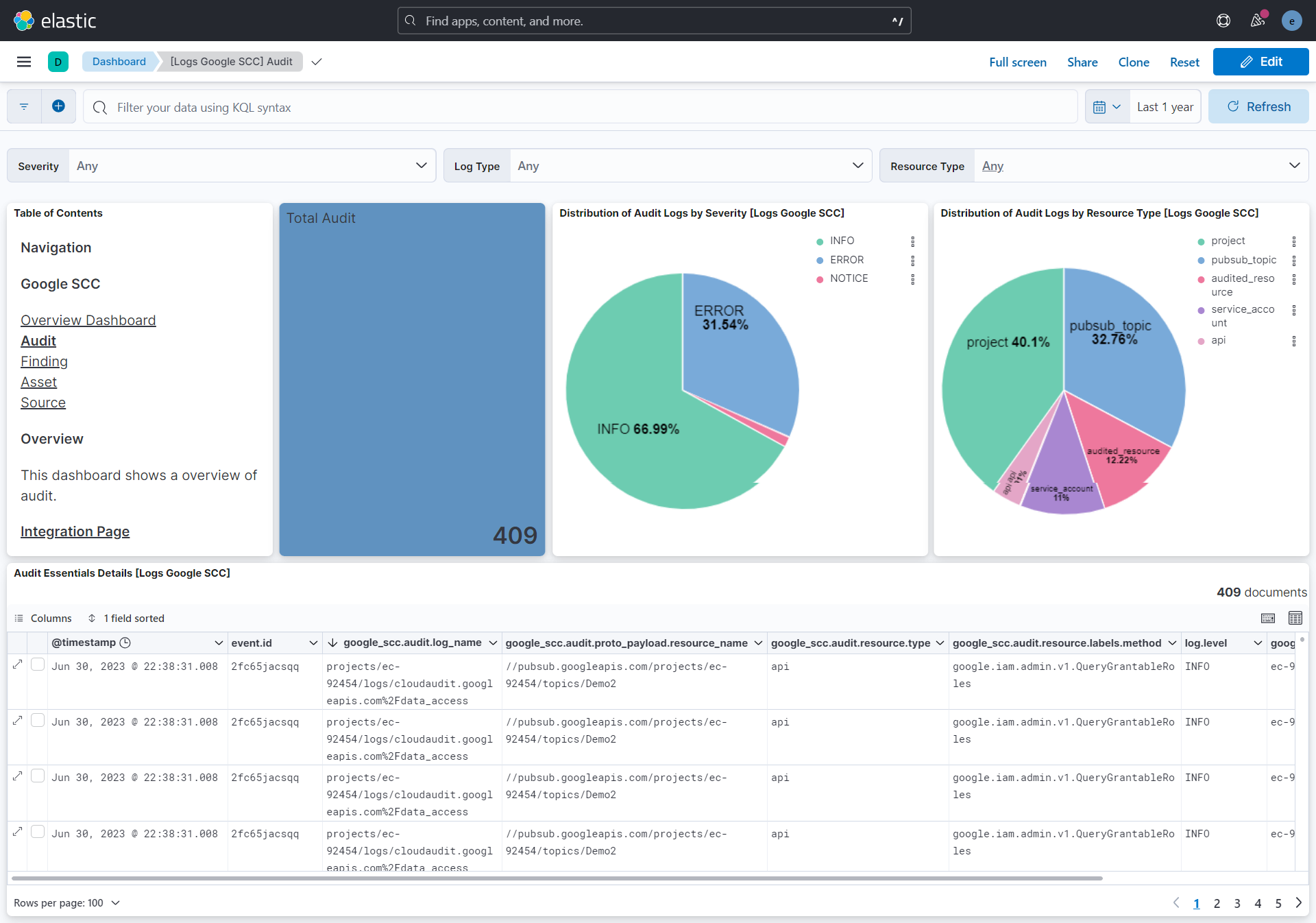
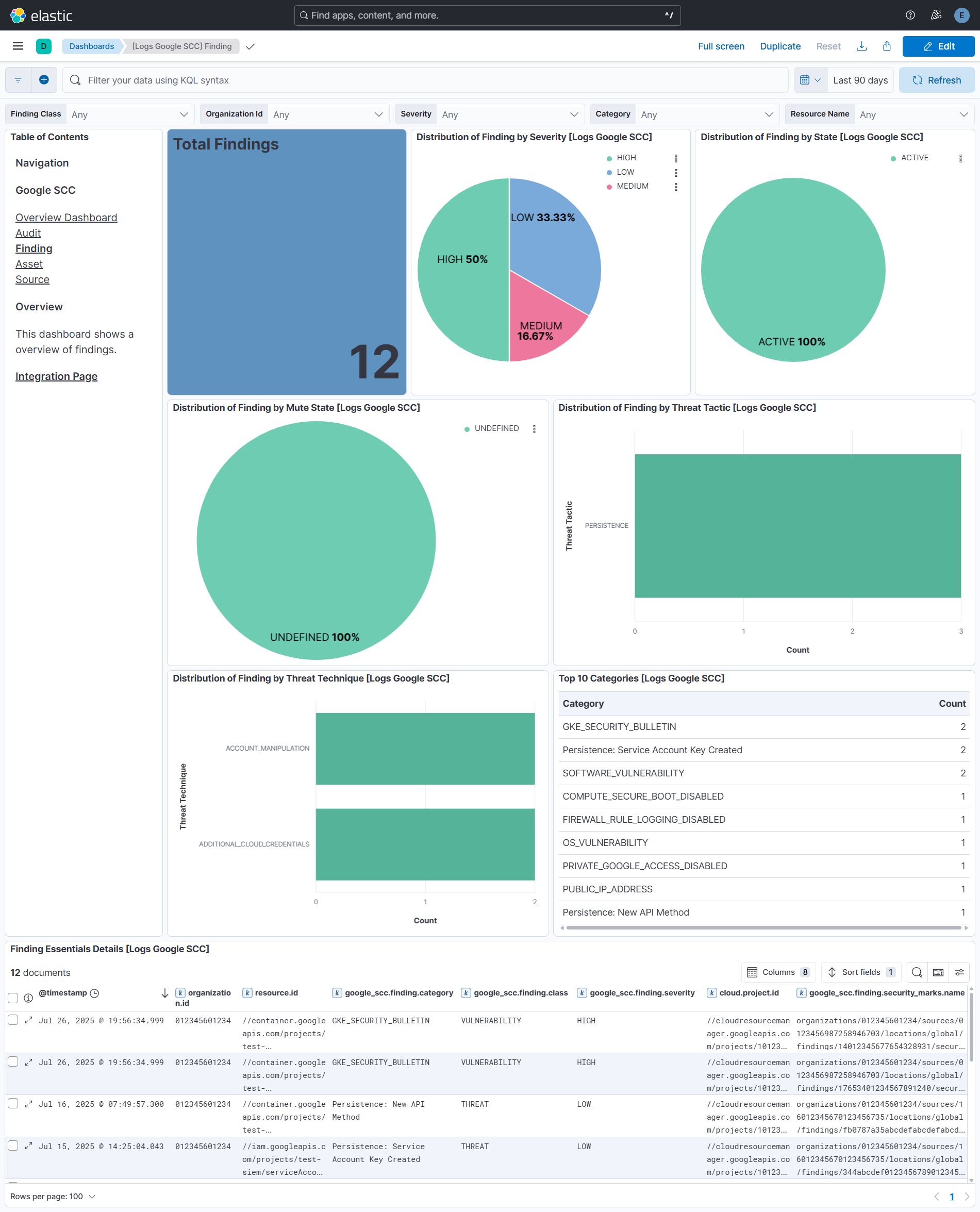
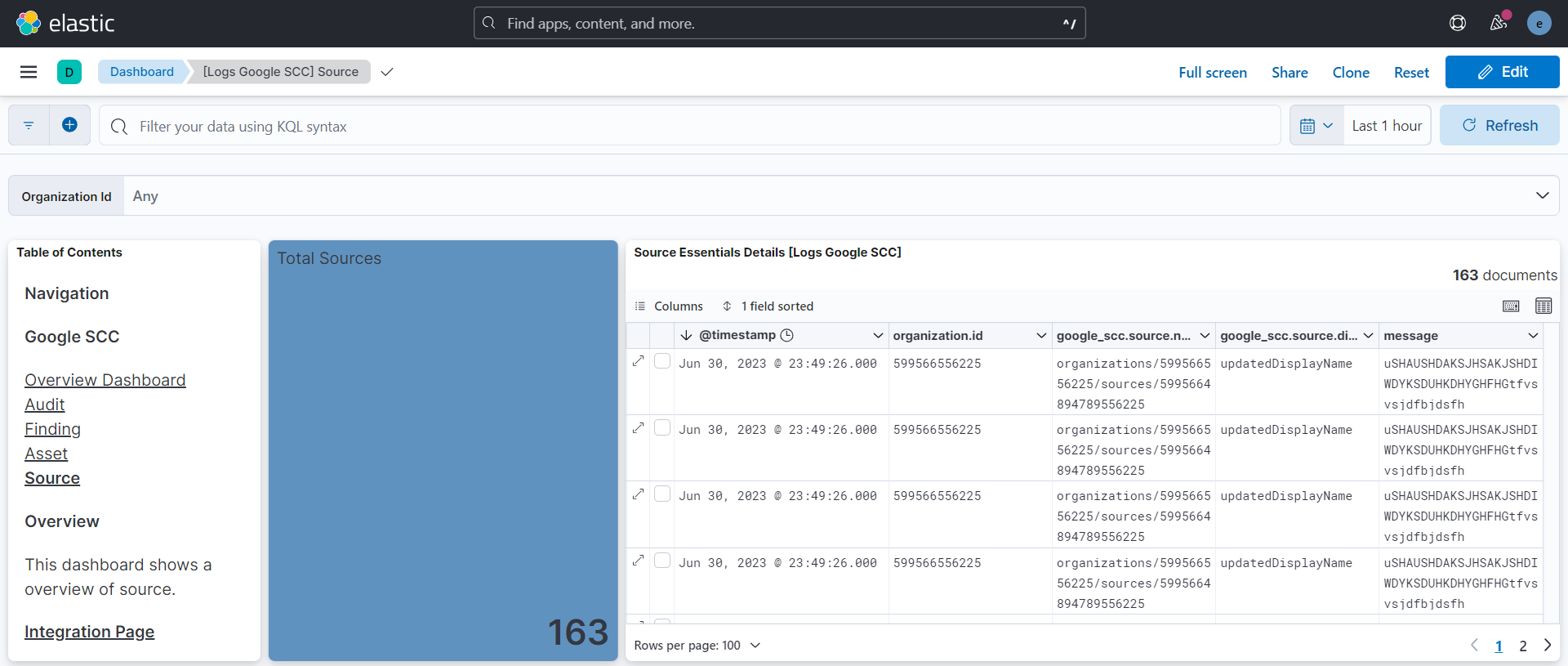
Changelog
| Version | Details | Minimum Kibana version |
|---|---|---|
| 2.10.0 | Enhancement (View pull request) Update Elastic Managed integration documentation to the current wording and docs links. |
9.1.4 8.19.4 |
| 2.9.0 | Enhancement (View pull request) Set number_of_shards: 3 on the latest_cdr_misconfigurations and latest_cdr_vulnerabilities transform destination indices and bump their destination index version to avoid Elasticsearch shard-size warnings at scale. |
9.1.4 8.19.4 |
| 2.8.0 | Enhancement (View pull request) Remove unused agentless tag cleanup from the audit data stream. |
9.1.4 8.19.4 |
| 2.7.0 | Enhancement (View pull request) Add tags to ingest pipeline processors and add preserve_original_event to pipeline-level on_failure handlers. |
9.1.4 8.19.4 |
| 2.6.1 | Enhancement (View pull request) Set agentless deployment mode release field to ga. |
9.1.4 8.19.4 |
| 2.6.0 | Enhancement (View pull request) Publish Agentless to Elastic Managed integrations name change. |
9.1.4 8.19.4 |
| 2.5.0 | Enhancement (View pull request) Use new release field for agentless deployment mode to establish as beta. |
9.1.4 8.19.4 |
| 2.4.0 | Enhancement (View pull request) Add timestamp range filter and storage tier exclusion to latest transform source queries to reduce scan scope and improve performance. |
9.1.4 8.19.4 |
| 2.3.0 | Enhancement (View pull request) Removed ECS field definitions from CDR transform destinations, now covered by ecs@mappings component template. Renamed overridden ECS fields files to ecs-overridden.yml. |
9.1.4 8.19.4 |
| 2.2.2 | Bug fix (View pull request) Remove duplicate security-solution-default tag references |
9.1.4 8.19.4 |
| 2.2.1 | Bug fix (View pull request) Update transform to filter out documents containing an error.message from latest vulnerability and misconfiguration indexes. |
9.1.4 8.19.4 |
| 2.2.0 | Enhancement (View pull request) Prevent updating fleet health status to degraded. |
9.1.4 8.19.4 |
| 2.1.0 | Enhancement (View pull request) Add vulnerability_workflow and misconfiguration_workflow sub category label. |
9.1.0 8.19.0 |
| 2.0.0 | Breaking change (View pull request) Add support for Findings v2 API. Parse and convert camelCase fields into snake_case fields. Some fields inside "google_scc.finding.resource" are moved into "google_scc.finding.resource.gcp_metadata" as per v2 API schema. This change allows to choose between v1 and v2 (recommended) APIs to fetch findings. Location-based findings can be fetched to support Security Command Center data residency feature. Field "google_scc.finding.vulnerability.cve.cvssv3.base_score" data type is updated to "float" to better suit data. Add mapping changes in finding datastream for Cloud Detection and Response (CDR) vulnerability and misconfiguration workflow. |
9.1.0 8.19.0 |
| 1.10.1 | Bug fix (View pull request) Add temporary processor to remove the fields added by the Agentless policy. |
9.0.0 8.18.0 |
| 1.10.0 | Enhancement (View pull request) Remove redundant installation instructions. |
9.0.0 8.18.0 |
| 1.9.1 | Bug fix (View pull request) Fix default request trace enabled behavior. |
9.0.0 8.18.0 |
| 1.9.0 | Enhancement (View pull request) Enable request trace log removal. |
9.0.0 8.18.0 |
| 1.8.1 | Enhancement (View pull request) Enable Agentless deployment and fixed manifest.yml to support package-spec 3.2.3. |
9.0.0 8.18.0 |
| 1.8.0 | Enhancement (View pull request) Update Kibana constraint to support 9.0.0. |
9.0.0 8.13.0 |
| 1.7.1 | Bug fix (View pull request) Updated SSL description in package manifest.yml to be uniform and to include links to documentation. |
8.13.0 |
| 1.7.0 | Enhancement (View pull request) Add "preserve_original_event" tag to documents with event.kind manually set to "pipeline_error". |
8.13.0 |
| 1.6.0 | Enhancement (View pull request) Do not remove event.original in main ingest pipeline. |
8.13.0 |
| 1.5.0 | Enhancement (View pull request) Add "preserve_original_event" tag to documents with event.kind set to "pipeline_error". |
8.13.0 |
| 1.4.1 | Bug fix (View pull request) Fix field name typo. |
8.13.0 |
| 1.4.0 | Enhancement (View pull request) Removed import_mappings. Update the kibana constraint to ^8.13.0. Modified the field definitions to remove ECS fields made redundant by the ecs@mappings component template. |
8.13.0 |
| 1.3.0 | Enhancement (View pull request) Improve handling of empty responses. |
8.12.0 |
| 1.2.1 | Bug fix (View pull request) Fix name canonicalization routines. |
8.12.0 |
| 1.2.0 | Enhancement (View pull request) Update manifest format version to v3.0.3. |
8.12.0 |
| 1.1.1 | Enhancement (View pull request) Add cloudsecurity_cdr sub category label |
8.12.0 |
| 1.1.0 | Enhancement (View pull request) Set sensitive values as secret. |
8.12.0 |
| 1.0.1 | Enhancement (View pull request) Changed owners |
8.8.0 |
| 1.0.0 | Enhancement (View pull request) Release package as GA. |
8.8.0 |
| 0.9.0 | Enhancement (View pull request) Limit request tracer log count to five. |
8.8.0 |
| 0.8.0 | Enhancement (View pull request) ECS version updated to 8.11.0. |
8.8.0 |
| 0.7.0 | Enhancement (View pull request) Improve 'event.original' check to avoid errors if set. |
8.8.0 |
| 0.6.1 | Bug fix (View pull request) Fix mapping of group fields |
8.8.0 |
| 0.6.0 | Enhancement (View pull request) ECS version updated to 8.10.0. |
8.8.0 |
| 0.5.0 | Enhancement (View pull request) The format_version in the package manifest changed from 2.11.0 to 3.0.0. Removed dotted YAML keys from package manifest. Added 'owner.type: elastic' to package manifest. |
8.8.0 |
| 0.4.0 | Enhancement (View pull request) Add tags.yml file so that integration's dashboards and saved searches are tagged with "Security Solution" and displayed in the Security Solution UI. |
8.8.0 |
| 0.3.0 | Enhancement (View pull request) Update package to ECS 8.9.0. |
8.8.0 |
| 0.2.0 | Enhancement (View pull request) Document duration units. |
8.8.0 |
| 0.1.1 | Bug fix (View pull request) Update field description. |
8.8.0 |
| 0.1.0 | Enhancement (View pull request) Initial release. |
8.8.0 |