Barracuda integration
Elastic Cloud Serverless projects are autoscaled environments, fully managed by Elastic and available on Elastic Cloud. Availability This functionality is generally available and ready for production usage. Elastic Cloud Serverless projects are autoscaled environments, fully managed by Elastic and available on Elastic Cloud. Availability This functionality is generally available and ready for production usage. The Elastic Stack includes Elastic's core products such as Elasticsearch, Kibana, Logstash, and Beats. Availability This functionality is generally available and ready for production usage. Unless stated otherwise on the page, this functionality is available when your Elastic Stack is deployed on Elastic Cloud Hosted, Elastic Cloud Enterprise, Elastic Cloud on Kubernetes, and self-managed environments. This documentation corresponds to the latest patch available for each minor version. If you're not using the latest patch, check the release notes for changes.
Serverless Observability
Generally available
Serverless Security
Generally available
Stack
9.0+
Generally available since 9.0
| Version | 1.19.0 (View all) |
| Subscription level What's this? |
Basic |
| Developed by What's this? |
Elastic |
| Ingestion method(s) | File, Network Protocol |
| Minimum Kibana version(s) | 9.0.0 8.13.0 |
This integration is for Barracuda device's logs. It includes the following datasets for receiving logs over syslog or read from a file:
wafdataset: supports Barracuda Web Application Firewall logs.
Use the Barracuda WAF data stream to ingest log data. Then visualize that data in Kibana, create alerts to notify you if something goes wrong, and reference data_stream.dataset:barracuda.waf when troubleshooting an issue.
The Technical preview spamfirewall data stream has been deprecated and removed, as of v1.0 of this integration. As we work on a replacement for the Spam Firewall integration, you can continue to use the Spam Firewall filebeat module.
Barracuda Web Application Firewall protects applications, APIs, and mobile app backends against a variety of attacks including the OWASP Top 10, zero-day threats, data leakage, and application-layer denial of service (DoS) attacks. By combining signature-based policies and positive security with robust anomaly-detection capabilities, Barracuda Web Application Firewall can defeat today’s most sophisticated attacks targeting your web applications.
This integration is built and tested against the Barracuda Web Application Firewall version 12.1. Earlier versions may work, but have not been tested.
You need Elasticsearch for storing and searching your data and Kibana for visualizing and managing it. You can use our hosted Elasticsearch Service on Elastic Cloud, which is recommended, or self-manage the Elastic Stack on your own hardware.
For step-by-step instructions on how to set up an integration, check the Getting started guide.
The barracuda.waf dataset provides events from the configured syslog server. All Barracuda WAF syslog specific fields are available in the barracuda.waf field group.
Example
{
    "@timestamp": "2023-03-01T13:54:44.502Z",
    "agent": {
        "ephemeral_id": "082058a9-1e00-4c3a-8511-2deba0ef160f",
        "id": "11940e5d-16a1-424a-aeb2-97fb8029a5d0",
        "name": "docker-fleet-agent",
        "type": "filebeat",
        "version": "8.4.0"
    },
    "barracuda": {
        "waf": {
            "log_type": "WF",
            "unit_name": "barracuda"
        }
    },
    "data_stream": {
        "dataset": "barracuda.waf",
        "namespace": "ep",
        "type": "logs"
    },
    "ecs": {
        "version": "8.11.0"
    },
    "elastic_agent": {
        "id": "11940e5d-16a1-424a-aeb2-97fb8029a5d0",
        "snapshot": false,
        "version": "8.4.0"
    },
    "event": {
        "agent_id_status": "verified",
        "created": "2023-03-01T13:54:44.502Z",
        "dataset": "barracuda.waf",
        "ingested": "2023-03-29T09:12:07Z",
        "original": "<129>2023-03-01 14:54:44.502 +0100  barracuda WF ALER NO_PARAM_PROFILE_MATCH 193.56.29.26 61507 10.9.0.4 443 Hackazon:adaptive_url_42099b4af021e53fd8fd URL_PROFILE LOG NONE [Parameter\\=\"0x\\\\[\\\\]\" value\\=\"androxgh0st\"] POST / TLSv1.2 \"-\" \"Mozilla/5.0 (Linux; U; Android 4.4.2; en-US; HM NOTE 1W Build/KOT49H) AppleWebKit/534.30 (KHTML, like Gecko) Version/4.0 UCBrowser/11.0.5.850 U3/0.8.0 Mobile Safari/534.30\" 20.88.228.79 61507 \"-\" \"-\" 1869d743696-dfcf8d96",
        "timezone": "+00:00"
    },
    "input": {
        "type": "tcp"
    },
    "log": {
        "source": {
            "address": "172.24.0.4:60938"
        }
    },
    "observer": {
        "product": "Web",
        "type": "WAF",
        "vendor": "Barracuda"
    },
    "tags": [
        "preserve_original_event",
        "barracuda-waf",
        "forwarded"
    ]
}
Exported fields
| Field | Description | Type |
|---|---|---|
| @timestamp | Event timestamp. | date |
| barracuda.waf.action_taken | The appropriate action applied on the traffic. DENY - denotes that the traffic is denied. LOG - denotes monitoring of the traffic with the assigned rule. WARNING - warns about the traffic. | keyword |
| barracuda.waf.additional_data | Provides more information on the parameter changed. | keyword |
| barracuda.waf.attack_description | The name of the attack triggered by the request. | keyword |
| barracuda.waf.attack_details | The details of the attack triggered by the request. | keyword |
| barracuda.waf.authenticated_user | The username of the currently authenticated client requesting the web page. This is available only when the request is for a service that is using the AAA (Access Control) module. | keyword |
| barracuda.waf.cache_hit | Specifies whether the response is served out of the Barracuda Web Application Firewall cache or from the backend server. Values:0 - if the request is fetched from the server and given to the user.1 - if the request is fetched from the cache and given to the user. | long |
| barracuda.waf.client_type | This indicates that GUI is used as client to access the Barracuda Web Application Firewall. | keyword |
| barracuda.waf.command_name | The name of the command that was executed on the Barracuda Web Application Firewall. | keyword |
| barracuda.waf.custom_header.accept_encoding | The header Accept-Encoding in the Access Logs. | keyword |
| barracuda.waf.custom_header.cache_control | The header Cache-Control in the Access Logs. | keyword |
| barracuda.waf.custom_header.connection | The header Connection in the Access Logs. | keyword |
| barracuda.waf.custom_header.content_type | The header Content-Type in the Access Logs. | keyword |
| barracuda.waf.custom_header.host | The header Host in the Access Logs. | keyword |
| barracuda.waf.custom_header.user_agent | The header User-Agent in the Access Logs. | keyword |
| barracuda.waf.followup_action | The follow-up action as specified by the action policy. It can be either None or Locked in case the lockout is chosen. | keyword |
| barracuda.waf.log_type | Specifies the type of log - Web Firewall Log, Access Log, Audit Log, Network Firewall Log or System Log - WF, TR, AUDIT, NF, SYS. | keyword |
| barracuda.waf.module.event_id | The event ID of the module. | long |
| barracuda.waf.module.event_message | Denotes the log message for the event that occurred. | keyword |
| barracuda.waf.module.name | Denotes the name of the module that generated the logs. | keyword |
| barracuda.waf.new_value | The value after modification. | keyword |
| barracuda.waf.object_type | The type of the object that is being modified. | keyword |
| barracuda.waf.old_value | The value before modification. | keyword |
| barracuda.waf.policy | The ACL policy (Allow or Deny) applied to this ACL rule. | keyword |
| barracuda.waf.profile_matched | Specifies whether the request matched a defined URL or Parameter Profile. Values:DEFAULT, PROFILED. | keyword |
| barracuda.waf.protected | Specifies whether the request went through the Barracuda Web Application Firewall rules and policy checks. Values:PASSIVE, PROTECTED, UNPROTECTED. | keyword |
| barracuda.waf.protocol | The protocol used for the request. | keyword |
| barracuda.waf.proxy.ip | Provides the IP address of the proxy. | ip |
| barracuda.waf.proxy.port | The port of the proxy server. | long |
| barracuda.waf.request_cookie | Specifies whether the request is valid. Values:INVALID, VALID. | keyword |
| barracuda.waf.response_timetaken | The total time taken to serve the request from the time the request landed on the Barracuda Web Application Firewall until the last byte given out to the client. | long |
| barracuda.waf.response_type | Specifies whether the response came from the backend sever or from the Barracuda Web Application Firewall. Values:INTERNAL, SERVER. | keyword |
| barracuda.waf.ruleName | The path of the URL ACL that matched with the request. Here "webapp1" is the web application and "deny_ban_dir" is the name of the URL ACL | keyword |
| barracuda.waf.rule_type | This indicates the type of rule that was hit by the request that caused the attack. The following is the list of expected values for Rule Type Global - indicates that the request matched one of the global rules configured under Security Policies. Global URL ACL - indicates that the request matched one of the global URL ACL rules configured under Security Policies. URL ACL - indicates that the request matched one of the Allow/Deny rules configured specifically for the given website. URL Policy - indicates that the request matched one of the Advanced Security rules configured specifically for the given website. URL Profile - indicates that the request matched one of the rules configured on the URL Profile. Parameter Profile - indicates that the request matched one of the rules configured on the Parameter Profile. Header Profile - indicates that the request matched one of the rules configured on the Header Profile. | keyword |
| barracuda.waf.server_time | The total time taken by the backend server to serve the request forwarded to it by the Barracuda Web Application Firewall. | long |
| barracuda.waf.sessionid | The value of the session tokens found in the request if session tracking is enabled. | keyword |
| barracuda.waf.severity_level | Defines the seriousness of the attack. EMERGENCY - System is unusable (highest priority). ALERT - Response must be taken immediately. CRITICAL - Critical conditions. ERROR - Error conditions. WARNING - Warning conditions. NOTICE - Normal but significant condition. INFORMATION - Informational message (on ACL configuration changes). DEBUG - Debug-level message (lowest priority). | keyword |
| barracuda.waf.transaction_id | Specifies the transaction ID for the transaction that makes the persistent change. Note:Events that do not change anything do not have a transaction ID. This is indicated by transaction ID of -1. | long |
| barracuda.waf.transaction_type | Denotes the type of transaction done by the system administrator. Values:LOGIN, LOGOUT, CONFIG, COMMAND, ROLLBACK, RESTORE, REBOOT, SHUTDOWN, FIRMWARE UPDATE, ENERGIZE UPDATE, SUPPORT TUNNEL OPEN, SUPPORT TUNNEL CLOSED, FIRMWARE APPLY, FIRMWARE REVERT, TRANSPARENT MODE, UNSUCCESSFUL LOGIN, ADMIN ACCESS VIOLATION. | keyword |
| barracuda.waf.unit_name | Specifies the name of the unit. | keyword |
| barracuda.waf.user_id | The identifier of the user. | keyword |
| barracuda.waf.wf_matched | Specifies whether the request is valid. Values:INVALID, VALID. | keyword |
| data_stream.dataset | Data stream dataset. | constant_keyword |
| data_stream.namespace | Data stream namespace. | constant_keyword |
| data_stream.type | Data stream type. | constant_keyword |
| input.type | Input type | keyword |
| log.offset | Log offset | long |
| log.source.address | Source address from which the log event was read / sent from. | keyword |
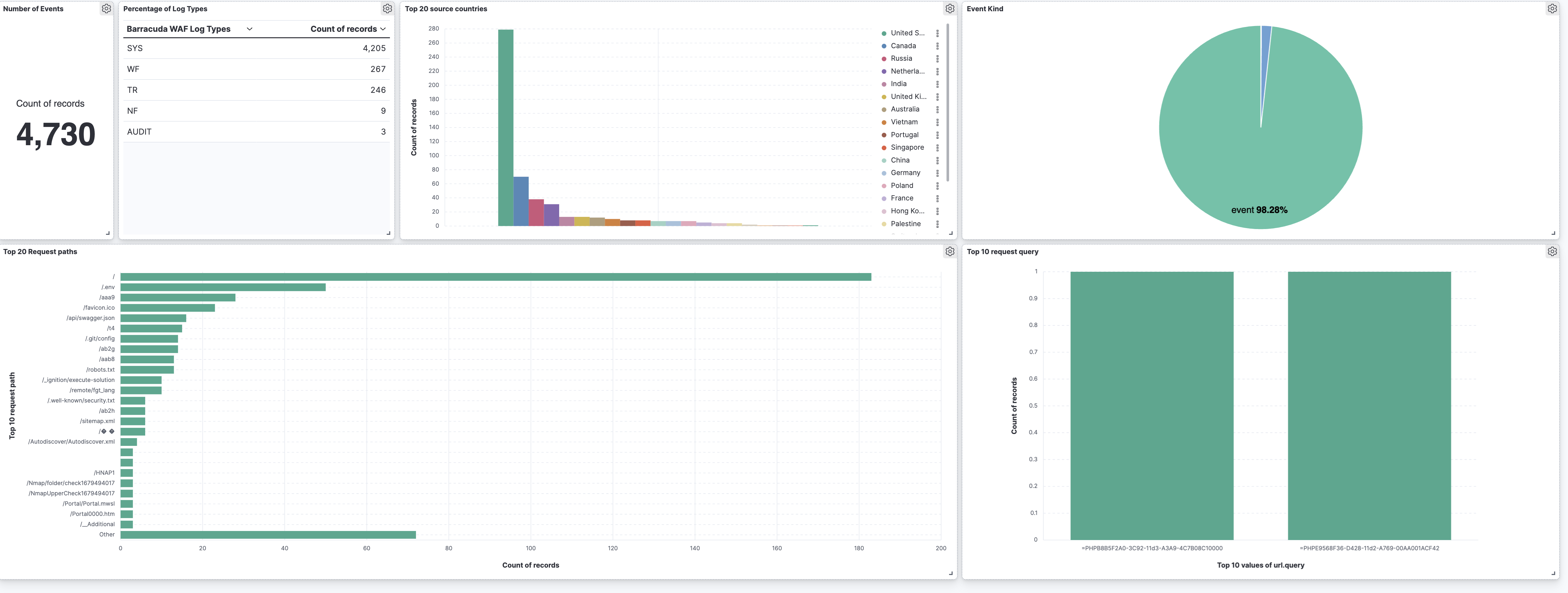
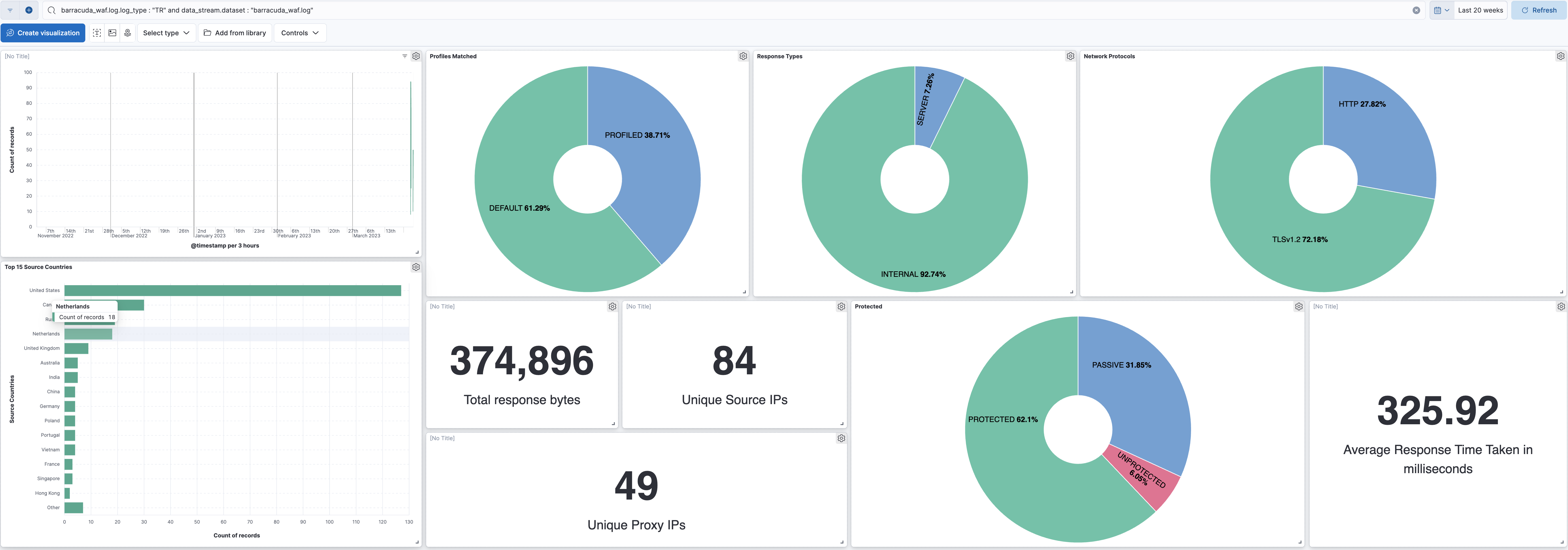
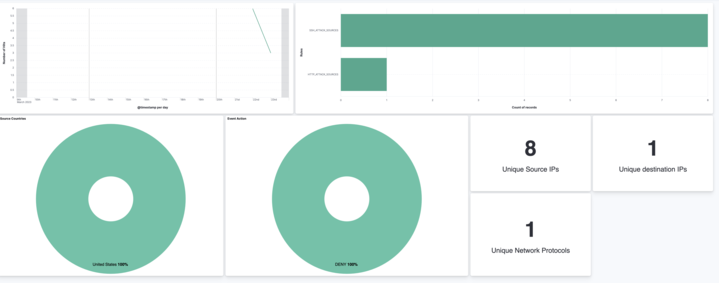
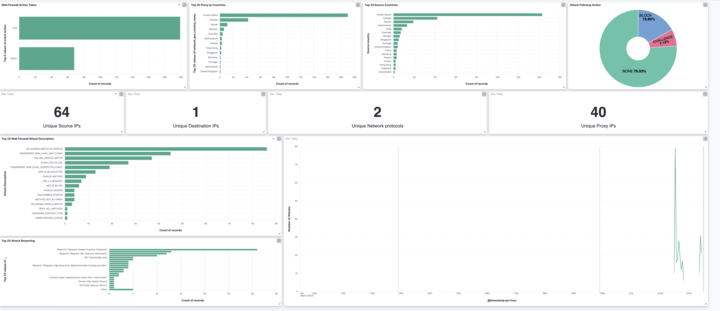
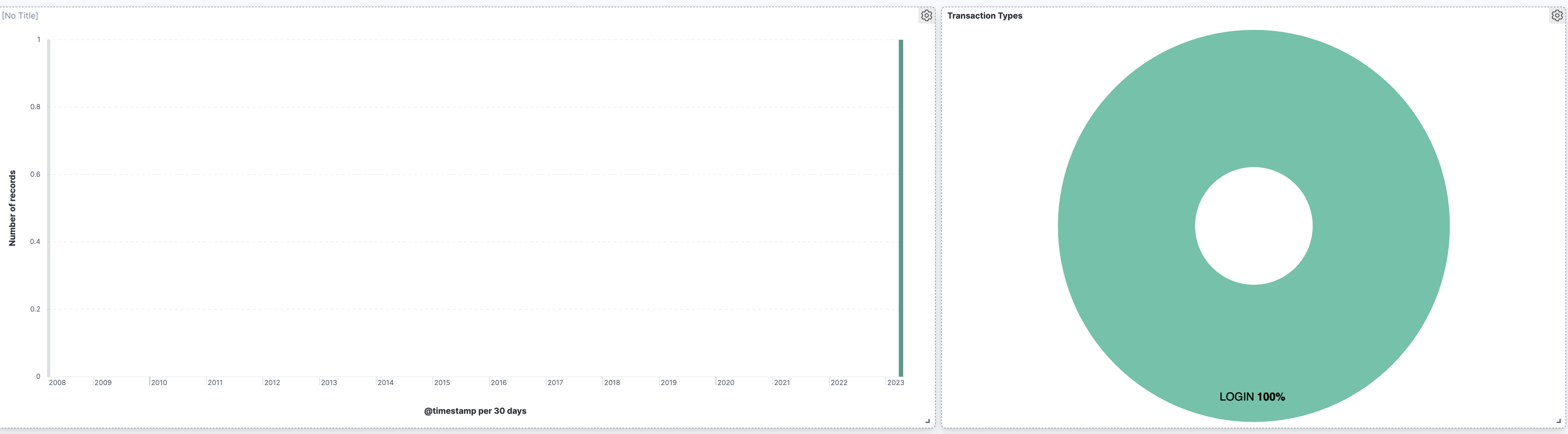
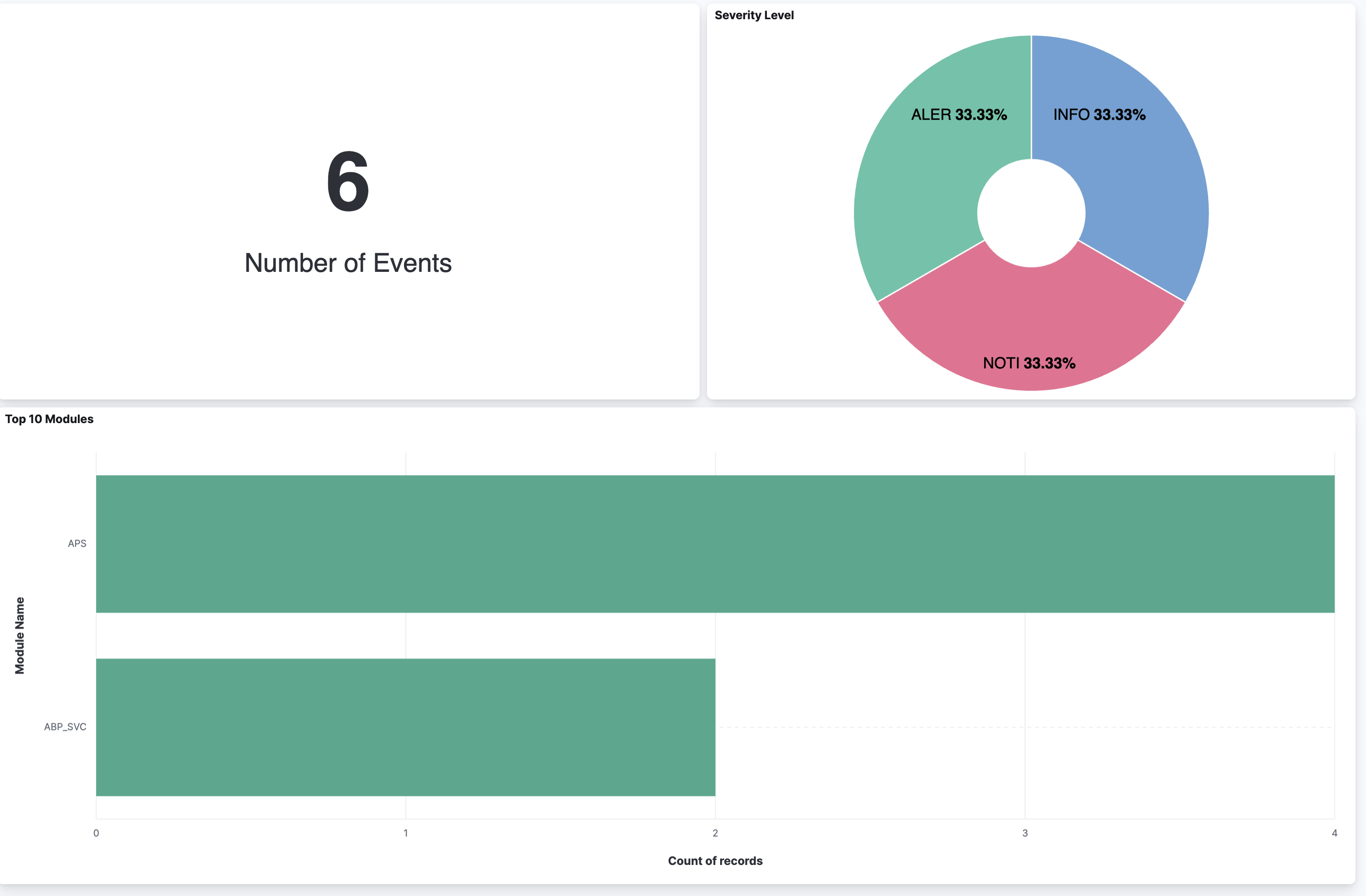
This integration includes one or more Kibana dashboards that visualizes the data collected by the integration. The screenshots below illustrate how the ingested data is displayed.
Changelog
| Version | Details | Minimum Kibana version |
|---|---|---|
| 1.19.0 | Enhancement (View pull request) Changed owners. |
9.0.0 8.13.0 |
| 1.18.0 | Enhancement (View pull request) Update Kibana constraint to support 9.0.0. |
9.0.0 8.13.0 |
| 1.17.2 | Bug fix (View pull request) Updated SSL description to be uniform and to include links to documentation. |
8.13.0 |
| 1.17.1 | Bug fix (View pull request) Update links to getting started docs |
8.13.0 |
| 1.17.0 | Enhancement (View pull request) Add "preserve_original_event" tag to documents with event.kind set to "pipeline_error". |
8.13.0 |
| 1.16.2 | Bug fix (View pull request) Fix broken link for the Barracuda integration. |
8.13.0 |
| 1.16.1 | Bug fix (View pull request) Fix broken links for Barracuda integrations. |
8.13.0 |
| 1.16.0 | Enhancement (View pull request) Improve access logs parsing. |
8.13.0 |
| 1.15.1 | Bug fix (View pull request) Use triple-brace Mustache templating when referencing variables in ingest pipelines. |
8.13.0 |
| 1.15.0 | Enhancement (View pull request) Allow @custom pipeline access to event.original without setting preserve_original_event. |
8.13.0 |
| 1.14.0 | Enhancement (View pull request) Update the kibana constraint to ^8.13.0. Modified the field definitions to remove ECS fields made redundant by the ecs@mappings component template. |
8.13.0 |
| 1.13.0 | Enhancement (View pull request) Make host.ip field conform to ECS field definition. |
8.4.0 |
| 1.12.0 | Enhancement (View pull request) Update manifest format version to v3.0.3. |
8.4.0 |
| 1.11.2 | Enhancement (View pull request) Changed owners |
8.4.0 |
| 1.11.1 | Bug fix (View pull request) Fix exclude_files pattern. |
8.4.0 |
| 1.11.0 | Enhancement (View pull request) ECS version updated to 8.11.0. |
8.4.0 |
| 1.10.0 | Enhancement (View pull request) Improve 'event.original' check to avoid errors if set. |
8.4.0 |
| 1.9.1 | Bug fix (View pull request) Remove empty groups imported from ECS |
8.4.0 |
| 1.9.0 | Enhancement (View pull request) Rename the package to "Barracuda Web Application Firewall" |
8.4.0 |
| 1.8.0 | Enhancement (View pull request) ECS version updated to 8.10.0. |
8.4.0 |
| 1.7.0 | Enhancement (View pull request) The format_version in the package manifest changed from 2.11.0 to 3.0.0. Removed dotted YAML keys from package manifest. Added 'owner.type: elastic' to package manifest. |
8.4.0 |
| 1.6.0 | Enhancement (View pull request) Add tags.yml file so that integration's dashboards and saved searches are tagged with "Security Solution" and displayed in the Security Solution UI. |
8.4.0 |
| 1.5.0 | Enhancement (View pull request) Update package to ECS 8.9.0. |
8.4.0 |
| 1.4.0 | Enhancement (View pull request) Update package to ECS 8.8.0. |
8.4.0 |
| 1.3.0 | Enhancement (View pull request) Update package-spec version to 2.7.0. |
8.4.0 |
| 1.2.0 | Enhancement (View pull request) Update package to ECS 8.7.0. |
8.4.0 |
| 1.1.0 | Enhancement (View pull request) Add system log and audit log support |
8.4.0 |
| 1.0.0 | Enhancement (View pull request) Upgrade the Barracuda WAF data_stream and remove spamfirewall data_stream |
8.4.0 |
| 0.13.1 | Enhancement (View pull request) Added categories and/or subcategories. |
— |
| 0.13.0 | Enhancement (View pull request) Update package to ECS 8.6.0. |
— |
| 0.12.1 | Bug fix (View pull request) Update docs to match field definitions. |
— |
| 0.12.0 | Enhancement (View pull request) Update package to ECS 8.5.0. |
— |
| 0.11.2 | Bug fix (View pull request) Remove duplicate fields. |
— |
| 0.11.1 | Enhancement (View pull request) Use ECS geo.location definition. |
— |
| 0.11.0 | Enhancement (View pull request) Update package to ECS 8.4.0 |
— |
| 0.10.0 | Enhancement (View pull request) Update package to ECS 8.3.0. |
— |
| 0.9.0 | Enhancement (View pull request) Update to ECS 8.2.0 |
— |
| 0.8.0 | Enhancement (View pull request) Update to ECS 8.0.0 |
— |
| 0.7.1 | Bug fix (View pull request) Regenerate test files using the new GeoIP database |
— |
| 0.7.0 | Enhancement (View pull request) Add 8.0.0 version constraint |
— |
| 0.6.4 | Enhancement (View pull request) Uniform with guidelines |
— |
| 0.6.3 | Enhancement (View pull request) Update Title and Description. |
— |
| 0.6.2 | Bug fix (View pull request) Fixed a bug that prevents the package from working in 7.16. |
— |
| 0.6.1 | Bug fix (View pull request) Fix logic that checks for the 'forwarded' tag |
— |
| 0.6.0 | Enhancement (View pull request) Update to ECS 1.12.0 |
— |
| 0.5.3 | Bug fix (View pull request) Requires version 7.14.1 of the stack |
— |
| 0.5.2 | Enhancement (View pull request) Convert to generated ECS fields |
— |
| 0.5.1 | Enhancement (View pull request) update to ECS 1.11.0 |
— |
| 0.5.0 | Enhancement (View pull request) Update integration description |
— |
| 0.4.0 | Enhancement (View pull request) Set "event.module" and "event.dataset" |
— |
| 0.3.0 | Enhancement (View pull request) update to ECS 1.10.0 and add event.original options |
— |
| 0.2.4 | Enhancement (View pull request) update to ECS 1.9.0 |
— |
| 0.1.0 | Enhancement (View pull request) initial release |
— |