System Integration
Elastic Cloud Serverless projects are autoscaled environments, fully managed by Elastic and available on Elastic Cloud. Availability This functionality is generally available and ready for production usage. Elastic Cloud Serverless projects are autoscaled environments, fully managed by Elastic and available on Elastic Cloud. Availability This functionality is generally available and ready for production usage. The Elastic Stack includes Elastic's core products such as Elasticsearch, Kibana, Logstash, and Beats. Availability This functionality is generally available and ready for production usage. Unless stated otherwise on the page, this functionality is available when your Elastic Stack is deployed on Elastic Cloud Hosted, Elastic Cloud Enterprise, Elastic Cloud on Kubernetes, and self-managed environments. This documentation corresponds to the latest patch available for each minor version. If you're not using the latest patch, check the release notes for changes.
Serverless Observability
Generally available
Serverless Security
Generally available
Stack
9.2+
Generally available since 9.2
| Version | 3.5.0 (View all) |
| Subscription level What's this? |
Basic |
| Developed by What's this? |
Elastic |
| Ingestion method(s) | API, File, journald |
| Minimum Kibana version(s) | 9.2.1 |
The System integration allows you to monitor servers, personal computers, and more.
Use the System integration to collect metrics and logs from your machines. Then visualize that data in Kibana, create alerts to notify you if something goes wrong, and reference data when troubleshooting an issue.
For example, if you wanted to be notified when less than 10% of the disk space is still available, you could install the System integration to send file system metrics to Elastic. Then, you could view real-time updates to disk space used on your system in Kibana's [Metrics System] Overview dashboard. You could also set up a new rule in the Elastic Observability Metrics app to alert you when the percent free is less than 10% of the total disk space.
If you're collecting Windows event logs, note that there are three related integrations:
- System integration (this integration): Collects logs from the Windows
Application,System, andSecuritychannels with specialized ingest pipelines optimized for observability use cases. - Windows integration: Collects logs from Windows-specific channels like PowerShell, Sysmon, Windows Defender, and AppLocker with specialized security-focused ingest pipelines. Use this for security monitoring and advanced Windows telemetry.
- Custom Windows event log package: Collects logs from any user-defined Windows event log channel. Use this when you need to collect from channels not covered by the System or Windows integrations. Note that this integration does not include specialized ingest pipelines—you'll need to create custom pipelines if additional processing is required.
The System integration collects two types of data: logs and metrics.
Logs help you keep a record of events that happen on your machine. Log data streams collected by the System integration include application, system, and security events on machines running Windows and auth and syslog events on machines running macOS or Linux. See more details in the Logs reference.
Metrics give you insight into the state of the machine. Metric data streams collected by the System integration include CPU usage, load statistics, memory usage, information on network behavior, and more. See more details in the Metrics reference.
You can enable and disable individual data streams. If all data streams are disabled and the System integration is still enabled, Fleet uses the default data streams.
You need Elasticsearch for storing and searching your data and Kibana for visualizing and managing it. You can use our hosted Elasticsearch Service on Elastic Cloud, which is recommended, or self-manage the Elastic Stack on your own hardware.
Each data stream collects different kinds of metric data, which may require dedicated permissions to be fetched and which may vary across operating systems. Details on the permissions needed for each data stream are available in the Metrics reference.
To read Journald logs from within a container, you need to use a
Docker image variant that contains journalctl binary. The variant
supporting Journald is elastic-agent-complete.
Journal files can have breaking changes making it
impossible to read files generated by a newer versions of
Journald. Ensure the journal files you are reading were generated by
a version equal to or older than the journalctl shipped with the Docker
image.
To check the version of journalctl shipped with an Elastic-Agent
Docker image, run the following command:
docker run --rm -it --entrypoint journalctl docker.elastic.co/elastic-agent/elastic-agent-complete:<VERSION> --version
For step-by-step instructions on how to set up an integration, see the Getting started guide.
Note that certain data streams may access /proc to gather process information,
and the resulting ptrace_may_access() call by the kernel to check for
permissions can be blocked by
AppArmor and other LSM software, even though the System module doesn't use ptrace directly.
In addition, when running inside a container the proc filesystem directory of the host
should be set using system.hostfs setting to /hostfs.
If you specify more than 22 query conditions (event IDs or event ID ranges), some versions of Windows will prevent the integration from reading the event log due to limits in the query system. If this occurs, a similar warning as shown below:
The specified query is invalid.
In some cases, the limit may be lower than 22 conditions. For instance, using a
mixture of ranges and single event IDs, along with an additional parameter such
as ignore older, results in a limit of 21 conditions.
If you have more than 22 conditions, you can work around this Windows limitation
by using a drop_event processor to do the filtering after filebeat has received
the events from Windows. The filter shown below is equivalent to
event_id: 903, 1024, 2000-2004, 4624 but can be expanded beyond 22 event IDs.
- drop_event.when.not.or:
  - equals.winlog.event_id: "903"
  - equals.winlog.event_id: "1024"
  - equals.winlog.event_id: "4624"
  - range:
      winlog.event_id.gte: 2000
      winlog.event_id.lte: 2004
Starting with version 2.24.0, the New users panels in the [Logs System] New users and groups
dashboard read the created account from the ECS fields user.target.name and user.target.id.
The integration populates these fields for useradd events starting with version 2.22.0. Events
ingested by earlier versions only store the created account in user.name and user.id, so the
New users panels don't show them. If the selected time range contains only events from before the
upgrade, the panels are empty.
To include the older events, copy the account from user.name and user.id into
user.target.name and user.target.id. Backing indices created before the upgrade might not map
the user.target.* fields. To make sure the backfilled values are mapped as keyword and the
panels can aggregate on them, first add the mapping to all backing indices of the system.auth
data stream:
PUT logs-system.auth-*/_mapping
{
  "properties": {
    "user": {
      "properties": {
        "target": {
          "properties": {
            "id": { "type": "keyword", "ignore_above": 1024 },
            "name": {
              "type": "keyword",
              "ignore_above": 1024,
              "fields": { "text": { "type": "match_only_text" } }
            }
          }
        }
      }
    }
  }
}
Then run an update by query request. The request targets the system.auth data stream in every
namespace and only changes useradd events that don't have user.target.name set:
POST logs-system.auth-*/_update_by_query?conflicts=proceed
{
  "query": {
    "bool": {
      "filter": [
        { "exists": { "field": "system.auth.useradd.home" } },
        { "exists": { "field": "user.name" } }
      ],
      "must_not": [
        { "exists": { "field": "user.target.name" } }
      ]
    }
  },
  "script": {
    "source": "if (ctx._source.user.target == null) { ctx._source.user.target = new HashMap(); } ctx._source.user.target.name = ctx._source.user.name; if (ctx._source.user.id != null) { ctx._source.user.target.id = ctx._source.user.id; }"
  }
}
The update rewrites every matching document. Read-only backing indices, such as searchable
snapshot indices in the cold or frozen tier, can't be updated, and the mapping request fails if a
backing index already maps user.target.name with a different type. In both cases, replace
logs-system.auth-* in the two requests with an explicit list of the writable backing indices
that need the backfill. Use GET _data_stream/logs-system.auth-* to list the backing indices of
each data stream. As an alternative, narrow the dashboard time range to events ingested after the
upgrade to version 2.22.0.
The Windows application data stream provides events from the Windows
Application event log.
- Windows
ECS Field Reference
Please refer to the following document for detailed information on ECS fields.
Exported fields
| Field | Description | Type |
|---|---|---|
| @timestamp | Date/time when the event originated. This is the date/time extracted from the event, typically representing when the event was generated by the source. If the event source has no original timestamp, this value is typically populated by the first time the event was received by the pipeline. Required field for all events. | date |
| cloud.image.id | Image ID for the cloud instance. | keyword |
| data_stream.dataset | The field can contain anything that makes sense to signify the source of the data. Examples include nginx.access, prometheus, endpoint etc. For data streams that otherwise fit, but that do not have dataset set we use the value "generic" for the dataset value. event.dataset should have the same value as data_stream.dataset. Beyond the Elasticsearch data stream naming criteria noted above, the dataset value has additional restrictions: * Must not contain - * No longer than 100 characters |
constant_keyword |
| data_stream.namespace | A user defined namespace. Namespaces are useful to allow grouping of data. Many users already organize their indices this way, and the data stream naming scheme now provides this best practice as a default. Many users will populate this field with default. If no value is used, it falls back to default. Beyond the Elasticsearch index naming criteria noted above, namespace value has the additional restrictions: * Must not contain - * No longer than 100 characters |
constant_keyword |
| data_stream.type | An overarching type for the data stream. Currently allowed values are "logs" and "metrics". We expect to also add "traces" and "synthetics" in the near future. | constant_keyword |
| event.dataset | Name of the dataset. If an event source publishes more than one type of log or events (e.g. access log, error log), the dataset is used to specify which one the event comes from. It's recommended but not required to start the dataset name with the module name, followed by a dot, then the dataset name. | constant_keyword |
| event.module | Name of the module this data is coming from. If your monitoring agent supports the concept of modules or plugins to process events of a given source (e.g. Apache logs), event.module should contain the name of this module. |
constant_keyword |
| host.containerized | If the host is a container. | boolean |
| host.os.build | OS build information. | keyword |
| host.os.codename | OS codename, if any. | keyword |
| winlog.activity_id | A globally unique identifier that identifies the current activity. The events that are published with this identifier are part of the same activity. | keyword |
| winlog.api | The event log API type used to read the record. The possible values are "wineventlog" for the Windows Event Log API or "eventlogging" for the Event Logging API. The Event Logging API was designed for Windows Server 2003 or Windows 2000 operating systems. In Windows Vista, the event logging infrastructure was redesigned. On Windows Vista or later operating systems, the Windows Event Log API is used. Winlogbeat automatically detects which API to use for reading event logs. | keyword |
| winlog.channel | The name of the channel from which this record was read. This value is one of the names from the event_logs collection in the configuration. |
keyword |
| winlog.computer_name | The name of the computer that generated the record. When using Windows event forwarding, this name can differ from agent.hostname. |
keyword |
| winlog.event_data | The event-specific data. This field is mutually exclusive with user_data. If you are capturing event data on versions prior to Windows Vista, the parameters in event_data are named param1, param2, and so on, because event log parameters are unnamed in earlier versions of Windows. |
object |
| winlog.event_data.AuthenticationPackageName | keyword | |
| winlog.event_data.Binary | keyword | |
| winlog.event_data.BitlockerUserInputTime | keyword | |
| winlog.event_data.BootMode | keyword | |
| winlog.event_data.BootType | keyword | |
| winlog.event_data.BuildVersion | keyword | |
| winlog.event_data.Company | keyword | |
| winlog.event_data.CorruptionActionState | keyword | |
| winlog.event_data.CreationUtcTime | keyword | |
| winlog.event_data.Description | keyword | |
| winlog.event_data.Detail | keyword | |
| winlog.event_data.DeviceName | keyword | |
| winlog.event_data.DeviceNameLength | keyword | |
| winlog.event_data.DeviceTime | keyword | |
| winlog.event_data.DeviceVersionMajor | keyword | |
| winlog.event_data.DeviceVersionMinor | keyword | |
| winlog.event_data.DriveName | keyword | |
| winlog.event_data.DriverName | keyword | |
| winlog.event_data.DriverNameLength | keyword | |
| winlog.event_data.DwordVal | keyword | |
| winlog.event_data.EntryCount | keyword | |
| winlog.event_data.ExtraInfo | keyword | |
| winlog.event_data.FailureName | keyword | |
| winlog.event_data.FailureNameLength | keyword | |
| winlog.event_data.FileVersion | keyword | |
| winlog.event_data.FinalStatus | keyword | |
| winlog.event_data.Group | keyword | |
| winlog.event_data.IdleImplementation | keyword | |
| winlog.event_data.IdleStateCount | keyword | |
| winlog.event_data.ImpersonationLevel | keyword | |
| winlog.event_data.IntegrityLevel | keyword | |
| winlog.event_data.IpAddress | keyword | |
| winlog.event_data.IpPort | keyword | |
| winlog.event_data.KeyLength | keyword | |
| winlog.event_data.LastBootGood | keyword | |
| winlog.event_data.LastShutdownGood | keyword | |
| winlog.event_data.LmPackageName | keyword | |
| winlog.event_data.LogonGuid | keyword | |
| winlog.event_data.LogonId | keyword | |
| winlog.event_data.LogonProcessName | keyword | |
| winlog.event_data.LogonType | keyword | |
| winlog.event_data.MajorVersion | keyword | |
| winlog.event_data.MaximumPerformancePercent | keyword | |
| winlog.event_data.MemberName | keyword | |
| winlog.event_data.MemberSid | keyword | |
| winlog.event_data.MinimumPerformancePercent | keyword | |
| winlog.event_data.MinimumThrottlePercent | keyword | |
| winlog.event_data.MinorVersion | keyword | |
| winlog.event_data.NewProcessId | keyword | |
| winlog.event_data.NewProcessName | keyword | |
| winlog.event_data.NewSchemeGuid | keyword | |
| winlog.event_data.NewTime | keyword | |
| winlog.event_data.NominalFrequency | keyword | |
| winlog.event_data.Number | keyword | |
| winlog.event_data.OldSchemeGuid | keyword | |
| winlog.event_data.OldTime | keyword | |
| winlog.event_data.OriginalFileName | keyword | |
| winlog.event_data.Path | keyword | |
| winlog.event_data.PerformanceImplementation | keyword | |
| winlog.event_data.PreviousCreationUtcTime | keyword | |
| winlog.event_data.PreviousTime | keyword | |
| winlog.event_data.PrivilegeList | keyword | |
| winlog.event_data.ProcessId | keyword | |
| winlog.event_data.ProcessName | keyword | |
| winlog.event_data.ProcessPath | keyword | |
| winlog.event_data.ProcessPid | keyword | |
| winlog.event_data.Product | keyword | |
| winlog.event_data.PuaCount | keyword | |
| winlog.event_data.PuaPolicyId | keyword | |
| winlog.event_data.QfeVersion | keyword | |
| winlog.event_data.Reason | keyword | |
| winlog.event_data.SchemaVersion | keyword | |
| winlog.event_data.ScriptBlockText | keyword | |
| winlog.event_data.ServiceName | keyword | |
| winlog.event_data.ServiceVersion | keyword | |
| winlog.event_data.ShutdownActionType | keyword | |
| winlog.event_data.ShutdownEventCode | keyword | |
| winlog.event_data.ShutdownReason | keyword | |
| winlog.event_data.Signature | keyword | |
| winlog.event_data.SignatureStatus | keyword | |
| winlog.event_data.Signed | keyword | |
| winlog.event_data.StartTime | keyword | |
| winlog.event_data.State | keyword | |
| winlog.event_data.Status | keyword | |
| winlog.event_data.StopTime | keyword | |
| winlog.event_data.SubjectDomainName | keyword | |
| winlog.event_data.SubjectLogonId | keyword | |
| winlog.event_data.SubjectUserName | keyword | |
| winlog.event_data.SubjectUserSid | keyword | |
| winlog.event_data.TSId | keyword | |
| winlog.event_data.TargetDomainName | keyword | |
| winlog.event_data.TargetInfo | keyword | |
| winlog.event_data.TargetLogonGuid | keyword | |
| winlog.event_data.TargetLogonId | keyword | |
| winlog.event_data.TargetServerName | keyword | |
| winlog.event_data.TargetUserName | keyword | |
| winlog.event_data.TargetUserSid | keyword | |
| winlog.event_data.TerminalSessionId | keyword | |
| winlog.event_data.TokenElevationType | keyword | |
| winlog.event_data.TransmittedServices | keyword | |
| winlog.event_data.UserSid | keyword | |
| winlog.event_data.Version | keyword | |
| winlog.event_data.Workstation | keyword | |
| winlog.event_data.param1 | keyword | |
| winlog.event_data.param2 | keyword | |
| winlog.event_data.param3 | keyword | |
| winlog.event_data.param4 | keyword | |
| winlog.event_data.param5 | keyword | |
| winlog.event_data.param6 | keyword | |
| winlog.event_data.param7 | keyword | |
| winlog.event_data.param8 | keyword | |
| winlog.event_id | The event identifier. The value is specific to the source of the event. | keyword |
| winlog.keywords | The keywords are used to classify an event. | keyword |
| winlog.opcode | The opcode defined in the event. Task and opcode are typically used to identify the location in the application from where the event was logged. | keyword |
| winlog.process.pid | The process_id of the Client Server Runtime Process. | long |
| winlog.process.thread.id | long | |
| winlog.provider_guid | A globally unique identifier that identifies the provider that logged the event. | keyword |
| winlog.provider_name | The source of the event log record (the application or service that logged the record). | keyword |
| winlog.record_id | The record ID of the event log record. The first record written to an event log is record number 1, and other records are numbered sequentially. If the record number reaches the maximum value (232 for the Event Logging API and 264 for the Windows Event Log API), the next record number will be 0. | keyword |
| winlog.related_activity_id | A globally unique identifier that identifies the activity to which control was transferred to. The related events would then have this identifier as their activity_id identifier. |
keyword |
| winlog.task | The task defined in the event. Task and opcode are typically used to identify the location in the application from where the event was logged. The category used by the Event Logging API (on pre Windows Vista operating systems) is written to this field. | keyword |
| winlog.user.domain | The domain that the account associated with this event is a member of. | keyword |
| winlog.user.identifier | The Windows security identifier (SID) of the account associated with this event. If Winlogbeat cannot resolve the SID to a name, then the user.name, user.domain, and user.type fields will be omitted from the event. If you discover Winlogbeat not resolving SIDs, review the log for clues as to what the problem may be. |
keyword |
| winlog.user.name | Name of the user associated with this event. | keyword |
| winlog.user.type | The type of account associated with this event. | keyword |
| winlog.user_data | The event specific data. This field is mutually exclusive with event_data. |
object |
| winlog.version | The version number of the event's definition. | long |
The Windows system data stream provides events from the Windows System
event log.
- Windows
ECS Field Reference
Please refer to the following document for detailed information on ECS fields.
Exported fields
| Field | Description | Type |
|---|---|---|
| @timestamp | Date/time when the event originated. This is the date/time extracted from the event, typically representing when the event was generated by the source. If the event source has no original timestamp, this value is typically populated by the first time the event was received by the pipeline. Required field for all events. | date |
| cloud.image.id | Image ID for the cloud instance. | keyword |
| data_stream.dataset | The field can contain anything that makes sense to signify the source of the data. Examples include nginx.access, prometheus, endpoint etc. For data streams that otherwise fit, but that do not have dataset set we use the value "generic" for the dataset value. event.dataset should have the same value as data_stream.dataset. Beyond the Elasticsearch data stream naming criteria noted above, the dataset value has additional restrictions: * Must not contain - * No longer than 100 characters |
constant_keyword |
| data_stream.namespace | A user defined namespace. Namespaces are useful to allow grouping of data. Many users already organize their indices this way, and the data stream naming scheme now provides this best practice as a default. Many users will populate this field with default. If no value is used, it falls back to default. Beyond the Elasticsearch index naming criteria noted above, namespace value has the additional restrictions: * Must not contain - * No longer than 100 characters |
constant_keyword |
| data_stream.type | An overarching type for the data stream. Currently allowed values are "logs" and "metrics". We expect to also add "traces" and "synthetics" in the near future. | constant_keyword |
| event.dataset | Name of the dataset. If an event source publishes more than one type of log or events (e.g. access log, error log), the dataset is used to specify which one the event comes from. It's recommended but not required to start the dataset name with the module name, followed by a dot, then the dataset name. | constant_keyword |
| event.module | Name of the module this data is coming from. If your monitoring agent supports the concept of modules or plugins to process events of a given source (e.g. Apache logs), event.module should contain the name of this module. |
constant_keyword |
| host.containerized | If the host is a container. | boolean |
| host.os.build | OS build information. | keyword |
| host.os.codename | OS codename, if any. | keyword |
| winlog.activity_id | A globally unique identifier that identifies the current activity. The events that are published with this identifier are part of the same activity. | keyword |
| winlog.api | The event log API type used to read the record. The possible values are "wineventlog" for the Windows Event Log API or "eventlogging" for the Event Logging API. The Event Logging API was designed for Windows Server 2003 or Windows 2000 operating systems. In Windows Vista, the event logging infrastructure was redesigned. On Windows Vista or later operating systems, the Windows Event Log API is used. Winlogbeat automatically detects which API to use for reading event logs. | keyword |
| winlog.channel | The name of the channel from which this record was read. This value is one of the names from the event_logs collection in the configuration. |
keyword |
| winlog.computer_name | The name of the computer that generated the record. When using Windows event forwarding, this name can differ from agent.hostname. |
keyword |
| winlog.event_data | The event-specific data. This field is mutually exclusive with user_data. If you are capturing event data on versions prior to Windows Vista, the parameters in event_data are named param1, param2, and so on, because event log parameters are unnamed in earlier versions of Windows. |
object |
| winlog.event_data.AuthenticationPackageName | keyword | |
| winlog.event_data.Binary | keyword | |
| winlog.event_data.BitlockerUserInputTime | keyword | |
| winlog.event_data.BootMode | keyword | |
| winlog.event_data.BootType | keyword | |
| winlog.event_data.BuildVersion | keyword | |
| winlog.event_data.Company | keyword | |
| winlog.event_data.CorruptionActionState | keyword | |
| winlog.event_data.CreationUtcTime | keyword | |
| winlog.event_data.Description | keyword | |
| winlog.event_data.Detail | keyword | |
| winlog.event_data.DeviceName | keyword | |
| winlog.event_data.DeviceNameLength | keyword | |
| winlog.event_data.DeviceTime | keyword | |
| winlog.event_data.DeviceVersionMajor | keyword | |
| winlog.event_data.DeviceVersionMinor | keyword | |
| winlog.event_data.DriveName | keyword | |
| winlog.event_data.DriverName | keyword | |
| winlog.event_data.DriverNameLength | keyword | |
| winlog.event_data.DwordVal | keyword | |
| winlog.event_data.EntryCount | keyword | |
| winlog.event_data.ExtraInfo | keyword | |
| winlog.event_data.FailureName | keyword | |
| winlog.event_data.FailureNameLength | keyword | |
| winlog.event_data.FileVersion | keyword | |
| winlog.event_data.FinalStatus | keyword | |
| winlog.event_data.Group | keyword | |
| winlog.event_data.IdleImplementation | keyword | |
| winlog.event_data.IdleStateCount | keyword | |
| winlog.event_data.ImpersonationLevel | keyword | |
| winlog.event_data.IntegrityLevel | keyword | |
| winlog.event_data.IpAddress | keyword | |
| winlog.event_data.IpPort | keyword | |
| winlog.event_data.KeyLength | keyword | |
| winlog.event_data.LastBootGood | keyword | |
| winlog.event_data.LastShutdownGood | keyword | |
| winlog.event_data.LmPackageName | keyword | |
| winlog.event_data.LogonGuid | keyword | |
| winlog.event_data.LogonId | keyword | |
| winlog.event_data.LogonProcessName | keyword | |
| winlog.event_data.LogonType | keyword | |
| winlog.event_data.MajorVersion | keyword | |
| winlog.event_data.MaximumPerformancePercent | keyword | |
| winlog.event_data.MemberName | keyword | |
| winlog.event_data.MemberSid | keyword | |
| winlog.event_data.MinimumPerformancePercent | keyword | |
| winlog.event_data.MinimumThrottlePercent | keyword | |
| winlog.event_data.MinorVersion | keyword | |
| winlog.event_data.NewProcessId | keyword | |
| winlog.event_data.NewProcessName | keyword | |
| winlog.event_data.NewSchemeGuid | keyword | |
| winlog.event_data.NewTime | keyword | |
| winlog.event_data.NominalFrequency | keyword | |
| winlog.event_data.Number | keyword | |
| winlog.event_data.OldSchemeGuid | keyword | |
| winlog.event_data.OldTime | keyword | |
| winlog.event_data.OriginalFileName | keyword | |
| winlog.event_data.Path | keyword | |
| winlog.event_data.PerformanceImplementation | keyword | |
| winlog.event_data.PreviousCreationUtcTime | keyword | |
| winlog.event_data.PreviousTime | keyword | |
| winlog.event_data.PrivilegeList | keyword | |
| winlog.event_data.ProcessId | keyword | |
| winlog.event_data.ProcessName | keyword | |
| winlog.event_data.ProcessPath | keyword | |
| winlog.event_data.ProcessPid | keyword | |
| winlog.event_data.Product | keyword | |
| winlog.event_data.PuaCount | keyword | |
| winlog.event_data.PuaPolicyId | keyword | |
| winlog.event_data.QfeVersion | keyword | |
| winlog.event_data.Reason | keyword | |
| winlog.event_data.SchemaVersion | keyword | |
| winlog.event_data.ScriptBlockText | keyword | |
| winlog.event_data.ServiceName | keyword | |
| winlog.event_data.ServiceVersion | keyword | |
| winlog.event_data.ShutdownActionType | keyword | |
| winlog.event_data.ShutdownEventCode | keyword | |
| winlog.event_data.ShutdownReason | keyword | |
| winlog.event_data.Signature | keyword | |
| winlog.event_data.SignatureStatus | keyword | |
| winlog.event_data.Signed | keyword | |
| winlog.event_data.StartTime | keyword | |
| winlog.event_data.State | keyword | |
| winlog.event_data.Status | keyword | |
| winlog.event_data.StopTime | keyword | |
| winlog.event_data.SubjectDomainName | keyword | |
| winlog.event_data.SubjectLogonId | keyword | |
| winlog.event_data.SubjectUserName | keyword | |
| winlog.event_data.SubjectUserSid | keyword | |
| winlog.event_data.TSId | keyword | |
| winlog.event_data.TargetDomainName | keyword | |
| winlog.event_data.TargetInfo | keyword | |
| winlog.event_data.TargetLogonGuid | keyword | |
| winlog.event_data.TargetLogonId | keyword | |
| winlog.event_data.TargetServerName | keyword | |
| winlog.event_data.TargetUserName | keyword | |
| winlog.event_data.TargetUserSid | keyword | |
| winlog.event_data.TerminalSessionId | keyword | |
| winlog.event_data.TokenElevationType | keyword | |
| winlog.event_data.TransmittedServices | keyword | |
| winlog.event_data.UserSid | keyword | |
| winlog.event_data.Version | keyword | |
| winlog.event_data.Workstation | keyword | |
| winlog.event_data.param1 | keyword | |
| winlog.event_data.param2 | keyword | |
| winlog.event_data.param3 | keyword | |
| winlog.event_data.param4 | keyword | |
| winlog.event_data.param5 | keyword | |
| winlog.event_data.param6 | keyword | |
| winlog.event_data.param7 | keyword | |
| winlog.event_data.param8 | keyword | |
| winlog.event_id | The event identifier. The value is specific to the source of the event. | keyword |
| winlog.keywords | The keywords are used to classify an event. | keyword |
| winlog.opcode | The opcode defined in the event. Task and opcode are typically used to identify the location in the application from where the event was logged. | keyword |
| winlog.process.pid | The process_id of the Client Server Runtime Process. | long |
| winlog.process.thread.id | long | |
| winlog.provider_guid | A globally unique identifier that identifies the provider that logged the event. | keyword |
| winlog.provider_name | The source of the event log record (the application or service that logged the record). | keyword |
| winlog.record_id | The record ID of the event log record. The first record written to an event log is record number 1, and other records are numbered sequentially. If the record number reaches the maximum value (232 for the Event Logging API and 264 for the Windows Event Log API), the next record number will be 0. | keyword |
| winlog.related_activity_id | A globally unique identifier that identifies the activity to which control was transferred to. The related events would then have this identifier as their activity_id identifier. |
keyword |
| winlog.task | The task defined in the event. Task and opcode are typically used to identify the location in the application from where the event was logged. The category used by the Event Logging API (on pre Windows Vista operating systems) is written to this field. | keyword |
| winlog.user.domain | The domain that the account associated with this event is a member of. | keyword |
| winlog.user.identifier | The Windows security identifier (SID) of the account associated with this event. If Winlogbeat cannot resolve the SID to a name, then the user.name, user.domain, and user.type fields will be omitted from the event. If you discover Winlogbeat not resolving SIDs, review the log for clues as to what the problem may be. |
keyword |
| winlog.user.name | Name of the user associated with this event. | keyword |
| winlog.user.type | The type of account associated with this event. | keyword |
| winlog.user_data | The event specific data. This field is mutually exclusive with event_data. |
object |
| winlog.version | The version number of the event's definition. | long |
The Windows security data stream provides events from the Windows
Security event log.
- Windows
Example
{
    "@timestamp": "2019-11-07T10:37:04.226Z",
    "agent": {
        "ephemeral_id": "7b61ba2a-a1b9-4711-87d0-1b3aad5afb85",
        "id": "a152fcd9-5b11-4ed3-9958-e3a95043132d",
        "name": "docker-fleet-agent",
        "type": "filebeat",
        "version": "8.8.0"
    },
    "data_stream": {
        "dataset": "system.security",
        "namespace": "ep",
        "type": "logs"
    },
    "ecs": {
        "version": "8.11.0"
    },
    "elastic_agent": {
        "id": "a152fcd9-5b11-4ed3-9958-e3a95043132d",
        "snapshot": false,
        "version": "8.8.0"
    },
    "event": {
        "action": "logging-service-shutdown",
        "agent_id_status": "verified",
        "category": [
            "process"
        ],
        "code": "1100",
        "created": "2023-07-18T12:31:50.439Z",
        "dataset": "system.security",
        "ingested": "2023-07-18T12:31:51Z",
        "kind": "event",
        "original": "<Event xmlns='http://schemas.microsoft.com/win/2004/08/events/event'><System><Provider Name='Microsoft-Windows-Eventlog' Guid='{fc65ddd8-d6ef-4962-83d5-6e5cfe9ce148}'/><EventID>1100</EventID><Version>0</Version><Level>4</Level><Task>103</Task><Opcode>0</Opcode><Keywords>0x4020000000000000</Keywords><TimeCreated SystemTime='2019-11-07T10:37:04.226092500Z'/><EventRecordID>14257</EventRecordID><Correlation/><Execution ProcessID='1144' ThreadID='4532'/><Channel>Security</Channel><Computer>WIN-41OB2LO92CR.wlbeat.local</Computer><Security/></System><UserData><ServiceShutdown xmlns='http://manifests.microsoft.com/win/2004/08/windows/eventlog'></ServiceShutdown></UserData></Event>",
        "outcome": "success",
        "provider": "Microsoft-Windows-Eventlog",
        "type": [
            "end"
        ]
    },
    "host": {
        "name": "WIN-41OB2LO92CR.wlbeat.local"
    },
    "input": {
        "type": "httpjson"
    },
    "log": {
        "level": "information"
    },
    "tags": [
        "forwarded",
        "preserve_original_event"
    ],
    "winlog": {
        "channel": "Security",
        "computer_name": "WIN-41OB2LO92CR.wlbeat.local",
        "event_id": "1100",
        "keywords": [
            "Audit Success"
        ],
        "level": "information",
        "opcode": "Info",
        "outcome": "success",
        "process": {
            "pid": 1144,
            "thread": {
                "id": 4532
            }
        },
        "provider_guid": "{fc65ddd8-d6ef-4962-83d5-6e5cfe9ce148}",
        "provider_name": "Microsoft-Windows-Eventlog",
        "record_id": "14257",
        "time_created": "2019-11-07T10:37:04.226Z"
    }
}
ECS Field Reference
Please refer to the following document for detailed information on ECS fields.
Exported fields
| Field | Description | Type |
|---|---|---|
| @timestamp | Date/time when the event originated. This is the date/time extracted from the event, typically representing when the event was generated by the source. If the event source has no original timestamp, this value is typically populated by the first time the event was received by the pipeline. Required field for all events. | date |
| cloud.image.id | Image ID for the cloud instance. | keyword |
| data_stream.dataset | The field can contain anything that makes sense to signify the source of the data. Examples include nginx.access, prometheus, endpoint etc. For data streams that otherwise fit, but that do not have dataset set we use the value "generic" for the dataset value. event.dataset should have the same value as data_stream.dataset. Beyond the Elasticsearch data stream naming criteria noted above, the dataset value has additional restrictions: * Must not contain - * No longer than 100 characters |
constant_keyword |
| data_stream.namespace | A user defined namespace. Namespaces are useful to allow grouping of data. Many users already organize their indices this way, and the data stream naming scheme now provides this best practice as a default. Many users will populate this field with default. If no value is used, it falls back to default. Beyond the Elasticsearch index naming criteria noted above, namespace value has the additional restrictions: * Must not contain - * No longer than 100 characters |
constant_keyword |
| data_stream.type | An overarching type for the data stream. Currently allowed values are "logs" and "metrics". We expect to also add "traces" and "synthetics" in the near future. | constant_keyword |
| event.dataset | Name of the dataset. If an event source publishes more than one type of log or events (e.g. access log, error log), the dataset is used to specify which one the event comes from. It's recommended but not required to start the dataset name with the module name, followed by a dot, then the dataset name. | constant_keyword |
| event.module | Name of the module this data is coming from. If your monitoring agent supports the concept of modules or plugins to process events of a given source (e.g. Apache logs), event.module should contain the name of this module. |
constant_keyword |
| host.containerized | If the host is a container. | boolean |
| host.os.build | OS build information. | keyword |
| host.os.codename | OS codename, if any. | keyword |
| input.type | Type of Filebeat input. | keyword |
| process.executable | Absolute path to the process executable. | keyword |
| process.executable.caseless | Multi-field of process.executable. |
keyword |
| process.executable.text | Multi-field of process.executable. |
match_only_text |
| process.name | Process name. Sometimes called program name or similar. | keyword |
| process.name.caseless | Multi-field of process.name. |
keyword |
| process.name.text | Multi-field of process.name. |
match_only_text |
| winlog.activity_id | A globally unique identifier that identifies the current activity. The events that are published with this identifier are part of the same activity. | keyword |
| winlog.adcs.request.attributes.ccm | Values extracted from the ccm enrollment attribute in winlog.event_data.Attributes, preserved in request order. |
keyword |
| winlog.adcs.request.attributes.cdc | Active Directory server names supplied in the cdc enrollment attribute for the CA to use when requester information cannot be obtained from its working directory. Values are preserved in request order without hostname validation. | keyword |
| winlog.adcs.request.attributes.certificate_template | Ordered CertificateTemplate request-attribute values. These remain separate from the native winlog.event_data.CertificateTemplate field and do not establish which template was used for issuance. |
keyword |
| winlog.adcs.request.attributes.request_client_info | Ordered RequestClientInfo request values. | keyword |
| winlog.adcs.request.attributes.rmd | Machine object FQDNs supplied in the rmd enrollment attribute for the certificate request. Values are preserved in request order without hostname validation. | keyword |
| winlog.adcs.request.attributes.san | Ordered, outer-trimmed SAN request values parsed from winlog.event_data.Attributes. |
keyword |
| winlog.adcs.request.disposition.code | Unsigned 32-bit disposition or HRESULT derived from decimal winlog.event_data.Disposition. Signed and unsigned representations normalize to the same code, including unknown codes. Values outside -2147483648 through 4294967295 have no normalized code. The original representation remains in the native field. |
long |
| winlog.adcs.request.disposition.name | Canonical CR_DISP_* or CERTSRV_E_* name for a recognized Certificate Services disposition or HRESULT in winlog.adcs.request.disposition.code. Signed and unsigned decimal representations of an HRESULT resolve to the same name. Unknown codes have no derived name. |
keyword |
| winlog.adcs.request.extension.name | Exact nonblank event 4873 ExtensionName without value decoding. | keyword |
| winlog.adcs.request.extension.oid | Conservative dotted-ASCII-decimal identifier derived from event 4873 ExtensionName. | keyword |
| winlog.adcs.request.id | Strict signed-ASCII-decimal request identifier derived from winlog.event_data.RequestId. |
long |
| winlog.adcs.request.requester.domain | Exact requester domain component from winlog.event_data.Requester, with source case preserved. |
keyword |
| winlog.adcs.request.requester.name | Exact requester name component from winlog.event_data.Requester, with source case preserved. |
keyword |
| winlog.adcs.request.subject_alt_name.dns | Ordered DNS SAN request claims parsed from winlog.event_data.Attributes. |
keyword |
| winlog.adcs.request.subject_alt_name.sid | Exact unvalidated suffix from a recognized Microsoft SID URI parsed from winlog.event_data.Attributes. |
keyword |
| winlog.adcs.request.subject_alt_name.upn | Ordered UPN SAN request claims parsed from winlog.event_data.Attributes. |
keyword |
| winlog.adcs.request.subject_alt_name.uri | Ordered URL or URI SAN request claims parsed from winlog.event_data.Attributes. |
keyword |
| winlog.api | The event log API type used to read the record. The possible values are "wineventlog" for the Windows Event Log API or "eventlogging" for the Event Logging API. The Event Logging API was designed for Windows Server 2003 or Windows 2000 operating systems. In Windows Vista, the event logging infrastructure was redesigned. On Windows Vista or later operating systems, the Windows Event Log API is used. Winlogbeat automatically detects which API to use for reading event logs. | keyword |
| winlog.channel | The name of the channel from which this record was read. This value is one of the names from the event_logs collection in the configuration. |
keyword |
| winlog.computerObject.domain | keyword | |
| winlog.computerObject.id | keyword | |
| winlog.computerObject.name | keyword | |
| winlog.computer_name | The name of the computer that generated the record. When using Windows event forwarding, this name can differ from agent.hostname. |
keyword |
| winlog.event_data | The event-specific data. This field is mutually exclusive with user_data. If you are capturing event data on versions prior to Windows Vista, the parameters in event_data are named param1, param2, and so on, because event log parameters are unnamed in earlier versions of Windows. |
object |
| winlog.event_data.AccessGranted | keyword | |
| winlog.event_data.AccessList | keyword | |
| winlog.event_data.AccessListDescription | keyword | |
| winlog.event_data.AccessMask | keyword | |
| winlog.event_data.AccessMaskDescription | keyword | |
| winlog.event_data.AccessReason | keyword | |
| winlog.event_data.AccessRemoved | keyword | |
| winlog.event_data.AccountDomain | keyword | |
| winlog.event_data.AccountExpires | keyword | |
| winlog.event_data.AccountName | keyword | |
| winlog.event_data.Action | keyword | |
| winlog.event_data.AdditionalInfo | keyword | |
| winlog.event_data.AdditionalInfo2 | keyword | |
| winlog.event_data.AlgorithmName | keyword | |
| winlog.event_data.AllowedToDelegateTo | keyword | |
| winlog.event_data.AppCorrelationID | keyword | |
| winlog.event_data.Application | keyword | |
| winlog.event_data.AttributeLDAPDisplayName | keyword | |
| winlog.event_data.AttributeSyntaxOID | keyword | |
| winlog.event_data.AttributeValue | keyword | |
| winlog.event_data.AttributeValue.wildcard | Multi-field of winlog.event_data.AttributeValue. |
wildcard |
| winlog.event_data.Attributes | keyword | |
| winlog.event_data.AuditPolicyChanges | keyword | |
| winlog.event_data.AuditPolicyChangesDescription | keyword | |
| winlog.event_data.AuditSourceName | keyword | |
| winlog.event_data.AuthenticationLevel | Authentication level reported in the AD CS audit event. | keyword |
| winlog.event_data.AuthenticationPackageName | keyword | |
| winlog.event_data.AuthenticationService | Authentication service reported in the AD CS audit event. | keyword |
| winlog.event_data.BackupType | keyword | |
| winlog.event_data.BackupTypeDescription | keyword | |
| winlog.event_data.Binary | keyword | |
| winlog.event_data.BitlockerUserInputTime | keyword | |
| winlog.event_data.BootMode | keyword | |
| winlog.event_data.BootType | keyword | |
| winlog.event_data.BuildVersion | keyword | |
| winlog.event_data.CACertificateHash | keyword | |
| winlog.event_data.CAPublicKeyHash | keyword | |
| winlog.event_data.CRLNumber | keyword | |
| winlog.event_data.CallerProcessId | keyword | |
| winlog.event_data.CallerProcessName | keyword | |
| winlog.event_data.CalloutId | keyword | |
| winlog.event_data.CalloutKey | keyword | |
| winlog.event_data.CalloutName | keyword | |
| winlog.event_data.CalloutType | keyword | |
| winlog.event_data.Category | keyword | |
| winlog.event_data.CategoryId | keyword | |
| winlog.event_data.CertIssuerName | Issuer name of the certificate presented for certificate-based Kerberos authentication. | keyword |
| winlog.event_data.CertSerialNumber | Serial number of the certificate presented for certificate-based Kerberos authentication. | keyword |
| winlog.event_data.CertThumbprint | Thumbprint of the certificate presented for certificate-based Kerberos authentication. | keyword |
| winlog.event_data.CertificateDatabaseHash | keyword | |
| winlog.event_data.CertificateSerialNumber | keyword | |
| winlog.event_data.CertificateTemplate | Native template reported by Windows: the requested template on event 4886 version 1, and the template reported by the CA issuance event on 4887 version 1. Availability depends on the event version and source. When absent, parsed request attributes are not substituted as confirmed issuance metadata. | keyword |
| winlog.event_data.ChangeType | keyword | |
| winlog.event_data.ClassId | keyword | |
| winlog.event_data.ClassName | keyword | |
| winlog.event_data.ClientAddress | keyword | |
| winlog.event_data.ClientCreationTime | date | |
| winlog.event_data.ClientName | keyword | |
| winlog.event_data.ClientProcessId | keyword | |
| winlog.event_data.CommandLine | keyword | |
| winlog.event_data.Company | keyword | |
| winlog.event_data.CompatibleIds | keyword | |
| winlog.event_data.ComputerAccountChange | keyword | |
| winlog.event_data.Conditions | keyword | |
| winlog.event_data.CorruptionActionState | keyword | |
| winlog.event_data.CountOfCredentialsReturned | keyword | |
| winlog.event_data.CrashOnAuditFailValue | keyword | |
| winlog.event_data.CreationUtcTime | keyword | |
| winlog.event_data.CryptoAlgorithms | keyword | |
| winlog.event_data.CurrentProfile | keyword | |
| winlog.event_data.DCDNSName | keyword | |
| winlog.event_data.DCOMorRPC | DCOM or RPC transport indicator reported for the AD CS certificate request. | keyword |
| winlog.event_data.DSName | keyword | |
| winlog.event_data.DSType | keyword | |
| winlog.event_data.DataDescription | keyword | |
| winlog.event_data.Description | keyword | |
| winlog.event_data.DestAddress | keyword | |
| winlog.event_data.DestPort | keyword | |
| winlog.event_data.Detail | keyword | |
| winlog.event_data.DeviceDescription | keyword | |
| winlog.event_data.DeviceId | keyword | |
| winlog.event_data.DeviceName | keyword | |
| winlog.event_data.DeviceNameLength | keyword | |
| winlog.event_data.DeviceTime | keyword | |
| winlog.event_data.DeviceVersionMajor | keyword | |
| winlog.event_data.DeviceVersionMinor | keyword | |
| winlog.event_data.Direction | keyword | |
| winlog.event_data.DisplayName | keyword | |
| winlog.event_data.Disposition | keyword | |
| winlog.event_data.DnsHostName | keyword | |
| winlog.event_data.DomainBehaviorVersion | keyword | |
| winlog.event_data.DomainName | keyword | |
| winlog.event_data.DomainPolicyChanged | keyword | |
| winlog.event_data.DomainSid | keyword | |
| winlog.event_data.DriveName | keyword | |
| winlog.event_data.DriverName | keyword | |
| winlog.event_data.DriverNameLength | keyword | |
| winlog.event_data.Dummy | keyword | |
| winlog.event_data.DwordVal | keyword | |
| winlog.event_data.EnabledPrivilegeList | keyword | |
| winlog.event_data.Entry | keyword | |
| winlog.event_data.EntryCount | keyword | |
| winlog.event_data.ErrorCode | keyword | |
| winlog.event_data.EventCountTotal | long | |
| winlog.event_data.EventIdx | long | |
| winlog.event_data.EventSourceId | keyword | |
| winlog.event_data.ExtensionData | keyword | |
| winlog.event_data.ExtensionDataType | keyword | |
| winlog.event_data.ExtensionName | keyword | |
| winlog.event_data.ExtensionPolicyFlags | keyword | |
| winlog.event_data.ExtraInfo | keyword | |
| winlog.event_data.FailureName | keyword | |
| winlog.event_data.FailureNameLength | keyword | |
| winlog.event_data.FailureReason | keyword | |
| winlog.event_data.FailureReasons | keyword | |
| winlog.event_data.FailureReasonsOutcome | keyword | |
| winlog.event_data.FileName | keyword | |
| winlog.event_data.FileVersion | keyword | |
| winlog.event_data.FilterId | keyword | |
| winlog.event_data.FilterKey | keyword | |
| winlog.event_data.FilterName | keyword | |
| winlog.event_data.FilterOrigin | keyword | |
| winlog.event_data.FilterRTID | keyword | |
| winlog.event_data.FilterType | keyword | |
| winlog.event_data.FinalStatus | keyword | |
| winlog.event_data.Flags | keyword | |
| winlog.event_data.GPOList | keyword | |
| winlog.event_data.Group | keyword | |
| winlog.event_data.GroupMembership | keyword | |
| winlog.event_data.GroupTypeChange | keyword | |
| winlog.event_data.HandleId | keyword | |
| winlog.event_data.HardwareIds | keyword | |
| winlog.event_data.HasRemoteDynamicKeywordAddress | keyword | |
| winlog.event_data.HomeDirectory | keyword | |
| winlog.event_data.HomePath | keyword | |
| winlog.event_data.Identity | keyword | |
| winlog.event_data.IdleImplementation | keyword | |
| winlog.event_data.IdleStateCount | keyword | |
| winlog.event_data.ImpersonationLevel | keyword | |
| winlog.event_data.IntegrityLevel | keyword | |
| winlog.event_data.InterfaceIndex | keyword | |
| winlog.event_data.IpAddress | keyword | |
| winlog.event_data.IpPort | keyword | |
| winlog.event_data.IsBaseCRL | keyword | |
| winlog.event_data.IsLoopback | keyword | |
| winlog.event_data.KerberosPolicyChange | keyword | |
| winlog.event_data.KeyContainer | keyword | |
| winlog.event_data.KeyFilePath | keyword | |
| winlog.event_data.KeyLength | keyword | |
| winlog.event_data.KeyName | keyword | |
| winlog.event_data.KeyType | keyword | |
| winlog.event_data.LastBootGood | keyword | |
| winlog.event_data.LastShutdownGood | keyword | |
| winlog.event_data.LayerId | keyword | |
| winlog.event_data.LayerKey | keyword | |
| winlog.event_data.LayerName | keyword | |
| winlog.event_data.LayerNameDescription | keyword | |
| winlog.event_data.LayerRTID | keyword | |
| winlog.event_data.LinkName | keyword | |
| winlog.event_data.LmPackageName | keyword | |
| winlog.event_data.LocationInformation | keyword | |
| winlog.event_data.LogonGuid | keyword | |
| winlog.event_data.LogonHours | keyword | |
| winlog.event_data.LogonID | keyword | |
| winlog.event_data.LogonId | keyword | |
| winlog.event_data.LogonProcessName | keyword | |
| winlog.event_data.LogonType | keyword | |
| winlog.event_data.MachineAccountQuota | keyword | |
| winlog.event_data.MajorVersion | keyword | |
| winlog.event_data.MandatoryLabel | keyword | |
| winlog.event_data.MasterKeyId | keyword | |
| winlog.event_data.MaximumPerformancePercent | keyword | |
| winlog.event_data.MemberName | keyword | |
| winlog.event_data.MemberSid | keyword | |
| winlog.event_data.MinimumPerformancePercent | keyword | |
| winlog.event_data.MinimumThrottlePercent | keyword | |
| winlog.event_data.MinorVersion | keyword | |
| winlog.event_data.MixedDomainMode | keyword | |
| winlog.event_data.NamingContext | keyword | |
| winlog.event_data.NewProcessId | keyword | |
| winlog.event_data.NewProcessName | keyword | |
| winlog.event_data.NewSchemeGuid | keyword | |
| winlog.event_data.NewSd | keyword | |
| winlog.event_data.NewSdDacl0 | keyword | |
| winlog.event_data.NewSdDacl1 | keyword | |
| winlog.event_data.NewSdDacl2 | keyword | |
| winlog.event_data.NewSdSacl0 | keyword | |
| winlog.event_data.NewSdSacl1 | keyword | |
| winlog.event_data.NewSdSacl2 | keyword | |
| winlog.event_data.NewState | keyword | |
| winlog.event_data.NewTargetUserName | keyword | |
| winlog.event_data.NewTime | keyword | |
| winlog.event_data.NewUACList | keyword | |
| winlog.event_data.NewUacValue | keyword | |
| winlog.event_data.NextPublish | keyword | |
| winlog.event_data.NextPublishForBaseCRL | keyword | |
| winlog.event_data.NextPublishForDeltaCRL | keyword | |
| winlog.event_data.NextUpdate | keyword | |
| winlog.event_data.Node | keyword | |
| winlog.event_data.NominalFrequency | keyword | |
| winlog.event_data.Number | keyword | |
| winlog.event_data.ObjectClass | keyword | |
| winlog.event_data.ObjectDN | keyword | |
| winlog.event_data.ObjectGUID | keyword | |
| winlog.event_data.ObjectName | keyword | |
| winlog.event_data.ObjectServer | keyword | |
| winlog.event_data.ObjectType | keyword | |
| winlog.event_data.OemInformation | keyword | |
| winlog.event_data.OldSchemeGuid | keyword | |
| winlog.event_data.OldSd | keyword | |
| winlog.event_data.OldSdDacl0 | keyword | |
| winlog.event_data.OldSdDacl1 | keyword | |
| winlog.event_data.OldSdDacl2 | keyword | |
| winlog.event_data.OldSdSacl0 | keyword | |
| winlog.event_data.OldSdSacl1 | keyword | |
| winlog.event_data.OldSdSacl2 | keyword | |
| winlog.event_data.OldTargetUserName | keyword | |
| winlog.event_data.OldTime | keyword | |
| winlog.event_data.OldUacValue | keyword | |
| winlog.event_data.OpCorrelationID | keyword | |
| winlog.event_data.Operation | keyword | |
| winlog.event_data.OperationType | keyword | |
| winlog.event_data.Options | long | |
| winlog.event_data.OriginalFileName | keyword | |
| winlog.event_data.OriginalProfile | keyword | |
| winlog.event_data.PackageName | keyword | |
| winlog.event_data.ParentProcessName | keyword | |
| winlog.event_data.PasswordHistoryLength | keyword | |
| winlog.event_data.PasswordLastSet | keyword | |
| winlog.event_data.Path | keyword | |
| winlog.event_data.PerformanceImplementation | keyword | |
| winlog.event_data.PreAuthType | keyword | |
| winlog.event_data.PreviousCreationUtcTime | keyword | |
| winlog.event_data.PreviousTime | keyword | |
| winlog.event_data.PrimaryGroupId | keyword | |
| winlog.event_data.PrivateKeyUsageCount | keyword | |
| winlog.event_data.PrivilegeList | keyword | |
| winlog.event_data.ProcessCreationTime | keyword | |
| winlog.event_data.ProcessID | keyword | |
| winlog.event_data.ProcessId | keyword | |
| winlog.event_data.ProcessName | keyword | |
| winlog.event_data.ProcessPath | keyword | |
| winlog.event_data.ProcessPid | keyword | |
| winlog.event_data.Product | keyword | |
| winlog.event_data.Profile | keyword | |
| winlog.event_data.ProfileChanged | keyword | |
| winlog.event_data.ProfilePath | keyword | |
| winlog.event_data.ProfileUsed | keyword | |
| winlog.event_data.Properties | keyword | |
| winlog.event_data.PropertyIndex | keyword | |
| winlog.event_data.PropertyName | keyword | |
| winlog.event_data.PropertyType | keyword | |
| winlog.event_data.PropertyValue | keyword | |
| winlog.event_data.ProtectedDataFlags | keyword | |
| winlog.event_data.Protocol | keyword | |
| winlog.event_data.ProviderContextKey | keyword | |
| winlog.event_data.ProviderContextName | keyword | |
| winlog.event_data.ProviderContextType | keyword | |
| winlog.event_data.ProviderKey | keyword | |
| winlog.event_data.ProviderName | keyword | |
| winlog.event_data.PuaCount | keyword | |
| winlog.event_data.PuaPolicyId | keyword | |
| winlog.event_data.PublishURLs | keyword | |
| winlog.event_data.QfeVersion | keyword | |
| winlog.event_data.ReadOperation | keyword | |
| winlog.event_data.Reason | keyword | |
| winlog.event_data.ReasonForRejection | keyword | |
| winlog.event_data.RecoveryKeyId | keyword | |
| winlog.event_data.RecoveryServer | keyword | |
| winlog.event_data.RelativeTargetName | keyword | |
| winlog.event_data.RemoteAddress_ip | ip | |
| winlog.event_data.RemoteAddress_name | keyword | |
| winlog.event_data.RemoteMachineDescription | keyword | |
| winlog.event_data.RemoteMachineID | keyword | |
| winlog.event_data.RemoteUserDescription | keyword | |
| winlog.event_data.RemoteUserID | keyword | |
| winlog.event_data.RequestCSPProvider | Cryptographic service provider reported for the AD CS certificate request. | keyword |
| winlog.event_data.RequestClientInfo | Native client information reported for the AD CS certificate request, separate from values parsed from request attributes. | keyword |
| winlog.event_data.RequestId | keyword | |
| winlog.event_data.RequestOSVersion | Operating system version reported for the AD CS certificate request client. | keyword |
| winlog.event_data.Requester | keyword | |
| winlog.event_data.Resource | keyword | |
| winlog.event_data.ResourceAttributes | keyword | |
| winlog.event_data.ResourceManager | keyword | |
| winlog.event_data.ReturnCode | keyword | |
| winlog.event_data.ReturnCodeOutcome | keyword | |
| winlog.event_data.RevocationReason | keyword | |
| winlog.event_data.RoleSeparationEnabled | keyword | |
| winlog.event_data.RuleAttr | keyword | |
| winlog.event_data.RuleId | keyword | |
| winlog.event_data.RuleName | keyword | |
| winlog.event_data.SPI | keyword | |
| winlog.event_data.SamAccountName | keyword | |
| winlog.event_data.Schema | keyword | |
| winlog.event_data.SchemaFriendlyName | keyword | |
| winlog.event_data.SchemaVersion | keyword | |
| winlog.event_data.ScriptBlockText | keyword | |
| winlog.event_data.ScriptPath | keyword | |
| winlog.event_data.SearchString | keyword | |
| winlog.event_data.SecurityDescriptor | keyword | |
| winlog.event_data.SerialNumber | Serial number of the certificate issued by AD CS. | keyword |
| winlog.event_data.Service | keyword | |
| winlog.event_data.ServiceAccount | keyword | |
| winlog.event_data.ServiceFileName | keyword | |
| winlog.event_data.ServiceName | keyword | |
| winlog.event_data.ServicePrincipalNames | keyword | |
| winlog.event_data.ServiceSid | keyword | |
| winlog.event_data.ServiceStartType | keyword | |
| winlog.event_data.ServiceType | keyword | |
| winlog.event_data.ServiceVersion | keyword | |
| winlog.event_data.SessionId | keyword | |
| winlog.event_data.SessionName | keyword | |
| winlog.event_data.ShareLocalPath | keyword | |
| winlog.event_data.ShareName | keyword | |
| winlog.event_data.ShutdownActionType | keyword | |
| winlog.event_data.ShutdownEventCode | keyword | |
| winlog.event_data.ShutdownReason | keyword | |
| winlog.event_data.SidFilteringEnabled | keyword | |
| winlog.event_data.SidHistory | keyword | |
| winlog.event_data.Signature | keyword | |
| winlog.event_data.SignatureStatus | keyword | |
| winlog.event_data.Signed | keyword | |
| winlog.event_data.SourceAddress | keyword | |
| winlog.event_data.SourcePort | keyword | |
| winlog.event_data.StartTime | keyword | |
| winlog.event_data.StartUSN | long | |
| winlog.event_data.State | keyword | |
| winlog.event_data.Status | keyword | |
| winlog.event_data.StatusCode | long | |
| winlog.event_data.StatusDescription | keyword | |
| winlog.event_data.StopTime | keyword | |
| winlog.event_data.SubCategory | keyword | |
| winlog.event_data.SubCategoryGuid | keyword | |
| winlog.event_data.SubCategoryId | keyword | |
| winlog.event_data.SubStatus | keyword | |
| winlog.event_data.SubcategoryGuid | keyword | |
| winlog.event_data.SubcategoryId | keyword | |
| winlog.event_data.Subject | keyword | |
| winlog.event_data.SubjectAlternativeName | Native subject alternative name information reported by the AD CS audit event, separate from SAN values parsed from request attributes. | keyword |
| winlog.event_data.SubjectDomainName | keyword | |
| winlog.event_data.SubjectKeyIdentifier | keyword | |
| winlog.event_data.SubjectLogonId | keyword | |
| winlog.event_data.SubjectUserName | keyword | |
| winlog.event_data.SubjectUserSid | keyword | |
| winlog.event_data.TSId | keyword | |
| winlog.event_data.TargetDomainName | keyword | |
| winlog.event_data.TargetInfo | keyword | |
| winlog.event_data.TargetLogonGuid | keyword | |
| winlog.event_data.TargetLogonId | keyword | |
| winlog.event_data.TargetName | keyword | |
| winlog.event_data.TargetServerName | keyword | |
| winlog.event_data.TargetSid | keyword | |
| winlog.event_data.TargetUserName | keyword | |
| winlog.event_data.TargetUserSid | keyword | |
| winlog.event_data.TdoAttributes | keyword | |
| winlog.event_data.TdoDirection | keyword | |
| winlog.event_data.TdoSid | keyword | |
| winlog.event_data.TdoType | keyword | |
| winlog.event_data.TemplateContent | keyword | |
| winlog.event_data.TemplateDSObjectFQDN | keyword | |
| winlog.event_data.TemplateInternalName | keyword | |
| winlog.event_data.TemplateOID | keyword | |
| winlog.event_data.TemplateSchemaVersion | keyword | |
| winlog.event_data.TemplateVersion | keyword | |
| winlog.event_data.TerminalSessionId | keyword | |
| winlog.event_data.TicketEncryptionType | keyword | |
| winlog.event_data.TicketEncryptionTypeDescription | keyword | |
| winlog.event_data.TicketOptions | keyword | |
| winlog.event_data.TicketOptionsDescription | keyword | |
| winlog.event_data.TokenElevationType | keyword | |
| winlog.event_data.TransactionId | keyword | |
| winlog.event_data.TransmittedServices | keyword | |
| winlog.event_data.Type | keyword | |
| winlog.event_data.UserAccountControl | keyword | |
| winlog.event_data.UserName | keyword | |
| winlog.event_data.UserParameters | keyword | |
| winlog.event_data.UserPrincipalName | keyword | |
| winlog.event_data.UserSid | keyword | |
| winlog.event_data.UserWorkstations | keyword | |
| winlog.event_data.Value | keyword | |
| winlog.event_data.VendorIds | keyword | |
| winlog.event_data.Version | keyword | |
| winlog.event_data.Weight | keyword | |
| winlog.event_data.Workstation | keyword | |
| winlog.event_data.WorkstationName | keyword | |
| winlog.event_data.param1 | keyword | |
| winlog.event_data.param2 | keyword | |
| winlog.event_data.param3 | keyword | |
| winlog.event_data.param4 | keyword | |
| winlog.event_data.param5 | keyword | |
| winlog.event_data.param6 | keyword | |
| winlog.event_data.param7 | keyword | |
| winlog.event_data.param8 | keyword | |
| winlog.event_id | The event identifier. The value is specific to the source of the event. | keyword |
| winlog.keywords | The keywords are used to classify an event. | keyword |
| winlog.level | The event severity. Levels are Critical, Error, Warning and Information, Verbose | keyword |
| winlog.logon.failure.reason | The reason the logon failed. | keyword |
| winlog.logon.failure.status | The reason the logon failed. This is textual description based on the value of the hexadecimal Status field. |
keyword |
| winlog.logon.failure.sub_status | Additional information about the logon failure. This is a textual description based on the value of the hexidecimal SubStatus field. |
keyword |
| winlog.logon.id | Logon ID that can be used to associate this logon with other events related to the same logon session. | keyword |
| winlog.logon.type | Logon type name. This is the descriptive version of the winlog.event_data.LogonType ordinal. This is an enrichment added by the Security module. |
keyword |
| winlog.opcode | The opcode defined in the event. Task and opcode are typically used to identify the location in the application from where the event was logged. | keyword |
| winlog.outcome | Success or Failure of the event. | keyword |
| winlog.process.pid | The process_id of the Client Server Runtime Process. | long |
| winlog.process.thread.id | long | |
| winlog.provider_guid | A globally unique identifier that identifies the provider that logged the event. | keyword |
| winlog.provider_name | The source of the event log record (the application or service that logged the record). | keyword |
| winlog.record_id | The record ID of the event log record. The first record written to an event log is record number 1, and other records are numbered sequentially. If the record number reaches the maximum value (232 for the Event Logging API and 264 for the Windows Event Log API), the next record number will be 0. | keyword |
| winlog.related_activity_id | A globally unique identifier that identifies the activity to which control was transferred to. The related events would then have this identifier as their activity_id identifier. |
keyword |
| winlog.scheduled_task.actions.arguments | Command-line arguments configured for the exec action command. The value may contain environment variables. |
wildcard |
| winlog.scheduled_task.actions.arguments.text | Multi-field of winlog.scheduled_task.actions.arguments. |
match_only_text |
| winlog.scheduled_task.actions.class_id | COM class identifier (CLSID) invoked by a com_handler action. This identifies the configured COM component, not a file or observed process. |
keyword |
| winlog.scheduled_task.actions.command | Executable file or document configured for an exec action. The value may contain environment variables; command-line arguments are stored separately in winlog.scheduled_task.actions.arguments. |
wildcard |
| winlog.scheduled_task.actions.command.text | Multi-field of winlog.scheduled_task.actions.command. |
match_only_text |
| winlog.scheduled_task.actions.context | Task-local principal identifier whose security context applies to this action. It references winlog.scheduled_task.principals.id and is not a Windows account identifier. |
keyword |
| winlog.scheduled_task.actions.definition | Versioned canonical representation of one configured action as a pipe-separated sequence with fixed key order: v=1, type=\<value\>, context=\<value\>, command=\<value\>, arguments=\<value\>, working_directory=\<value\>, and class_id=\<value\>. An empty value means the source element was omitted or empty after normalization. Percent signs, pipe separators, equals signs, C0 controls, and DEL are escaped as uppercase %HH; printable Unicode, backslashes, \*, and ? remain literal and may need query-language escaping. Put every same-action condition in one predicate. For example, one KQL predicate can require an exec type, powershell.exe command, and EncodedCommand argument so they must occur in the same action. Separate predicates may match different actions. Use the component fields for single-attribute searches; use this field when multiple attributes must belong to the same action. |
wildcard |
| winlog.scheduled_task.actions.type | Normalized action type: exec runs a command-line operation; com_handler invokes a COM handler. |
keyword |
| winlog.scheduled_task.actions.working_directory | Working directory configured for the exec action. The value may contain environment variables. |
wildcard |
| winlog.scheduled_task.actions.working_directory.text | Multi-field of winlog.scheduled_task.actions.working_directory. |
match_only_text |
| winlog.scheduled_task.name | Full task path from winlog.event_data.TaskName, in \folder\task form. |
keyword |
| winlog.scheduled_task.principals.group.identifier | User-group identifier from Principal/GroupId required to run task actions associated with this principal. |
keyword |
| winlog.scheduled_task.principals.id | Task-local identifier for this principal. winlog.scheduled_task.actions.context can reference this value; it is not a Windows account identifier. |
keyword |
| winlog.scheduled_task.principals.logon.type | Method Task Scheduler uses to establish the principal's security context, such as Password, S4U, InteractiveToken, or ServiceAccount. This field is populated only when Principal/LogonType exists in the XML. |
keyword |
| winlog.scheduled_task.principals.run_level | Requested privilege level for task execution, such as LeastPrivilege or HighestAvailable. This setting does not prove that an execution was elevated. |
keyword |
| winlog.scheduled_task.principals.user.identifier | User identifier from Principal/UserId required to run task actions associated with this principal. |
keyword |
| winlog.scheduled_task.settings.enabled | Whether the task definition is effectively enabled. When a Settings block omits Enabled, this field is populated with Task Scheduler's default of true. The field remains absent when Settings is absent or Enabled is invalid. It is separate from event.action, which identifies the audited lifecycle operation. |
boolean |
| winlog.scheduled_task.settings.hidden | Whether the task is hidden from default Task Scheduler views. This field is populated only when the XML contains Settings/Hidden; otherwise Task Scheduler defaults the setting to false. Hidden tasks remain registered and can still run. |
boolean |
| winlog.scheduled_task.triggers.definition | Versioned canonical representation of one configured trigger as a pipe-separated sequence with fixed key order: v=1, type=\<value\>, enabled=\<value\>, interval=\<value\>, duration=\<value\>, and stop_at_duration_end=\<value\>. An empty value means the source element was omitted or empty after normalization. An empty stop_at_duration_end= means the element was omitted; when repetition applies, Task Scheduler defaults the omitted value to false. This remains distinct from explicit stop_at_duration_end=false. Percent signs, pipe separators, equals signs, C0 controls, and DEL are escaped as uppercase %HH; printable Unicode, backslashes, \*, and ? remain literal and may need query-language escaping. Put every same-trigger condition in one predicate. For example, one KQL predicate can require a time type, an enabled value of false, and a PT30M interval so they must occur in the same trigger. Separate predicates may match different triggers. Use the component fields for single-attribute searches; use this field when multiple attributes must belong to the same trigger. |
wildcard |
| winlog.scheduled_task.triggers.enabled | Whether the trigger is effectively enabled. If the trigger XML has no Enabled element, Task Scheduler treats the trigger as enabled. |
boolean |
| winlog.scheduled_task.triggers.repetition.duration | How long the repetition pattern remains active, represented as an XML duration such as PT1H for one hour. If Duration is absent, the pattern repeats indefinitely. |
keyword |
| winlog.scheduled_task.triggers.repetition.interval | Time between repeated task starts, represented as an XML duration such as PT5M for five minutes. |
keyword |
| winlog.scheduled_task.triggers.repetition.stop_at_duration_end | Whether Task Scheduler stops a running task instance when the repetition duration ends. This field is populated only when the XML contains StopAtDurationEnd; otherwise Task Scheduler defaults the setting to false. |
boolean |
| winlog.scheduled_task.triggers.type | Normalized trigger type: boot, wnf_state_change, time, calendar, logon, registration, session_state_change, event, or idle. |
keyword |
| winlog.scheduled_task.uri | URI from RegistrationInfo/URI in the task XML. Compare it with winlog.scheduled_task.name when investigating inconsistent task identity. |
keyword |
| winlog.task | The task defined in the event. Task and opcode are typically used to identify the location in the application from where the event was logged. The category used by the Event Logging API (on pre Windows Vista operating systems) is written to this field. | keyword |
| winlog.time_created | Time event was created | date |
| winlog.trustAttribute | keyword | |
| winlog.trustDirection | keyword | |
| winlog.trustType | keyword | |
| winlog.user.domain | The domain that the account associated with this event is a member of. | keyword |
| winlog.user.identifier | The Windows security identifier (SID) of the account associated with this event. If Winlogbeat cannot resolve the SID to a name, then the user.name, user.domain, and user.type fields will be omitted from the event. If you discover Winlogbeat not resolving SIDs, review the log for clues as to what the problem may be. |
keyword |
| winlog.user.name | Name of the user associated with this event. | keyword |
| winlog.user.type | The type of account associated with this event. | keyword |
| winlog.user_data | The event specific data. This field is mutually exclusive with event_data. |
object |
| winlog.user_data.BackupPath | keyword | |
| winlog.user_data.Channel | keyword | |
| winlog.user_data.SubjectDomainName | keyword | |
| winlog.user_data.SubjectLogonId | keyword | |
| winlog.user_data.SubjectUserName | keyword | |
| winlog.user_data.SubjectUserSid | keyword | |
| winlog.user_data.xml_name | keyword | |
| winlog.version | The version number of the event's definition. | long |
The auth data stream provides auth logs. It can collect logs
from traditional log files (e.g: /var/log/syslog*) or from
journald. Both inputs can be enabled at the same time and
Conditions
can be used to select in which OSes/hosts that input should run.
- macOS prior to 10.8
- Linux
ECS Field Reference
Please refer to the following document for detailed information on ECS fields.
Exported fields
| Field | Description | Type |
|---|---|---|
| @timestamp | Date/time when the event originated. This is the date/time extracted from the event, typically representing when the event was generated by the source. If the event source has no original timestamp, this value is typically populated by the first time the event was received by the pipeline. Required field for all events. | date |
| cloud.image.id | Image ID for the cloud instance. | keyword |
| data_stream.dataset | The field can contain anything that makes sense to signify the source of the data. Examples include nginx.access, prometheus, endpoint etc. For data streams that otherwise fit, but that do not have dataset set we use the value "generic" for the dataset value. event.dataset should have the same value as data_stream.dataset. Beyond the Elasticsearch data stream naming criteria noted above, the dataset value has additional restrictions: * Must not contain - * No longer than 100 characters |
constant_keyword |
| data_stream.namespace | A user defined namespace. Namespaces are useful to allow grouping of data. Many users already organize their indices this way, and the data stream naming scheme now provides this best practice as a default. Many users will populate this field with default. If no value is used, it falls back to default. Beyond the Elasticsearch index naming criteria noted above, namespace value has the additional restrictions: * Must not contain - * No longer than 100 characters |
constant_keyword |
| data_stream.type | An overarching type for the data stream. Currently allowed values are "logs" and "metrics". We expect to also add "traces" and "synthetics" in the near future. | constant_keyword |
| event.dataset | Name of the dataset. If an event source publishes more than one type of log or events (e.g. access log, error log), the dataset is used to specify which one the event comes from. It's recommended but not required to start the dataset name with the module name, followed by a dot, then the dataset name. | constant_keyword |
| event.module | Name of the module this data is coming from. If your monitoring agent supports the concept of modules or plugins to process events of a given source (e.g. Apache logs), event.module should contain the name of this module. |
constant_keyword |
| host.containerized | If the host is a container. | boolean |
| host.os.build | OS build information. | keyword |
| host.os.codename | OS codename, if any. | keyword |
| input.type | Input type | keyword |
| log.offset | Log offset | long |
| service.name | Name of the service data is collected from. The name of the service is normally user given. This allows for distributed services that run on multiple hosts to correlate the related instances based on the name. In the case of Elasticsearch the service.name could contain the cluster name. For Beats the service.name is by default a copy of the service.type field if no name is specified. |
keyword |
| system.auth.ssh.dropped_ip | The client IP from SSH connections that are open and immediately dropped. | ip |
| system.auth.ssh.event | The SSH event as found in the logs (Accepted, Invalid, Failed, etc.) | keyword |
| system.auth.ssh.method | The SSH authentication method. Can be one of "password" or "publickey". | keyword |
| system.auth.ssh.signature | The signature of the client public key. | keyword |
| system.auth.sudo.chroot | The root directory the sudo command is executed in, as logged when sudo is run with a chroot. | keyword |
| system.auth.sudo.command | The command executed via sudo. | keyword |
| system.auth.sudo.env | Environment variables passed to the sudo command. | keyword |
| system.auth.sudo.error | The error message in case the sudo command failed. | keyword |
| system.auth.sudo.exit | The exit value of the sudo command, as logged when the sudoers log_exit_status option is enabled. | long |
| system.auth.sudo.group | The target group to which the sudo command is switching. | keyword |
| system.auth.sudo.host | The host on which the sudo command was submitted, as logged when the sudoers log_host option is enabled. | keyword |
| system.auth.sudo.pwd | The current directory where the sudo command is executed. | keyword |
| system.auth.sudo.signal | The name of the signal that terminated the sudo command, as logged when the sudoers log_exit_status option is enabled. | keyword |
| system.auth.sudo.tsid | The sudo I/O log session ID, as logged when sudo I/O logging is enabled. | keyword |
| system.auth.sudo.tty | The TTY where the sudo command is executed. | keyword |
| system.auth.sudo.user | The target user to which the sudo command is switching. | keyword |
| system.auth.syslog.version | keyword | |
| system.auth.useradd.home | The home folder for the new user. | keyword |
| system.auth.useradd.shell | The default shell for the new user. | keyword |
| version | Operating system version as a raw string. | keyword |
The syslog data stream provides system logs. It can collect logs
from traditional log files (e.g: /var/log/syslog*) or from
journald. Both inputs can be enabled at the same time and
Conditions
can be used to select in which OSes/hosts that input should run.
- macOS
- Linux
ECS Field Reference
Please refer to the following document for detailed information on ECS fields.
Exported fields
| Field | Description | Type |
|---|---|---|
| @timestamp | Date/time when the event originated. This is the date/time extracted from the event, typically representing when the event was generated by the source. If the event source has no original timestamp, this value is typically populated by the first time the event was received by the pipeline. Required field for all events. | date |
| cloud.image.id | Image ID for the cloud instance. | keyword |
| data_stream.dataset | The field can contain anything that makes sense to signify the source of the data. Examples include nginx.access, prometheus, endpoint etc. For data streams that otherwise fit, but that do not have dataset set we use the value "generic" for the dataset value. event.dataset should have the same value as data_stream.dataset. Beyond the Elasticsearch data stream naming criteria noted above, the dataset value has additional restrictions: * Must not contain - * No longer than 100 characters |
constant_keyword |
| data_stream.namespace | A user defined namespace. Namespaces are useful to allow grouping of data. Many users already organize their indices this way, and the data stream naming scheme now provides this best practice as a default. Many users will populate this field with default. If no value is used, it falls back to default. Beyond the Elasticsearch index naming criteria noted above, namespace value has the additional restrictions: * Must not contain - * No longer than 100 characters |
constant_keyword |
| data_stream.type | An overarching type for the data stream. Currently allowed values are "logs" and "metrics". We expect to also add "traces" and "synthetics" in the near future. | constant_keyword |
| event.dataset | Name of the dataset. If an event source publishes more than one type of log or events (e.g. access log, error log), the dataset is used to specify which one the event comes from. It's recommended but not required to start the dataset name with the module name, followed by a dot, then the dataset name. | constant_keyword |
| event.module | Name of the module this data is coming from. If your monitoring agent supports the concept of modules or plugins to process events of a given source (e.g. Apache logs), event.module should contain the name of this module. |
constant_keyword |
| host.containerized | If the host is a container. | boolean |
| host.os.build | OS build information. | keyword |
| host.os.codename | OS codename, if any. | keyword |
| input.type | Input type | keyword |
| log.offset | Log offset | long |
The System core data stream provides usage statistics for each CPU core.
- FreeBSD
- Linux
- macOS
- OpenBSD
- Windows
This data should be available without elevated permissions.
ECS Field Reference
Please refer to the following document for detailed information on ECS fields.
Exported fields
| Field | Description | Type | Unit | Metric Type |
|---|---|---|---|---|
| @timestamp | Date/time when the event originated. This is the date/time extracted from the event, typically representing when the event was generated by the source. If the event source has no original timestamp, this value is typically populated by the first time the event was received by the pipeline. Required field for all events. | date | ||
| agent.id | Unique identifier of this agent (if one exists). Example: For Beats this would be beat.id. | keyword | ||
| cloud.account.id | The cloud account or organization id used to identify different entities in a multi-tenant environment. Examples: AWS account id, Google Cloud ORG Id, or other unique identifier. | keyword | ||
| cloud.availability_zone | Availability zone in which this host, resource, or service is located. | keyword | ||
| cloud.image.id | Image ID for the cloud instance. | keyword | ||
| cloud.instance.id | Instance ID of the host machine. | keyword | ||
| cloud.provider | Name of the cloud provider. Example values are aws, azure, gcp, or digitalocean. | keyword | ||
| cloud.region | Region in which this host, resource, or service is located. | keyword | ||
| container.id | Unique container id. | keyword | ||
| data_stream.dataset | The field can contain anything that makes sense to signify the source of the data. Examples include nginx.access, prometheus, endpoint etc. For data streams that otherwise fit, but that do not have dataset set we use the value "generic" for the dataset value. event.dataset should have the same value as data_stream.dataset. Beyond the Elasticsearch data stream naming criteria noted above, the dataset value has additional restrictions: * Must not contain - * No longer than 100 characters |
constant_keyword | ||
| data_stream.namespace | A user defined namespace. Namespaces are useful to allow grouping of data. Many users already organize their indices this way, and the data stream naming scheme now provides this best practice as a default. Many users will populate this field with default. If no value is used, it falls back to default. Beyond the Elasticsearch index naming criteria noted above, namespace value has the additional restrictions: * Must not contain - * No longer than 100 characters |
constant_keyword | ||
| data_stream.type | An overarching type for the data stream. Currently allowed values are "logs" and "metrics". We expect to also add "traces" and "synthetics" in the near future. | constant_keyword | ||
| event.dataset | Name of the dataset. If an event source publishes more than one type of log or events (e.g. access log, error log), the dataset is used to specify which one the event comes from. It's recommended but not required to start the dataset name with the module name, followed by a dot, then the dataset name. | constant_keyword | ||
| event.module | Name of the module this data is coming from. If your monitoring agent supports the concept of modules or plugins to process events of a given source (e.g. Apache logs), event.module should contain the name of this module. |
constant_keyword | ||
| host.containerized | If the host is a container. | boolean | ||
| host.name | Name of the host. It can contain what hostname returns on Unix systems, the fully qualified domain name (FQDN), or a name specified by the user. The recommended value is the lowercase FQDN of the host. | keyword | ||
| host.os.build | OS build information. | keyword | ||
| host.os.codename | OS codename, if any. | keyword | ||
| system.core.id | CPU Core number. | keyword | ||
| system.core.idle.pct | The percentage of CPU time spent idle. | scaled_float | percent | gauge |
| system.core.idle.ticks | The amount of CPU time spent idle. | long | counter | |
| system.core.iowait.pct | The percentage of CPU time spent in wait (on disk). | scaled_float | percent | gauge |
| system.core.iowait.ticks | The amount of CPU time spent in wait (on disk). | long | counter | |
| system.core.irq.pct | The percentage of CPU time spent servicing and handling hardware interrupts. | scaled_float | percent | gauge |
| system.core.irq.ticks | The amount of CPU time spent servicing and handling hardware interrupts. | long | counter | |
| system.core.nice.pct | The percentage of CPU time spent on low-priority processes. | scaled_float | percent | gauge |
| system.core.nice.ticks | The amount of CPU time spent on low-priority processes. | long | counter | |
| system.core.softirq.pct | The percentage of CPU time spent servicing and handling software interrupts. | scaled_float | percent | gauge |
| system.core.softirq.ticks | The amount of CPU time spent servicing and handling software interrupts. | long | counter | |
| system.core.steal.pct | The percentage of CPU time spent in involuntary wait by the virtual CPU while the hypervisor was servicing another processor. Available only on Unix. | scaled_float | percent | gauge |
| system.core.steal.ticks | The amount of CPU time spent in involuntary wait by the virtual CPU while the hypervisor was servicing another processor. Available only on Unix. | long | counter | |
| system.core.system.pct | The percentage of CPU time spent in kernel space. | scaled_float | percent | gauge |
| system.core.system.ticks | The amount of CPU time spent in kernel space. | long | counter | |
| system.core.user.pct | The percentage of CPU time spent in user space. | scaled_float | percent | gauge |
| system.core.user.ticks | The amount of CPU time spent in user space. | long | counter |
The System cpu data stream provides CPU statistics.
- FreeBSD
- Linux
- macOS
- OpenBSD
- Windows
This data should be available without elevated permissions.
ECS Field Reference
Please refer to the following document for detailed information on ECS fields.
Exported fields
| Field | Description | Type | Unit | Metric Type |
|---|---|---|---|---|
| @timestamp | Date/time when the event originated. This is the date/time extracted from the event, typically representing when the event was generated by the source. If the event source has no original timestamp, this value is typically populated by the first time the event was received by the pipeline. Required field for all events. | date | ||
| agent.id | Unique identifier of this agent (if one exists). Example: For Beats this would be beat.id. | keyword | ||
| cloud.account.id | The cloud account or organization id used to identify different entities in a multi-tenant environment. Examples: AWS account id, Google Cloud ORG Id, or other unique identifier. | keyword | ||
| cloud.availability_zone | Availability zone in which this host, resource, or service is located. | keyword | ||
| cloud.image.id | Image ID for the cloud instance. | keyword | ||
| cloud.instance.id | Instance ID of the host machine. | keyword | ||
| cloud.provider | Name of the cloud provider. Example values are aws, azure, gcp, or digitalocean. | keyword | ||
| cloud.region | Region in which this host, resource, or service is located. | keyword | ||
| container.id | Unique container id. | keyword | ||
| data_stream.dataset | The field can contain anything that makes sense to signify the source of the data. Examples include nginx.access, prometheus, endpoint etc. For data streams that otherwise fit, but that do not have dataset set we use the value "generic" for the dataset value. event.dataset should have the same value as data_stream.dataset. Beyond the Elasticsearch data stream naming criteria noted above, the dataset value has additional restrictions: * Must not contain - * No longer than 100 characters |
constant_keyword | ||
| data_stream.namespace | A user defined namespace. Namespaces are useful to allow grouping of data. Many users already organize their indices this way, and the data stream naming scheme now provides this best practice as a default. Many users will populate this field with default. If no value is used, it falls back to default. Beyond the Elasticsearch index naming criteria noted above, namespace value has the additional restrictions: * Must not contain - * No longer than 100 characters |
constant_keyword | ||
| data_stream.type | An overarching type for the data stream. Currently allowed values are "logs" and "metrics". We expect to also add "traces" and "synthetics" in the near future. | constant_keyword | ||
| event.dataset | Name of the dataset. If an event source publishes more than one type of log or events (e.g. access log, error log), the dataset is used to specify which one the event comes from. It's recommended but not required to start the dataset name with the module name, followed by a dot, then the dataset name. | constant_keyword | ||
| event.module | Name of the module this data is coming from. If your monitoring agent supports the concept of modules or plugins to process events of a given source (e.g. Apache logs), event.module should contain the name of this module. |
constant_keyword | ||
| host.containerized | If the host is a container. | boolean | ||
| host.cpu.pct | Percent CPU used. This value is normalized by the number of CPU cores and it ranges from 0 to 1. | scaled_float | percent | gauge |
| host.name | Name of the host. It can contain what hostname returns on Unix systems, the fully qualified domain name (FQDN), or a name specified by the user. The recommended value is the lowercase FQDN of the host. | keyword | ||
| host.os.build | OS build information. | keyword | ||
| host.os.codename | OS codename, if any. | keyword | ||
| system.cpu.cores | The number of CPU cores present on the host. The non-normalized percentages will have a maximum value of 100% \* cores. The normalized percentages already take this value into account and have a maximum value of 100%. |
long | gauge | |
| system.cpu.idle.norm.pct | The percentage of CPU time spent idle. | scaled_float | percent | gauge |
| system.cpu.idle.pct | The percentage of CPU time spent idle. | scaled_float | percent | gauge |
| system.cpu.idle.ticks | The amount of CPU time spent idle. | long | counter | |
| system.cpu.iowait.norm.pct | The percentage of CPU time spent in wait (on disk). | scaled_float | percent | gauge |
| system.cpu.iowait.pct | The percentage of CPU time spent in wait (on disk). | scaled_float | percent | gauge |
| system.cpu.iowait.ticks | The amount of CPU time spent in wait (on disk). | long | counter | |
| system.cpu.irq.norm.pct | The percentage of CPU time spent servicing and handling hardware interrupts. | scaled_float | percent | gauge |
| system.cpu.irq.pct | The percentage of CPU time spent servicing and handling hardware interrupts. | scaled_float | percent | gauge |
| system.cpu.irq.ticks | The amount of CPU time spent servicing and handling hardware interrupts. | long | counter | |
| system.cpu.nice.norm.pct | The percentage of CPU time spent on low-priority processes. | scaled_float | percent | gauge |
| system.cpu.nice.pct | The percentage of CPU time spent on low-priority processes. | scaled_float | percent | gauge |
| system.cpu.nice.ticks | The amount of CPU time spent on low-priority processes. | long | counter | |
| system.cpu.softirq.norm.pct | The percentage of CPU time spent servicing and handling software interrupts. | scaled_float | percent | gauge |
| system.cpu.softirq.pct | The percentage of CPU time spent servicing and handling software interrupts. | scaled_float | percent | gauge |
| system.cpu.softirq.ticks | The amount of CPU time spent servicing and handling software interrupts. | long | counter | |
| system.cpu.steal.norm.pct | The percentage of CPU time spent in involuntary wait by the virtual CPU while the hypervisor was servicing another processor. Available only on Unix. | scaled_float | percent | gauge |
| system.cpu.steal.pct | The percentage of CPU time spent in involuntary wait by the virtual CPU while the hypervisor was servicing another processor. Available only on Unix. | scaled_float | percent | gauge |
| system.cpu.steal.ticks | The amount of CPU time spent in involuntary wait by the virtual CPU while the hypervisor was servicing another processor. Available only on Unix. | long | counter | |
| system.cpu.system.norm.pct | The percentage of CPU time spent in kernel space. | scaled_float | percent | gauge |
| system.cpu.system.pct | The percentage of CPU time spent in kernel space. | scaled_float | percent | gauge |
| system.cpu.system.ticks | The amount of CPU time spent in kernel space. | long | counter | |
| system.cpu.total.norm.pct | The percentage of CPU time in states other than Idle and IOWait, normalised by the number of cores. | scaled_float | percent | gauge |
| system.cpu.total.pct | The percentage of CPU time spent in states other than Idle and IOWait. | scaled_float | percent | gauge |
| system.cpu.user.norm.pct | The percentage of CPU time spent in user space. | scaled_float | percent | gauge |
| system.cpu.user.pct | The percentage of CPU time spent in user space. On multi-core systems, you can have percentages that are greater than 100%. For example, if 3 cores are at 60% use, then the system.cpu.user.pct will be 180%. |
scaled_float | percent | gauge |
| system.cpu.user.ticks | The amount of CPU time spent in user space. | long | counter |
The System diskio data stream provides disk IO metrics collected from the
operating system. One event is created for each disk mounted on the system.
For retrieving Linux-specific disk I/O metrics, use the Linux integration.
- Linux
- macOS (requires 10.10+)
- Windows
- FreeBSD (amd64)
This data should be available without elevated permissions.
ECS Field Reference
Please refer to the following document for detailed information on ECS fields.
Exported fields
| Field | Description | Type | Unit | Metric Type |
|---|---|---|---|---|
| @timestamp | Date/time when the event originated. This is the date/time extracted from the event, typically representing when the event was generated by the source. If the event source has no original timestamp, this value is typically populated by the first time the event was received by the pipeline. Required field for all events. | date | ||
| agent.id | Unique identifier of this agent (if one exists). Example: For Beats this would be beat.id. | keyword | ||
| cloud.account.id | The cloud account or organization id used to identify different entities in a multi-tenant environment. Examples: AWS account id, Google Cloud ORG Id, or other unique identifier. | keyword | ||
| cloud.availability_zone | Availability zone in which this host, resource, or service is located. | keyword | ||
| cloud.image.id | Image ID for the cloud instance. | keyword | ||
| cloud.instance.id | Instance ID of the host machine. | keyword | ||
| cloud.provider | Name of the cloud provider. Example values are aws, azure, gcp, or digitalocean. | keyword | ||
| cloud.region | Region in which this host, resource, or service is located. | keyword | ||
| container.id | Unique container id. | keyword | ||
| data_stream.dataset | The field can contain anything that makes sense to signify the source of the data. Examples include nginx.access, prometheus, endpoint etc. For data streams that otherwise fit, but that do not have dataset set we use the value "generic" for the dataset value. event.dataset should have the same value as data_stream.dataset. Beyond the Elasticsearch data stream naming criteria noted above, the dataset value has additional restrictions: * Must not contain - * No longer than 100 characters |
constant_keyword | ||
| data_stream.namespace | A user defined namespace. Namespaces are useful to allow grouping of data. Many users already organize their indices this way, and the data stream naming scheme now provides this best practice as a default. Many users will populate this field with default. If no value is used, it falls back to default. Beyond the Elasticsearch index naming criteria noted above, namespace value has the additional restrictions: * Must not contain - * No longer than 100 characters |
constant_keyword | ||
| data_stream.type | An overarching type for the data stream. Currently allowed values are "logs" and "metrics". We expect to also add "traces" and "synthetics" in the near future. | constant_keyword | ||
| event.dataset | Name of the dataset. If an event source publishes more than one type of log or events (e.g. access log, error log), the dataset is used to specify which one the event comes from. It's recommended but not required to start the dataset name with the module name, followed by a dot, then the dataset name. | constant_keyword | ||
| event.module | Name of the module this data is coming from. If your monitoring agent supports the concept of modules or plugins to process events of a given source (e.g. Apache logs), event.module should contain the name of this module. |
constant_keyword | ||
| host.containerized | If the host is a container. | boolean | ||
| host.disk.read.bytes | The total number of bytes (gauge) read successfully (aggregated from all disks) since the last metric collection. | long | byte | gauge |
| host.disk.write.bytes | The total number of bytes (gauge) written successfully (aggregated from all disks) since the last metric collection. | long | byte | gauge |
| host.name | Name of the host. It can contain what hostname returns on Unix systems, the fully qualified domain name (FQDN), or a name specified by the user. The recommended value is the lowercase FQDN of the host. | keyword | ||
| host.os.build | OS build information. | keyword | ||
| host.os.codename | OS codename, if any. | keyword | ||
| system.diskio.io.time | The total amount of time in milliseconds spent doing I/Os. | long | counter | |
| system.diskio.name | The disk name. | keyword | ||
| system.diskio.read.bytes | The total number of bytes read successfully. On Linux this is the number of sectors read multiplied by an assumed sector size of 512. | long | byte | counter |
| system.diskio.read.count | The total number of reads completed successfully. | long | counter | |
| system.diskio.read.time | The total amount of time in milliseconds spent by all reads. | long | counter | |
| system.diskio.serial_number | The disk's serial number. This may not be provided by all operating systems. | keyword | ||
| system.diskio.write.bytes | The total number of bytes written successfully. On Linux this is the number of sectors written multiplied by an assumed sector size of 512. | long | byte | counter |
| system.diskio.write.count | The total number of writes completed successfully. | long | counter | |
| system.diskio.write.time | The total amount of time in milliseconds spent by all writes. | long | counter |
The System filesystem data stream provides file system statistics. For each file
system, one document is provided.
- FreeBSD
- Linux
- macOS
- OpenBSD
- Windows
This data should be available without elevated permissions.
ECS Field Reference
Please refer to the following document for detailed information on ECS fields.
Exported fields
| Field | Description | Type | Unit | Metric Type |
|---|---|---|---|---|
| @timestamp | Date/time when the event originated. This is the date/time extracted from the event, typically representing when the event was generated by the source. If the event source has no original timestamp, this value is typically populated by the first time the event was received by the pipeline. Required field for all events. | date | ||
| agent.id | Unique identifier of this agent (if one exists). Example: For Beats this would be beat.id. | keyword | ||
| cloud.account.id | The cloud account or organization id used to identify different entities in a multi-tenant environment. Examples: AWS account id, Google Cloud ORG Id, or other unique identifier. | keyword | ||
| cloud.availability_zone | Availability zone in which this host, resource, or service is located. | keyword | ||
| cloud.image.id | Image ID for the cloud instance. | keyword | ||
| cloud.instance.id | Instance ID of the host machine. | keyword | ||
| cloud.provider | Name of the cloud provider. Example values are aws, azure, gcp, or digitalocean. | keyword | ||
| cloud.region | Region in which this host, resource, or service is located. | keyword | ||
| container.id | Unique container id. | keyword | ||
| data_stream.dataset | The field can contain anything that makes sense to signify the source of the data. Examples include nginx.access, prometheus, endpoint etc. For data streams that otherwise fit, but that do not have dataset set we use the value "generic" for the dataset value. event.dataset should have the same value as data_stream.dataset. Beyond the Elasticsearch data stream naming criteria noted above, the dataset value has additional restrictions: * Must not contain - * No longer than 100 characters |
constant_keyword | ||
| data_stream.namespace | A user defined namespace. Namespaces are useful to allow grouping of data. Many users already organize their indices this way, and the data stream naming scheme now provides this best practice as a default. Many users will populate this field with default. If no value is used, it falls back to default. Beyond the Elasticsearch index naming criteria noted above, namespace value has the additional restrictions: * Must not contain - * No longer than 100 characters |
constant_keyword | ||
| data_stream.type | An overarching type for the data stream. Currently allowed values are "logs" and "metrics". We expect to also add "traces" and "synthetics" in the near future. | constant_keyword | ||
| event.dataset | Name of the dataset. If an event source publishes more than one type of log or events (e.g. access log, error log), the dataset is used to specify which one the event comes from. It's recommended but not required to start the dataset name with the module name, followed by a dot, then the dataset name. | constant_keyword | ||
| event.module | Name of the module this data is coming from. If your monitoring agent supports the concept of modules or plugins to process events of a given source (e.g. Apache logs), event.module should contain the name of this module. |
constant_keyword | ||
| host.containerized | If the host is a container. | boolean | ||
| host.name | Name of the host. It can contain what hostname returns on Unix systems, the fully qualified domain name (FQDN), or a name specified by the user. The recommended value is the lowercase FQDN of the host. | keyword | ||
| host.os.build | OS build information. | keyword | ||
| host.os.codename | OS codename, if any. | keyword | ||
| system.filesystem.available | The disk space available to an unprivileged user in bytes. | long | byte | gauge |
| system.filesystem.device_name | The disk name. For example: /dev/disk1 |
keyword | ||
| system.filesystem.files | The total number of file nodes in the file system. | long | gauge | |
| system.filesystem.free | The disk space available in bytes. | long | byte | gauge |
| system.filesystem.free_files | The number of free file nodes in the file system. | long | gauge | |
| system.filesystem.mount_point | The mounting point. For example: / |
keyword | ||
| system.filesystem.total | The total disk space in bytes. | long | byte | gauge |
| system.filesystem.type | The disk type. For example: ext4 |
keyword | ||
| system.filesystem.used.bytes | The used disk space in bytes. | long | byte | gauge |
| system.filesystem.used.pct | The percentage of used disk space. | scaled_float | percent | gauge |
The System fsstat data stream provides overall file system statistics.
- FreeBSD
- Linux
- macOS
- OpenBSD
- Windows
This data should be available without elevated permissions.
ECS Field Reference
Please refer to the following document for detailed information on ECS fields.
Exported fields
| Field | Description | Type | Unit | Metric Type |
|---|---|---|---|---|
| @timestamp | Date/time when the event originated. This is the date/time extracted from the event, typically representing when the event was generated by the source. If the event source has no original timestamp, this value is typically populated by the first time the event was received by the pipeline. Required field for all events. | date | ||
| agent.id | Unique identifier of this agent (if one exists). Example: For Beats this would be beat.id. | keyword | ||
| cloud.account.id | The cloud account or organization id used to identify different entities in a multi-tenant environment. Examples: AWS account id, Google Cloud ORG Id, or other unique identifier. | keyword | ||
| cloud.availability_zone | Availability zone in which this host, resource, or service is located. | keyword | ||
| cloud.image.id | Image ID for the cloud instance. | keyword | ||
| cloud.instance.id | Instance ID of the host machine. | keyword | ||
| cloud.provider | Name of the cloud provider. Example values are aws, azure, gcp, or digitalocean. | keyword | ||
| cloud.region | Region in which this host, resource, or service is located. | keyword | ||
| container.id | Unique container id. | keyword | ||
| data_stream.dataset | The field can contain anything that makes sense to signify the source of the data. Examples include nginx.access, prometheus, endpoint etc. For data streams that otherwise fit, but that do not have dataset set we use the value "generic" for the dataset value. event.dataset should have the same value as data_stream.dataset. Beyond the Elasticsearch data stream naming criteria noted above, the dataset value has additional restrictions: * Must not contain - * No longer than 100 characters |
constant_keyword | ||
| data_stream.namespace | A user defined namespace. Namespaces are useful to allow grouping of data. Many users already organize their indices this way, and the data stream naming scheme now provides this best practice as a default. Many users will populate this field with default. If no value is used, it falls back to default. Beyond the Elasticsearch index naming criteria noted above, namespace value has the additional restrictions: * Must not contain - * No longer than 100 characters |
constant_keyword | ||
| data_stream.type | An overarching type for the data stream. Currently allowed values are "logs" and "metrics". We expect to also add "traces" and "synthetics" in the near future. | constant_keyword | ||
| event.dataset | Name of the dataset. If an event source publishes more than one type of log or events (e.g. access log, error log), the dataset is used to specify which one the event comes from. It's recommended but not required to start the dataset name with the module name, followed by a dot, then the dataset name. | constant_keyword | ||
| event.module | Name of the module this data is coming from. If your monitoring agent supports the concept of modules or plugins to process events of a given source (e.g. Apache logs), event.module should contain the name of this module. |
constant_keyword | ||
| host.containerized | If the host is a container. | boolean | ||
| host.name | Name of the host. It can contain what hostname returns on Unix systems, the fully qualified domain name (FQDN), or a name specified by the user. The recommended value is the lowercase FQDN of the host. | keyword | ||
| host.os.build | OS build information. | keyword | ||
| host.os.codename | OS codename, if any. | keyword | ||
| system.fsstat.count | Number of file systems found. | long | gauge | |
| system.fsstat.total_files | Total number of files. | long | gauge | |
| system.fsstat.total_size.free | Total free space. | long | byte | gauge |
| system.fsstat.total_size.total | Total space (used plus free). | long | byte | gauge |
| system.fsstat.total_size.used | Total used space. | long | byte | gauge |
The System load data stream provides load statistics.
- FreeBSD
- Linux
- macOS
- OpenBSD
This data should be available without elevated permissions.
ECS Field Reference
Please refer to the following document for detailed information on ECS fields.
Exported fields
| Field | Description | Type | Metric Type |
|---|---|---|---|
| @timestamp | Date/time when the event originated. This is the date/time extracted from the event, typically representing when the event was generated by the source. If the event source has no original timestamp, this value is typically populated by the first time the event was received by the pipeline. Required field for all events. | date | |
| agent.id | Unique identifier of this agent (if one exists). Example: For Beats this would be beat.id. | keyword | |
| cloud.account.id | The cloud account or organization id used to identify different entities in a multi-tenant environment. Examples: AWS account id, Google Cloud ORG Id, or other unique identifier. | keyword | |
| cloud.availability_zone | Availability zone in which this host, resource, or service is located. | keyword | |
| cloud.image.id | Image ID for the cloud instance. | keyword | |
| cloud.instance.id | Instance ID of the host machine. | keyword | |
| cloud.provider | Name of the cloud provider. Example values are aws, azure, gcp, or digitalocean. | keyword | |
| cloud.region | Region in which this host, resource, or service is located. | keyword | |
| container.id | Unique container id. | keyword | |
| data_stream.dataset | The field can contain anything that makes sense to signify the source of the data. Examples include nginx.access, prometheus, endpoint etc. For data streams that otherwise fit, but that do not have dataset set we use the value "generic" for the dataset value. event.dataset should have the same value as data_stream.dataset. Beyond the Elasticsearch data stream naming criteria noted above, the dataset value has additional restrictions: * Must not contain - * No longer than 100 characters |
constant_keyword | |
| data_stream.namespace | A user defined namespace. Namespaces are useful to allow grouping of data. Many users already organize their indices this way, and the data stream naming scheme now provides this best practice as a default. Many users will populate this field with default. If no value is used, it falls back to default. Beyond the Elasticsearch index naming criteria noted above, namespace value has the additional restrictions: * Must not contain - * No longer than 100 characters |
constant_keyword | |
| data_stream.type | An overarching type for the data stream. Currently allowed values are "logs" and "metrics". We expect to also add "traces" and "synthetics" in the near future. | constant_keyword | |
| event.dataset | Name of the dataset. If an event source publishes more than one type of log or events (e.g. access log, error log), the dataset is used to specify which one the event comes from. It's recommended but not required to start the dataset name with the module name, followed by a dot, then the dataset name. | constant_keyword | |
| event.module | Name of the module this data is coming from. If your monitoring agent supports the concept of modules or plugins to process events of a given source (e.g. Apache logs), event.module should contain the name of this module. |
constant_keyword | |
| host.containerized | If the host is a container. | boolean | |
| host.name | Name of the host. It can contain what hostname returns on Unix systems, the fully qualified domain name (FQDN), or a name specified by the user. The recommended value is the lowercase FQDN of the host. | keyword | |
| host.os.build | OS build information. | keyword | |
| host.os.codename | OS codename, if any. | keyword | |
| system.load.1 | Load average for the last minute. | scaled_float | gauge |
| system.load.15 | Load average for the last 15 minutes. | scaled_float | gauge |
| system.load.5 | Load average for the last 5 minutes. | scaled_float | gauge |
| system.load.cores | The number of CPU cores present on the host. | long | gauge |
| system.load.norm.1 | Load for the last minute divided by the number of cores. | scaled_float | gauge |
| system.load.norm.15 | Load for the last 15 minutes divided by the number of cores. | scaled_float | gauge |
| system.load.norm.5 | Load for the last 5 minutes divided by the number of cores. | scaled_float | gauge |
The System memory data stream provides memory statistics.
For retrieving Linux-specific memory metrics, use the Linux integration.
- FreeBSD
- Linux
- macOS
- OpenBSD
- Windows
This data should be available without elevated permissions.
ECS Field Reference
Please refer to the following document for detailed information on ECS fields.
Exported fields
| Field | Description | Type | Unit | Metric Type |
|---|---|---|---|---|
| @timestamp | Date/time when the event originated. This is the date/time extracted from the event, typically representing when the event was generated by the source. If the event source has no original timestamp, this value is typically populated by the first time the event was received by the pipeline. Required field for all events. | date | ||
| agent.id | Unique identifier of this agent (if one exists). Example: For Beats this would be beat.id. | keyword | ||
| cloud.account.id | The cloud account or organization id used to identify different entities in a multi-tenant environment. Examples: AWS account id, Google Cloud ORG Id, or other unique identifier. | keyword | ||
| cloud.availability_zone | Availability zone in which this host, resource, or service is located. | keyword | ||
| cloud.image.id | Image ID for the cloud instance. | keyword | ||
| cloud.instance.id | Instance ID of the host machine. | keyword | ||
| cloud.provider | Name of the cloud provider. Example values are aws, azure, gcp, or digitalocean. | keyword | ||
| cloud.region | Region in which this host, resource, or service is located. | keyword | ||
| container.id | Unique container id. | keyword | ||
| data_stream.dataset | The field can contain anything that makes sense to signify the source of the data. Examples include nginx.access, prometheus, endpoint etc. For data streams that otherwise fit, but that do not have dataset set we use the value "generic" for the dataset value. event.dataset should have the same value as data_stream.dataset. Beyond the Elasticsearch data stream naming criteria noted above, the dataset value has additional restrictions: * Must not contain - * No longer than 100 characters |
constant_keyword | ||
| data_stream.namespace | A user defined namespace. Namespaces are useful to allow grouping of data. Many users already organize their indices this way, and the data stream naming scheme now provides this best practice as a default. Many users will populate this field with default. If no value is used, it falls back to default. Beyond the Elasticsearch index naming criteria noted above, namespace value has the additional restrictions: * Must not contain - * No longer than 100 characters |
constant_keyword | ||
| data_stream.type | An overarching type for the data stream. Currently allowed values are "logs" and "metrics". We expect to also add "traces" and "synthetics" in the near future. | constant_keyword | ||
| event.dataset | Name of the dataset. If an event source publishes more than one type of log or events (e.g. access log, error log), the dataset is used to specify which one the event comes from. It's recommended but not required to start the dataset name with the module name, followed by a dot, then the dataset name. | constant_keyword | ||
| event.module | Name of the module this data is coming from. If your monitoring agent supports the concept of modules or plugins to process events of a given source (e.g. Apache logs), event.module should contain the name of this module. |
constant_keyword | ||
| host.containerized | If the host is a container. | boolean | ||
| host.name | Name of the host. It can contain what hostname returns on Unix systems, the fully qualified domain name (FQDN), or a name specified by the user. The recommended value is the lowercase FQDN of the host. | keyword | ||
| host.os.build | OS build information. | keyword | ||
| host.os.codename | OS codename, if any. | keyword | ||
| system.memory.actual.free | Actual free memory in bytes. It is calculated based on the OS. On Linux this value will be MemAvailable from /proc/meminfo, or calculated from free memory plus caches and buffers if /proc/meminfo is not available. On OSX it is a sum of free memory and the inactive memory. On Windows, it is equal to system.memory.free. |
long | byte | gauge |
| system.memory.actual.used.bytes | Actual used memory in bytes. It represents the difference between the total and the available memory. The available memory depends on the OS. For more details, please check system.actual.free. |
long | byte | gauge |
| system.memory.actual.used.pct | The percentage of actual used memory. | scaled_float | percent | gauge |
| system.memory.free | The total amount of free memory in bytes. This value does not include memory consumed by system caches and buffers (see system.memory.actual.free). | long | byte | gauge |
| system.memory.swap.free | Available swap memory. | long | byte | gauge |
| system.memory.swap.total | Total swap memory. | long | byte | gauge |
| system.memory.swap.used.bytes | Used swap memory. | long | byte | gauge |
| system.memory.swap.used.pct | The percentage of used swap memory. | scaled_float | percent | gauge |
| system.memory.total | Total memory. | long | byte | gauge |
| system.memory.used.bytes | Used memory. | long | byte | gauge |
| system.memory.used.pct | The percentage of used memory. | scaled_float | percent | gauge |
The System network data stream provides network IO metrics collected from the
operating system. One event is created for each network interface.
- FreeBSD
- Linux
- macOS
- Windows
This data should be available without elevated permissions.
ECS Field Reference
Please refer to the following document for detailed information on ECS fields.
Exported fields
| Field | Description | Type | Unit | Metric Type |
|---|---|---|---|---|
| @timestamp | Date/time when the event originated. This is the date/time extracted from the event, typically representing when the event was generated by the source. If the event source has no original timestamp, this value is typically populated by the first time the event was received by the pipeline. Required field for all events. | date | ||
| agent.id | Unique identifier of this agent (if one exists). Example: For Beats this would be beat.id. | keyword | ||
| cloud.account.id | The cloud account or organization id used to identify different entities in a multi-tenant environment. Examples: AWS account id, Google Cloud ORG Id, or other unique identifier. | keyword | ||
| cloud.availability_zone | Availability zone in which this host, resource, or service is located. | keyword | ||
| cloud.image.id | Image ID for the cloud instance. | keyword | ||
| cloud.instance.id | Instance ID of the host machine. | keyword | ||
| cloud.provider | Name of the cloud provider. Example values are aws, azure, gcp, or digitalocean. | keyword | ||
| cloud.region | Region in which this host, resource, or service is located. | keyword | ||
| container.id | Unique container id. | keyword | ||
| data_stream.dataset | The field can contain anything that makes sense to signify the source of the data. Examples include nginx.access, prometheus, endpoint etc. For data streams that otherwise fit, but that do not have dataset set we use the value "generic" for the dataset value. event.dataset should have the same value as data_stream.dataset. Beyond the Elasticsearch data stream naming criteria noted above, the dataset value has additional restrictions: * Must not contain - * No longer than 100 characters |
constant_keyword | ||
| data_stream.namespace | A user defined namespace. Namespaces are useful to allow grouping of data. Many users already organize their indices this way, and the data stream naming scheme now provides this best practice as a default. Many users will populate this field with default. If no value is used, it falls back to default. Beyond the Elasticsearch index naming criteria noted above, namespace value has the additional restrictions: * Must not contain - * No longer than 100 characters |
constant_keyword | ||
| data_stream.type | An overarching type for the data stream. Currently allowed values are "logs" and "metrics". We expect to also add "traces" and "synthetics" in the near future. | constant_keyword | ||
| event.dataset | Name of the dataset. If an event source publishes more than one type of log or events (e.g. access log, error log), the dataset is used to specify which one the event comes from. It's recommended but not required to start the dataset name with the module name, followed by a dot, then the dataset name. | constant_keyword | ||
| event.module | Name of the module this data is coming from. If your monitoring agent supports the concept of modules or plugins to process events of a given source (e.g. Apache logs), event.module should contain the name of this module. |
constant_keyword | ||
| host.containerized | If the host is a container. | boolean | ||
| host.name | Name of the host. It can contain what hostname returns on Unix systems, the fully qualified domain name (FQDN), or a name specified by the user. The recommended value is the lowercase FQDN of the host. | keyword | ||
| host.network.in.bytes | The number of bytes received on all network interfaces by the host in a given period of time. | long | byte | counter |
| host.network.in.packets | The number of packets received on all network interfaces by the host in a given period of time. | long | counter | |
| host.network.out.bytes | The number of bytes sent out on all network interfaces by the host in a given period of time. | long | byte | counter |
| host.network.out.packets | The number of packets sent out on all network interfaces by the host in a given period of time. | long | counter | |
| host.os.build | OS build information. | keyword | ||
| host.os.codename | OS codename, if any. | keyword | ||
| system.network.in.bytes | The number of bytes received. | long | byte | counter |
| system.network.in.dropped | The number of incoming packets that were dropped. | long | counter | |
| system.network.in.errors | The number of errors while receiving. | long | counter | |
| system.network.in.packets | The number or packets received. | long | counter | |
| system.network.name | The network interface name. | keyword | ||
| system.network.out.bytes | The number of bytes sent. | long | byte | counter |
| system.network.out.dropped | The number of outgoing packets that were dropped. This value is always 0 on Darwin and BSD because it is not reported by the operating system. | long | counter | |
| system.network.out.errors | The number of errors while sending. | long | counter | |
| system.network.out.packets | The number of packets sent. | long | counter |
The System ntp data stream provides Network Time Protocol metrics (offsets) collected from the
NTP servers. One event is created for NTP server.
- FreeBSD
- Linux
- macOS
- OpenBSD
- Windows
This data should be available without elevated permissions.
ECS Field Reference
Please refer to the following document for detailed information on ECS fields.
Exported fields
| Field | Description | Type | Unit |
|---|---|---|---|
| @timestamp | Event timestamp. | date | |
| data_stream.dataset | Data stream dataset. | constant_keyword | |
| data_stream.namespace | Data stream namespace. | constant_keyword | |
| data_stream.type | Data stream type. | constant_keyword | |
| system.ntp.host | The remote NTP server address. | keyword | |
| system.ntp.offset | The estimated offset of the local host's system clock relative to the server's clock (in ns). | long | nanos |
Example
{
    "@timestamp": "2025-08-21T11:37:00.968Z",
    "agent": {
        "ephemeral_id": "821302c1-5eab-4daf-9d96-cd6a592a2899",
        "id": "60f3e256-2915-4811-8dc2-6fb0e6e604f1",
        "name": "elastic-agent-91384",
        "type": "metricbeat",
        "version": "9.2.0"
    },
    "data_stream": {
        "dataset": "system.ntp",
        "namespace": "99647",
        "type": "metrics"
    },
    "ecs": {
        "version": "8.0.0"
    },
    "elastic_agent": {
        "id": "60f3e256-2915-4811-8dc2-6fb0e6e604f1",
        "snapshot": true,
        "version": "9.2.0"
    },
    "event": {
        "agent_id_status": "verified",
        "dataset": "system.ntp",
        "duration": 56473494,
        "ingested": "2025-08-21T11:37:03Z",
        "module": "system"
    },
    "host": {
        "architecture": "aarch64",
        "containerized": false,
        "hostname": "elastic-agent-91384",
        "ip": [
            "172.20.0.4",
            "172.21.0.2"
        ],
        "mac": [
            "02-42-AC-14-00-04",
            "02-42-AC-15-00-02"
        ],
        "name": "elastic-agent-91384",
        "os": {
            "family": "",
            "kernel": "6.8.0-50-generic",
            "name": "Wolfi",
            "platform": "wolfi",
            "type": "linux",
            "version": "20230201"
        }
    },
    "metricset": {
        "name": "ntp",
        "period": 10000
    },
    "service": {
        "type": "system"
    },
    "system": {
        "ntp": {
            "host": "pool.ntp.org",
            "offset": 5858029
        }
    }
}
The System process data stream provides process statistics. One document is
provided for each process.
Refer to the Configuration section for more details on how to change the process configuration.
On macOS, system.process.memory.rss.bytes can differ a lot from the memory that top and Activity Monitor show. To match the MEM column of top and the Memory column of Activity Monitor, use system.process.memory.footprint. Elastic Agent 9.6.0 and later send this field.
- FreeBSD
- Linux
- macOS
- Windows
Process execution data should be available for an authorized user. If running as less privileged user, it may not be able to read process data belonging to other users.
ECS Field Reference
Please refer to the following document for detailed information on ECS fields.
Exported fields
| Field | Description | Type | Unit | Metric Type |
|---|---|---|---|---|
| @timestamp | Date/time when the event originated. This is the date/time extracted from the event, typically representing when the event was generated by the source. If the event source has no original timestamp, this value is typically populated by the first time the event was received by the pipeline. Required field for all events. | date | ||
| agent.id | Unique identifier of this agent (if one exists). Example: For Beats this would be beat.id. | keyword | ||
| cloud.account.id | The cloud account or organization id used to identify different entities in a multi-tenant environment. Examples: AWS account id, Google Cloud ORG Id, or other unique identifier. | keyword | ||
| cloud.availability_zone | Availability zone in which this host, resource, or service is located. | keyword | ||
| cloud.image.id | Image ID for the cloud instance. | keyword | ||
| cloud.instance.id | Instance ID of the host machine. | keyword | ||
| cloud.provider | Name of the cloud provider. Example values are aws, azure, gcp, or digitalocean. | keyword | ||
| cloud.region | Region in which this host, resource, or service is located. | keyword | ||
| container.id | Unique container id. | keyword | ||
| data_stream.dataset | The field can contain anything that makes sense to signify the source of the data. Examples include nginx.access, prometheus, endpoint etc. For data streams that otherwise fit, but that do not have dataset set we use the value "generic" for the dataset value. event.dataset should have the same value as data_stream.dataset. Beyond the Elasticsearch data stream naming criteria noted above, the dataset value has additional restrictions: * Must not contain - * No longer than 100 characters |
constant_keyword | ||
| data_stream.namespace | A user defined namespace. Namespaces are useful to allow grouping of data. Many users already organize their indices this way, and the data stream naming scheme now provides this best practice as a default. Many users will populate this field with default. If no value is used, it falls back to default. Beyond the Elasticsearch index naming criteria noted above, namespace value has the additional restrictions: * Must not contain - * No longer than 100 characters |
constant_keyword | ||
| data_stream.type | An overarching type for the data stream. Currently allowed values are "logs" and "metrics". We expect to also add "traces" and "synthetics" in the near future. | constant_keyword | ||
| event.dataset | Name of the dataset. If an event source publishes more than one type of log or events (e.g. access log, error log), the dataset is used to specify which one the event comes from. It's recommended but not required to start the dataset name with the module name, followed by a dot, then the dataset name. | constant_keyword | ||
| event.module | Name of the module this data is coming from. If your monitoring agent supports the concept of modules or plugins to process events of a given source (e.g. Apache logs), event.module should contain the name of this module. |
constant_keyword | ||
| host.containerized | If the host is a container. | boolean | ||
| host.name | Name of the host. It can contain what hostname returns on Unix systems, the fully qualified domain name (FQDN), or a name specified by the user. The recommended value is the lowercase FQDN of the host. | keyword | ||
| host.os.build | OS build information. | keyword | ||
| host.os.codename | OS codename, if any. | keyword | ||
| host.os.version | Operating system version as a raw string. | keyword | ||
| process.cpu.pct | The percentage of CPU time spent by the process since the last event. This value is normalized by the number of CPU cores and it ranges from 0 to 1. | scaled_float | ||
| process.cpu.start_time | The time when the process was started. | date | ||
| process.memory.pct | The percentage of memory the process occupied in main memory (RAM). | scaled_float | ||
| process.pid | Process id. | long | ||
| process.state | The process state. For example: "running". | keyword | ||
| system.process.cgroup.blkio.id | ID of the cgroup. | keyword | ||
| system.process.cgroup.blkio.path | Path to the cgroup relative to the cgroup subsystems mountpoint. | keyword | ||
| system.process.cgroup.blkio.total.bytes | Total number of bytes transferred to and from all block devices by processes in the cgroup. | long | counter | |
| system.process.cgroup.blkio.total.ios | Total number of I/O operations performed on all devices by processes in the cgroup as seen by the throttling policy. | long | counter | |
| system.process.cgroup.cgroups_version | The version of cgroups reported for the process | long | ||
| system.process.cgroup.cpu.cfs.period.us | Period of time in microseconds for how regularly a cgroup's access to CPU resources should be reallocated. | long | gauge | |
| system.process.cgroup.cpu.cfs.quota.us | Total amount of time in microseconds for which all tasks in a cgroup can run during one period (as defined by cfs.period.us). | long | gauge | |
| system.process.cgroup.cpu.cfs.shares | An integer value that specifies a relative share of CPU time available to the tasks in a cgroup. The value specified in the cpu.shares file must be 2 or higher. | long | gauge | |
| system.process.cgroup.cpu.id | ID of the cgroup. | keyword | ||
| system.process.cgroup.cpu.path | Path to the cgroup relative to the cgroup subsystem's mountpoint. | keyword | ||
| system.process.cgroup.cpu.pressure.full.10.pct | Pressure over 10 seconds | float | gauge | |
| system.process.cgroup.cpu.pressure.full.300.pct | Pressure over 300 seconds | float | gauge | |
| system.process.cgroup.cpu.pressure.full.60.pct | Pressure over 60 seconds | float | gauge | |
| system.process.cgroup.cpu.pressure.full.total | total Full pressure time | long | counter | |
| system.process.cgroup.cpu.pressure.some.10.pct | Pressure over 10 seconds | float | gauge | |
| system.process.cgroup.cpu.pressure.some.300.pct | Pressure over 300 seconds | float | gauge | |
| system.process.cgroup.cpu.pressure.some.60.pct | Pressure over 60 seconds | float | gauge | |
| system.process.cgroup.cpu.pressure.some.total | total Some pressure time | long | counter | |
| system.process.cgroup.cpu.rt.period.us | Period of time in microseconds for how regularly a cgroup's access to CPU resources is reallocated. | long | gauge | |
| system.process.cgroup.cpu.rt.runtime.us | Period of time in microseconds for the longest continuous period in which the tasks in a cgroup have access to CPU resources. | long | gauge | |
| system.process.cgroup.cpu.stats.periods | Number of period intervals (as specified in cpu.cfs.period.us) that have elapsed. | long | counter | |
| system.process.cgroup.cpu.stats.system.norm.pct | cgroups v2 normalized system time | float | gauge | |
| system.process.cgroup.cpu.stats.system.ns | cgroups v2 system time in nanoseconds | long | counter | |
| system.process.cgroup.cpu.stats.system.pct | cgroups v2 system time | float | gauge | |
| system.process.cgroup.cpu.stats.throttled.ns | The total time duration (in nanoseconds) for which tasks in a cgroup have been throttled. | long | counter | |
| system.process.cgroup.cpu.stats.throttled.periods | Number of times tasks in a cgroup have been throttled (that is, not allowed to run because they have exhausted all of the available time as specified by their quota). | long | counter | |
| system.process.cgroup.cpu.stats.throttled.us | The total time duration (in microseconds) for which tasks in a cgroup have been throttled, as reported by cgroupsv2 | long | counter | |
| system.process.cgroup.cpu.stats.usage.norm.pct | cgroups v2 normalized usage | float | gauge | |
| system.process.cgroup.cpu.stats.usage.ns | cgroups v2 usage in nanoseconds | long | counter | |
| system.process.cgroup.cpu.stats.usage.pct | cgroups v2 usage | float | gauge | |
| system.process.cgroup.cpu.stats.user.norm.pct | cgroups v2 normalized cpu user time | float | gauge | |
| system.process.cgroup.cpu.stats.user.ns | cgroups v2 cpu user time in nanoseconds | long | counter | |
| system.process.cgroup.cpu.stats.user.pct | cgroups v2 cpu user time | float | gauge | |
| system.process.cgroup.cpuacct.id | ID of the cgroup. | keyword | ||
| system.process.cgroup.cpuacct.path | Path to the cgroup relative to the cgroup subsystem's mountpoint. | keyword | ||
| system.process.cgroup.cpuacct.percpu | CPU time (in nanoseconds) consumed on each CPU by all tasks in this cgroup. | object | gauge | |
| system.process.cgroup.cpuacct.stats.system.norm.pct | Time the cgroup spent in kernel space, as a percentage of total CPU time, normalized by CPU count. | scaled_float | gauge | |
| system.process.cgroup.cpuacct.stats.system.ns | CPU time consumed by tasks in user (kernel) mode. | long | counter | |
| system.process.cgroup.cpuacct.stats.system.pct | Time the cgroup spent in kernel space, as a percentage of total CPU time | scaled_float | gauge | |
| system.process.cgroup.cpuacct.stats.user.norm.pct | time the cgroup spent in user space, as a percentage of total CPU time, normalized by CPU count. | scaled_float | gauge | |
| system.process.cgroup.cpuacct.stats.user.ns | CPU time consumed by tasks in user mode. | long | counter | |
| system.process.cgroup.cpuacct.stats.user.pct | time the cgroup spent in user space, as a percentage of total CPU time | scaled_float | gauge | |
| system.process.cgroup.cpuacct.total.norm.pct | CPU time of the cgroup as a percentage of overall CPU time, normalized by CPU count. This is functionally an average of time spent across individual CPUs. | scaled_float | gauge | |
| system.process.cgroup.cpuacct.total.ns | Total CPU time in nanoseconds consumed by all tasks in the cgroup. | long | counter | |
| system.process.cgroup.cpuacct.total.pct | CPU time of the cgroup as a percentage of overall CPU time. | scaled_float | gauge | |
| system.process.cgroup.id | The ID common to all cgroups associated with this task. If there isn't a common ID used by all cgroups this field will be absent. | keyword | ||
| system.process.cgroup.io.id | ID of the cgroup. | keyword | ||
| system.process.cgroup.io.path | Path to the cgroup relative to the cgroup subsystems mountpoint. | keyword | ||
| system.process.cgroup.io.pressure.full.10.pct | Pressure over 10 seconds | float | gauge | |
| system.process.cgroup.io.pressure.full.300.pct | Pressure over 300 seconds | float | gauge | |
| system.process.cgroup.io.pressure.full.60.pct | Pressure over 60 seconds | float | gauge | |
| system.process.cgroup.io.pressure.full.total | total Some pressure time | long | counter | |
| system.process.cgroup.io.pressure.some.10.pct | Pressure over 10 seconds | float | gauge | |
| system.process.cgroup.io.pressure.some.300.pct | Pressure over 300 seconds | float | gauge | |
| system.process.cgroup.io.pressure.some.60.pct | Pressure over 60 seconds | float | gauge | |
| system.process.cgroup.io.pressure.some.total | total Some pressure time | long | counter | |
| system.process.cgroup.io.stats.*.*.bytes | per-device bytes usage stats | object | gauge | |
| system.process.cgroup.io.stats.*.*.ios | per-device IO usage stats | object | gauge | |
| system.process.cgroup.memory.id | ID of the cgroup. | keyword | ||
| system.process.cgroup.memory.kmem.failures | The number of times that the memory limit (kmem.limit.bytes) was reached. | long | counter | |
| system.process.cgroup.memory.kmem.limit.bytes | The maximum amount of kernel memory that tasks in the cgroup are allowed to use. | long | gauge | |
| system.process.cgroup.memory.kmem.usage.bytes | Total kernel memory usage by processes in the cgroup (in bytes). | long | gauge | |
| system.process.cgroup.memory.kmem.usage.max.bytes | The maximum kernel memory used by processes in the cgroup (in bytes). | long | gauge | |
| system.process.cgroup.memory.kmem_tcp.failures | The number of times that the memory limit (kmem_tcp.limit.bytes) was reached. | long | counter | |
| system.process.cgroup.memory.kmem_tcp.limit.bytes | The maximum amount of memory for TCP buffers that tasks in the cgroup are allowed to use. | long | gauge | |
| system.process.cgroup.memory.kmem_tcp.usage.bytes | Total memory usage for TCP buffers in bytes. | long | gauge | |
| system.process.cgroup.memory.kmem_tcp.usage.max.bytes | The maximum memory used for TCP buffers by processes in the cgroup (in bytes). | long | gauge | |
| system.process.cgroup.memory.mem.events.fail | failed threshold | long | counter | |
| system.process.cgroup.memory.mem.events.high | high threshold | long | counter | |
| system.process.cgroup.memory.mem.events.low | low threshold | long | counter | |
| system.process.cgroup.memory.mem.events.max | max threshold | long | counter | |
| system.process.cgroup.memory.mem.events.oom | oom threshold | long | counter | |
| system.process.cgroup.memory.mem.events.oom_kill | oom killer threshold | long | counter | |
| system.process.cgroup.memory.mem.failures | The number of times that the memory limit (mem.limit.bytes) was reached. | long | counter | |
| system.process.cgroup.memory.mem.high.bytes | memory high threshhold | long | gauge | |
| system.process.cgroup.memory.mem.limit.bytes | The maximum amount of user memory in bytes (including file cache) that tasks in the cgroup are allowed to use. | long | gauge | |
| system.process.cgroup.memory.mem.low.bytes | memory low threshhold | long | gauge | |
| system.process.cgroup.memory.mem.max.bytes | memory max threshhold | long | gauge | |
| system.process.cgroup.memory.mem.usage.bytes | Total memory usage by processes in the cgroup (in bytes). | long | gauge | |
| system.process.cgroup.memory.mem.usage.max.bytes | The maximum memory used by processes in the cgroup (in bytes). | long | gauge | |
| system.process.cgroup.memory.memsw.events.fail | failed threshold | long | counter | |
| system.process.cgroup.memory.memsw.events.high | high threshold | long | counter | |
| system.process.cgroup.memory.memsw.events.low | low threshold | long | counter | |
| system.process.cgroup.memory.memsw.events.max | max threshold | long | counter | |
| system.process.cgroup.memory.memsw.events.oom | oom threshold | long | counter | |
| system.process.cgroup.memory.memsw.events.oom_kill | oom killer threshold | long | counter | |
| system.process.cgroup.memory.memsw.failures | The number of times that the memory plus swap space limit (memsw.limit.bytes) was reached. | long | counter | |
| system.process.cgroup.memory.memsw.high.bytes | memory high threshhold | long | gauge | |
| system.process.cgroup.memory.memsw.limit.bytes | The maximum amount for the sum of memory and swap usage that tasks in the cgroup are allowed to use. | long | gauge | |
| system.process.cgroup.memory.memsw.low.bytes | memory low threshhold | long | gauge | |
| system.process.cgroup.memory.memsw.max.bytes | memory max threshhold | long | gauge | |
| system.process.cgroup.memory.memsw.usage.bytes | The sum of current memory usage plus swap space used by processes in the cgroup (in bytes). | long | gauge | |
| system.process.cgroup.memory.memsw.usage.max.bytes | The maximum amount of memory and swap space used by processes in the cgroup (in bytes). | long | gauge | |
| system.process.cgroup.memory.path | Path to the cgroup relative to the cgroup subsystem's mountpoint. | keyword | ||
| system.process.cgroup.memory.stats.*.bytes | detailed memory IO stats | object | gauge | |
| system.process.cgroup.memory.stats.active_anon.bytes | Anonymous and swap cache on active least-recently-used (LRU) list, including tmpfs (shmem), in bytes. | long | gauge | |
| system.process.cgroup.memory.stats.active_file.bytes | File-backed memory on active LRU list, in bytes. | long | gauge | |
| system.process.cgroup.memory.stats.cache.bytes | Page cache, including tmpfs (shmem), in bytes. | long | gauge | |
| system.process.cgroup.memory.stats.hierarchical_memory_limit.bytes | Memory limit for the hierarchy that contains the memory cgroup, in bytes. | long | gauge | |
| system.process.cgroup.memory.stats.hierarchical_memsw_limit.bytes | Memory plus swap limit for the hierarchy that contains the memory cgroup, in bytes. | long | gauge | |
| system.process.cgroup.memory.stats.inactive_anon.bytes | Anonymous and swap cache on inactive LRU list, including tmpfs (shmem), in bytes | long | gauge | |
| system.process.cgroup.memory.stats.inactive_file.bytes | File-backed memory on inactive LRU list, in bytes. | long | gauge | |
| system.process.cgroup.memory.stats.major_page_faults | Number of times that a process in the cgroup triggered a major fault. "Major" faults happen when the kernel actually has to read the data from disk. | long | counter | |
| system.process.cgroup.memory.stats.mapped_file.bytes | Size of memory-mapped mapped files, including tmpfs (shmem), in bytes. | long | gauge | |
| system.process.cgroup.memory.stats.page_faults | Number of times that a process in the cgroup triggered a page fault. | long | counter | |
| system.process.cgroup.memory.stats.pages_in | Number of pages paged into memory. This is a counter. | long | counter | |
| system.process.cgroup.memory.stats.pages_out | Number of pages paged out of memory. This is a counter. | long | counter | |
| system.process.cgroup.memory.stats.rss.bytes | Anonymous and swap cache (includes transparent hugepages), not including tmpfs (shmem), in bytes. | long | gauge | |
| system.process.cgroup.memory.stats.rss_huge.bytes | Number of bytes of anonymous transparent hugepages. | long | gauge | |
| system.process.cgroup.memory.stats.swap.bytes | Swap usage, in bytes. | long | gauge | |
| system.process.cgroup.memory.stats.unevictable.bytes | Memory that cannot be reclaimed, in bytes. | long | gauge | |
| system.process.cgroup.path | The path to the cgroup relative to the cgroup subsystem's mountpoint. If there isn't a common path used by all cgroups this field will be absent. | keyword | ||
| system.process.cmdline | The full command-line used to start the process, including the arguments separated by space. | keyword | ||
| system.process.cpu.start_time | The time when the process was started. | date | ||
| system.process.cpu.system.ticks | The amount of CPU time the process spent in kernel space. | long | counter | |
| system.process.cpu.total.norm.pct | The percentage of CPU time spent by the process since the last event. This value is normalized by the number of CPU cores and it ranges from 0 to 100%. | scaled_float | percent | gauge |
| system.process.cpu.total.pct | The percentage of CPU time spent by the process since the last update. Its value is similar to the %CPU value of the process displayed by the top command on Unix systems. | scaled_float | percent | gauge |
| system.process.cpu.total.ticks | The total CPU time spent by the process. | long | counter | |
| system.process.cpu.total.value | The value of CPU usage since starting the process. | long | counter | |
| system.process.cpu.user.ticks | The amount of CPU time the process spent in user space. | long | counter | |
| system.process.env | The environment variables used to start the process. The data is available on FreeBSD, Linux, and OS X. | flattened | ||
| system.process.fd.limit.hard | The hard limit on the number of file descriptors opened by the process. The hard limit can only be raised by root. | long | gauge | |
| system.process.fd.limit.soft | The soft limit on the number of file descriptors opened by the process. The soft limit can be changed by the process at any time. | long | gauge | |
| system.process.fd.open | The number of file descriptors open by the process. | long | gauge | |
| system.process.io.cancelled_write_bytes | The number of bytes this process cancelled, or caused not to be written. | long | byte | counter |
| system.process.io.read_bytes | The number of bytes fetched from the storage layer. | long | byte | counter |
| system.process.io.read_char | The number of bytes read from read(2) and similar syscalls. | long | byte | counter |
| system.process.io.read_ops | The count of read-related syscalls. | long | counter | |
| system.process.io.write_bytes | The number of bytes written to the storage layer. | long | byte | counter |
| system.process.io.write_char | The number of bytes sent to syscalls for writing. | long | byte | counter |
| system.process.io.write_ops | The count of write-related syscalls. | long | counter | |
| system.process.memory.footprint | The physical memory footprint of the process, the value shown in the MEM column of top and the Memory column of Activity Monitor (supported only on macOS). It is a different metric from rss.bytes: clean file-backed pages count toward the Resident Set Size but not toward the footprint, and compressed memory counts toward the footprint but not toward the Resident Set Size. | long | byte | gauge |
| system.process.memory.rss.bytes | The Resident Set Size. The amount of memory the process occupied in main memory (RAM). On Windows this represents the current working set size, in bytes. | long | byte | gauge |
| system.process.memory.rss.pct | The percentage of memory the process occupied in main memory (RAM). | scaled_float | percent | gauge |
| system.process.memory.share | The shared memory the process uses. | long | byte | gauge |
| system.process.memory.size | The total virtual memory the process has. On Windows this represents the Commit Charge (the total amount of memory that the memory manager has committed for a running process) value in bytes for this process. | long | byte | gauge |
| system.process.memory.swap | The swap memory used by the process (supported only on Linux kernel version 2.6.34+). | long | byte | gauge |
| system.process.num_threads | Number of threads in the process | integer | ||
| system.process.state | The process state. For example: "running". | keyword |
The process_summary data stream collects high level statistics about the running
processes.
- FreeBSD
- Linux
- macOS
- Windows
General process summary data should be available without elevated permissions. If the process data belongs to the other users, it will be counted as unknown value.
ECS Field Reference
Please refer to the following document for detailed information on ECS fields.
Exported fields
| Field | Description | Type | Metric Type |
|---|---|---|---|
| @timestamp | Date/time when the event originated. This is the date/time extracted from the event, typically representing when the event was generated by the source. If the event source has no original timestamp, this value is typically populated by the first time the event was received by the pipeline. Required field for all events. | date | |
| agent.id | Unique identifier of this agent (if one exists). Example: For Beats this would be beat.id. | keyword | |
| cloud.account.id | The cloud account or organization id used to identify different entities in a multi-tenant environment. Examples: AWS account id, Google Cloud ORG Id, or other unique identifier. | keyword | |
| cloud.availability_zone | Availability zone in which this host, resource, or service is located. | keyword | |
| cloud.image.id | Image ID for the cloud instance. | keyword | |
| cloud.instance.id | Instance ID of the host machine. | keyword | |
| cloud.provider | Name of the cloud provider. Example values are aws, azure, gcp, or digitalocean. | keyword | |
| cloud.region | Region in which this host, resource, or service is located. | keyword | |
| container.id | Unique container id. | keyword | |
| data_stream.dataset | The field can contain anything that makes sense to signify the source of the data. Examples include nginx.access, prometheus, endpoint etc. For data streams that otherwise fit, but that do not have dataset set we use the value "generic" for the dataset value. event.dataset should have the same value as data_stream.dataset. Beyond the Elasticsearch data stream naming criteria noted above, the dataset value has additional restrictions: * Must not contain - * No longer than 100 characters |
constant_keyword | |
| data_stream.namespace | A user defined namespace. Namespaces are useful to allow grouping of data. Many users already organize their indices this way, and the data stream naming scheme now provides this best practice as a default. Many users will populate this field with default. If no value is used, it falls back to default. Beyond the Elasticsearch index naming criteria noted above, namespace value has the additional restrictions: * Must not contain - * No longer than 100 characters |
constant_keyword | |
| data_stream.type | An overarching type for the data stream. Currently allowed values are "logs" and "metrics". We expect to also add "traces" and "synthetics" in the near future. | constant_keyword | |
| event.dataset | Name of the dataset. If an event source publishes more than one type of log or events (e.g. access log, error log), the dataset is used to specify which one the event comes from. It's recommended but not required to start the dataset name with the module name, followed by a dot, then the dataset name. | constant_keyword | |
| event.module | Name of the module this data is coming from. If your monitoring agent supports the concept of modules or plugins to process events of a given source (e.g. Apache logs), event.module should contain the name of this module. |
constant_keyword | |
| host.containerized | If the host is a container. | boolean | |
| host.name | Name of the host. It can contain what hostname returns on Unix systems, the fully qualified domain name (FQDN), or a name specified by the user. The recommended value is the lowercase FQDN of the host. | keyword | |
| host.os.build | OS build information. | keyword | |
| host.os.codename | OS codename, if any. | keyword | |
| system.process.summary.dead | Number of dead processes on this host. It's very unlikely that it will appear but in some special situations it may happen. | long | gauge |
| system.process.summary.idle | Number of idle processes on this host. | long | gauge |
| system.process.summary.running | Number of running processes on this host. | long | gauge |
| system.process.summary.sleeping | Number of sleeping processes on this host. | long | gauge |
| system.process.summary.stopped | Number of stopped processes on this host. | long | gauge |
| system.process.summary.total | Total number of processes on this host. | long | gauge |
| system.process.summary.unknown | Number of processes for which the state couldn't be retrieved or is unknown. | long | gauge |
| system.process.summary.zombie | Number of zombie processes on this host. | long | gauge |
The System socket_summary data stream provides the summary of open network
sockets in the host system.
It collects a summary of metrics with the count of existing TCP and UDP connections and the count of listening ports.
- FreeBSD
- Linux
- macOS
- Windows
This data should be available without elevated permissions.
ECS Field Reference
Please refer to the following document for detailed information on ECS fields.
Exported fields
| Field | Description | Type | Unit | Metric Type |
|---|---|---|---|---|
| @timestamp | Date/time when the event originated. This is the date/time extracted from the event, typically representing when the event was generated by the source. If the event source has no original timestamp, this value is typically populated by the first time the event was received by the pipeline. Required field for all events. | date | ||
| agent.id | Unique identifier of this agent (if one exists). Example: For Beats this would be beat.id. | keyword | ||
| cloud.account.id | The cloud account or organization id used to identify different entities in a multi-tenant environment. Examples: AWS account id, Google Cloud ORG Id, or other unique identifier. | keyword | ||
| cloud.availability_zone | Availability zone in which this host, resource, or service is located. | keyword | ||
| cloud.image.id | Image ID for the cloud instance. | keyword | ||
| cloud.instance.id | Instance ID of the host machine. | keyword | ||
| cloud.provider | Name of the cloud provider. Example values are aws, azure, gcp, or digitalocean. | keyword | ||
| cloud.region | Region in which this host, resource, or service is located. | keyword | ||
| container.id | Unique container id. | keyword | ||
| data_stream.dataset | The field can contain anything that makes sense to signify the source of the data. Examples include nginx.access, prometheus, endpoint etc. For data streams that otherwise fit, but that do not have dataset set we use the value "generic" for the dataset value. event.dataset should have the same value as data_stream.dataset. Beyond the Elasticsearch data stream naming criteria noted above, the dataset value has additional restrictions: * Must not contain - * No longer than 100 characters |
constant_keyword | ||
| data_stream.namespace | A user defined namespace. Namespaces are useful to allow grouping of data. Many users already organize their indices this way, and the data stream naming scheme now provides this best practice as a default. Many users will populate this field with default. If no value is used, it falls back to default. Beyond the Elasticsearch index naming criteria noted above, namespace value has the additional restrictions: * Must not contain - * No longer than 100 characters |
constant_keyword | ||
| data_stream.type | An overarching type for the data stream. Currently allowed values are "logs" and "metrics". We expect to also add "traces" and "synthetics" in the near future. | constant_keyword | ||
| event.dataset | Name of the dataset. If an event source publishes more than one type of log or events (e.g. access log, error log), the dataset is used to specify which one the event comes from. It's recommended but not required to start the dataset name with the module name, followed by a dot, then the dataset name. | constant_keyword | ||
| event.module | Name of the module this data is coming from. If your monitoring agent supports the concept of modules or plugins to process events of a given source (e.g. Apache logs), event.module should contain the name of this module. |
constant_keyword | ||
| host.containerized | If the host is a container. | boolean | ||
| host.name | Name of the host. It can contain what hostname returns on Unix systems, the fully qualified domain name (FQDN), or a name specified by the user. The recommended value is the lowercase FQDN of the host. | keyword | ||
| host.os.build | OS build information. | keyword | ||
| host.os.codename | OS codename, if any. | keyword | ||
| system.socket.summary.all.count | All open connections | integer | gauge | |
| system.socket.summary.all.listening | All listening ports | integer | gauge | |
| system.socket.summary.tcp.all.close_wait | Number of TCP connections in close_wait state | integer | gauge | |
| system.socket.summary.tcp.all.closing | Number of TCP connections in closing state | integer | gauge | |
| system.socket.summary.tcp.all.count | All open TCP connections | integer | gauge | |
| system.socket.summary.tcp.all.established | Number of established TCP connections | integer | gauge | |
| system.socket.summary.tcp.all.fin_wait1 | Number of TCP connections in fin_wait1 state | integer | gauge | |
| system.socket.summary.tcp.all.fin_wait2 | Number of TCP connections in fin_wait2 state | integer | gauge | |
| system.socket.summary.tcp.all.last_ack | Number of TCP connections in last_ack state | integer | gauge | |
| system.socket.summary.tcp.all.listening | All TCP listening ports | integer | gauge | |
| system.socket.summary.tcp.all.orphan | A count of all orphaned tcp sockets. Only available on Linux. | integer | gauge | |
| system.socket.summary.tcp.all.syn_recv | Number of TCP connections in syn_recv state | integer | gauge | |
| system.socket.summary.tcp.all.syn_sent | Number of TCP connections in syn_sent state | integer | gauge | |
| system.socket.summary.tcp.all.time_wait | Number of TCP connections in time_wait state | integer | gauge | |
| system.socket.summary.tcp.memory | Memory used by TCP sockets in bytes, based on number of allocated pages and system page size. Corresponds to limits set in /proc/sys/net/ipv4/tcp_mem. Only available on Linux. | integer | byte | gauge |
| system.socket.summary.udp.all.count | All open UDP connections | integer | gauge | |
| system.socket.summary.udp.memory | Memory used by UDP sockets in bytes, based on number of allocated pages and system page size. Corresponds to limits set in /proc/sys/net/ipv4/udp_mem. Only available on Linux. | integer | byte | gauge |
The System uptime data stream provides the uptime of the host operating system.
- Linux
- macOS
- OpenBSD
- FreeBSD
- Windows
This data should be available without elevated permissions.
ECS Field Reference
Please refer to the following document for detailed information on ECS fields.
Exported fields
| Field | Description | Type | Unit | Metric Type |
|---|---|---|---|---|
| @timestamp | Date/time when the event originated. This is the date/time extracted from the event, typically representing when the event was generated by the source. If the event source has no original timestamp, this value is typically populated by the first time the event was received by the pipeline. Required field for all events. | date | ||
| agent.id | Unique identifier of this agent (if one exists). Example: For Beats this would be beat.id. | keyword | ||
| cloud.account.id | The cloud account or organization id used to identify different entities in a multi-tenant environment. Examples: AWS account id, Google Cloud ORG Id, or other unique identifier. | keyword | ||
| cloud.availability_zone | Availability zone in which this host, resource, or service is located. | keyword | ||
| cloud.image.id | Image ID for the cloud instance. | keyword | ||
| cloud.instance.id | Instance ID of the host machine. | keyword | ||
| cloud.provider | Name of the cloud provider. Example values are aws, azure, gcp, or digitalocean. | keyword | ||
| cloud.region | Region in which this host, resource, or service is located. | keyword | ||
| container.id | Unique container id. | keyword | ||
| data_stream.dataset | The field can contain anything that makes sense to signify the source of the data. Examples include nginx.access, prometheus, endpoint etc. For data streams that otherwise fit, but that do not have dataset set we use the value "generic" for the dataset value. event.dataset should have the same value as data_stream.dataset. Beyond the Elasticsearch data stream naming criteria noted above, the dataset value has additional restrictions: * Must not contain - * No longer than 100 characters |
constant_keyword | ||
| data_stream.namespace | A user defined namespace. Namespaces are useful to allow grouping of data. Many users already organize their indices this way, and the data stream naming scheme now provides this best practice as a default. Many users will populate this field with default. If no value is used, it falls back to default. Beyond the Elasticsearch index naming criteria noted above, namespace value has the additional restrictions: * Must not contain - * No longer than 100 characters |
constant_keyword | ||
| data_stream.type | An overarching type for the data stream. Currently allowed values are "logs" and "metrics". We expect to also add "traces" and "synthetics" in the near future. | constant_keyword | ||
| event.dataset | Name of the dataset. If an event source publishes more than one type of log or events (e.g. access log, error log), the dataset is used to specify which one the event comes from. It's recommended but not required to start the dataset name with the module name, followed by a dot, then the dataset name. | constant_keyword | ||
| event.module | Name of the module this data is coming from. If your monitoring agent supports the concept of modules or plugins to process events of a given source (e.g. Apache logs), event.module should contain the name of this module. |
constant_keyword | ||
| host.containerized | If the host is a container. | boolean | ||
| host.name | Name of the host. It can contain what hostname returns on Unix systems, the fully qualified domain name (FQDN), or a name specified by the user. The recommended value is the lowercase FQDN of the host. | keyword | ||
| host.os.build | OS build information. | keyword | ||
| host.os.codename | OS codename, if any. | keyword | ||
| system.uptime.duration.ms | The OS uptime in milliseconds. | long | ms | counter |
Alert rule templates provide pre-defined configurations for creating alert rules in Kibana.
For more information, refer to the Elastic documentation.
Alert rule templates require Elastic Stack version 9.2.0 or later.
The following alert rule templates are available:
[System] CPU Utilization
[System] Disk I/O Saturation
[System] High Disk I/O Latency
[System] High Network Error Rate
[System] High Packet Drop Rate
[System] Memory Utilization
This integration includes one or more Kibana dashboards that visualizes the data collected by the integration. The screenshots below illustrate how the ingested data is displayed.

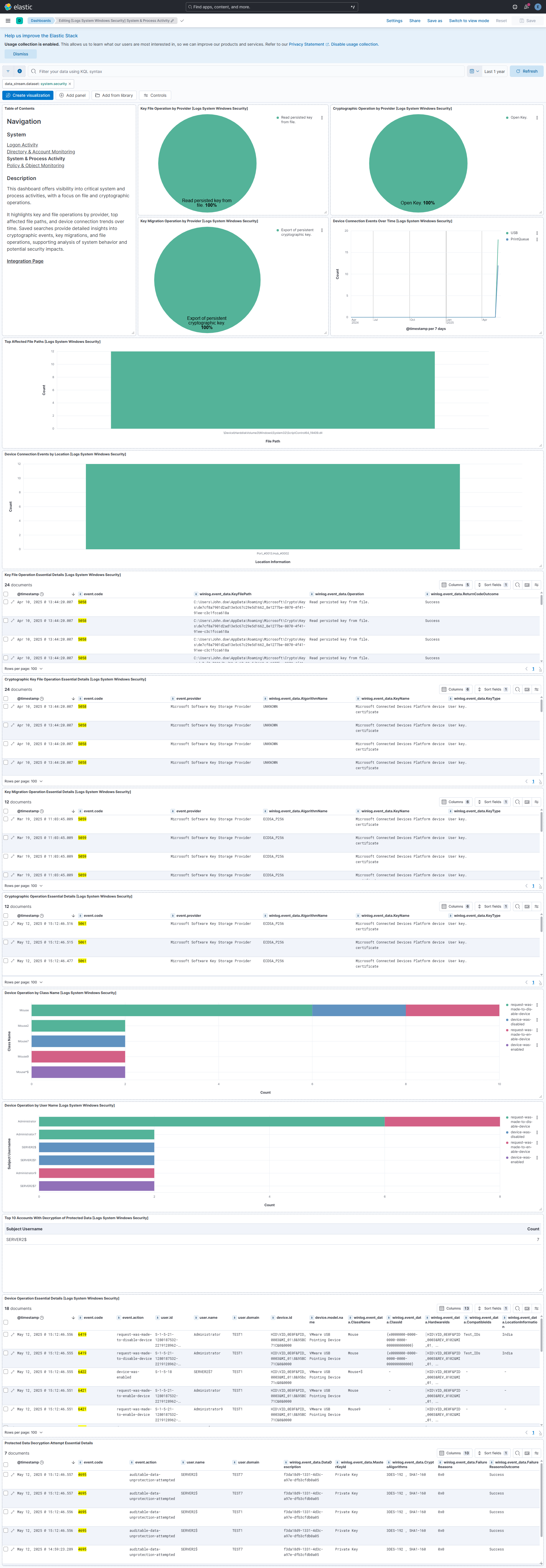
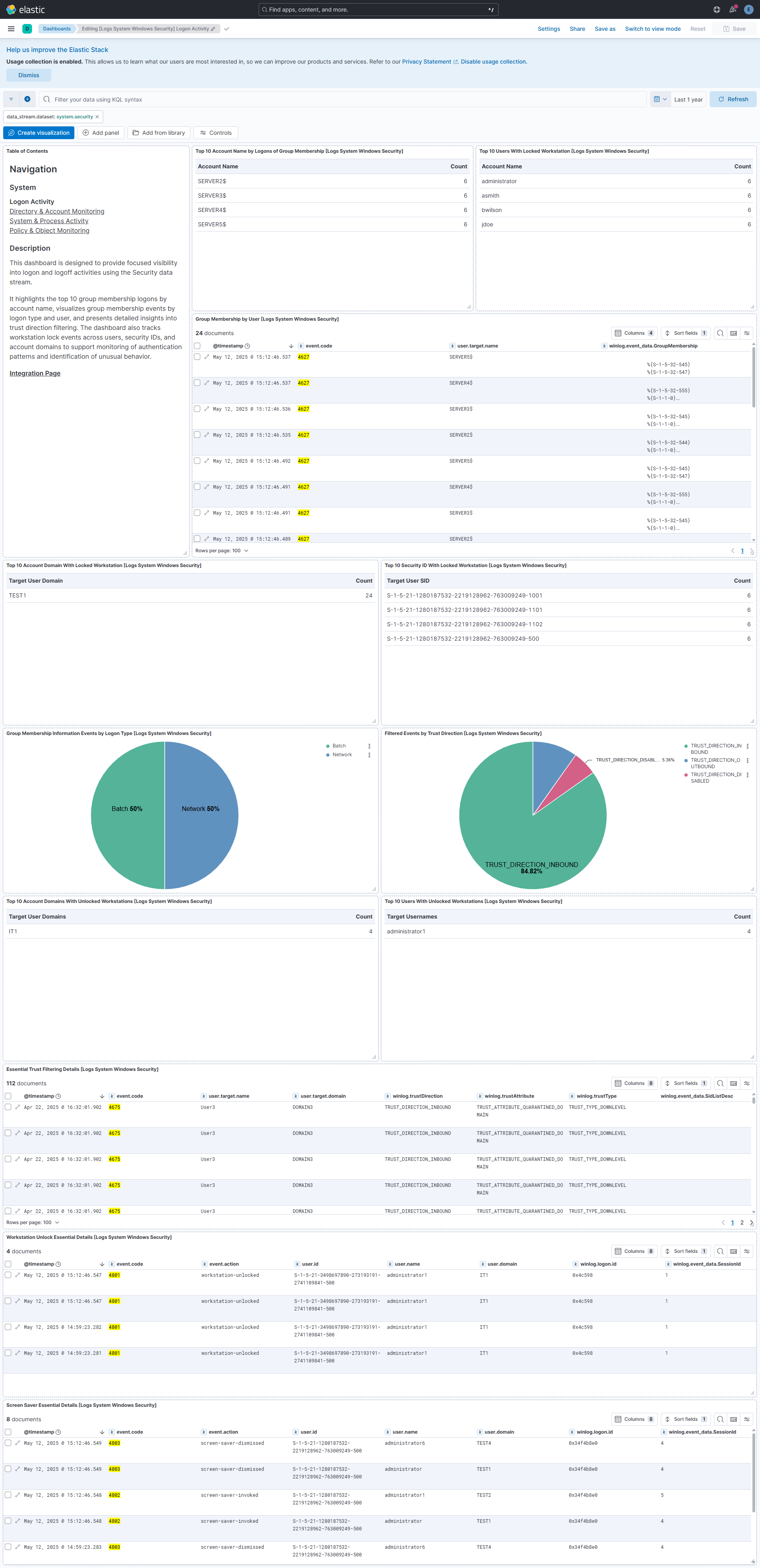
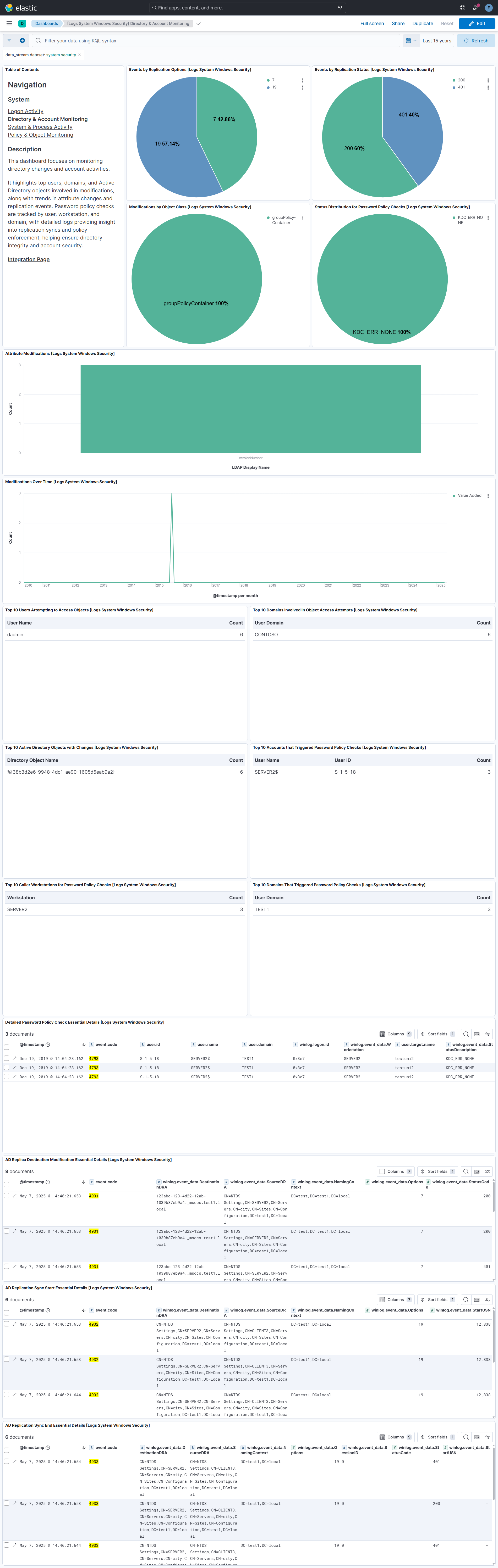
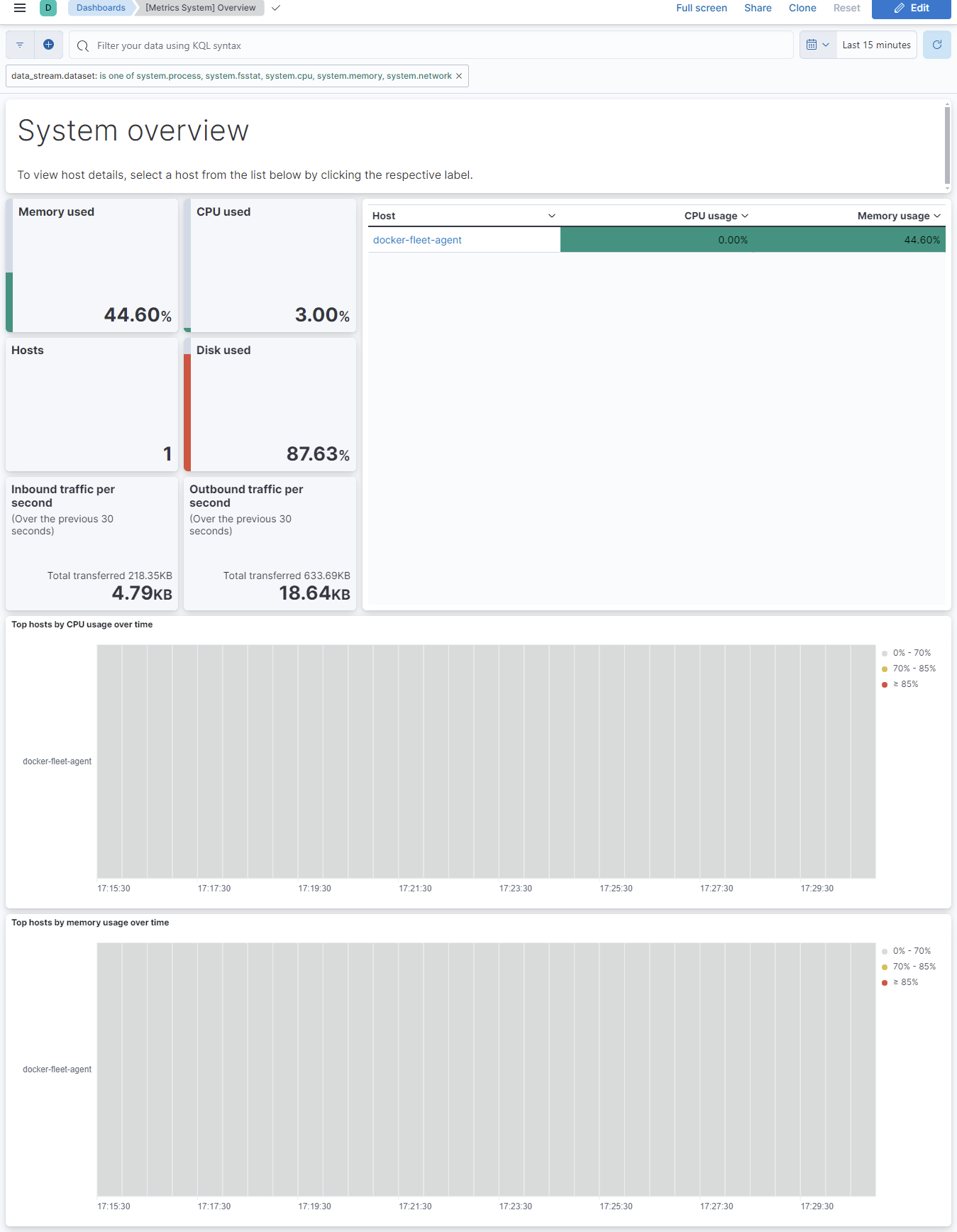
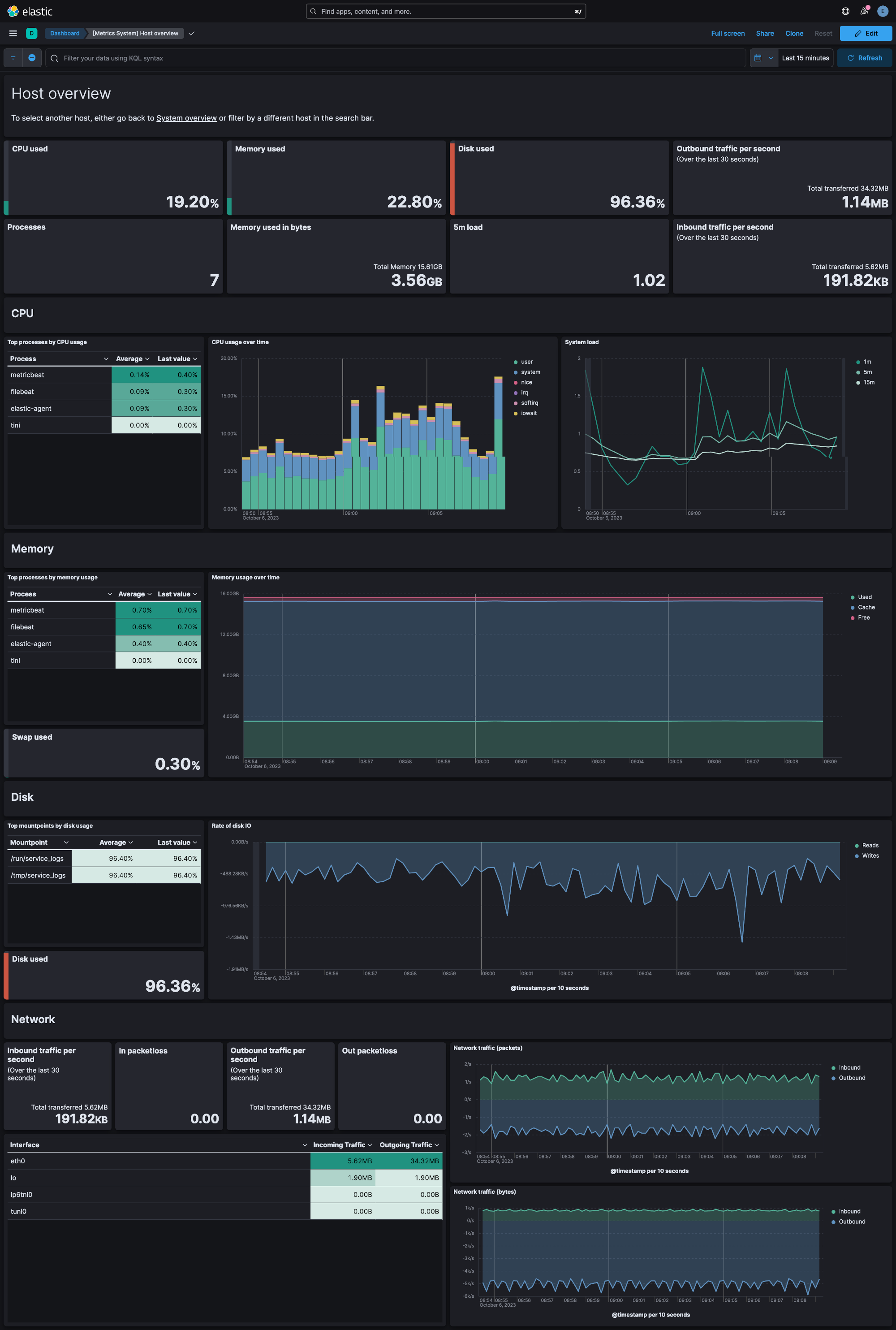
Changelog
| Version | Details | Minimum Kibana version |
|---|---|---|
| 3.5.0 | Bug fix (View pull request) Fix system.auth sudo parsing so that HOST= is no longer captured as system.auth.sudo.error and GROUP=, TSID=, and ENV= are no longer merged into system.auth.sudo.user.Enhancement (View pull request) Add system.auth.sudo.host, system.auth.sudo.chroot, system.auth.sudo.group, system.auth.sudo.tsid, system.auth.sudo.env, system.auth.sudo.signal, and system.auth.sudo.exit fields.Bug fix (View pull request) Set event.type to end and populate process.exit_code for the sudo exit line written when the log_exit_status option is enabled, instead of start. |
9.2.1 |
| 3.4.0 | Enhancement (View pull request) Categorize Windows System channel events 6005 and 7045, and map service installation details from event 7045. |
9.2.1 |
| 3.3.1 | Bug fix (View pull request) Fix system.auth user and group management events being given event.outcome failure when the user name, home directory, or shell contains fail. Only messages that start with fail are now treated as failures. |
9.2.1 |
| 3.3.0 | Enhancement (View pull request) Add a start_position advanced setting to the application, security, and system winlog data streams to skip events that already exist in the channel when no bookmark has been saved. Requires Elastic Agent 9.6.0 or later; earlier agents ignore it. |
9.2.1 |
| 3.2.0 | Enhancement (View pull request) Add the system.process.memory.footprint field to the process data stream. On macOS, it reports the physical memory footprint that top and Activity Monitor show. Requires Elastic Agent 9.6.0 or later. |
9.2.1 |
| 3.1.0 | Enhancement (View pull request) Normalize Active Directory Certificate Services (AD CS) audit events with native field mappings, winlog.adcs request fields, ECS user mappings, and event categorization. |
9.2.1 |
| 3.0.1 | Bug fix (View pull request) Fix RFC 5424 header parsing in the auth data stream on Kibana versions that installed the grok pattern with doubled spaces. The pattern is now written on a single line so every YAML parser produces the same value. |
9.2.1 |
| 3.0.0 | Breaking change (View pull request) The auth data stream no longer writes the affected account to user.name/user.id for useradd account creation, usermod account changes (for example group membership or expiration changes), userdel deletion, and PAM password change events (successful or failed). Since system 2.22.0 the affected account is available in user.target.name (and user.target.id for useradd), and user.name on these events is reserved for the acting user, matching ECS semantics. This completes the deprecation announced in 2.22.0. Before upgrading, update detection rules, saved searches, dashboards, and other content that reads the affected account from user.name/user.id on these events to use user.target.* instead — content still keyed on user.name will stop matching these events after this upgrade. The bundled New users and groups dashboard already uses user.target.* as of 2.24.0. |
9.2.1 |
| 2.26.0 | Enhancement (View pull request) Expose journald seek and since settings for the auth and syslog data streams. |
9.2.1 |
| 2.25.2 | Bug fix (View pull request) Fix regression in winlog security data stream where include_xml was always enabled (restore preserve_original_event gating) |
9.2.1 |
| 2.25.1 | Enhancement (View pull request) Document how to backfill user.target.name and user.target.id on useradd events ingested before version 2.22.0 so they appear in the New users and groups dashboard. |
9.2.1 |
| 2.25.0 | Enhancement (View pull request) Set event.module to system at collection time on all log data streams, matching the System metrics data streams. This makes the field available to Kafka output topic templates, which the agent resolves before the event reaches Elasticsearch. |
9.2.1 |
| 2.24.0 | Enhancement (View pull request) Update the New users and groups dashboard to read the created account from user.target.name/user.target.id instead of the deprecated duplication in user.name/user.id. The New users panels only show events ingested with system 2.22.0 or later, where these fields were introduced. |
9.2.1 |
| 2.23.5 | Bug fix (View pull request) Populate event.action for Linux useradd/userdel/groupadd/groupdel auth events, extract group.name from gshadow/group file lines, and set service.name plus event.action for sudo systemctl start/stop/restart commands. |
9.2.1 |
| 2.23.4 | Bug fix (View pull request) Include Windows Security event 6272 in subject-field ECS mapping (SubjectUserSid, SubjectUserName, SubjectDomainName) like other audited events. |
9.2.1 |
| 2.23.3 | Bug fix (View pull request) Populate winlog.scheduled_task.settings.enabled with Task Scheduler's effective default of true when Settings/Enabled is omitted. |
9.2.1 |
| 2.23.2 | Bug fix (View pull request) Normalize leading whitespace in sudo invoking usernames for the auth data stream while preserving support for unpadded messages. |
9.2.1 |
| 2.23.1 | Bug fix (View pull request) Fix process.args and process.args_count in the system.security Windows Event ID 4688 pipeline by discarding empty tokens produced by trailing or repeated whitespace in the command line. |
9.2.1 |
| 2.23.0 | Bug fix (View pull request) Set event.kind to event for system.syslog records collected through the log input, matching the journald pipeline so all syslog events carry a consistent ECS event categorization.Enhancement (View pull request) Categorize systemd Started/Stopped unit lifecycle messages in system.syslog with event.category, event.type, and event.action. |
9.2.1 |
| 2.22.4 | Bug fix (View pull request) Replace the journald facilities option with equivalent SYSLOG_FACILITY matches in the auth and syslog streams, fixing silent collection failure on hosts with journalctl older than 245 (e.g. RHEL 8), where journalctl --facility is not supported. |
9.2.1 |
| 2.22.3 | Bug fix (View pull request) Fix parsing of sudo auth messages that omit the TTY field while preserving existing TTY and sudo error parsing. |
9.2.1 |
| 2.22.2 | Bug fix (View pull request) Replace the hardcoded host link in the "[Metrics System] Overview" dashboard with a dashboard-to-dashboard drilldown, so navigation to "[Metrics System] Host Overview" works across Kibana Spaces (including after "Copy to Space"). |
9.2.1 |
| 2.22.1 | Bug fix (View pull request) Fix @timestamp being overwritten by ClientCreationTime (process start time) on Windows Security events 5058, 5059, and 5061. The date_clientcreationtime processor was missing target_field, causing it to default to @timestamp instead of writing back to winlog.event_data.ClientCreationTime. |
9.2.1 |
| 2.22.0 | Enhancement (View pull request) Populate user.target.name (and user.target.id for useradd) with the affected account for useradd account creation, usermod group membership, userdel deletion, and PAM password change events, and extract user.target.name and group.name from userdel messages. For backward compatibility these events keep writing the affected account to user.name/user.id; this duplication is deprecated and will be removed in a future major version — update detection rules, dashboards, and other content that reads the affected account from user.name to use user.target.name instead. |
9.2.1 |
| 2.21.0 | Enhancement (View pull request) Parse Windows Security scheduled task XML and task names into structured winlog.scheduled_task.* fields for detection and hunting. |
9.2.1 |
| 2.20.0 | Enhancement (View pull request) Populate event.action and event.type for PAM authentication failure events across all modules. Enhancement (View pull request) Correctly extract user.name for pam_faillock account lockout events and add ECS categorization. Enhancement (View pull request) Correctly extract user.name for unix_chkpwd password check failure events and add ECS categorization including event.action. Enhancement (View pull request) Populate user.name, user.target.name, group.name, and distinct event.action (group-user-added/group-user-removed) for gpasswd group membership change events. Enhancement (View pull request) Populate user.name, group.name, and event.action for usermod add-to-group events. Enhancement (View pull request) Set event.type to start for sudo command execution events. Bug fix (View pull request) Set event.outcome to failure for unsuccessful PAM chauthtok password change events. |
9.2.1 |
| 2.19.0 | Enhancement (View pull request) Populate user.target.name and ECS fields for PAM chauthtok events |
9.2.1 |
| 2.18.0 | Bug fix (View pull request) Fix System integration log collection on SLES versions lower than 15. Bug fix (View pull request) Fix System integration log collection on SLES 15 versions with dashes like "15-SP7". Enhancement (View pull request) Enable System integration log collection on SLES 16.0. |
9.2.1 |
| 2.17.0 | Enhancement (View pull request) Move links from markdown to link panel |
9.2.1 |
| 2.16.2 | Bug fix (View pull request) Fix file.path, file.name, and file.directory population for Windows Security events 5140 and 5145 by normalizing ShareLocalPath before combining with RelativeTargetName. |
9.2.1 |
| 2.16.1 | Bug fix (View pull request) Safely handle malformed UAC values in Windows Security event 4738 to prevent ingest pipeline failures. |
9.2.1 |
| 2.16.0 | Enhancement (View pull request) Extract user.name and source.address from PAM key-value log messages and password change events in the auth data stream. |
9.2.1 |
| 2.15.0 | Enhancement (View pull request) Add process.args_count to security process events (event 4688). Enhancement (View pull request) Map OperationType to event.reason and improve ObjectDN parsing for Windows Security event 5136. |
9.2.1 |
| 2.14.0 | Enhancement (View pull request) Populate ECS registry.path from winlog.event_data.ObjectName for Windows Security registry events(4657; and 4656, 4658, 4660, 4661, 4662, 4663 when ObjectType is Key or ObjectName starts with theNT \REGISTRY\ prefix). File and other object types are not mapped. |
9.2.1 |
| 2.13.0 | Enhancement (View pull request) Improve documentation |
9.2.1 |
| 2.12.4 | Bug fix (View pull request) Fix broken link in the System integration documentation. |
9.2.1 |
| 2.12.3 | Bug fix (View pull request) Stop starting unnecessary log input on Windows |
9.2.1 |
| 2.12.2 | Enhancement (View pull request) Improve documentation |
9.2.1 |
| 2.12.1 | Bug fix (View pull request) Remove duplicate security-solution-default tag references |
9.2.1 |
| 2.12.0 | Enhancement (View pull request) Added swap field to process.memory data stream. |
9.2.1 |
| 2.11.0 | Enhancement (View pull request) Preserve the message field in auth data stream events for both log and journald inputs, providing consistent access to the syslog message body. |
9.2.1 |
| 2.10.0 | Enhancement (View pull request) Add alerting rule template (for cpu and memory datastreams) |
9.2.1 |
| 2.9.1 | Bug fix (View pull request) Update system test for NTP data stream to use local NTP server instead of pool.ntp.org |
9.2.1 |
| 2.9.0 | Enhancement (View pull request) Update README with Alerting Rule Template. |
9.2.1 |
| 2.8.1 | Bug fix (View pull request) Fix dashboard filter for Syslog dashboard |
9.2.1 |
| 2.8.0 | Enhancement (View pull request) Add alerting rule templates (for diskio and network datastreams) |
9.2.1 |
| 2.7.2 | Bug fix (View pull request) Fixed parsing of SidList field in Windows Security event 4908 (Special Groups Logon table modified) by normalizing whitespace separators. |
9.2.0 |
| 2.7.1 | Bug fix (View pull request) Fix network data stream interface filtering by populating both legacy top-level interfaces and nested network.interfaces fields. |
9.2.0 |
| 2.7.0 | Enhancement (View pull request) Add NTP data stream. |
9.2.0 |
| 2.6.3 | Bug fix (View pull request) Fix YML syntax issue. |
9.0.0 8.18.0 |
| 2.6.2 | Bug fix (View pull request) Remove startWith usage in condition default values to fix issues with certain versions. |
— |
| 2.6.1 | Bug fix (View pull request) Fix timezone parsing in auth events |
9.0.0 8.18.0 |
| 2.6.0 | Enhancement (View pull request) Enable journald input instead of log input for Debian 13. |
9.0.0 8.18.0 |
| 2.5.4 | Bug fix (View pull request) Support ISO8601 date format in security data stream pipeline. |
9.0.0 8.18.0 |
| 2.5.3 | Bug fix (View pull request) Fix Dashboard Links Panel by setting useCurrentFilters to false |
9.0.0 8.18.0 |
| 2.5.2 | Bug fix (View pull request) Reverts removal of winlog.event_data fields used in detection rules. |
9.0.0 8.18.0 |
| 2.5.1 | Bug fix (View pull request) Fix condition in handlebar file of security data stream. |
9.0.0 8.18.0 |
| 2.5.0 | Enhancement (View pull request) Add support for more event ids in the security data stream pipeline. |
9.0.0 8.18.0 |
| 2.4.0 | Enhancement (View pull request) Use Links panel in Dashboards |
9.0.0 8.17.0 |
| 2.3.3 | Bug fix (View pull request) Fix CPU Usage on [Metrics System] Overview "hosts" tab. |
9.0.0 8.17.0 |
| 2.3.2 | Enhancement (View pull request) Update documentation to mention the requirements for reading Journald logs. |
9.0.0 8.17.0 |
| 2.3.1 | Bug fix (View pull request) Change default to use journald input for SLES 15 SP6. |
9.0.0 8.17.0 |
| 2.3.0 | Enhancement (View pull request) Allow @custom pipeline access to event.original without setting preserve_original_event. |
9.0.0 8.17.0 |
| 2.2.0 | Enhancement (View pull request) Add support for ignore_types for fsstat. |
9.0.0 8.17.0 |
| 2.1.0 | Enhancement (View pull request) Add support for use_performance_counters. |
9.0.0 8.17.0 |
| 2.0.1 | Bug fix (View pull request) Fix missing period config in core data stream. |
9.0.0 8.17.0 |
| 2.0.0 | Enhancement (View pull request) Remove deprecated httpjson input. |
9.0.0 8.17.0 |
| 1.69.0 | Enhancement (View pull request) Add support for degrade_on_partial |
9.0.0 8.17.0 |
| 1.68.2 | Bug fix (View pull request) Handle events without event_data |
9.0.0 8.17.0 |
| 1.68.1 | Bug fix (View pull request) Change security pipeline to be defensive against different data types. |
9.0.0 8.17.0 |
| 1.68.0 | Enhancement (View pull request) Add new grok pattern to system (syslog) module to capture multiline logs with ISO 8601 timestamps. |
9.0.0 8.17.0 |
| 1.67.3 | Bug fix (View pull request) Remove dynamic template to avoid ECS overrides. |
9.0.0 8.17.0 |
| 1.67.2 | Bug fix (View pull request) Added description to ssl nodes including links to documentation. |
9.0.0 8.17.0 |
| 1.67.1 | Bug fix (View pull request) Fix boolean key in security pipeline. |
9.0.0 8.17.0 |
| 1.67.0 | Enhancement (View pull request) Port changes from beats pipelines for the security data stream. |
9.0.0 8.17.0 |
| 1.66.1 | Enhancement (View pull request) For Windows security event logs, enrich group membership related events with an audit category and subcategory. |
9.0.0 8.17.0 |
| 1.66.0 | Enhancement (View pull request) Allow the usage of deprecated log input and support for stack 9.0 |
9.0.0 8.17.0 |
| 1.65.0 | Enhancement (View pull request) Improve pipeline script to parse fully rendered events correctly. |
9.0.0 8.17.0 |
| 1.64.1 | Bug fix (View pull request) Fix dashboard query in [Metrics System] Host overview. |
9.0.0 8.17.0 |
| 1.64.0 | Enhancement (View pull request) Add support for Kibana 9.0.0. |
9.0.0 8.17.0 |
| 1.63.2 | Bug fix (View pull request) Update links to getting started docs |
8.17.0 |
| 1.63.1 | Bug fix (View pull request) Defensively copy list parameters in 'Set ECS categorization fields' script. |
8.17.0 |
| 1.63.0 | Enhancement (View pull request) Add Journald support for system integration by adding the journald input as an option for the auth and syslog data streams. |
8.17.0 |
| 1.62.1 | Bug fix (View pull request) Fix typo in RDP Connections visualisation |
8.13.0 |
| 1.62.0 | Enhancement (View pull request) Deprecate third-party REST API import option. |
8.13.0 |
| 1.61.1 | Bug fix (View pull request) Parse winlog.event_data.AccessList and winlog.event_data.AccessMask into a list of values |
8.13.0 |
| 1.61.0 | Enhancement (View pull request) Tighten IPv4 extraction from IPv4-mapped IPv6 addresses. |
8.13.0 |
| 1.60.5 | Bug fix (View pull request) Fix host.os.version ECS field mapping |
8.13.0 |
| 1.60.4 | Bug fix (View pull request) Fix IPv6 cleanup step. |
8.13.0 |
| 1.60.3 | Bug fix (View pull request) Fix broken query on Users Renamed |
8.13.0 |
| 1.60.2 | Bug fix (View pull request) Add windows.forward where it was missing on visualizations and searches. |
8.13.0 |
| 1.60.1 | Bug fix (View pull request) Ensure process.name is populated from syslog messages |
8.13.0 |
| 1.60.0 | Enhancement (View pull request) Add caseless fields to process events. |
8.13.0 |
| 1.59.4 | Enhancement (View pull request) Mark system.diskio data stream as requires root |
8.13.0 |
| 1.59.3 | Bug fix (View pull request) Convert error.code to string for winlog inputs |
8.13.0 |
| 1.59.2 | Bug fix (View pull request) Reverting https://github.com/elastic/integrations/pull/10471. |
8.13.0 |
| 1.59.1 | Bug fix (View pull request) Ensure the syslog processor is not used with Elastic Agent 7.17.X versions. |
8.13.0 |
| 1.59.0 | Enhancement (View pull request) ECS version updated to 8.11.0. Update the kibana constraint to ^8.13.0. Modified the field definitions to remove ECS fields made redundant by the ecs@mappings component template. |
8.13.0 |
| 1.58.2 | Bug fix (View pull request) Fix filesystem ignore_types |
8.12.0 |
| 1.58.1 | Bug fix (View pull request) Fix metrics overview dashboard. |
8.12.0 |
| 1.58.0 | Enhancement (View pull request) Mark logs-system.syslog data stream as requires root |
8.12.0 |
| 1.57.0 | Enhancement (View pull request) Adjust winlog.event_data.AttributeValue ignore_above parameter and add wildcard multi-field. |
8.12.0 |
| 1.56.0 | Enhancement (View pull request) Add custom configuration option to windows system inputs. |
8.12.0 |
| 1.55.2 | Bug fix (View pull request) Fix typos in Failed and Block Accounts dashboard. |
8.12.0 |
| 1.55.1 | Bug fix (View pull request) Add missing preserve_original_event tag when toggled on. |
8.12.0 |
| 1.55.0 | Enhancement (View pull request) Add global filter on data_stream.dataset to improve performance. |
8.12.0 |
| 1.54.0 | Enhancement (View pull request) Enable 'secret' for the sensitive fields. |
8.12.0 |
| 1.53.1 | Enhancement (View pull request) Inline "by reference" visualizations |
8.11.0 |
| 1.53.0 | Enhancement (View pull request) Enable TSDB by default for core datastream. This improves storage usage and query performance. For more details, see https://www.elastic.co/guide/en/elasticsearch/reference/current/tsds.html |
8.11.0 |
| 1.52.0 | Enhancement (View pull request) Add missing num_threads field in system/process |
8.11.0 |
| 1.51.0 | Enhancement (View pull request) Add fields for IO metrics in system/process |
8.10.2 |
| 1.50.1 | Enhancement (View pull request) Improve the wording on milliseconds. |
8.10.2 |
| 1.50.0 | Bug fix (View pull request) Fix the message parsing failure in syslog datastream. Enhancement (View pull request) Make exclude files configurable in syslog datastream. |
8.10.2 |
| 1.49.1 | Bug fix (View pull request) Fix handling of preserve original event configuration in syslog datastream. Bug fix (View pull request) Fix exclude files pattern. |
8.10.2 |
| 1.49.0 | Enhancement (View pull request) Limit request tracer log count to five. |
8.10.2 |
| 1.48.0 | Enhancement (View pull request) Adding EventID 4662 and 5136, to use the winlog.event_data.SubjectUserName as user.name and related.user |
8.10.2 |
| 1.47.2 | Bug fix (View pull request) Fix UAC attribute bit table in security data stream. |
8.10.2 |
| 1.47.1 | Bug fix (View pull request) Fix indentation of tags inside syslog datastream. Enhancement (View pull request) Add system tests for syslog datastream. Bug fix (View pull request) Add missing fields "input.type", "log.file.path", and "log.offset" into syslog datastream. |
8.10.2 |
| 1.47.0 | Enhancement (View pull request) Add RFC 5424 support for Auth datastream |
8.10.2 |
| 1.46.1 | Bug fix (View pull request) Added dimension setting to host.name field in memory and diskio datastream |
8.10.2 |
| 1.46.0 | Enhancement (View pull request) Added field winlog.event_data.EnabledPrivilegeList as type keyword to security data stream. |
8.10.2 |
| 1.45.0 | Enhancement (View pull request) Upgrade to package spec 3.0.0. |
8.10.2 |
| 1.44.0 | Enhancement (View pull request) Enable TSDB by default for process datastream. This improves storage usage and query performance. For more details, see https://www.elastic.co/guide/en/elasticsearch/reference/current/tsds.html |
8.10.2 |
| 1.43.0 | Enhancement (View pull request) Remove all remaining legacy visualizations. |
8.10.2 |
| 1.42.0 | Enhancement (View pull request) Rework system metrics dashboards to use Lens and display current system state more reliably. |
8.10.2 |
| 1.41.0 | Enhancement (View pull request) Modified the field definitions to reference ECS where possible and remove invalid field attributes. |
8.9.0 |
| 1.40.0 | Enhancement (View pull request) Add metric_type metadata for object fields, set stack restriction to 8.9.0 version |
8.9.0 |
| 1.39.0 | Enhancement (View pull request) Update documentation to remove unpopulated Linux-only field mappings in diskio and memory datastreams. |
8.8.0 |
| 1.38.2 | Bug fix (View pull request) Validate ClientAddress IP for events 4778 and 4779 |
8.8.0 |
| 1.38.1 | Enhancement (View pull request) Remove duplicated fields in diskio datastream |
8.8.0 |
| 1.38.0 | Enhancement (View pull request) Add source, destination and network fields for Windows Firewall events |
8.8.0 |
| 1.37.1 | Enhancement (View pull request) Add metric_type metadata to the process data_stream |
8.8.0 |
| 1.37.0 | Enhancement (View pull request) Improve event.action, event.category and event.outcome enrichment for auth datastream. |
8.8.0 |
| 1.36.2 | Bug fix (View pull request) Add ecs mapping for error.code to avoid type conflicts |
8.8.0 |
| 1.36.1 | Bug fix (View pull request) Fix EventIDs for Users Added to Group panel |
8.8.0 |
| 1.36.0 | Enhancement (View pull request) Revert changes to permissions to reroute events to logs-- for syslog datastream |
8.8.0 |
| 1.35.0 | Enhancement (View pull request) Adds configuration option for preserve_original_event for syslog datastream |
8.8.0 |
| 1.34.1 | Enhancement (View pull request) Add dimension fields to the core data_streams |
8.8.0 |
| 1.34.0 | Enhancement (View pull request) Enable time series data streams for the metrics datasets, except core and process datasets. This improves storage usage and query performance. For more details, see https://www.elastic.co/guide/en/elasticsearch/reference/current/tsds.html |
8.8.0 |
| 1.33.0 | Enhancement (View pull request) Add permissions to reroute events to logs-- for syslog datastream |
8.8.0 |
| 1.32.0-beta.2 | Enhancement (View pull request) Enable TSDS for network data_streams |
— |
| 1.32.0-beta.1 | Enhancement (View pull request) Add dimensions for the network data_stream |
— |
| 1.32.0-beta | Enhancement (View pull request) Enable TSDS for metrics data_streams, except core, network and process data_streams for beta testing |
— |
| 1.31.1 | Enhancement (View pull request) Add missing metric_type metadata |
8.7.1 |
| 1.31.0 | Enhancement (View pull request) Add dimension metadata to the process data_stream |
8.7.1 |
| 1.30.0 | Enhancement (View pull request) Add dimension fields to metrics all data_streams, except core, network and process to support TSDS migration |
8.7.1 |
| 1.29.0 | Enhancement (View pull request) support ip or domain in sshd messages |
8.7.1 |
| 1.28.0 | Enhancement (View pull request) Add a new flag to enable request tracing |
8.7.1 |
| 1.27.1 | Bug fix (View pull request) Remove managed tag. |
8.7.1 |
| 1.27.0 | Enhancement (View pull request) Convert TSVB visualisations to Lens. |
8.7.0 |
| 1.26.0 | Enhancement (View pull request) Adds /var/log/system* to default syslog input for macOS |
8.6.0 |
| 1.25.4 | Bug fix (View pull request) Fix visualization to reference Elastic Agent integrations, not Winlogbeat |
8.6.0 |
| 1.26.0-next | Enhancement (View pull request) Clean Windows dashboards. |
— |
| 1.25.3 | Enhancement (View pull request) Document 21 Event ID clause limit under certain situations. |
8.6.0 |
| 1.25.2 | Bug fix (View pull request) Remove duplicate Windows dashboards. |
8.1.0 |
| 1.25.1 | Enhancement (View pull request) Added categories and/or subcategories. |
8.1.0 |
| 1.25.0 | Enhancement (View pull request) Convert dashboard visualisations to storage by value. |
8.1.0 |
| 1.24.3 | Bug fix (View pull request) Fix mapping for winlog.time_created by setting to date instead of keyword |
8.1.0 |
| 1.24.2 | Bug fix (View pull request) Remove redundant regular expression quantifier. |
8.1.0 |
| 1.24.1 | Enhancement (View pull request) Added filters on dataset for system metrics dashboards |
8.1.0 |
| 1.24.0 | Enhancement (View pull request) Add basic dimension fields for cpu, load and memory |
8.1.0 |
| 1.23.1 | Bug fix (View pull request) Mark datasets as ga |
8.1.0 |
| 1.23.0 | Enhancement (View pull request) Add mapping for Windows events 4797, 5379, 5380, 5381, and 5382. |
8.1.0 |
| 1.22.0 | Enhancement (View pull request) Improve handling of user name and event outcome in auth dataset. |
8.1.0 |
| 1.21.0 | Enhancement (View pull request) Embed visualizations within dashboards (where possible) to make them self-contained and reduce Kibana saved object clutter. |
8.1.0 |
| 1.20.4 | Bug fix (View pull request) Remove wrong visualization from dashboard |
8.1.0 |
| 1.20.3 | Bug fix (View pull request) Allow adding multiple processors in syslog data stream |
8.1.0 |
| 1.20.2 | Bug fix (View pull request) Remove incorrect tag |
8.1.0 |
| 1.20.1 | Bug fix (View pull request) Fix adding processors in syslog data stream |
8.1.0 |
| 1.20.0 | Enhancement (View pull request) Improve system overview and host overview dashboards |
8.1.0 |
| 1.19.5 | Bug fix (View pull request) Fix duplicated processor field in syslog |
8.0.0 |
| 1.19.4 | Bug fix (View pull request) Add missing field mapping for error.code and error.message |
8.0.0 |
| 1.19.3 | Bug fix (View pull request) Add test cases for events 4738 and 4742. |
8.0.0 |
| 1.19.2 | Bug fix (View pull request) Add mapping for event.original for auth and security data streams. |
8.0.0 |
| 1.19.1 | Bug fix (View pull request) Fix handling of security events 4674, 4738 and 4742. |
8.0.0 |
| 1.19.0 | Enhancement (View pull request) Add ignore_older to remaining logs |
8.0.0 |
| 1.18.0 | Bug fix (View pull request) Separate grok parsing into stages and anchor the patterns in the system.auth pipeline. Enhancement (View pull request) Add processors, tags, and preserve original event options to the system.auth data stream. |
8.0.0 |
| 1.17.0 | Enhancement (View pull request) Add processor and tag fields |
8.0.0 |
| 1.16.2 | Enhancement (View pull request) Update documentation with additional context for new users. |
8.0.0 |
| 1.16.1 | Bug fix (View pull request) Fix missing key in env whitelist |
— |
| 1.16.0 | Enhancement (View pull request) Migrating from tile map to map in system log dashboard |
— |
| 1.15.1 | Bug fix (View pull request) Fix ECS schema |
— |
| 1.15.0 | Enhancement (View pull request) Enrich security data set with GeoIP data |
— |
| 1.14.0 | Enhancement (View pull request) Add support for events 5140 and 5145 to the security pipeline. |
— |
| 1.13.0 | Enhancement (View pull request) Add parent process ID to security event for new process creation. |
— |
| 1.12.1 | Enhancement (View pull request) Add documentation for multi-fields |
— |
| 1.12.0 | Enhancement (View pull request) Add system/process pipeline to rename process.ppid to process.parent.pid as per ECS 8.0. |
— |
| 1.11.0 | Enhancement (View pull request) Add option to configure ignored filesystem types |
8.0.0 7.16.0 |
| 1.10.0 | Enhancement (View pull request) Expose winlog input ignore_older option. Bug fix (View pull request) Fix preserve original event option Enhancement (View pull request) Make order of Security, Application, System options consistent with other winlog based integrations. |
— |
| 1.9.0 | Enhancement (View pull request) Update to ECS 8.0 |
— |
| 1.8.0 | Enhancement (View pull request) Add routing pipeline to security data_stream, limit to specific providers. |
— |
| 1.7.0 | Enhancement (View pull request) Expose winlog input language option. |
— |
| 1.6.6 | Bug fix (View pull request) Regenerate test files using the new GeoIP database |
— |
| 1.6.5 | Bug fix (View pull request) Change test public IPs to the supported subset |
— |
| 1.6.4 | Bug fix (View pull request) More consistent use of Proc Filesystem Directory settings Enhancement (View pull request) Support Kibana 8 |
8.0.0 7.14.0 |
| 1.6.3 | Bug fix (View pull request) Fix AccessList and AccessMask processing in security data_stream |
7.14.0 |
| 1.6.2 | Bug fix (View pull request) Fix missing null check in security pipeline |
7.14.0 |
| 1.6.1 | Enhancement (View pull request) Uniform with guidelines |
— |
| 1.6.0 | Bug fix (View pull request) Consistently map message field in Windows integrations. |
— |
| 1.5.0 | Enhancement (View pull request) Better user mappings for security events |
— |
| 1.4.2 | Bug fix (View pull request) Prevent pipeline script error |
— |
| 1.4.1 | Bug fix (View pull request) Fix logic that checks for the 'forwarded' tag |
— |
| 1.4.0 | Enhancement (View pull request) Update to ECS 1.12.0 |
7.14.0 |
| 1.3.0 | Enhancement (View pull request) Add custom processors and event_id to Application, Security & System data_streams |
— |
| 1.2.1 | Enhancement (View pull request) Convert to generated ECS fields |
— |
| 1.2.0 | Enhancement (View pull request) Update fields to include new cgroups fields |
— |
| 1.1.5 | Bug fix (View pull request) Fix Windows links |
— |
| 1.1.4 | Bug fix (View pull request) Fix issue with normalized CPU gauge |
— |
| 1.1.3 | Enhancement (View pull request) update to ECS 1.11.0 |
— |
| 1.1.2 | Bug fix (View pull request) Mark integration as GA |
7.14.0 |
| 1.1.1 | Enhancement (View pull request) Escape special characters in docs |
— |
| 1.1.0 | Enhancement (View pull request) Update integration description |
— |
| 1.0.1 | Enhancement (View pull request) Move visualizations to cpu.norm.pct |
— |
| 1.0.0 | Enhancement (View pull request) GA the system module |
7.14.0 |
| 0.13.6 | Enhancement (View pull request) Use event.dataset and event.module |
7.14.0 |
| 0.13.5 | Enhancement (View pull request) Add support for Splunk authorization tokens |
— |
| 0.13.4 | Enhancement (View pull request) Use wildcard type for relevant ECS fields in security stream. |
— |
| 0.13.3 | Bug fix (View pull request) Fix unneeded unit and metric type for field groups |
— |
| 0.13.2 | Bug fix (View pull request) Fix security pipeline to support string event.code. |
— |
| 0.13.1 | Enhancement (View pull request) Add system tests for security data_stream. |
— |
| 0.13.0 | Enhancement (View pull request) Render units and metric types in exported fields table |
— |
| 0.12.7 | Bug fix (View pull request) Fix security pipeline to support string event.code for 7.13. |
7.13.0 |
| 0.12.6 | Bug fix (View pull request) Report system_summary properly. |
7.13.0 |
| 0.12.5 | Enhancement (View pull request) Make event.original optional for application, security, and system data streams. |
— |
| 0.12.4 | Bug fix (View pull request) Fix inconsistent dashboard IDs |
— |
| 0.12.3 | Enhancement (View pull request) Remove edge processing for httpjson input. |
7.13.0 |
| 0.12.2 | Bug fix (View pull request) Add event.code mappings |
— |
| 0.12.1 | Enhancement (View pull request) Convert Security processing to Ingest Node Enhancement (View pull request) Change Splunk input to use the decode_xml_wineventlog processor. |
— |
| 0.12.0 | Enhancement (View pull request) Add Splunk input for application, system, and security data streams. |
— |
| 0.11.3 | Enhancement (View pull request) Updating package owner Enhancement (View pull request) update to ECS 1.9.0 |
— |
| 0.11.2 | Bug fix (View pull request) Update security data stream |
— |
| 0.11.1 | Bug fix (View pull request) remove duplicate ingest pipeline for syslog data stream |
— |
| 0.0.3 | Enhancement (View pull request) initial release |
— |