Cisco Umbrella Integration
Elastic Cloud Serverless projects are autoscaled environments, fully managed by Elastic and available on Elastic Cloud. Availability This functionality is generally available and ready for production usage. Elastic Cloud Serverless projects are autoscaled environments, fully managed by Elastic and available on Elastic Cloud. Availability This functionality is generally available and ready for production usage. The Elastic Stack includes Elastic's core products such as Elasticsearch, Kibana, Logstash, and Beats. Availability This functionality is generally available and ready for production usage. Unless stated otherwise on the page, this functionality is available when your Elastic Stack is deployed on Elastic Cloud Hosted, Elastic Cloud Enterprise, Elastic Cloud on Kubernetes, and self-managed environments. This documentation corresponds to the latest patch available for each minor version. If you're not using the latest patch, check the release notes for changes.
Serverless Observability
Generally available
Serverless Security
Generally available
Stack
9.0+
Generally available since 9.0
| Version | 1.35.0 (View all) |
| Subscription level What's this? |
Basic |
| Developed by What's this? |
Elastic |
| Ingestion method(s) | AWS S3 |
| Minimum Kibana version(s) | 9.0.0 8.16.5 |
This integration is for Cisco Umbrella. It includes the following datasets for receiving logs from an AWS S3 bucket using an SQS notification queue and Cisco Managed S3 bucket without SQS:
logdataset: supports Cisco Umbrella logs.
This integration supports log schema versions through v17.
To start collecting logs from Cisco Umbrella, you need to configure an S3 bucket where the logs will be exported. Depending on your setup, you can choose between a Cisco-managed or a self-managed S3 bucket.
For a Cisco-managed S3 bucket, follow these step-by-step instructions.
For a self-managed S3 bucket, follow these step-by-step instructions.
Make sure to disable the Include Optional Log Headers in S3 Export toggle to prevent optional headers from appearing in the S3 log management report. Refer to the reference documentation for details.
When using Cisco Managed S3 buckets that do not use SQS; there is no load balancing for multiple agents. A single agent should be configured to poll the S3 bucket for new and updated files, and the number of workers can be configured to scale vertically.
The log dataset collects Cisco Umbrella logs.
Example
{
    "@timestamp": "2024-03-14T18:59:23.000Z",
    "agent": {
        "ephemeral_id": "4b522414-3f7d-4cec-a7f7-7df2a87de0c9",
        "id": "d2a14a09-96fc-4f81-94ef-b0cd75ad71e7",
        "name": "docker-fleet-agent",
        "type": "filebeat",
        "version": "8.13.0"
    },
    "aws": {
        "s3": {
            "bucket": {
                "arn": "arn:aws:s3:::elastic-package-cisco-umbrella-bucket-37380",
                "name": "elastic-package-cisco-umbrella-bucket-37380"
            },
            "object": {
                "key": "auditlogs.log"
            }
        }
    },
    "cisco": {
        "umbrella": {
            "audit": {
                "after": [
                    "includeAuditLog: 1"
                ],
                "after_values": {
                    "includeAuditLog": "1"
                },
                "type": "logexportconfigurations"
            }
        }
    },
    "cloud": {
        "provider": "",
        "region": "us-east-1"
    },
    "data_stream": {
        "dataset": "cisco_umbrella.log",
        "namespace": "27145",
        "type": "logs"
    },
    "ecs": {
        "version": "8.11.0"
    },
    "elastic_agent": {
        "id": "d2a14a09-96fc-4f81-94ef-b0cd75ad71e7",
        "snapshot": false,
        "version": "8.13.0"
    },
    "event": {
        "action": "update",
        "agent_id_status": "verified",
        "category": [
            "configuration"
        ],
        "dataset": "cisco_umbrella.log",
        "id": "1757843536",
        "ingested": "2024-06-12T03:03:50Z",
        "kind": "event",
        "original": "\"1757843536\",\"2024-03-14 18:59:23\",\"admin@example.com\",\"Administrator\",\"logexportconfigurations\",\"update\",\"81.2.69.144\",\"\",\"includeAuditLog: 1\n\"",
        "type": [
            "change"
        ]
    },
    "input": {
        "type": "aws-s3"
    },
    "log": {
        "file": {
            "path": "https://elastic-package-cisco-umbrella-bucket-37380.s3.us-east-1.amazonaws.com/auditlogs.log"
        },
        "offset": 529
    },
    "observer": {
        "product": "Umbrella",
        "vendor": "Cisco"
    },
    "related": {
        "ip": [
            "81.2.69.144"
        ],
        "user": [
            "Administrator"
        ]
    },
    "source": {
        "address": "81.2.69.144",
        "geo": {
            "city_name": "London",
            "continent_name": "Europe",
            "country_iso_code": "GB",
            "country_name": "United Kingdom",
            "location": {
                "lat": 51.5142,
                "lon": -0.0931
            },
            "region_iso_code": "GB-ENG",
            "region_name": "England"
        },
        "ip": "81.2.69.144"
    },
    "tags": [
        "preserve_original_event",
        "cisco-umbrella",
        "forwarded"
    ],
    "user": {
        "email": "admin@example.com",
        "id": "admin@example.com",
        "name": "Administrator"
    }
}
Exported fields
| Field | Description | Type |
|---|---|---|
| @timestamp | Date/time when the event originated. This is the date/time extracted from the event, typically representing when the event was generated by the source. If the event source has no original timestamp, this value is typically populated by the first time the event was received by the pipeline. Required field for all events. | date |
| aws.s3.bucket.arn | The AWS S3 bucket ARN. | keyword |
| aws.s3.bucket.name | The AWS S3 bucket name. | keyword |
| aws.s3.object.key | The AWS S3 Object key. | keyword |
| cisco.umbrella.action | Whether the request was allowed or blocked. | keyword |
| cisco.umbrella.ai_model_name | The name of the AI model involved in the event. | keyword |
| cisco.umbrella.ai_supply_chain_categories | AI supply chain categories associated with the event. | keyword |
| cisco.umbrella.amp_disposition | The status of the files proxied and scanned by Cisco Advanced Malware Protection (AMP) as part of the Umbrella File Inspection feature; can be Clean, Malicious or Unknown. | keyword |
| cisco.umbrella.amp_malware_name | If Malicious, the name of the malware according to AMP. | keyword |
| cisco.umbrella.amp_score | The score of the malware from AMP. This field is not currently used and will be blank. | keyword |
| cisco.umbrella.application_category_name | The category of the requested web application. | keyword |
| cisco.umbrella.application_entity_category | The classification of an application entity. Used to identify YouTube categories. | keyword |
| cisco.umbrella.application_entity_name | The name of an application entity. Used to identify YouTube channel names. | keyword |
| cisco.umbrella.application_ids | The ID of the destination application. | keyword |
| cisco.umbrella.audit.after | The policy or setting after the change was made. | keyword |
| cisco.umbrella.audit.after_values.* | The individual values of the policy or setting after the change was made. | object |
| cisco.umbrella.audit.before | The policy or setting before the change was made. | keyword |
| cisco.umbrella.audit.before_values.* | The individual values of the policy or setting before the change was made. | object |
| cisco.umbrella.audit.type | Where the change was made, such as settings or a policy. | keyword |
| cisco.umbrella.av_detections | The detection name according to the antivirus engine used in file inspection. | keyword |
| cisco.umbrella.blocked_categories | The categories that resulted in the destination being blocked. Available in version 4 and above. | keyword |
| cisco.umbrella.blocked_destination_countries | ISO 3166 country codes of destination IPs blocked by policy. | keyword |
| cisco.umbrella.casi_category_ids | The name of the Application category to which the App ID belongs. | keyword |
| cisco.umbrella.categories | The security or content categories that the destination matches. | keyword |
| cisco.umbrella.certificate_errors | Any certificate or protocol errors in the request. | keyword |
| cisco.umbrella.classification | The category of attack detected by a rule that is part of a more general type of attack class, such as trojan-activity, attempted-user, and unknown. | keyword |
| cisco.umbrella.content_category_ids | The ID of one or more content categories matched by the rule. | keyword |
| cisco.umbrella.content_category_list_ids | The ID of one or more content category lists that include categories matched by the rule. | keyword |
| cisco.umbrella.cves | A list of information about security vulnerabilities and exposures. | keyword |
| cisco.umbrella.data_classification | The data classification whose data identifier matched on the violation. | keyword |
| cisco.umbrella.data_identifier | The data identifier that matched on the request. | keyword |
| cisco.umbrella.datacenter | The name of the Umbrella Data Center that processed the user-generated traffic. | keyword |
| cisco.umbrella.destination_lists_id | The ID number umbrella assigns to a destination list. | keyword |
| cisco.umbrella.destination_sgt_origin_id | Security Group Tag ID associated with the destination. | keyword |
| cisco.umbrella.detected_response_file_type | The file type that resulted in a blocked response. | keyword |
| cisco.umbrella.dlp_status | If the request was Blocked for DLP. | keyword |
| cisco.umbrella.egress | Indicates whether or not the egress IP was a reserved IP. | keyword |
| cisco.umbrella.egress_ip | The public IP address assigned to a session as it exits Secure Access. | ip |
| cisco.umbrella.email_attachments | Attachment file names for an email scan event. | keyword |
| cisco.umbrella.email_id | Identifier for the email message. | keyword |
| cisco.umbrella.email_recipients | Recipient addresses for an email scan event. | keyword |
| cisco.umbrella.email_sender | Sender address for an email scan event. | keyword |
| cisco.umbrella.email_vendor_id | Identifier for the email vendor or integration provider. | keyword |
| cisco.umbrella.enforced_by | The Secure Access component or service that enforced the policy or control related to this event. | keyword |
| cisco.umbrella.event_correlation_id | Identifier that correlates related events for one traffic flow across security services. | keyword |
| cisco.umbrella.file_action | The action taken on a file in a remote browser isolation session. | keyword |
| cisco.umbrella.file_label | The file name label that matched on the file properties. | keyword |
| cisco.umbrella.first_packet_timestamp | The timestamp when the first packet of the session was received in UTC in seconds. | date |
| cisco.umbrella.forwarding_method | The method used to forward the proxy events. | keyword |
| cisco.umbrella.fqdns | The fully qualified domain names (FQDNs) that match the request. | keyword |
| cisco.umbrella.ftd_enforcement_id | The unique identifier of the enforcement action taken by a Firepower Threat Defense (FTD) device integrated with Secure Access. | keyword |
| cisco.umbrella.ftd_enforcement_name | The name or type of enforcement action taken by a FTD device integrated with Secure Access. | keyword |
| cisco.umbrella.fw_block_reason | The reason the firewall blocked the traffic. | keyword |
| cisco.umbrella.gid | Unique ID assigned to the part of the IPS which generated the event. | keyword |
| cisco.umbrella.hostname | The hostname of the user device. | keyword |
| cisco.umbrella.identities | An array of the different identities related to the event. | keyword |
| cisco.umbrella.identity | The identity that made the request. An identity can be a high-level entity within your system (e.g a network) or very granular (e.g a single user) | keyword |
| cisco.umbrella.identity_types | The type of identity that made the request. For example, Roaming Computer or Network. | keyword |
| cisco.umbrella.ips_config_id | The IPS config type (CONFIG, PROFILE, or UNKNOWN). | keyword |
| cisco.umbrella.isolate_action | The remote browser isolation state associated with the request. | keyword |
| cisco.umbrella.isolation_profile_id | Identifier of the browser isolation profile applied to the session. | keyword |
| cisco.umbrella.last_packet_timestamp | The timestamp when the last packet of the session was received in UTC in seconds. | date |
| cisco.umbrella.match_excerpts | Masked excerpts containing classifier matches. | keyword |
| cisco.umbrella.match_violation_ends | Exclusive end offsets for the classifier matches. | keyword |
| cisco.umbrella.match_violation_starts | Zero-based start offsets for the classifier matches. | keyword |
| cisco.umbrella.message | A brief description of the signature. | keyword |
| cisco.umbrella.msp_organization_id | The Secure Access parent organization ID. | keyword |
| cisco.umbrella.operation_mode | The mode of operation chosen when enabling IPS (IDS, IPS or UNKNOWN). | keyword |
| cisco.umbrella.origin_id | The unique identity of the network tunnel. | keyword |
| cisco.umbrella.policy_identity_type | The first identity type matched with this request. Available in version 3 and above. | keyword |
| cisco.umbrella.policy_resource_id | The ID identifies the IPS policy resource. | keyword |
| cisco.umbrella.posture_id | The unique ID of the endpoint posture profile. | keyword |
| cisco.umbrella.private_app_id | The unique ID of the private resource group ID that the private resource belongs to. | keyword |
| cisco.umbrella.private_flow | TRUE if Umbrella applied a private access rule to the user-generated traffic, and FALSE if Umbrella applied an internet access rule. | keyword |
| cisco.umbrella.private_resource_group_name | The private resource group name if the matched rule destination was a private resource group. | keyword |
| cisco.umbrella.private_resource_name | The name of the private resource. | keyword |
| cisco.umbrella.producer | The producer of the proxy events. | keyword |
| cisco.umbrella.puas | A list of all potentially unwanted application (PUA) results for the proxied file as returned by the antivirus scanner. | keyword |
| cisco.umbrella.ruleset_id | The ID number assigned to the ruleset by Umbrella. | keyword |
| cisco.umbrella.security_overridden | TRUE indicates that security filtering was overridden and not applied during enforcement. | keyword |
| cisco.umbrella.server_name | The server name from TLS server name indication, or from the server certificate common name. | keyword |
| cisco.umbrella.severity | The severity level of the rule, such as High, Medium, Low, and Very Low. | keyword |
| cisco.umbrella.sha_sha256 | Hex digest of the response content. | keyword |
| cisco.umbrella.sid | Used to uniquely identify signatures. | keyword |
| cisco.umbrella.signature_list_id | Unique ID assigned to a Default or Custom Signature List. | keyword |
| cisco.umbrella.source_country | ISO 3166 alpha-2 country code associated with the source IP. | keyword |
| cisco.umbrella.taac_profile_id | Identifier for the TAAC configuration profile. | keyword |
| cisco.umbrella.taac_tenant_id | Identifier for the Cisco Secure Access tenant within the TAAC platform. | keyword |
| cisco.umbrella.time_based_rule | TRUE indicates that the rule was applied because of a time condition. | keyword |
| cisco.umbrella.traffic_source | The source of the user-generated traffic (0-Unknown, 1-VPN,2–ZTNA or 3-Network Tunnel). | keyword |
| cisco.umbrella.warn_categories | Content category IDs matched for a Warn action by the rule. | keyword |
| cisco.umbrella.warn_status | The warn page state associated with the request. | keyword |
| cloud.image.id | Image ID for the cloud instance. | keyword |
| data_stream.dataset | Data stream dataset. | constant_keyword |
| data_stream.namespace | Data stream namespace. | constant_keyword |
| data_stream.type | Data stream type. | constant_keyword |
| event.dataset | Event dataset | constant_keyword |
| event.module | Event module | constant_keyword |
| host.containerized | If the host is a container. | boolean |
| host.os.build | OS build information. | keyword |
| host.os.codename | OS codename, if any. | keyword |
| input.type | Type of Filebeat input. | keyword |
| log.offset | long |
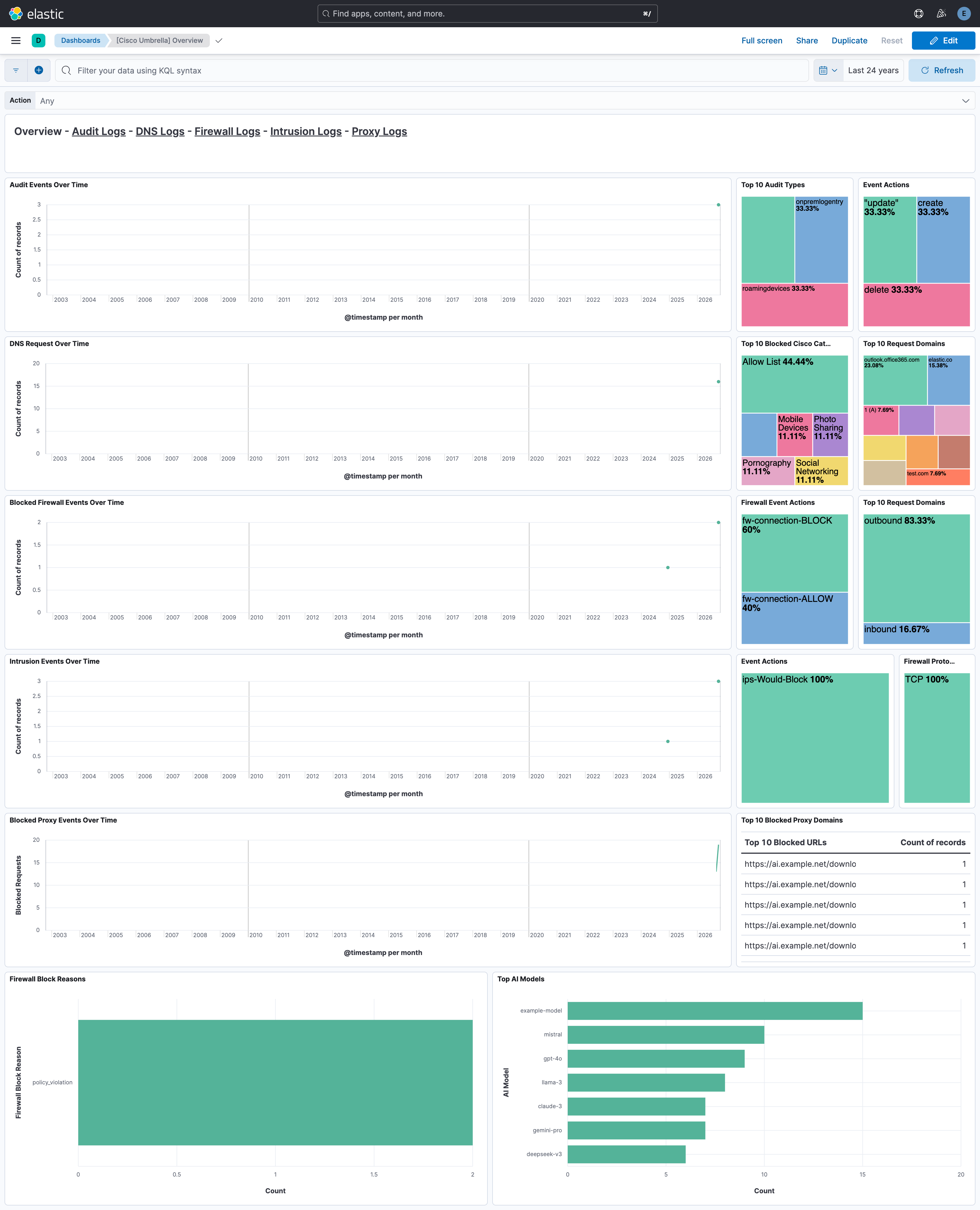
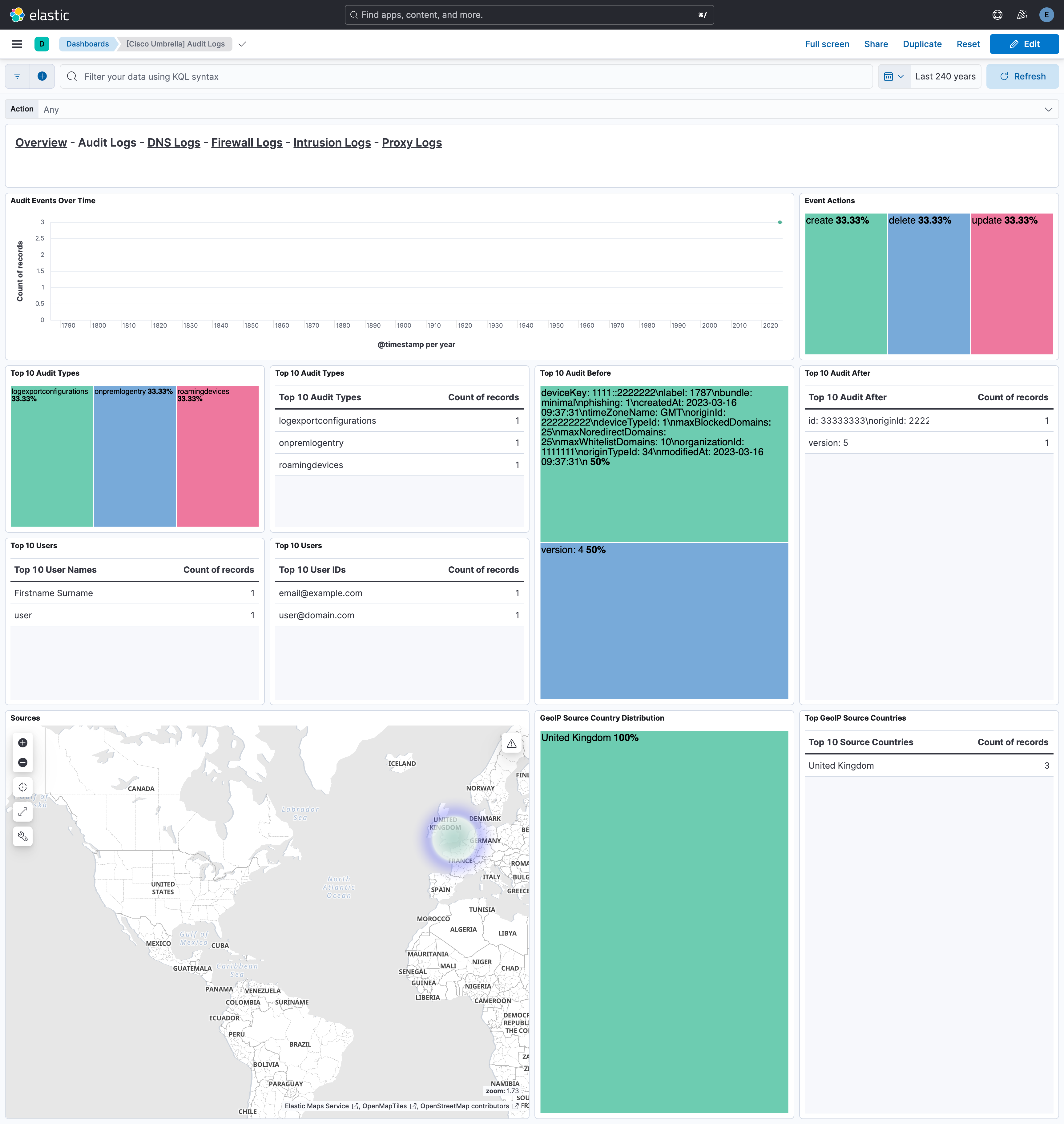
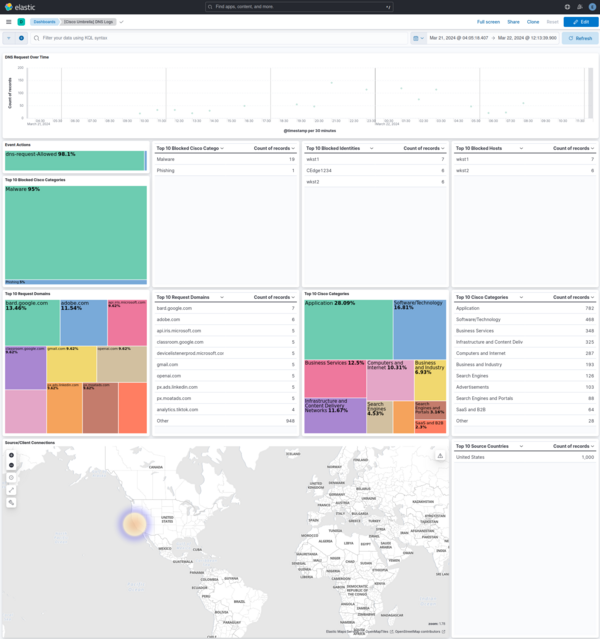
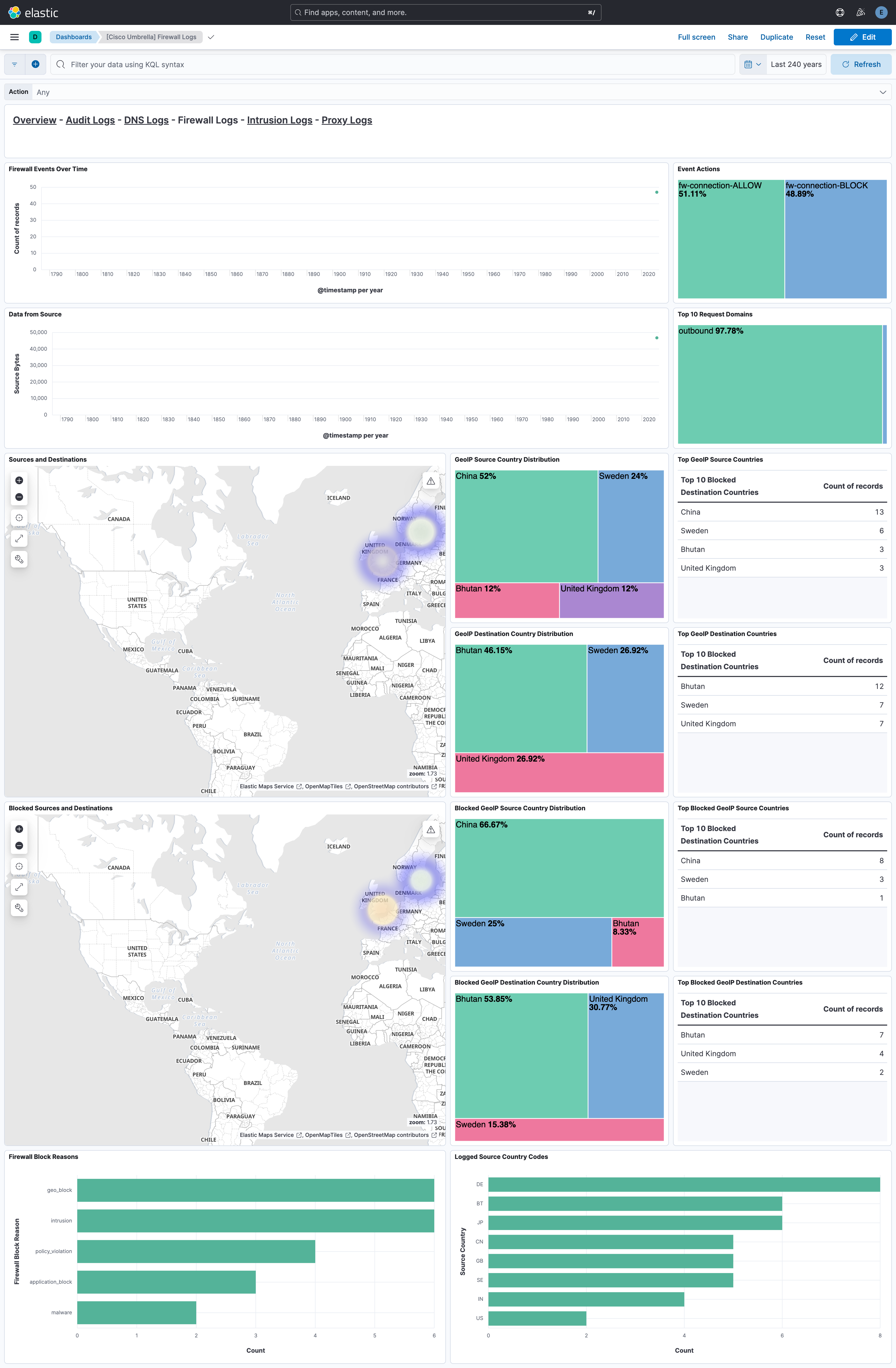
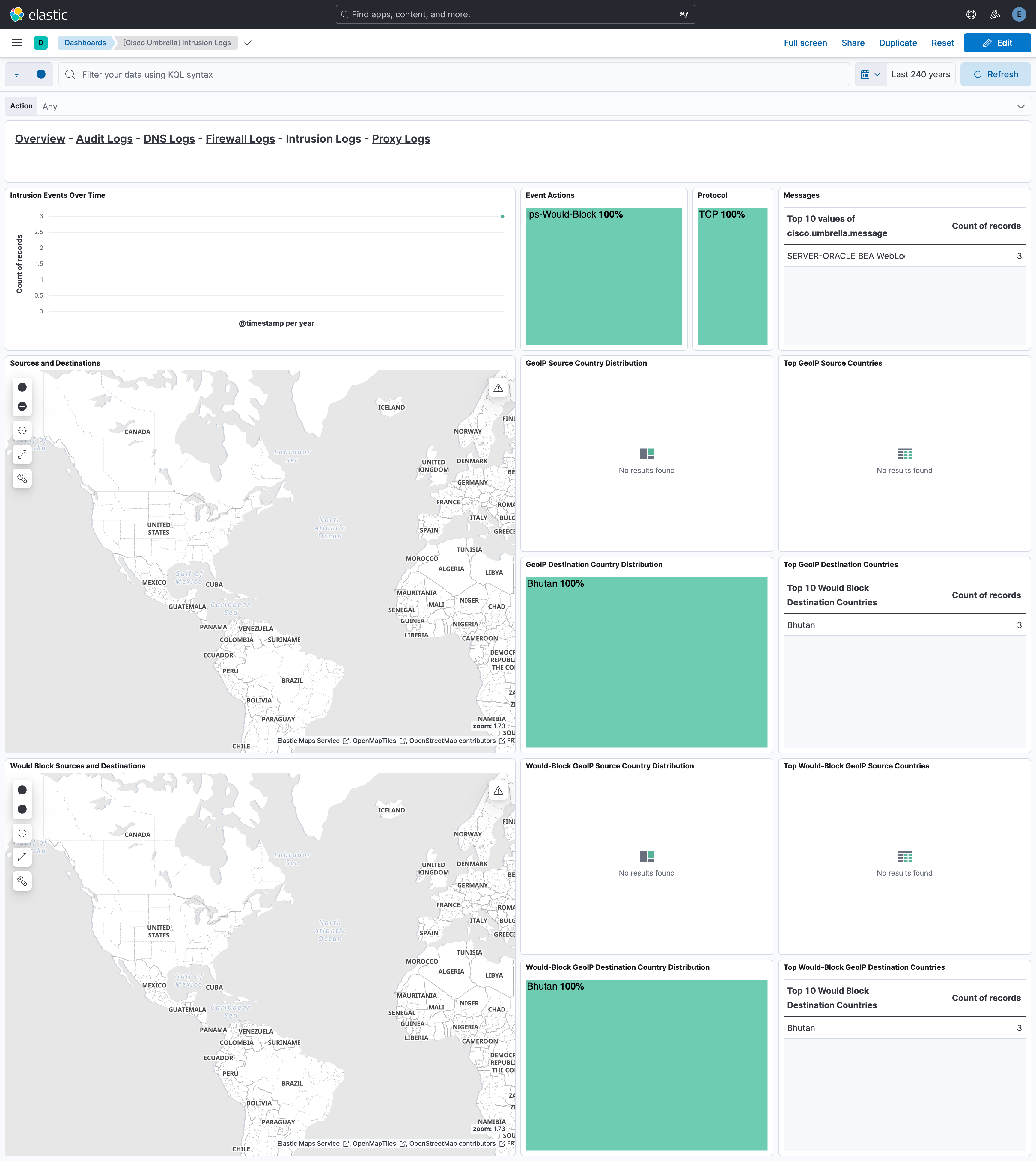
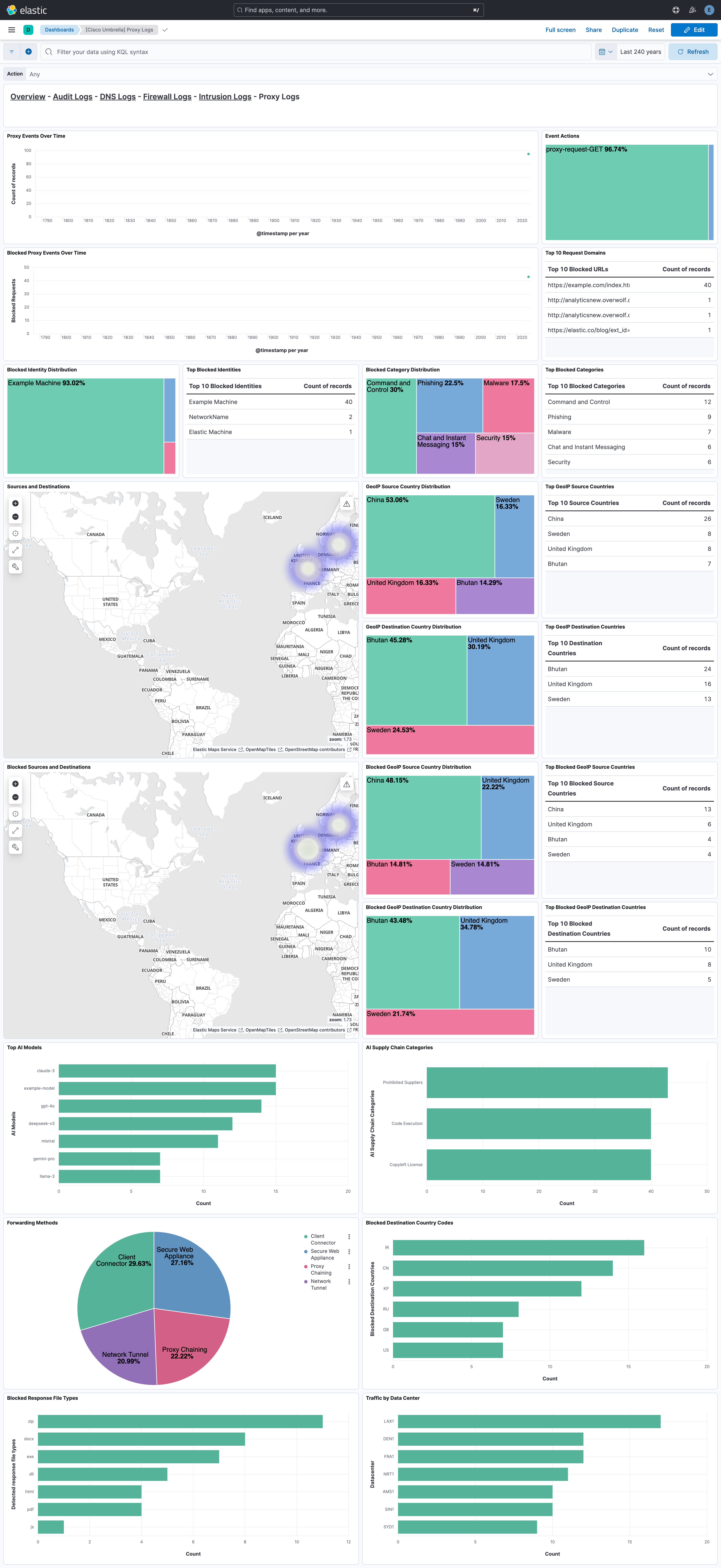
This integration includes one or more Kibana dashboards that visualizes the data collected by the integration. The screenshots below illustrate how the ingested data is displayed.
Changelog
| Version | Details | Minimum Kibana version |
|---|---|---|
| 1.35.0 | Enhancement (View pull request) Add support for Cisco Umbrella log schema versions v14 through v17. |
9.0.0 8.16.5 |
| 1.34.0 | Enhancement (View pull request) Changed owners. |
9.0.0 8.16.5 |
| 1.33.1 | Bug fix (View pull request) Remove duplicate security-solution-default tag references |
9.0.0 8.16.5 |
| 1.33.0 | Enhancement (View pull request) Add support for log schema version v13. |
9.0.0 8.16.5 |
| 1.32.0 | Enhancement (View pull request) Update the Cisco Umbrella README to add compatibility information. |
9.0.0 8.16.5 |
| 1.31.0 | Enhancement (View pull request) Update README to add instructions on how to collect data from Cisco Umbrella. |
9.0.0 8.16.5 |
| 1.30.0 | Enhancement (View pull request) Add support to configure start_timestamp and ignore_older configurations for AWS S3 backed inputs. |
9.0.0 8.16.5 |
| 1.29.0 | Enhancement (View pull request) Update Kibana constraint to support 9.0.0. |
9.0.0 8.16.2 |
| 1.28.0 | Enhancement (View pull request) Add support for Access Point ARN when collecting logs via the AWS S3 Bucket. |
8.16.2 |
| 1.27.0 | Enhancement (View pull request) Add "preserve_original_event" tag to documents with event.kind set to "pipeline_error". |
8.13.0 |
| 1.26.2 | Bug fix (View pull request) Use triple-brace Mustache templating when referencing variables in ingest pipelines. |
8.13.0 |
| 1.26.1 | Bug fix (View pull request) Use triple-brace Mustache templating when referencing variables in ingest pipelines. |
8.13.0 |
| 1.26.0 | Enhancement (View pull request) Allow @custom pipeline access to event.original without setting preserve_original_event. |
8.13.0 |
| 1.25.1 | Bug fix (View pull request) Make file_selectors configurable to prevent parsers from being unintentionally overwritten. |
8.13.0 |
| 1.25.0 | Enhancement (View pull request) Update the kibana constraint to ^8.13.0. Modified the field definitions to remove ECS fields made redundant by the ecs@mappings component template. |
8.13.0 |
| 1.24.1 | Bug fix (View pull request) Fix sample event. |
8.12.0 |
| 1.24.0 | Enhancement (View pull request) Make event.category field conform to ECS field definition. |
8.12.0 |
| 1.23.0 | Enhancement (View pull request) Add dashboards. |
8.12.0 |
| 1.22.0 | Enhancement (View pull request) Set sensitive values as secret. |
8.12.0 |
| 1.21.2 | Enhancement (View pull request) Changed owners |
8.4.0 |
| 1.21.1 | Bug fix (View pull request) Fix handling of intermediate data while processing email identities. |
8.4.0 |
| 1.21.0 | Enhancement (View pull request) ECS version updated to 8.11.0. |
8.4.0 |
| 1.20.1 | Bug fix (View pull request) Add missing fields from beats input |
8.4.0 |
| 1.20.0 | Enhancement (View pull request) Improve 'event.original' check to avoid errors if set. |
8.4.0 |
| 1.19.0 | Enhancement (View pull request) ECS version updated to 8.10.0. |
8.4.0 |
| 1.18.0 | Enhancement (View pull request) The format_version in the package manifest changed from 2.11.0 to 3.0.0. Removed dotted YAML keys from package manifest. Added 'owner.type: elastic' to package manifest. |
8.4.0 |
| 1.17.0 | Enhancement (View pull request) Add tags.yml file so that integration's dashboards and saved searches are tagged with "Security Solution" and displayed in the Security Solution UI. |
8.4.0 |
| 1.16.0 | Enhancement (View pull request) Update package to ECS 8.9.0. |
8.4.0 |
| 1.15.0 | Enhancement (View pull request) Document duration units. |
8.4.0 |
| 1.14.0 | Enhancement (View pull request) Ensure event.kind is correctly set for pipeline errors. |
8.4.0 |
| 1.13.0 | Enhancement (View pull request) Update package to ECS 8.8.0. |
8.4.0 |
| 1.12.0 | Enhancement (View pull request) Lowercase host.name field |
8.4.0 |
| 1.11.1 | Bug fix (View pull request) Handle user identities with extended email values. |
8.4.0 |
| 1.11.0 | Enhancement (View pull request) Update package-spec version to 2.7.0. |
8.4.0 |
| 1.10.1 | Enhancement (View pull request) Add Mobile Devices as hosts |
8.0.0 |
| 1.10.0 | Enhancement (View pull request) Update package to ECS 8.7.0. |
8.0.0 |
| 1.9.2 | Bug fix (View pull request) Revert Umbrella S3 multiline. |
8.0.0 |
| 1.9.1 | Bug fix (View pull request) Fix indentation. |
8.0.0 |
| 1.9.0 | Enhancement (View pull request) Add DLP and intrusion datasets. |
8.0.0 |
| 1.8.0 | Enhancement (View pull request) Release Cisco Umbrella datastream as GA. |
8.0.0 |
| 1.7.0 | Enhancement (View pull request) Split identity types. |
8.0.0 |
| 1.6.2 | Enhancement (View pull request) Add v8 proxy log CSV fields |
8.0.0 |
| 1.6.1 | Enhancement (View pull request) Added categories and/or subcategories. |
8.0.0 |
| 1.6.0 | Enhancement (View pull request) Update package to ECS 8.6.0. |
8.0.0 |
| 1.5.0 | Enhancement (View pull request) Update package to ECS 8.5.0. |
8.0.0 |
| 1.4.2 | Enhancement (View pull request) Remove duplicate field. |
8.0.0 |
| 1.4.1 | Bug fix (View pull request) Remove hint for cisco managed s3 Bucket List Prefix |
8.0.0 |
| 1.4.0 | Enhancement (View pull request) Expose Default Region setting to UI |
8.0.0 |
| 1.3.3 | Enhancement (View pull request) Use ECS geo.location definition. |
8.0.0 |
| 1.3.2 | Bug fix (View pull request) Fix proxy log CSV fields |
8.0.0 |
| 1.3.1 | Bug fix (View pull request) Set default endpoint to empty string |
8.0.0 |
| 1.3.0 | Enhancement (View pull request) Update package to ECS 8.4.0 |
8.0.0 |
| 1.2.2 | Bug fix (View pull request) Fix proxy URL documentation rendering. |
8.0.0 |
| 1.2.1 | Enhancement (View pull request) Add missing proxy config to S3 input |
8.0.0 |
| 1.2.0 | Enhancement (View pull request) Enrich DNS fields |
8.0.0 |
| 1.1.0 | Enhancement (View pull request) Update package to ECS 8.3.0. |
8.0.0 |
| 1.0.1 | Enhancement (View pull request) Update to readme. added link to Cisco documentation |
8.0.0 |
| 1.0.0 | Enhancement (View pull request) Make GA |
8.0.0 |
| 0.7.0 | Enhancement (View pull request) Add Audit Logs |
— |
| 0.6.1 | Bug fix (View pull request) Fix use of destination.ip instead of source.nat.ip in DNS logs |
— |
| 0.6.0 | Enhancement (View pull request) Update to ECS 8.2 |
— |
| 0.5.1 | Enhancement (View pull request) Add documentation for multi-fields |
— |
| 0.5.0 | Enhancement (View pull request) Update to ECS 8.0 |
— |
| 0.4.0 | Bug fix (View pull request) Update config to support Cisco Managed S3 |
— |
| 0.3.2 | Bug fix (View pull request) Regenerate test files using the new GeoIP database |
— |
| 0.3.1 | Bug fix (View pull request) Change test public IPs to the supported subset |
— |
| 0.3.0 | Enhancement (View pull request) Add 8.0.0 version constraint |
— |
| 0.2.2 | Enhancement (View pull request) Update Title and Description. |
— |
| 0.2.1 | Bug fix (View pull request) Fix logic that checks for the 'forwarded' tag |
— |
| 0.2.0 | Enhancement (View pull request) Update to ECS 1.12.0 |
— |
| 0.1.0 | Enhancement (View pull request) Initial migration from Filebeat Module |
— |