Get started with Elastic Security
Elastic Cloud Serverless projects are autoscaled environments, fully managed by Elastic and available on Elastic Cloud. Availability This functionality is generally available and ready for production usage. The Elastic Stack includes Elastic's core products such as Elasticsearch, Kibana, Logstash, and Beats. Availability This functionality is generally available and ready for production usage. Unless stated otherwise on the page, this functionality is available when your Elastic Stack is deployed on Elastic Cloud Hosted, Elastic Cloud Enterprise, Elastic Cloud on Kubernetes, and self-managed environments. This documentation corresponds to the latest patch available for each minor version. If you're not using the latest patch, check the release notes for changes.
Serverless Security
Generally available
Stack
Generally available
New to Elastic Security? Follow the instructions in this topic to get started. Then, review the rest of the Get Started section to learn how to use the UI, review requirements, and discover more about our security features.
-
Choose your deployment type
Elastic provides several self-managed and Elastic-managed options. For simplicity and speed, we recommend Elastic Security Serverless, which enables you to run Elastic Security in a fully managed environment so you don’t have to manage the underlying Elasticsearch cluster and Kibana instances.
Create an Elastic Security Serverless project
There are two options to create serverless projects:
- If you're a new user, sign up for a free 14-day trial. For more information about Elastic Cloud trials, check out Trial information.
- If you're an existing customer, log in to Elastic Cloud and do the following:
- Select Create project from the Serverless projects panel.
- Select Next from the Security panel.
- Name your project and select your feature tier. For more information about tiers, refer to pricing.
- Select a cloud provider and region.
- Select Create project. It takes a few minutes to create your project.
- Once the project is ready, select Continue to open the Get started page (you might need to log in to Elastic Cloud again). From here, you can learn more about Elastic Security features and start setting up your workspace.
NoteYou need the
adminpredefined role or an equivalent custom role to create projects. For more information, refer to User roles and privileges.After you've created your project, you're ready to move on to the next step.
Alternatively, if you prefer a self-managed deployment, you can create a local development installation in Docker:
Shell curl -fsSL https://elastic.co/start-local | shCheck out the complete list of deployment types to learn more.
-
Ingest your data
After you've deployed Elastic Security, the next step is to get data into the product before you can search, analyze, or use any visualization tools. The easiest way to get data into Elastic Security is through one of our hundreds of ready-made integrations. You can add an integration directly from the Get Started page within the Ingest your data section:
- At the top of the page, click Set up Security.
- In the Ingest your data section, click Add data with integrations.
- Choose from one of our recommended integrations, or select another tab to browse by category.
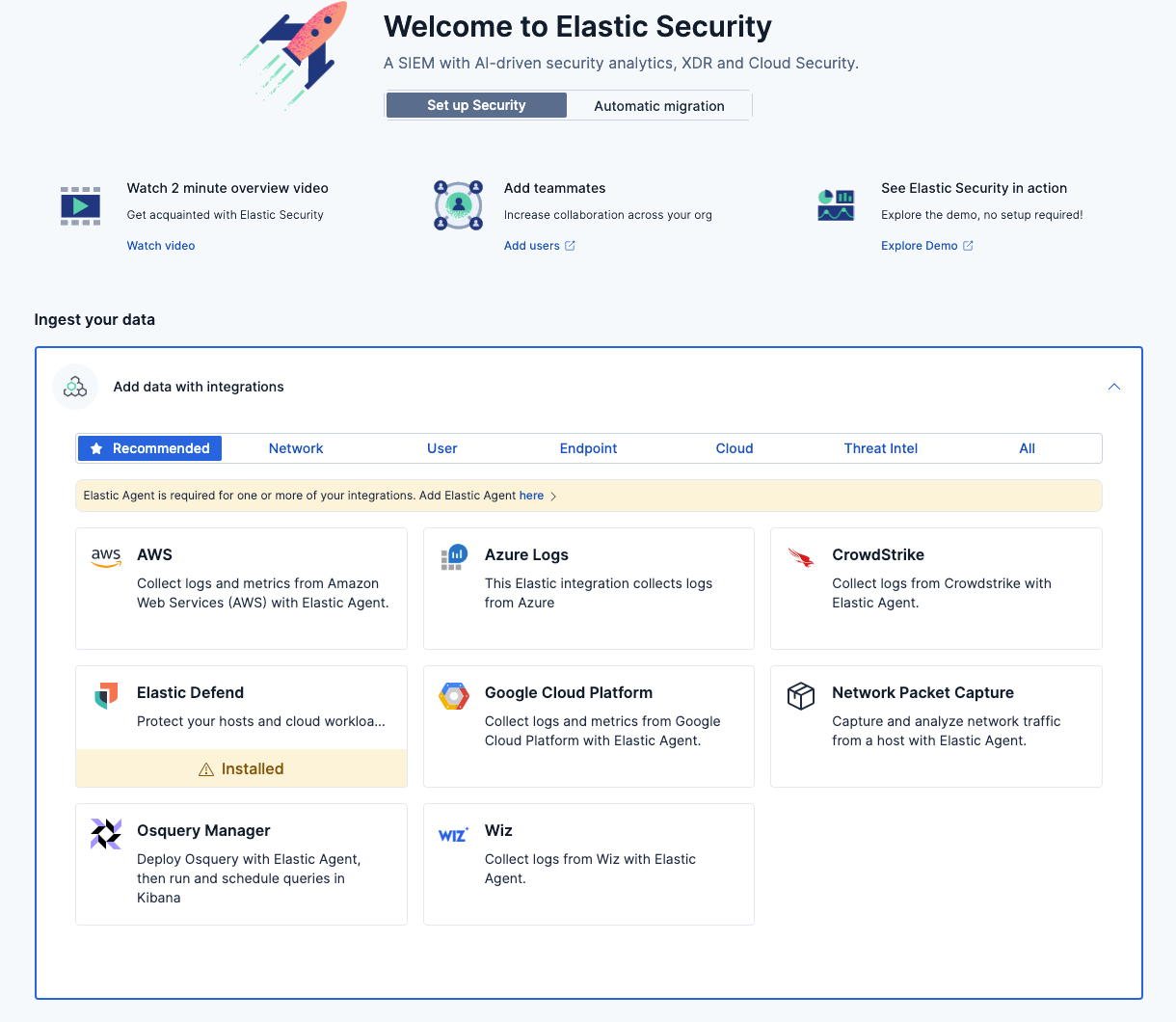
Elastic also provides different ingestion methods to meet your infrastructure needs.
TipIf you have data from a source that doesn't yet have an integration, you can use Automatic Import to create one using AI.
-
Get started with your use case
Not sure where to start exploring Elastic Security or which features may be relevant to you? Continue to the next topic to view our quickstart guides, each of which is tailored to a specific use case and helps you complete a core task so you can get up and running.
Use these resources to learn more about Elastic Security or get started in a different way.
- Learn what Elastic Security can do and which features depend on your deployment and license in the Elastic Security overview.
- Migrate your detection rules and dashboards from another SIEM using Automatic Migration. Supported SIEMs and asset types vary by deployment type and Elastic Stack version.
- Check out the numerous Security integrations available to collect and process your data.
- Get started with AI-assisted operations.
- Learn how to use Elasticsearch Query Language (ES|QL) for security use cases.
- View our release notes for the latest updates.