Create an auto-follow pattern to replicate time series indices
Elastic Cloud Hosted lets you manage and configure one or more deployments of the versioned Elastic Stack, hosted on Elastic Cloud. Availability This functionality is generally available and ready for production usage. Elastic Cloud on Kubernetes extends Kubernetes orchestration capabilities to allow you to deploy and manage components of the Elastic Stack. Availability This functionality is generally available and ready for production usage. This documentation corresponds to the latest patch available for each minor version. If you're not using the latest patch, check the release notes for changes. Elastic Cloud Enterprise is a self-managed orchestration platform for deploying and managing the Elastic Stack at scale. Availability This functionality is generally available and ready for production usage. This documentation corresponds to the latest patch available for each minor version. If you're not using the latest patch, check the release notes for changes. Self-managed deployments are Elastic Stack deployments managed without the assistance of an orchestrator. Availability This functionality is generally available and ready for production usage. This documentation corresponds to the latest patch available for each minor version. If you're not using the latest patch, check the release notes for changes.
ECH
Generally available
ECK
Generally available
ECE
Generally available
Self-managed
Generally available
You use auto-follow patterns to automatically create new followers for rolling time series indices. Whenever the name of a new index on the remote cluster matches the auto-follow pattern, a corresponding follower index is added to the local cluster. Note that only indices created on the remote cluster after the auto-follow pattern is created will be auto-followed: existing indices on the remote cluster are ignored even if they match the pattern.
An auto-follow pattern specifies the remote cluster you want to replicate from, and one or more index patterns that specify the rolling time series indices you want to replicate.
To create an auto-follow pattern from in Kibana:
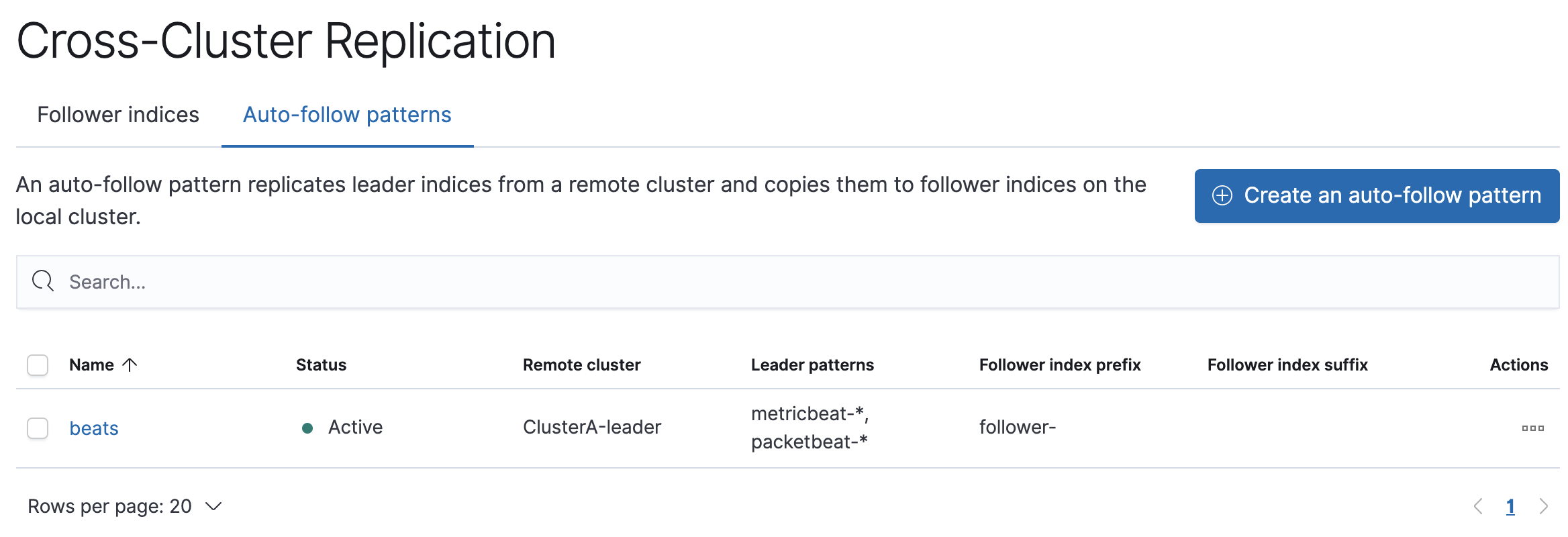
- Go to the Cross Cluster Replication management page in the navigation menu or use the global search field.
- Choose the Auto-follow patterns tab.
- Enter a name for the auto-follow pattern, such as
beats. - Choose the remote cluster that contains the index you want to replicate, which in the example scenario is Cluster A.
- Enter one or more index patterns that identify the indices you want to replicate from the remote cluster. For example, enter
metricbeat-* packetbeat-*to automatically create followers for Metricbeat and Packetbeat indices. - Enter follower- as the prefix to apply to the names of the follower indices so you can more easily identify replicated indices.
As new indices matching these patterns are created on the remote, Elasticsearch automatically replicates them to local follower indices.
API example
Use the create auto-follow pattern API to configure auto-follow patterns.
PUT /_ccr/auto_follow/beats{ "remote_cluster" : "leader", "leader_index_patterns" : [ "metricbeat-*", "packetbeat-*" ], "follow_index_pattern" : "{{leader_index}}-copy" }
- Automatically follow new Metricbeat indices.
- Automatically follow new Packetbeat indices.
- The name of the follower index is derived from the name of the leader index by adding the suffix
-copyto the name of the leader index.