Create a follower index to replicate a specific index
Elastic Cloud Hosted lets you manage and configure one or more deployments of the versioned Elastic Stack, hosted on Elastic Cloud. Availability This functionality is generally available and ready for production usage. Elastic Cloud on Kubernetes extends Kubernetes orchestration capabilities to allow you to deploy and manage components of the Elastic Stack. Availability This functionality is generally available and ready for production usage. This documentation corresponds to the latest patch available for each minor version. If you're not using the latest patch, check the release notes for changes. Elastic Cloud Enterprise is a self-managed orchestration platform for deploying and managing the Elastic Stack at scale. Availability This functionality is generally available and ready for production usage. This documentation corresponds to the latest patch available for each minor version. If you're not using the latest patch, check the release notes for changes. Self-managed deployments are Elastic Stack deployments managed without the assistance of an orchestrator. Availability This functionality is generally available and ready for production usage. This documentation corresponds to the latest patch available for each minor version. If you're not using the latest patch, check the release notes for changes.
ECH
Generally available
ECK
Generally available
ECE
Generally available
Self-managed
Generally available
When you create a follower index in your local cluster, you specify the remote cluster and the leader index.
To create a follower index in Kibana:
- Go to the Cross Cluster Replication management page in the navigation menu or use the global search field.
- Choose the Follower Indices tab.
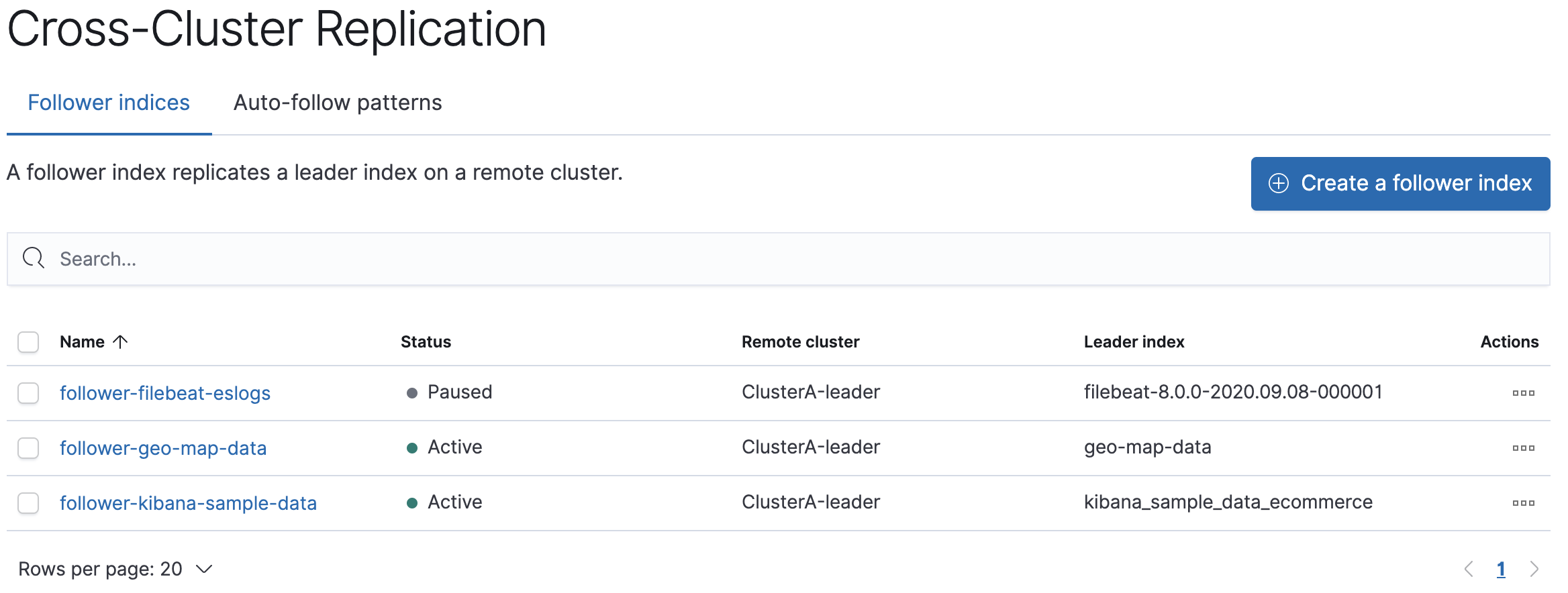
- Choose the cluster (ClusterA) containing the leader index you want to replicate.
- Enter the name of the leader index, which is
kibana_sample_data_ecommerceif you are following the tutorial. - Enter a name for your follower index, such as
follower-kibana-sample-data.
Elasticsearch initializes the follower using the remote recovery process, which transfers the existing Lucene segment files from the leader index to the follower index. The index status changes to Paused. When the remote recovery process is complete, the index following begins and the status changes to Active.
When you index documents into your leader index, Elasticsearch replicates the documents in the follower index.
API example
You can also use the create follower API to create follower indices. When you create a follower index, you must reference the remote cluster and the leader index that you created in the remote cluster.
When initiating the follower request, the response returns before the remote recovery process completes. To wait for the process to complete, add the wait_for_active_shards parameter to your request.
PUT /server-metrics-follower/_ccr/follow?wait_for_active_shards=1{ "remote_cluster" : "leader", "leader_index" : "server-metrics" }
Use the get follower stats API to inspect the status of replication.