Filter a single layer
Elastic Cloud Serverless projects are autoscaled environments, fully managed by Elastic and available on Elastic Cloud. Availability This functionality is generally available and ready for production usage. Serverless interfaces and procedures might differ from classic Elastic Stack deployments. The Elastic Stack includes Elastic's core products such as Elasticsearch, Kibana, Logstash, and Beats. Availability This functionality is generally available and ready for production usage. Unless stated otherwise on the page, this functionality is available when your Elastic Stack is deployed on Elastic Cloud Hosted, Elastic Cloud Enterprise, Elastic Cloud on Kubernetes, and self-managed environments. This documentation corresponds to the latest patch available for each minor version. If you're not using the latest patch, check the release notes for changes.
Serverless
Generally available
Stack
Generally available
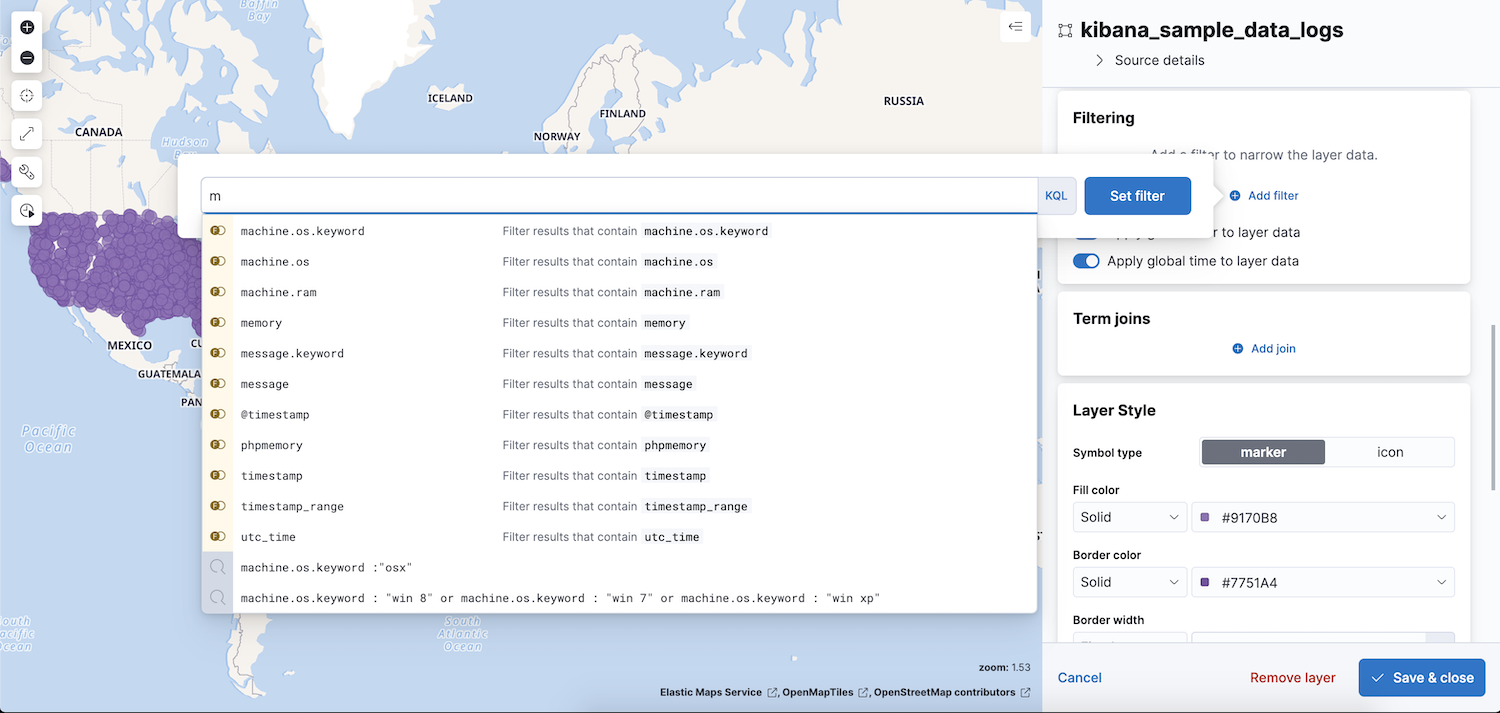
You can apply a search request to individual layers by setting Filters in the layer details panel. Click the Add filter button to add a filter to a layer.
Layer filters are not applied to the right side of term joins. You can apply a search request to the right side of term joins by setting the where clause in the join definition. For example, suppose you have a layer with a term join where the left side is roads and the right side is traffic volume measurements. A layer filter of roadType is "highway" is applied to the roads index, but not to the traffic volume measurements index.