Chat UI modes in Elastic Agent Builder
Elastic Cloud Serverless projects are autoscaled environments, fully managed by Elastic and available on Elastic Cloud. Availability This functionality is generally available and ready for production usage. Serverless interfaces and procedures might differ from classic Elastic Stack deployments. The Elastic Stack includes Elastic's core products such as Elasticsearch, Kibana, Logstash, and Beats. Availability This functionality is generally available and ready for production usage. This functionality is in technical preview and is ready for evaluation. Use with caution in production; it is not recommended for mission-critical workloads. Elastic will work to fix any issues, but features in technical preview are not subject to the support SLA of official GA features. Specific Support terms apply. Unless stated otherwise on the page, this functionality is available when your Elastic Stack is deployed on Elastic Cloud Hosted, Elastic Cloud Enterprise, Elastic Cloud on Kubernetes, and self-managed environments. This documentation corresponds to the latest patch available for each minor version. If you're not using the latest patch, check the release notes for changes.
Serverless
Generally available
Stack
GA
9.3+
…
Generally available since 9.3
Preview in 9.2
The Elastic Agent Builder chat UI is available in two modes:
The standalone and sidebar modes have the same functionalities and can be used interchangeably. Conversation history is preserved across both modes.
When working with dashboards and visualizations, we recommend using standalone mode. This full-page chat experience gives you more room to comfortably analyze complex charts and read detailed agent replies.
Elastic Cloud Serverless projects are autoscaled environments, fully managed by Elastic and available on Elastic Cloud. Availability This functionality is generally available and ready for production usage. Serverless interfaces and procedures might differ from classic Elastic Stack deployments. The Elastic Stack includes Elastic's core products such as Elasticsearch, Kibana, Logstash, and Beats. Availability This functionality is generally available and ready for production usage. This functionality is in technical preview and is ready for evaluation. Use with caution in production; it is not recommended for mission-critical workloads. Elastic will work to fix any issues, but features in technical preview are not subject to the support SLA of official GA features. Specific Support terms apply. Unless stated otherwise on the page, this functionality is available when your Elastic Stack is deployed on Elastic Cloud Hosted, Elastic Cloud Enterprise, Elastic Cloud on Kubernetes, and self-managed environments. This documentation corresponds to the latest patch available for each minor version. If you're not using the latest patch, check the release notes for changes.
Serverless
Generally available
Stack
GA
9.3+
…
Generally available since 9.3
Preview in 9.2
Access Agent Builder by selecting Agents in the main navigation.
The Elastic Stack includes Elastic's core products such as Elasticsearch, Kibana, Logstash, and Beats. Availability Generally available in 9.3 This functionality is generally available and ready for production usage. Preview in 9.2 This functionality is in technical preview and is ready for evaluation. Use with caution in production; it is not recommended for mission-critical workloads. Elastic will work to fix any issues, but features in technical preview are not subject to the support SLA of official GA features. Specific Support terms apply. Unless stated otherwise on the page, this functionality is available when your Elastic Stack is deployed on Elastic Cloud Hosted, Elastic Cloud Enterprise, Elastic Cloud on Kubernetes, and self-managed environments. This documentation corresponds to the latest patch available for each minor version. If you're not using the latest patch, check the release notes for changes. In Elastic Observability and Elastic Security solution views, you must first switch from AI Assistant to Agent Builder to access the standalone experience.
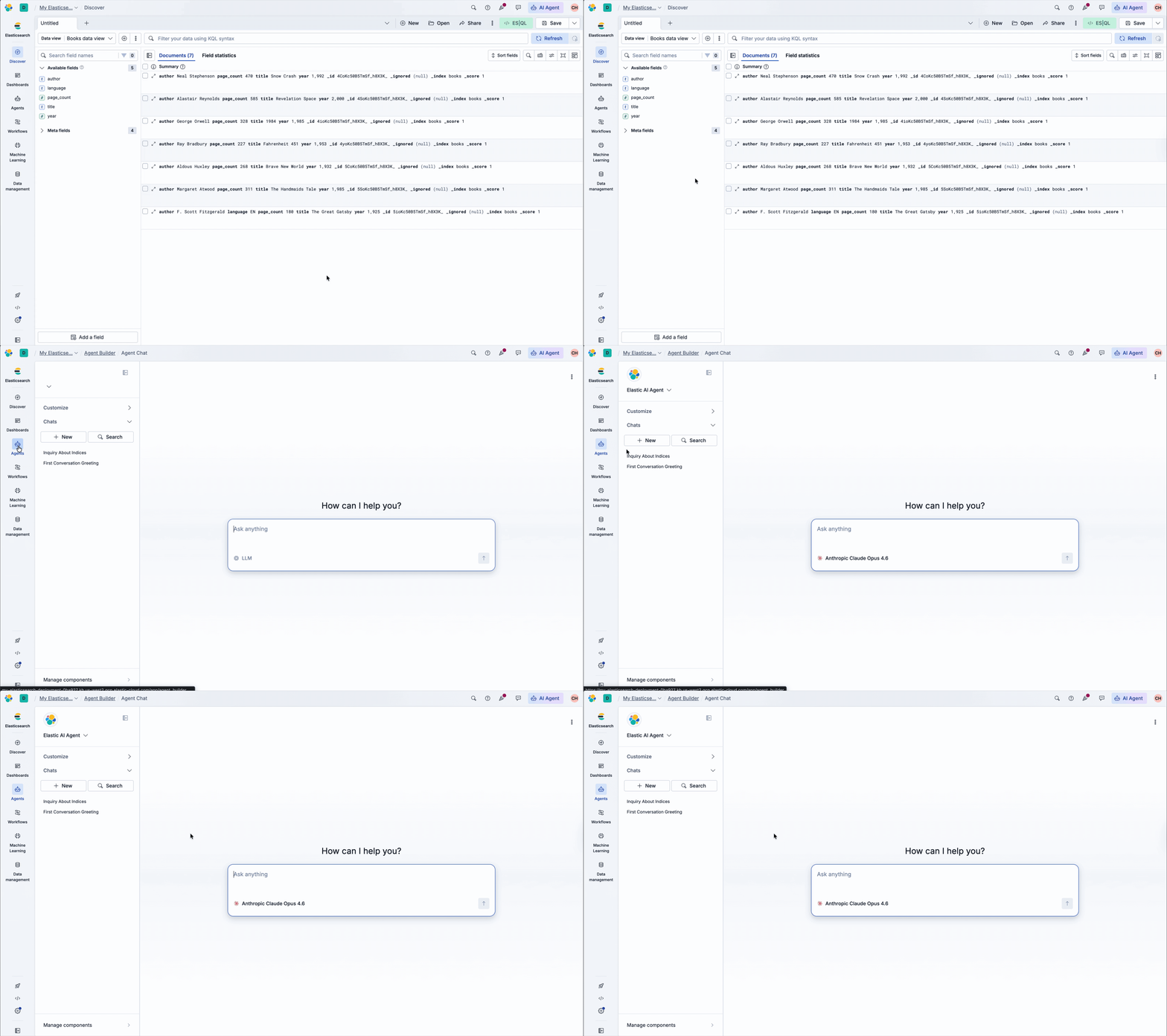
The Elastic Stack includes Elastic's core products such as Elasticsearch, Kibana, Logstash, and Beats. Availability Generally available since 9.4 This functionality is generally available and ready for production usage. Unless stated otherwise on the page, this functionality is available when your Elastic Stack is deployed on Elastic Cloud Hosted, Elastic Cloud Enterprise, Elastic Cloud on Kubernetes, and self-managed environments. This documentation corresponds to the latest patch available for each minor version. If you're not using the latest patch, check the release notes for changes. In standalone mode, the full-page experience includes the left sidebar with the agent selector, Customize accordion, Chats accordion, and Manage components link.
Elastic Cloud Serverless projects are autoscaled environments, fully managed by Elastic and available on Elastic Cloud. Availability This functionality is in technical preview and is ready for evaluation. Use with caution in production; it is not recommended for mission-critical workloads. Elastic will work to fix any issues, but features in technical preview are not subject to the support SLA of official GA features. Specific Support terms apply. Serverless interfaces and procedures might differ from classic Elastic Stack deployments. The Elastic Stack includes Elastic's core products such as Elasticsearch, Kibana, Logstash, and Beats. Availability This functionality is generally available and ready for production usage. This functionality is in technical preview and is ready for evaluation. Use with caution in production; it is not recommended for mission-critical workloads. Elastic will work to fix any issues, but features in technical preview are not subject to the support SLA of official GA features. Specific Support terms apply. Unless stated otherwise on the page, this functionality is available when your Elastic Stack is deployed on Elastic Cloud Hosted, Elastic Cloud Enterprise, Elastic Cloud on Kubernetes, and self-managed environments. This documentation corresponds to the latest patch available for each minor version. If you're not using the latest patch, check the release notes for changes.
Serverless
Preview
Preview
Stack
GA
9.4+
…
Generally available since 9.4
Preview in 9.3
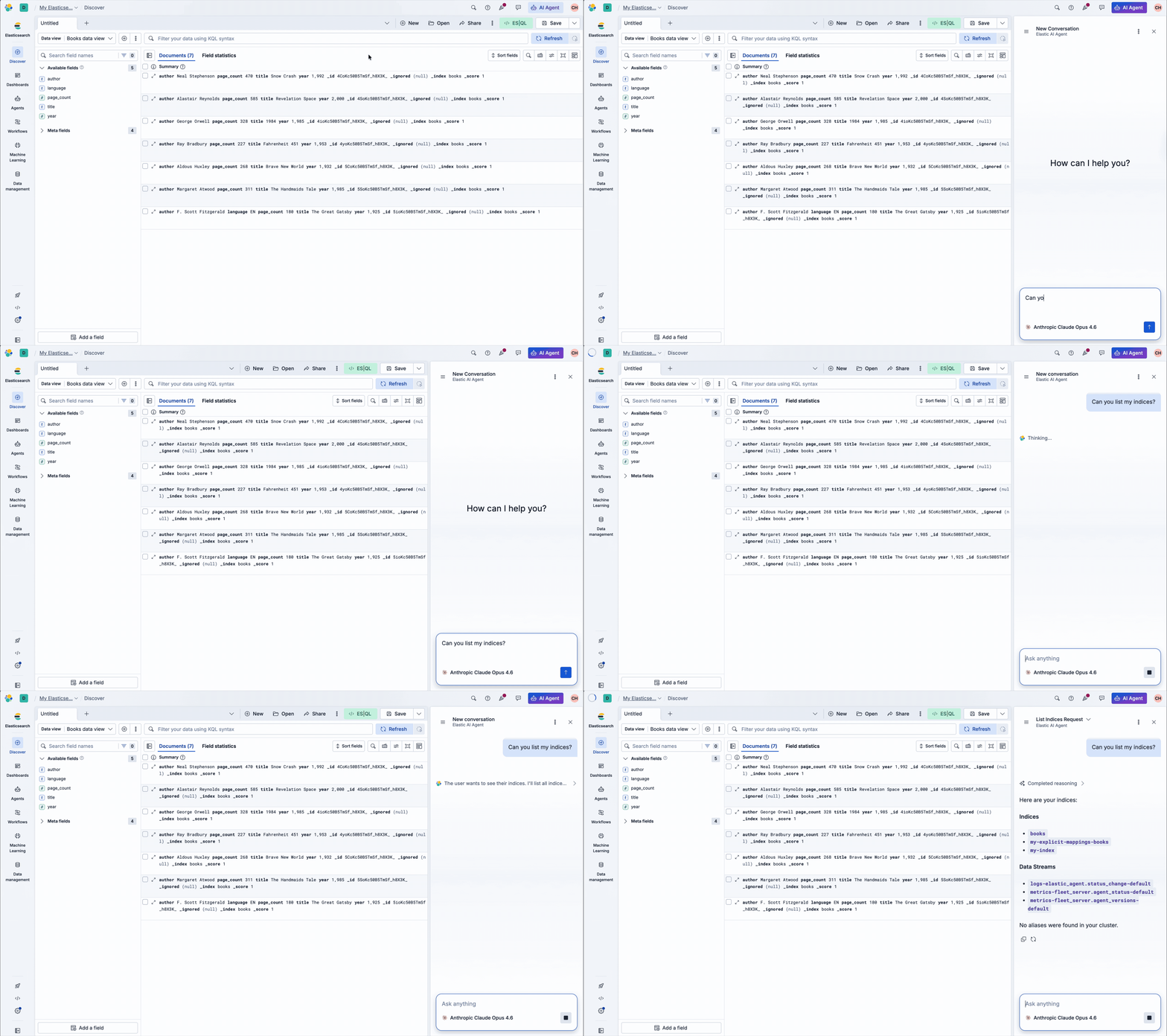
Once you switch from AI Assistant to Agent Builder, you can access the sidebar in two ways:
- Select the AI Agent button from the header bar in any page:

- Use the keyboard shortcut:
- Mac: Cmd + ;
- Windows/Linux: Ctrl + ;
You can resize the sidebar by dragging its side edge. The sidebar persists when you change pages in the main navigation.
Elastic Agent Builder is the default chat experience for all solutions. It appears in the navigation automatically.
If you need to revert to the legacy AI Assistant, you can opt out by changing your space's Chat Experience to Classic AI Assistant in the GenAI Settings. Learn more about how to switch between chat experiences.
The default chat experience varies by solution:
- Elastic Observability and Elastic Security: Each solution's classic AI Assistant is the default chat experience. You must switch between chat experiences to enable Agent Builder.
- Once enabled:
- The sidebar experience replaces the AI Assistant chat experience.
- The standalone experience is available through the Agents button in the main navigation.
- Once enabled:
- Elasticsearch: Agent Builder appears in the navigation automatically.