View and modify queries
Elastic Cloud Serverless projects are autoscaled environments, fully managed by Elastic and available on Elastic Cloud. Availability This functionality is not available in Elastic Cloud Serverless. The Elastic Stack includes Elastic's core products such as Elasticsearch, Kibana, Logstash, and Beats. Availability This functionality is planned to be removed in an upcoming Elastic Stack update. Subject to changes. This functionality is deprecated. You can still use it, but it'll be removed in a future Elastic Stack update. This functionality is in beta and is not ready for production usage. For beta features, the design and code is less mature than official GA features and is being provided as-is with no warranties. Beta features are not subject to the support SLA of official GA features. Specific Support terms apply. This functionality is in technical preview and is ready for evaluation. Use with caution in production; it is not recommended for mission-critical workloads. Elastic will work to fix any issues, but features in technical preview are not subject to the support SLA of official GA features. Specific Support terms apply. Unless stated otherwise on the page, this functionality is available when your Elastic Stack is deployed on Elastic Cloud Hosted, Elastic Cloud Enterprise, Elastic Cloud on Kubernetes, and self-managed environments. This documentation corresponds to the latest patch available for each minor version. If you're not using the latest patch, check the release notes for changes.
Serverless
Unavailable
Unavailable
Stack
Deprecated
9.4-9.5
…
Planned for removal
Deprecated from 9.4 to 9.5
Beta from 9.1 to 9.3
Preview in 9.0
Playground was deprecated in Elastic Stack 9.4 and removed in 9.6. It is unavailable in Elastic Serverless. Use Agent Builder (generally available since 9.3) instead.
With Agent Builder you can:
- Interact with your Elasticsearch data using a chat interface in full-screen and sidebar modes
- Use built-in agents, tools, and skills out of the box
- Create custom agents, custom tools, and custom skills
- Integrate via REST API and MCP
- Combine LLM reasoning with Elastic Workflows to automate complex processes
Once you've set up your chat interface, you can start chatting with the model. Playground automatically generates Elasticsearch queries based on your questions, and retrieves the most relevant documents from your Elasticsearch indices. The Playground UI enables you to view and modify these queries.
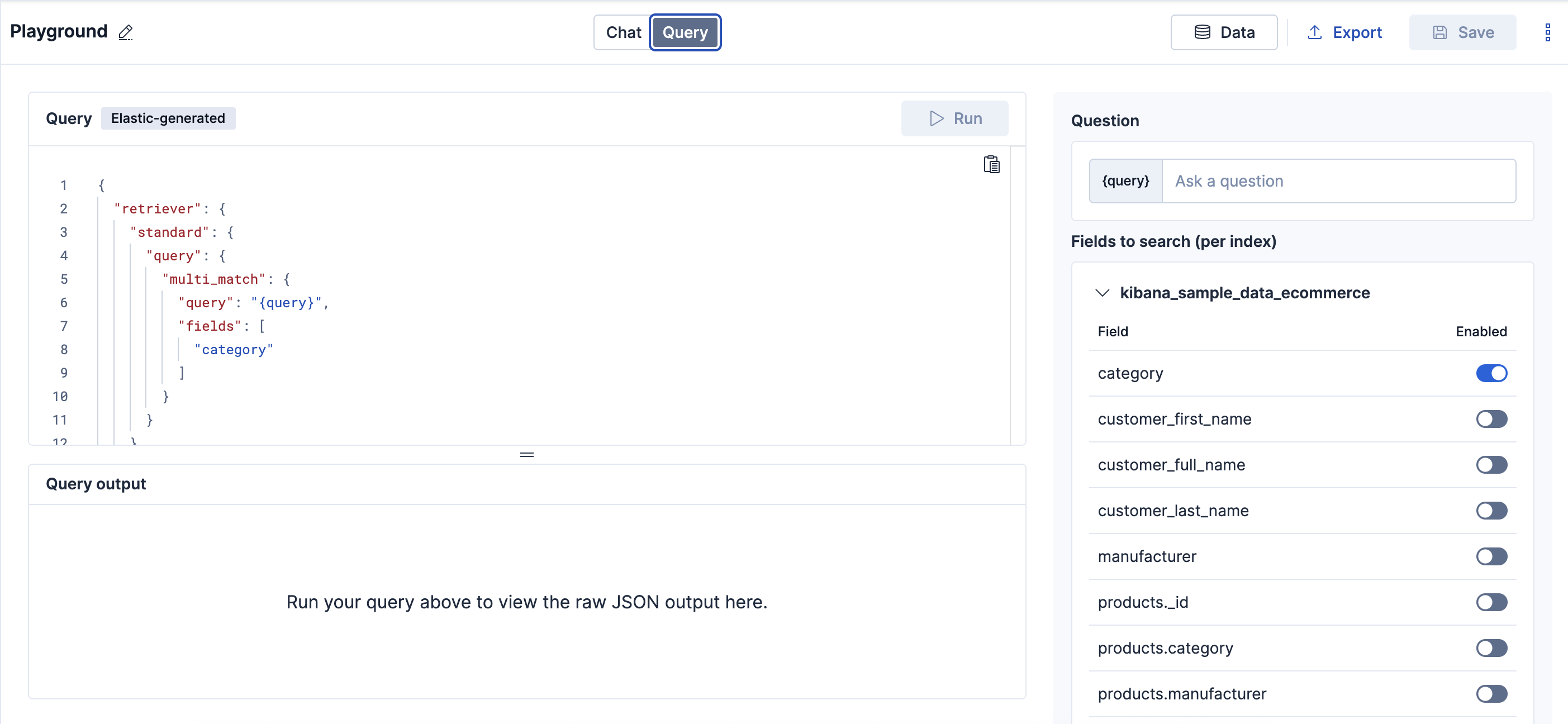
- Select the Query tab to open the visual query editor.
- Modify the query by selecting fields to query per index.
The {{query}} variable represents the user’s question, rewritten as an Elasticsearch query.
The following screenshot shows the query editor in the Playground UI. In this basic example, the books index has two fields: author and name. Selecting a field adds it to the fields array in the query.
Certain fields in your documents might be hidden. Learn more about hidden fields.
The fields you select in the query editor determine the relevance of the retrieved documents.
Remember that the next step in the workflow is to send the retrieved documents to the LLM to answer the question. Context length is an important factor in ensuring the model has enough information to generate a relevant answer. Refer to Optimize context for more information.
Troubleshooting provides tips on how to diagnose and fix relevance issues.
Playground uses the retriever syntax for Elasticsearch queries. Retrievers make it easier to compose and test different retrieval strategies in your search pipelines. Refer to Retrievers for a high level overview of retrievers.
The query editor shows fields which make sense for the user to search on, but not all fields in your documents are visible from the editor.
Available field types:
- Semantic fields like
sparse_vectorordense_vectorfields where the embeddings have been created from a inference processor textfields
Hidden Field Types:
- non
textfields likekeywordfields - fields that are not indexed
- semantic fields where the embeddings have not been created from a inference processor
- nested fields