About building block rules
Elastic Cloud Serverless projects are autoscaled environments, fully managed by Elastic and available on Elastic Cloud. Availability This functionality is generally available and ready for production usage. The Elastic Stack includes Elastic's core products such as Elasticsearch, Kibana, Logstash, and Beats. Availability This functionality is generally available and ready for production usage. Unless stated otherwise on the page, this functionality is available when your Elastic Stack is deployed on Elastic Cloud Hosted, Elastic Cloud Enterprise, Elastic Cloud on Kubernetes, and self-managed environments. This documentation corresponds to the latest patch available for each minor version. If you're not using the latest patch, check the release notes for changes.
Serverless Security
Generally available
Stack
Generally available
Create building block rules when you do not want to see their generated alerts in the UI. This is useful when you want:
- A record of low-risk alerts without producing noise in the Alerts table.
- Rules that execute on the alert indices (
.alerts-security.alerts-<kibana space>). You can then use building block rules to create hidden alerts that act as a basis for an ordinary rule to generate visible alerts.
Add rule notifications to building block rules to notify you when building block alerts are generated.
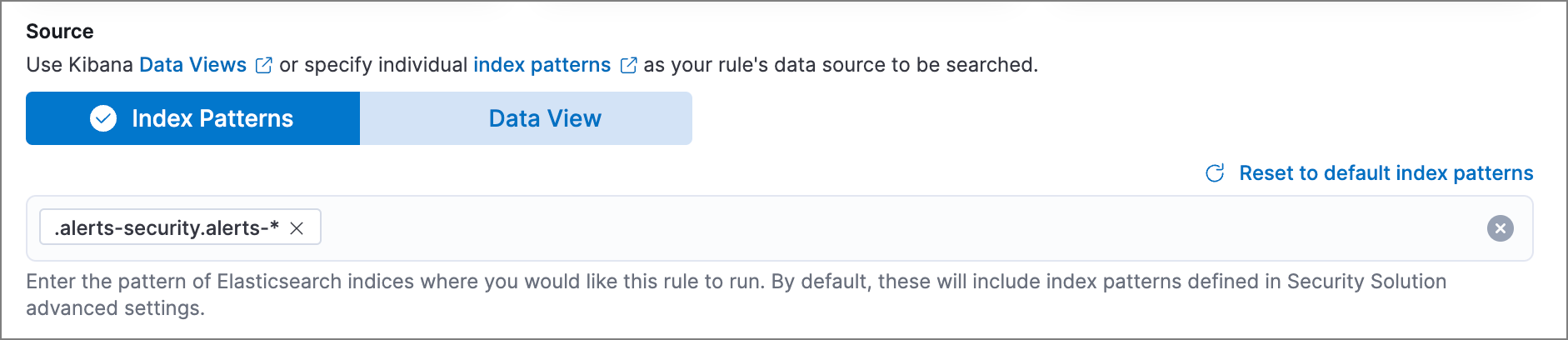
To create a rule that searches alert indices, select Index Patterns as the rule’s Source and enter the index pattern for alert indices (.alerts-security.alerts-*):
By default, building block alerts are excluded from the Overview and Alerts pages. You can choose to include building block alerts on the Alerts page, which expands the number of alerts.
- Find Alerts in the navigation menu or by using the global search field.
- In the Alerts table, select Additional filters > Include building block alerts, located on the far-right.
On a building block rule details page, the rule’s alerts are displayed (by default, Include building block alerts is selected).