How to access AutoOps in your Serverless project
Elastic Cloud Serverless projects are autoscaled environments, fully managed by Elastic and available on Elastic Cloud. Availability This functionality is generally available and ready for production usage. Serverless interfaces and procedures might differ from classic Elastic Stack deployments.
Serverless
Generally available
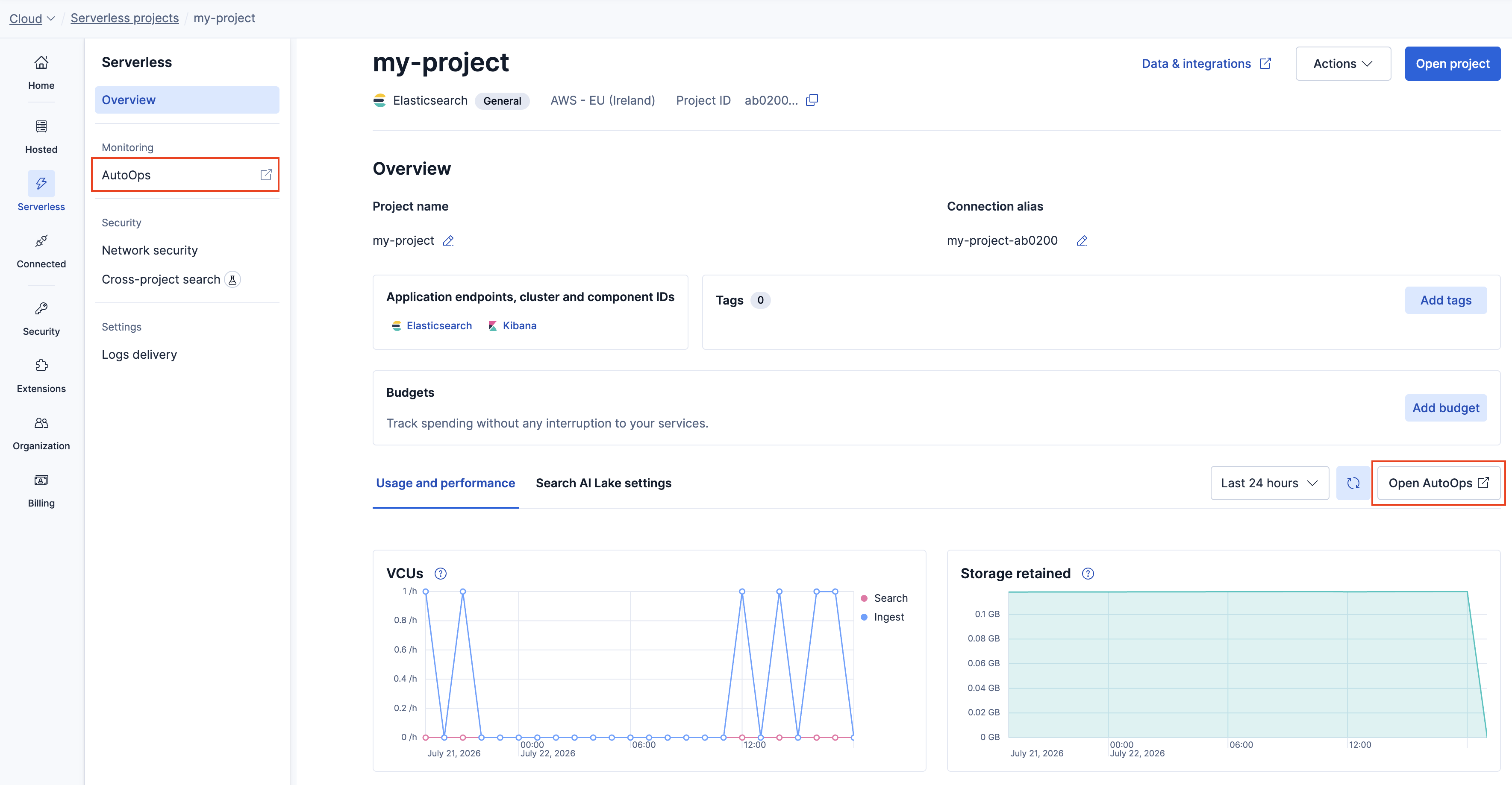
To access AutoOps in your Serverless project, follow these steps:
- Log in to your Elastic Cloud account.
- Locate the Serverless project you want to work on and select Manage.
- Select AutoOps from the navigation menu or click Open AutoOps in the project overview.
Note
AutoOps for Elastic Cloud Serverless is only available in supported regions. The Storage Tier view is available in all regions across AWS, GCP, and Azure.