Set up APM Server
Elastic Cloud Serverless projects are autoscaled environments, fully managed by Elastic and available on Elastic Cloud. Availability This functionality is not available in Elastic Cloud Serverless. The Elastic Stack includes Elastic's core products such as Elasticsearch, Kibana, Logstash, and Beats. Availability This functionality is generally available and ready for production usage. Unless stated otherwise on the page, this functionality is available when your Elastic Stack is deployed on Elastic Cloud Hosted, Elastic Cloud Enterprise, Elastic Cloud on Kubernetes, and self-managed environments. This documentation corresponds to the latest patch available for each minor version. If you're not using the latest patch, check the release notes for changes.
Serverless
Unavailable
Unavailable
Stack
Generally available
Just getting started? The fastest way to get started with Elastic APM is with Elastic Cloud Serverless. Read more in Get started with Elastic APM.
APM Server receives performance data from your APM agents and Elastic OpenTelemetry SDKs, validates and processes it, and then transforms the data into Elasticsearch documents. If you’re on this page, then you’ve chosen to self-manage the Elastic Stack, and you now must decide how to run and configure the APM Server. There are two options, and the components required are different for each:
Fleet is a web-based UI in Kibana that is used to centrally manage Elastic Agents. In this deployment model, use Elastic Agent to spin up APM Server instances that can be centrally-managed in a custom-curated user interface.

Pros:
- Conveniently manage one, some, or many different integrations from one central Fleet UI.
- Centrally manage multiple APM Servers running on edge machines.
Supported outputs:
- Elasticsearch
- Elastic Cloud Hosted
Fleet-managed APM Server does not support all the outputs that are supported by the APM Server binary method of running Elastic APM.
Required components:
- EDOT SDKs or APM agents
- Elastic Agent (which runs multiple subprocesses including APM Server, Fleet Server, and Elastic Stack)
Configuration method: Kibana UI
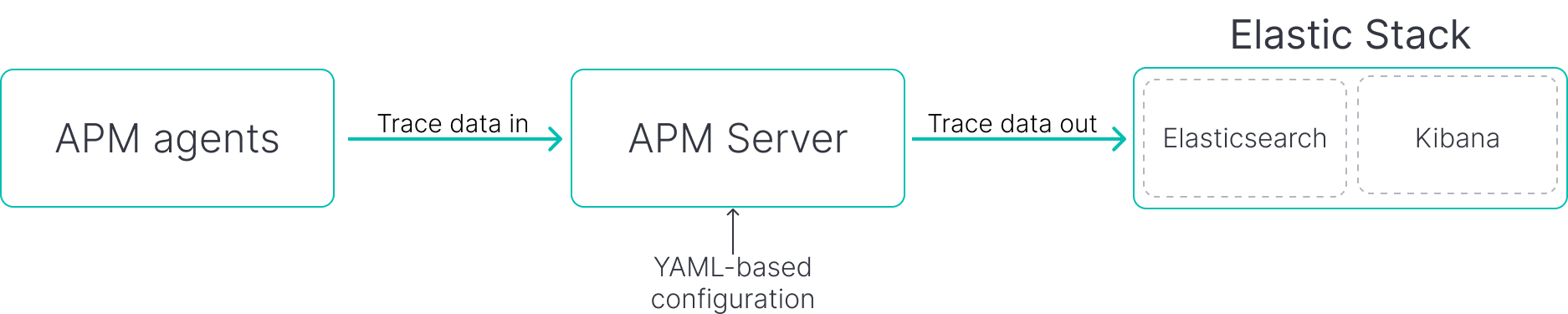
Install, configure, and run the APM Server binary wherever you need it.
Pros:
- Simplest self-managed option
- No addition component knowledge required
- YAML configuration simplifies automation
Supported outputs:
- Elasticsearch
- Elastic Cloud Hosted
- Logstash
- Kafka
- Redis
- File
- Console
Required components:
- EDOT SDKs or APM agents
- APM Server
- Elastic Stack
Configuration method: YAML
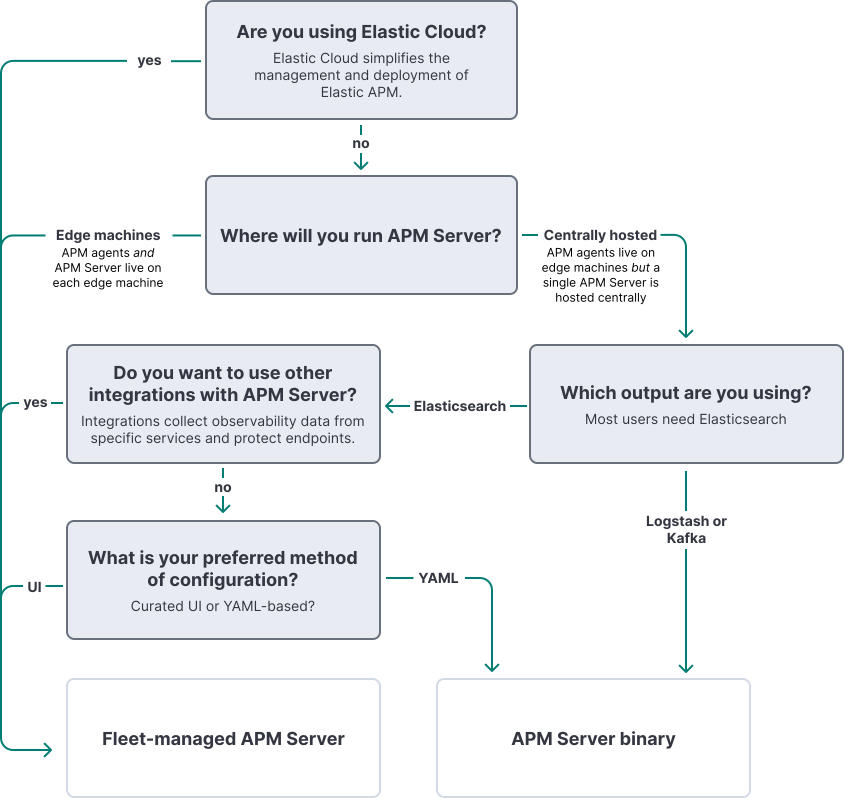
This decision tree highlights key factors to help you make an informed decision about implementing Elastic APM. It provides practical guidance and is not intended to serve as a comprehensive reference of all possible implementations and capabilities.