Tags
Elastic Cloud Serverless projects are autoscaled environments, fully managed by Elastic and available on Elastic Cloud. Availability This functionality is generally available and ready for production usage. Serverless interfaces and procedures might differ from classic Elastic Stack deployments. The Elastic Stack includes Elastic's core products such as Elasticsearch, Kibana, Logstash, and Beats. Availability This functionality is generally available and ready for production usage. Unless stated otherwise on the page, this functionality is available when your Elastic Stack is deployed on Elastic Cloud Hosted, Elastic Cloud Enterprise, Elastic Cloud on Kubernetes, and self-managed environments. This documentation corresponds to the latest patch available for each minor version. If you're not using the latest patch, check the release notes for changes.
Serverless
Generally available
Stack
Generally available
Use tags to categorize your saved objects, then filter for related objects based on shared tags.
To get started, go to the Tags management page using the navigation menu or the global search field.
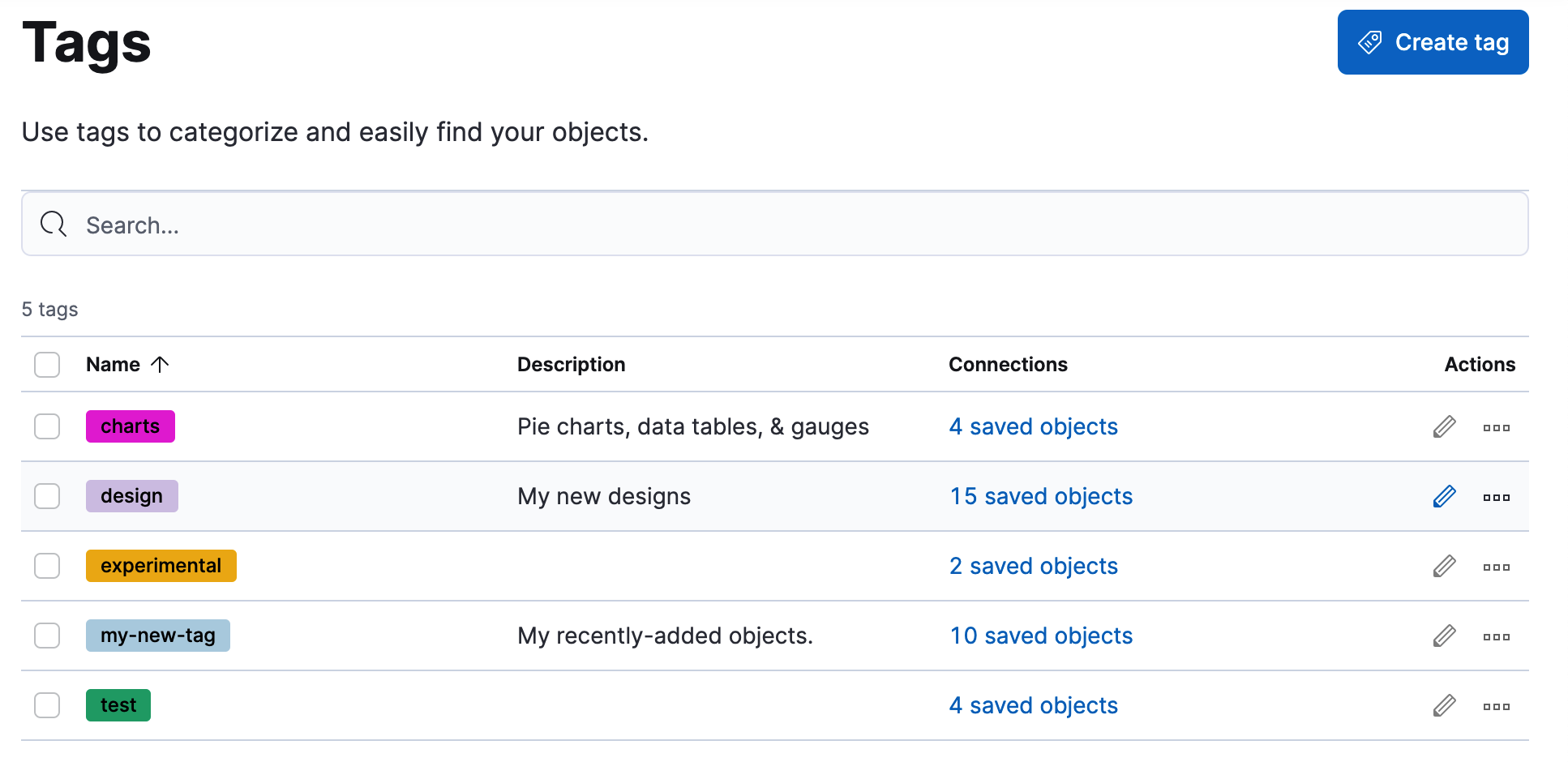
To create tags, you must meet the minimum requirements.
- Access to Tags requires a role with the the
Tag ManagementKibana privilege. - The
readprivilege allows to assign tags to the saved objects for which you have write permission. - The
writeprivilege allows to create, edit, and delete tags.
Having the Tag Management Kibana privilege is not required to view tags assigned on objects you have read access to, or to filter objects by tags from the global search.
Create a tag to assign to your saved objects.
Click Create tag.
Enter a name and select a color for the new tag.
The name cannot be longer than 50 characters.
Click Create tag.
To assign and remove tags, you must have write permission on the objects to which you assign the tags.
Find the tag you want to assign.
Click the actions icon
 , and then select Manage assignments.
Select the objects to which you want to assign or remove tags.
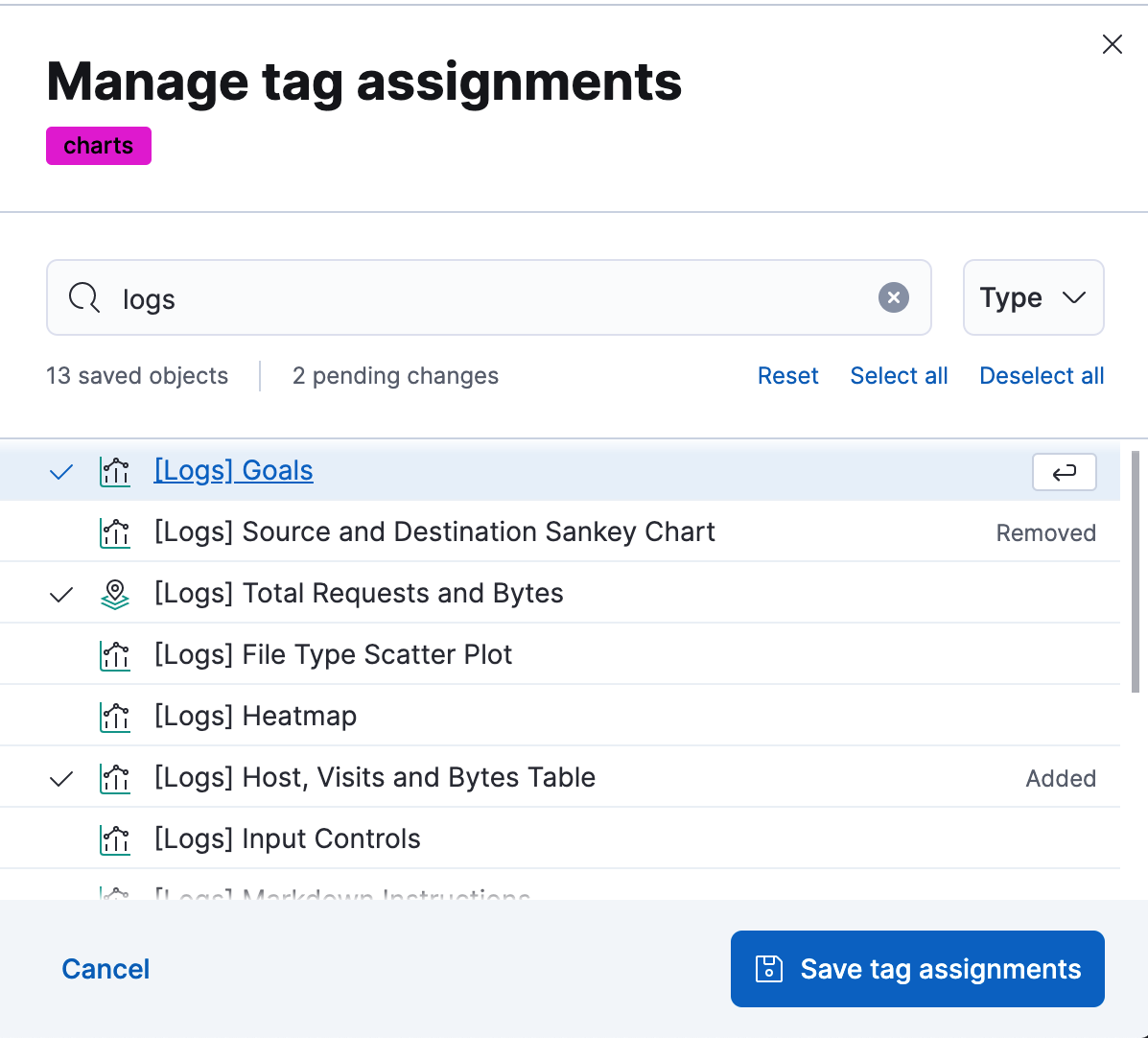
Click Save tag assignments.
When you delete a tag, you remove it from all saved objects that use it.
- Click the actions icon , and then select Delete.
- Click Delete tag.
To assign, delete, or clear multiple tags, select them in the Tags view, and then select the action from the selected tags menu.
Elastic Cloud Serverless projects are autoscaled environments, fully managed by Elastic and available on Elastic Cloud. Availability This functionality is experimental and is not ready for production usage. Experimental features may change or be removed at any time. Elastic will work to fix any issues, but experimental features are not subject to the support SLA of official GA features. Specific Support terms apply. Serverless interfaces and procedures might differ from classic Elastic Stack deployments. The Elastic Stack includes Elastic's core products such as Elasticsearch, Kibana, Logstash, and Beats. Availability This functionality is experimental and is not ready for production usage. Experimental features may change or be removed at any time. Elastic will work to fix any issues, but experimental features are not subject to the support SLA of official GA features. Specific Support terms apply. Unless stated otherwise on the page, this functionality is available when your Elastic Stack is deployed on Elastic Cloud Hosted, Elastic Cloud Enterprise, Elastic Cloud on Kubernetes, and self-managed environments. This documentation corresponds to the latest patch available for each minor version. If you're not using the latest patch, check the release notes for changes.
Serverless
Experimental
Experimental
Stack
Experimental
9.5+
Experimental since 9.5
You can create, read, update, and delete tags outside the Kibana UI using the Tags API. Use it to manage tags as code, automate tag creation in CI/CD pipelines, or integrate tag management into your own tooling.
The Tags API replaces the tag CRUD endpoints under /api/saved_objects_tagging, which are deprecated. If you have automation that calls those endpoints, migrate it to the Tags API.
For the available operations and the full request and response schema, refer to the Tags API reference (serverless version).