Connect to a remote cluster
The Elastic Stack includes Elastic's core products such as Elasticsearch, Kibana, Logstash, and Beats. Availability This functionality is generally available and ready for production usage. Unless stated otherwise on the page, this functionality is available when your Elastic Stack is deployed on Elastic Cloud Hosted, Elastic Cloud Enterprise, Elastic Cloud on Kubernetes, and self-managed environments. This documentation corresponds to the latest patch available for each minor version. If you're not using the latest patch, check the release notes for changes.
Stack
Generally available
Cross-cluster replication (CCR) relies on the remote clusters feature. Before configuring CCR, ensure that the source cluster (Cluster A) is registered as a remote cluster on the destination cluster (Cluster B).
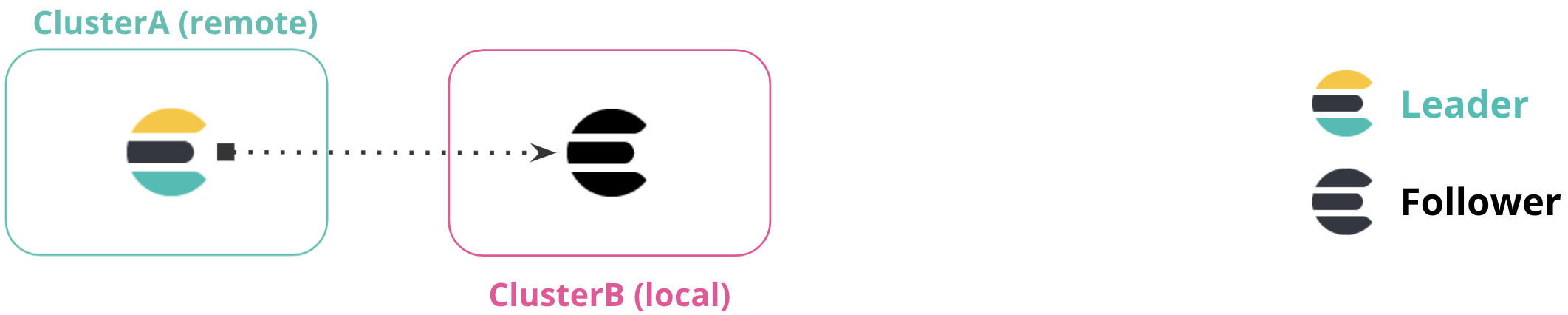
In the case of remote clusters, the Elasticsearch cluster or deployment initiating the connection and requests is often referred to as the local cluster, while the Elasticsearch cluster or deployment receiving the requests is referred to as the remote cluster.
Connecting to a remote cluster depends on the environment your local and remote clusters are deployed on and the security model you wish to use.
The exact details needed to connect to a remote cluster vary. Select a suitable option for your specific scenario based on the local cluster you're configuring: