Reports
Elastic Cloud Serverless projects are autoscaled environments, fully managed by Elastic and available on Elastic Cloud. Availability This functionality is generally available and ready for production usage. Serverless interfaces and procedures might differ from classic Elastic Stack deployments. The Elastic Stack includes Elastic's core products such as Elasticsearch, Kibana, Logstash, and Beats. Availability This functionality is generally available and ready for production usage. Unless stated otherwise on the page, this functionality is available when your Elastic Stack is deployed on Elastic Cloud Hosted, Elastic Cloud Enterprise, Elastic Cloud on Kubernetes, and self-managed environments. This documentation corresponds to the latest patch available for each minor version. If you're not using the latest patch, check the release notes for changes.
Serverless
Generally available
Stack
Generally available
Kibana provides you with several options to share Discover sessions, dashboards, and visualizations.
For example, in Discover, you can create and download comma-separated values (CSV) reports for Discover sessions.
To view and manage reports, go to Management > Reporting.
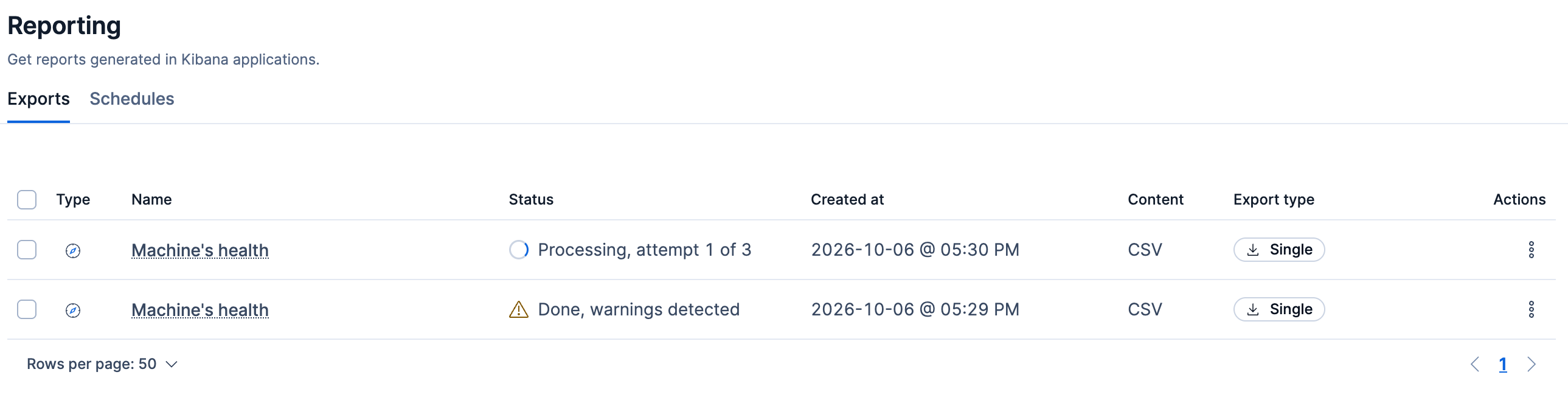
Use the actions menu for a report to download it, view details about it, or open the app where it was generated.
To delete one or more reports, select their checkboxes then click Delete reports.