Drilldowns
Elastic Cloud Serverless projects are autoscaled environments, fully managed by Elastic and available on Elastic Cloud. Availability This functionality is generally available and ready for production usage. Serverless interfaces and procedures might differ from classic Elastic Stack deployments. The Elastic Stack includes Elastic's core products such as Elasticsearch, Kibana, Logstash, and Beats. Availability This functionality is generally available and ready for production usage. Unless stated otherwise on the page, this functionality is available when your Elastic Stack is deployed on Elastic Cloud Hosted, Elastic Cloud Enterprise, Elastic Cloud on Kubernetes, and self-managed environments. This documentation corresponds to the latest patch available for each minor version. If you're not using the latest patch, check the release notes for changes.
Serverless
Generally available
Stack
Generally available
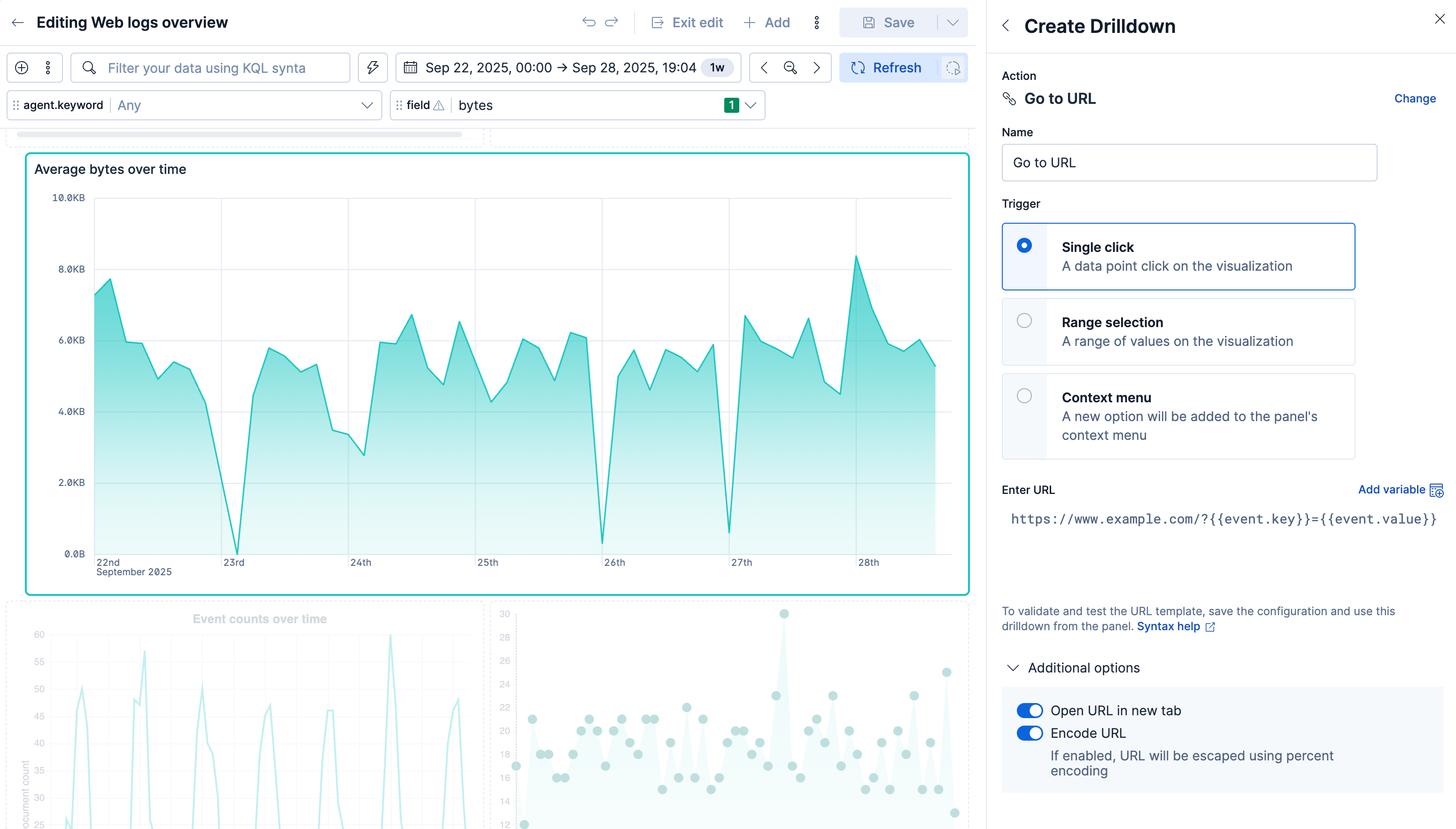
A drilldown is a navigation action on a dashboard panel. When you select a value, it opens a destination you define: another dashboard, a URL, or Discover.
The destination keeps the context of that selection. That includes the value you selected, the filters on the dashboard, and the time range.
Selecting a value can also filter the dashboard you have open, for example when you select a slice or drag a time range. Add a drilldown when you want that same selection to open another view.
You can add three types of drilldown:
- Dashboard: Open another dashboard from a panel. For example, open a host dashboard from a summary dashboard, with a filter for the host name you selected.
- URL: Open a website from a panel. For example, open a search page that includes the host name you selected.
- Discover: Open Discover from a visualization panel. For example, open the documents for one slice of a pie chart.
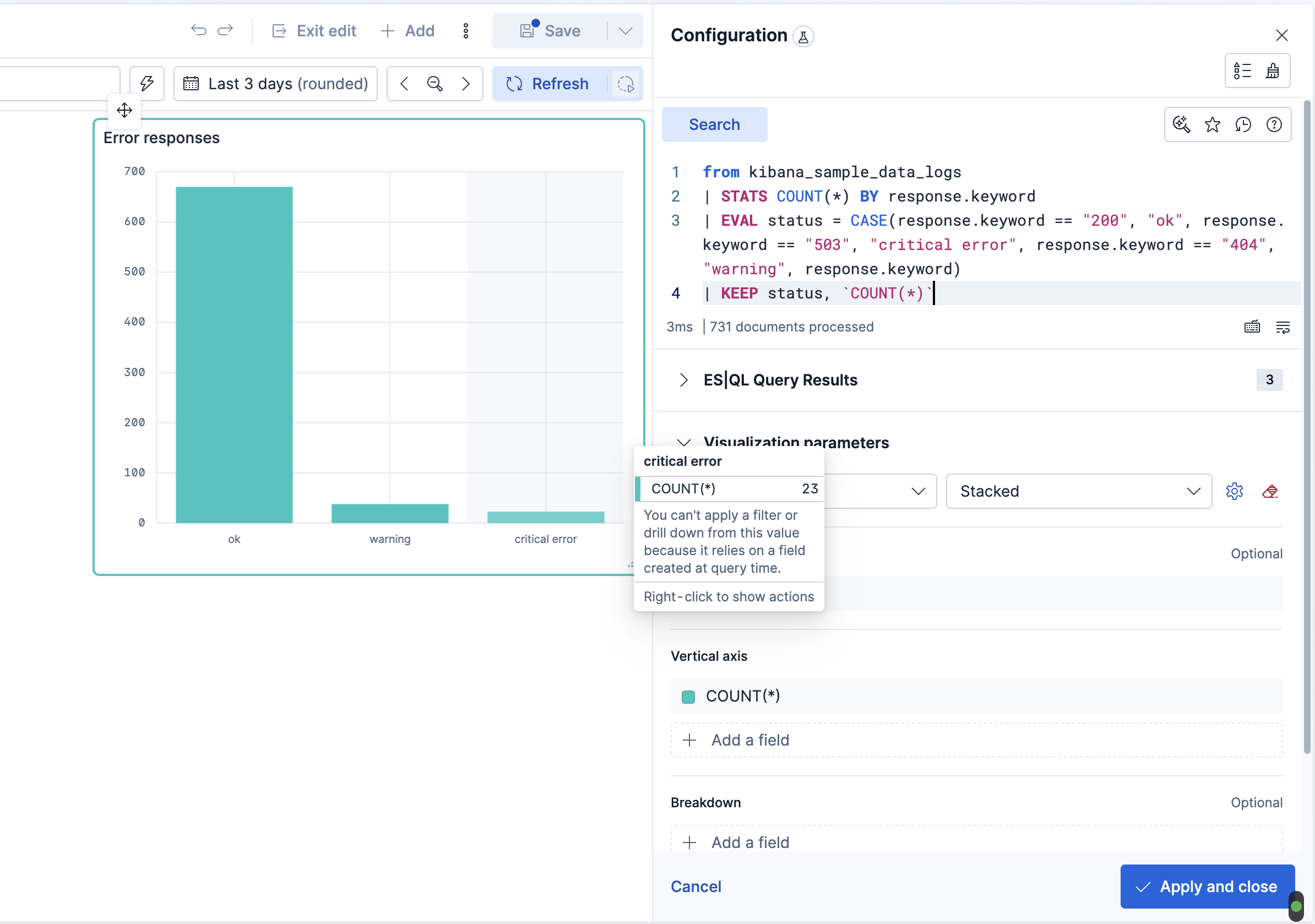
A drilldown uses a value from a field in the data source. You cannot filter or open a drilldown from a value created at query time, because that value has no field in the index. This includes a Lens formula, an aggregation result, and an ES|QL EVAL or STATS result.
ES|QL example
In the following query, status does not exist in the index. The query creates status from response.keyword. For that reason, you cannot filter or open a drilldown from status in the resulting visualization.
FROM kibana_sample_data_logs
| STATS COUNT(*) BY response.keyword
| EVAL status = CASE(
    response.keyword == "200", "ok",
    response.keyword == "503", "critical error",
    response.keyword == "404", "warning"
  )
| KEEP status, `COUNT(*)`
Elastic Cloud Serverless projects are autoscaled environments, fully managed by Elastic and available on Elastic Cloud. Availability Generally available This functionality is generally available and ready for production usage. Serverless interfaces and procedures might differ from classic Elastic Stack deployments. The Elastic Stack includes Elastic's core products such as Elasticsearch, Kibana, Logstash, and Beats. Availability Generally available since 9.5 This functionality is generally available and ready for production usage. Unless stated otherwise on the page, this functionality is available when your Elastic Stack is deployed on Elastic Cloud Hosted, Elastic Cloud Enterprise, Elastic Cloud on Kubernetes, and self-managed environments. This documentation corresponds to the latest patch available for each minor version. If you're not using the latest patch, check the release notes for changes. When you hover over a value in an ES|QL visualization, the chart explains that you cannot filter or open a drilldown from that value because it relies on a field created at query time.
From this version, you can filter and open a drilldown when the query gives an index field a new name.
Assign the new name in the
BYclause ofSTATS.ES|QL STATS count(*) BY host = hostnameRename the field with the
RENAMEcommand.ES|QL RENAME hostname AS host
For more information about filter pills, refer to Add pills by interacting with visualizations.