Duplicate a data view
Elastic Cloud Serverless projects are autoscaled environments, fully managed by Elastic and available on Elastic Cloud. Availability This functionality is generally available and ready for production usage. Serverless interfaces and procedures might differ from classic Elastic Stack deployments. The Elastic Stack includes Elastic's core products such as Elasticsearch, Kibana, Logstash, and Beats. Availability This functionality is generally available and ready for production usage. Unless stated otherwise on the page, this functionality is available when your Elastic Stack is deployed on Elastic Cloud Hosted, Elastic Cloud Enterprise, Elastic Cloud on Kubernetes, and self-managed environments. This documentation corresponds to the latest patch available for each minor version. If you're not using the latest patch, check the release notes for changes.
Serverless
Generally available
Stack
Generally available
Duplicating a data view creates an editable copy. Use a copy when you want to try different field formatting or a different index pattern without affecting the original, or when you need a similar data view for another use case.
Elastic Cloud Serverless projects are autoscaled environments, fully managed by Elastic and available on Elastic Cloud. Availability Generally available This functionality is generally available and ready for production usage. Serverless interfaces and procedures might differ from classic Elastic Stack deployments. The Elastic Stack includes Elastic's core products such as Elasticsearch, Kibana, Logstash, and Beats. Availability Generally available since 9.2 This functionality is generally available and ready for production usage. Unless stated otherwise on the page, this functionality is available when your Elastic Stack is deployed on Elastic Cloud Hosted, Elastic Cloud Enterprise, Elastic Cloud on Kubernetes, and self-managed environments. This documentation corresponds to the latest patch available for each minor version. If you're not using the latest patch, check the release notes for changes. Duplicating is also how you customize a managed data view. You can't edit a managed data view directly.
- You need a role with the Data View Management Kibana privilege and the
view_index_metadataElasticsearch privilege. Refer to Defining roles. - You need an existing data view to duplicate.
Open Discover in classic mode, or open Lens.
NoteDuplication isn't available from the Data Views management page.
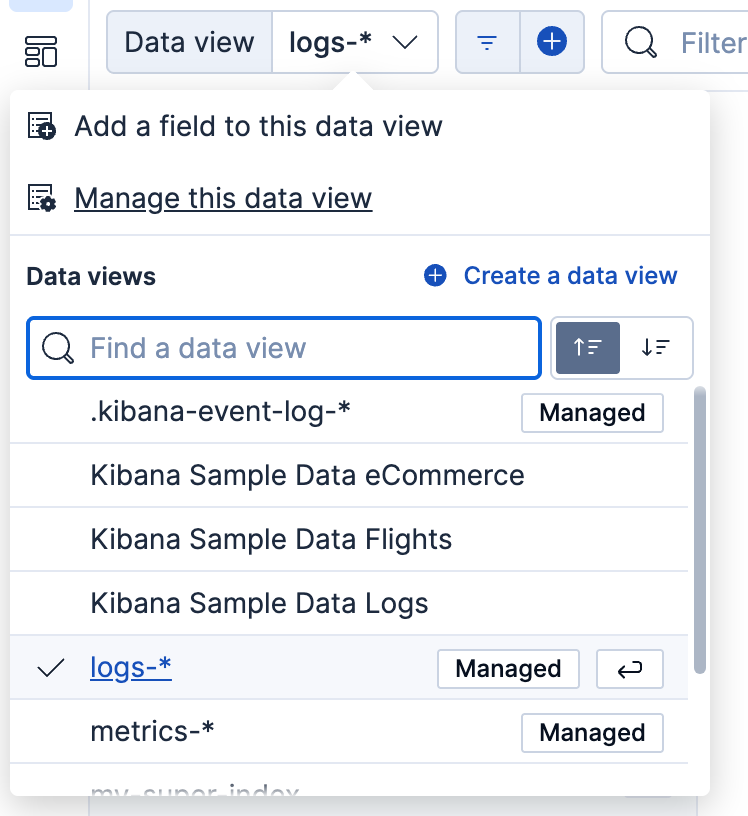
In the data view menu, select the data view that you want to duplicate.
Still in the data view menu, select Manage this data view. A flyout with more details about the data view opens. For a managed data view, it indicates that you can't edit it directly.
Select Duplicate. A similar flyout opens where you can adjust the settings of the new copy.
Finish your edits, then select Save data view to Kibana or Use without saving.
If you save it to Kibana, the new, editable data view appears in the data view menu and on the Data Views management page, separate from the one you duplicated.