Manage indices in Kibana
Elastic Cloud Serverless projects are autoscaled environments, fully managed by Elastic and available on Elastic Cloud. Availability This functionality is generally available and ready for production usage. Serverless interfaces and procedures might differ from classic Elastic Stack deployments. The Elastic Stack includes Elastic's core products such as Elasticsearch, Kibana, Logstash, and Beats. Availability This functionality is generally available and ready for production usage. Unless stated otherwise on the page, this functionality is available when your Elastic Stack is deployed on Elastic Cloud Hosted, Elastic Cloud Enterprise, Elastic Cloud on Kubernetes, and self-managed environments. This documentation corresponds to the latest patch available for each minor version. If you're not using the latest patch, check the release notes for changes.
Serverless
Generally available
Stack
Generally available
Practicing good index management ensures your data is stored efficiently and cost-effectively. In Kibana, the Index Management page is where you manage storage resources across your cluster, including indices, data streams, index and component templates, and enrich policies. Index-specific actions are covered in Index operations reference.
All operations available on the Index Management page can also be performed using the Elasticsearch REST API. Refer to Manage data from the command line for examples, or browse the Elasticsearch index APIs directly.
The following security privileges are required to manage indices in Kibana:
- The
monitorcluster privilege to access Kibana's Index Management features. - The
view_index_metadataandmanageindex privileges to view a data stream or index's data. - The
manage_index_templatescluster privilege to manage index templates.
The Elastic Stack includes Elastic's core products such as Elasticsearch, Kibana, Logstash, and Beats. Availability Generally available This functionality is generally available and ready for production usage. Unless stated otherwise on the page, this functionality is available when your Elastic Stack is deployed on Elastic Cloud Hosted, Elastic Cloud Enterprise, Elastic Cloud on Kubernetes, and self-managed environments. This documentation corresponds to the latest patch available for each minor version. If you're not using the latest patch, check the release notes for changes. To add these privileges, go to Stack Management > Security > Roles or use the Create or update roles API.
Elastic Cloud Serverless projects are autoscaled environments, fully managed by Elastic and available on Elastic Cloud. Availability Generally available This functionality is generally available and ready for production usage. Serverless interfaces and procedures might differ from classic Elastic Stack deployments. In Elastic Cloud Serverless, permissions are managed through project custom roles instead of Stack Management > Security > Roles. To grant access to Index Management, configure the required Elasticsearch and Kibana privileges in a custom role. For step-by-step guidance, refer to Serverless project custom roles.
To open the Index Management page, use the navigation menu or the global search field.
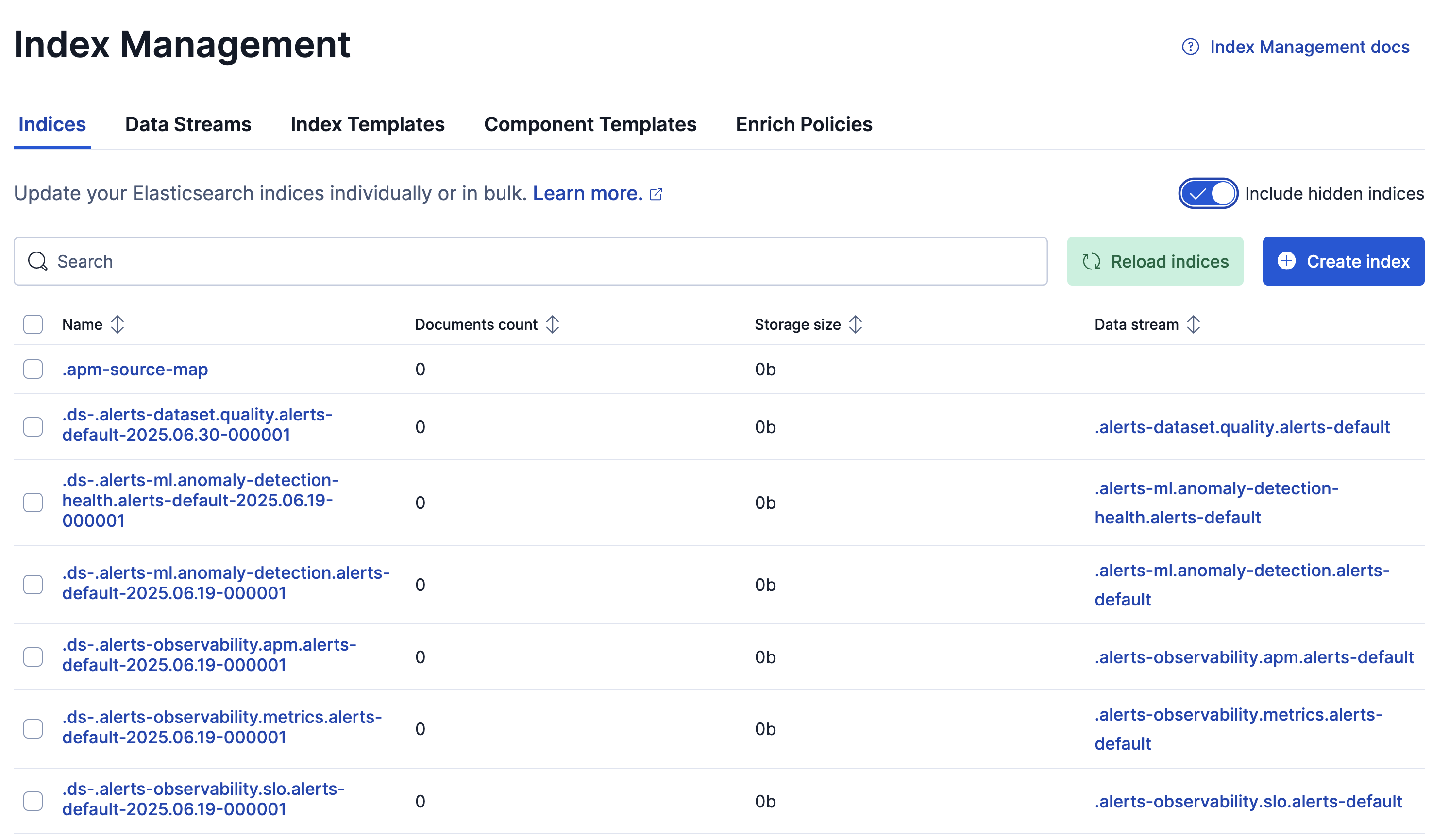
To access details and perform operations on indices:
Turn on Include hidden indices to view the full set of indices, including backing indices for data streams.
To filter the list of indices, use the search bar or click a badge. Badges indicate if an index is a follower index or a rollup index.
To view and manage your data streams, including backing indices and retention settings, go to the Data Streams tab.
To create, edit, clone, or delete index templates and component templates that define how Elasticsearch configures new indices or data streams, go the Index Templates or Component Templates tab.
To create, execute, or delete enrich policies that add data from existing indices to incoming documents during ingest, open the Enrich Policies tab.
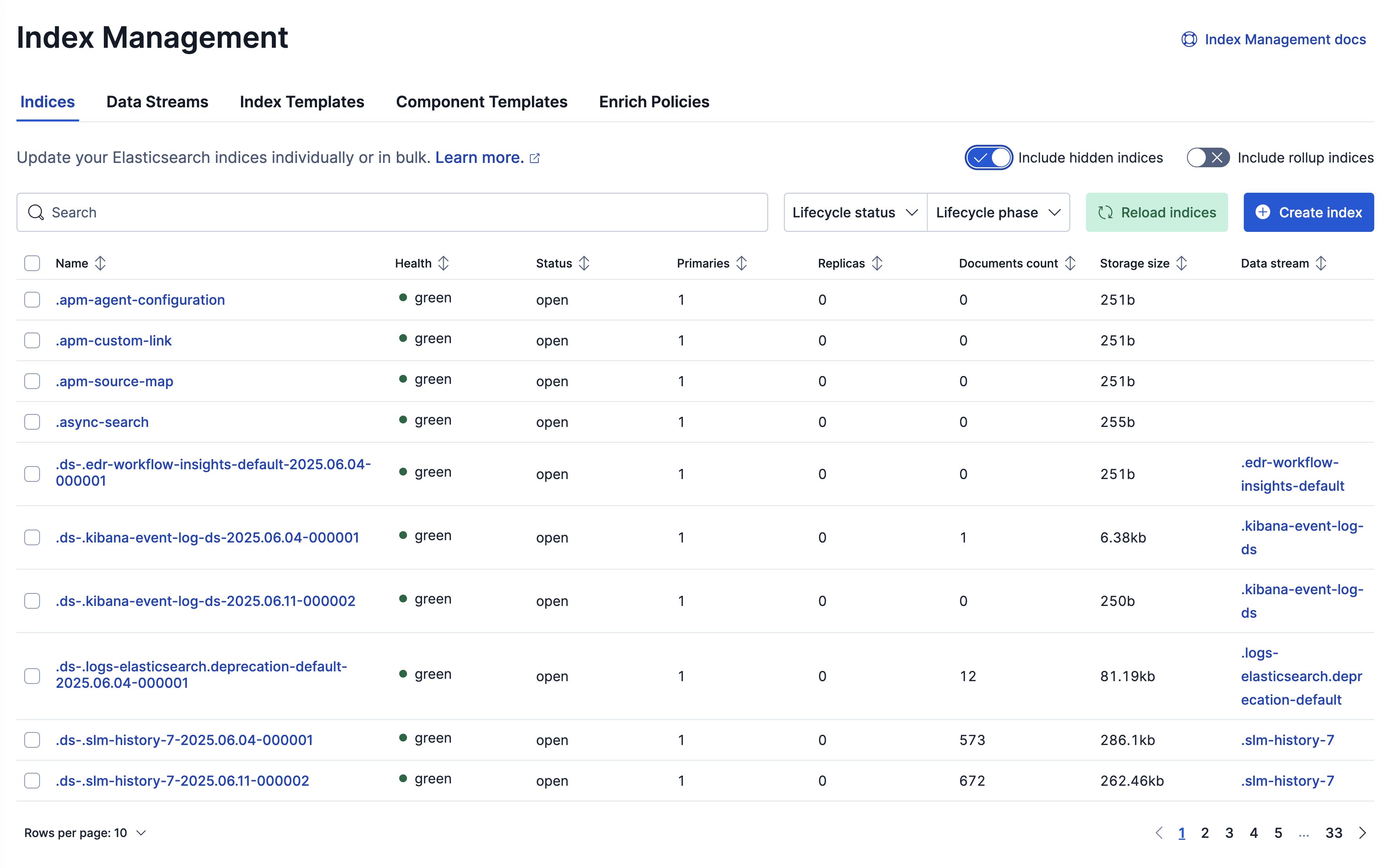
To access details and perform operations on indices:
For a single index, click the index name to drill down into the index overview, mappings, settings, and statistics. From this view, you can navigate to Discover to further explore the documents in the index, and you can perform operations using the Manage index menu.
For multiple indices, select their checkboxes and then open the Manage indices menu.
Turn on Include hidden indices to view the full set of indices, including backing indices for data streams.
To filter the list of indices, use the search bar or click a badge. Badges indicate if an index is a follower index or a rollup index.
To view and manage your data streams, including backing indices and retention settings, go to the Data Streams tab.
To create, edit, clone, or delete index templates and component templates that define how Elasticsearch configures new indices or data streams, go the Index Templates or Component Templates tab.
To create, execute, or delete enrich policies that add data from existing indices to incoming documents during ingest, open the Enrich Policies tab.