Ingest multi-tenant Azure Event Hub logs with Filebeat
Elastic Cloud Serverless projects are autoscaled environments, fully managed by Elastic and available on Elastic Cloud. Availability This functionality is generally available and ready for production usage. Serverless interfaces and procedures might differ from classic Elastic Stack deployments. The Elastic Stack includes Elastic's core products such as Elasticsearch, Kibana, Logstash, and Beats. Availability This functionality is generally available and ready for production usage. Unless stated otherwise on the page, this functionality is available when your Elastic Stack is deployed on Elastic Cloud Hosted, Elastic Cloud Enterprise, Elastic Cloud on Kubernetes, and self-managed environments. This documentation corresponds to the latest patch available for each minor version. If you're not using the latest patch, check the release notes for changes.
Serverless
Generally available
Stack
Generally available
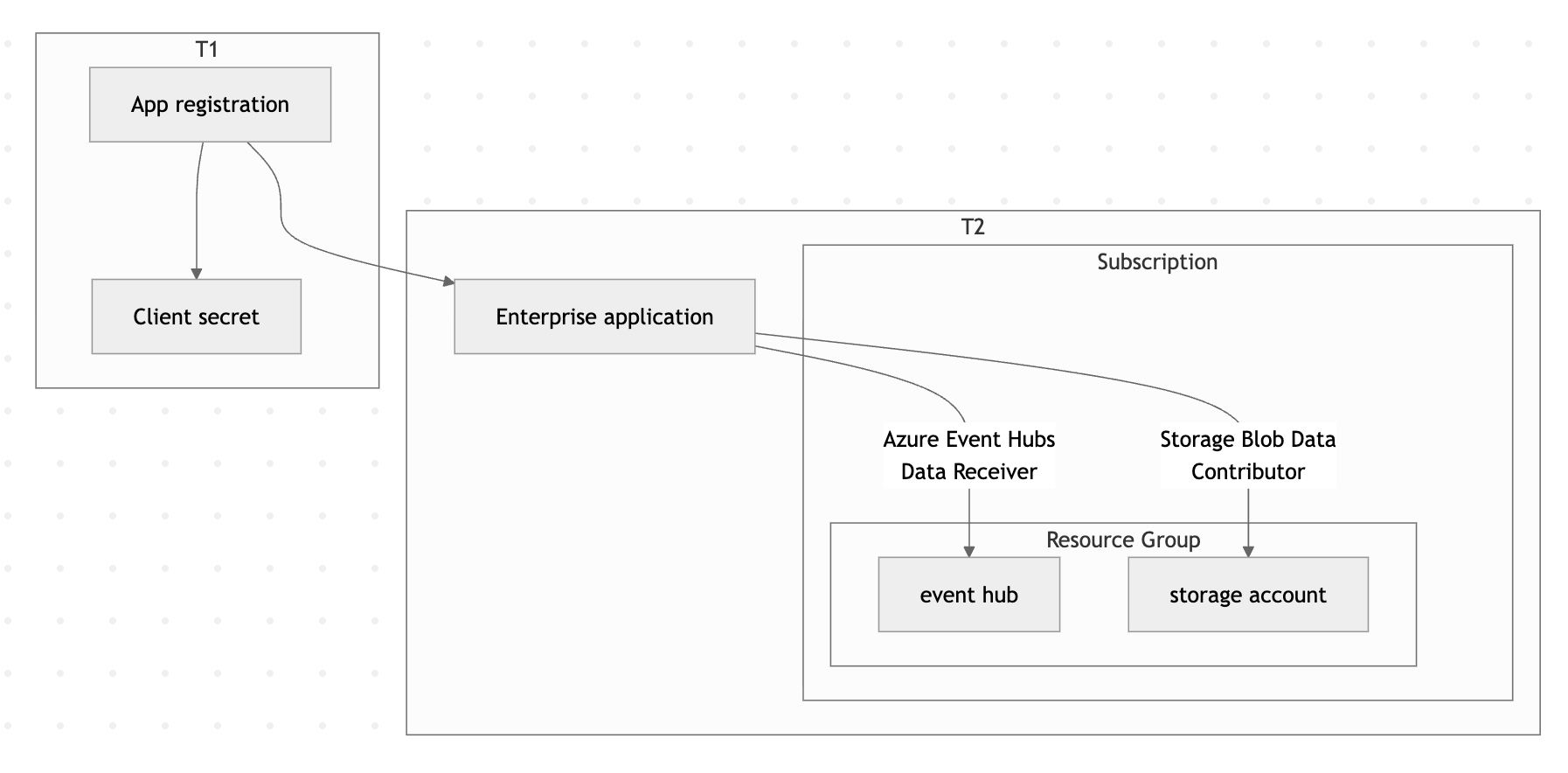
In this guide, you'll configure Filebeat to ingest logs from Azure Event Hubs in a multi-tenant scenario where authentication credentials are stored in one Microsoft Entra ID tenant (T1) and the Event Hub resources live in a separate tenant (T2).
By the end, you'll have a working pipeline that collects logs from an Event Hub in T2 using credentials stored in T1, and forwards them to Elasticsearch.
Make sure you have the following:
- Two Azure tenants: A credential tenant (T1) and a resource tenant (T2).
- Azure CLI: Installed and configured.
- Filebeat: Installed on the host where you'll run the data collection.
- An Elastic deployment: Either an Elastic Cloud deployment or a self-managed Elasticsearch cluster to send data to.
- Sufficient Azure permissions: The ability to create app registrations in T1, and to create service principals and assign roles in T2.
-
Create a multi-tenant app registration in T1
Log in to the credential tenant (T1) and create a multi-tenant application:
Shell az login --tenant aaaaaaaa-1111-1111-1111-111111111111Shell az ad app create \ --display-name "My Multi-Tenant App" \ --sign-in-audience AzureADMultipleOrgsThen reset the application password to generate a client secret:
Shell az ad app credential reset \ --id cccccccc-3333-3333-3333-333333333333 \ --append \ --display-name "Production Secret" \ --years 1Save the
passwordvalue from the output — you'll need it for the Filebeat configuration.JSON { "appId": "cccccccc-3333-3333-3333-333333333333", "password": "<redacted>", "tenant": "aaaaaaaa-1111-1111-1111-111111111111" } -
Provision the enterprise app in T2
Log in to the resource tenant (T2) and create a service principal for the app you registered in T1:
Shell az login --tenant bbbbbbbb-2222-2222-2222-222222222222Shell az ad sp create --id cccccccc-3333-3333-3333-333333333333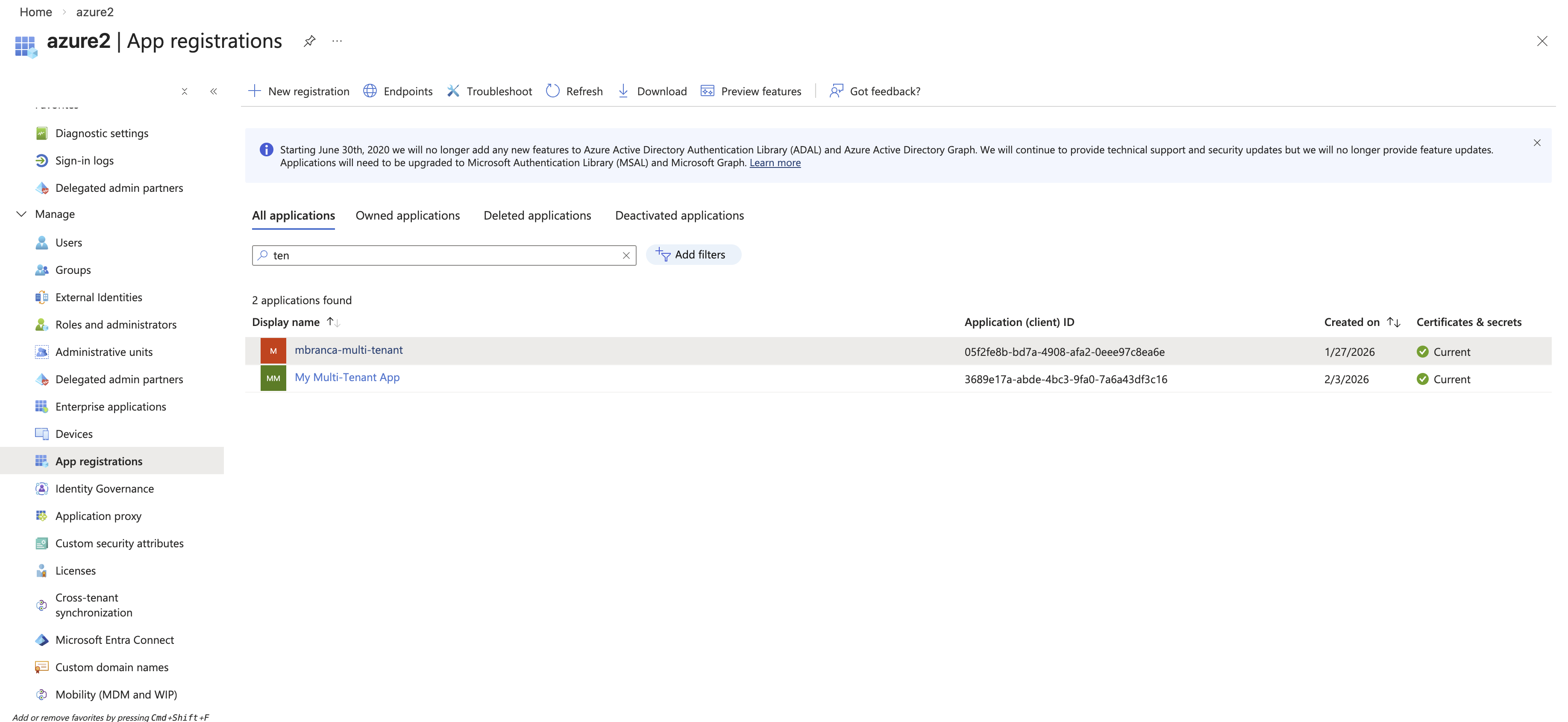
-
Create an Event Hubs namespace and hub in T2
Set environment variables for the resources you'll create:
Shell export RESOURCE_GROUP="contoso-multi-tenant-demo" export AZURE_LOCATION="eastus2" export AZURE_EVENTHUB_NAMESPACE="contoso-multi-tenant-demo" export AZURE_STORAGE_ACCOUNT_NAME="contosomultitenantdemo"Create a resource group:
Shell az group create --name $RESOURCE_GROUP --location $AZURE_LOCATIONCreate the Event Hubs namespace:
Shell az eventhubs namespace create \ --name $AZURE_EVENTHUB_NAMESPACE \ --resource-group $RESOURCE_GROUP \ --location $AZURE_LOCATION \ --sku Basic \ --capacity 1Create the event hub:
Shell az eventhubs eventhub create \ --name logs \ --namespace-name $AZURE_EVENTHUB_NAMESPACE \ --resource-group $RESOURCE_GROUP \ --partition-count 2 \ --retention-time-in-hours 1 \ --cleanup-policy Delete -
Create a storage account in T2
Create a storage account for Filebeat to use for checkpointing:
Shell az storage account create \ --name $AZURE_STORAGE_ACCOUNT_NAME \ --resource-group $RESOURCE_GROUP \ --location $AZURE_LOCATION \ --sku Standard_LRS \ --kind StorageV2 -
Assign roles to the application
Grant the multi-tenant application permission to receive messages from the Event Hub and read/write blobs in the storage account:
Shell az role assignment create \ --role "Azure Event Hubs Data Receiver" \ --assignee cccccccc-3333-3333-3333-333333333333 \ --scope /subscriptions/eeeeeeee-5555-5555-5555-555555555555/resourceGroups/contoso-multi-tenant-demo/providers/Microsoft.EventHub/namespaces/contoso-multi-tenant-demoShell az role assignment create \ --role "Storage Blob Data Contributor" \ --assignee cccccccc-3333-3333-3333-333333333333 \ --scope /subscriptions/eeeeeeee-5555-5555-5555-555555555555/resourceGroups/contoso-multi-tenant-demo/providers/Microsoft.Storage/storageAccounts/contosomultitenantdemo -
Configure and run Filebeat
Create a Filebeat configuration file that uses the T1 credentials to access T2 resources. For a full list of available options, refer to the Azure Event Hub input reference.
YAML filebeat.inputs: - type: azure-eventhub enabled: true # Available starting from Filebeat 8.19.10, 9.1.10, 9.2.4, or later. auth_type: client_secret tenant_id: bbbbbbbb-2222-2222-2222-222222222222 # T2 client_id: cccccccc-3333-3333-3333-333333333333 # T1 client_secret: ${AZURE_CLIENT_SECRET} # T1 eventhub: logs eventhub_namespace: contoso-multi-tenant-demo.servicebus.windows.net # T2 consumer_group: $Default storage_account: contosomultitenantdemo # T2 processor_version: v2 migrate_checkpoint: true processor_update_interval: 10s processor_start_position: earliest partition_receive_timeout: 5s partition_receive_count: 100Run Filebeat:
Shell filebeat -e -v -d "*" \ --strict.perms=false \ --path.home . \ -E cloud.id=<redacted> \ -E cloud.auth=<redacted> \ -E gc_percent=100 \ -E setup.ilm.enabled=false \ -E setup.template.enabled=false \ -E output.elasticsearch.allow_older_versions=true -
Verify the setup
To confirm the pipeline is working end to end:
- Send a test message to the event hub in T2. Refer to the Microsoft Send Event API for details.
- Check that Filebeat receives the message and forwards it to Elasticsearch.
- In Kibana, navigate to Discover and verify the event appears in your index.
- Configure additional Filebeat settings to parse and enrich your Azure logs.
- Set up dashboards in Kibana to visualize your ingested data.
- Explore the Azure Event Hub integration for an Elastic Agent-based alternative.