Configure Graph
Elastic Cloud Serverless projects are autoscaled environments, fully managed by Elastic and available on Elastic Cloud. Availability This functionality is not available in Elastic Cloud Serverless. The Elastic Stack includes Elastic's core products such as Elasticsearch, Kibana, Logstash, and Beats. Availability This functionality is generally available and ready for production usage. Unless stated otherwise on the page, this functionality is available when your Elastic Stack is deployed on Elastic Cloud Hosted, Elastic Cloud Enterprise, Elastic Cloud on Kubernetes, and self-managed environments. This documentation corresponds to the latest patch available for each minor version. If you're not using the latest patch, check the release notes for changes.
Serverless
Unavailable
Unavailable
Stack
Generally available
When a user saves a graph workspace in Kibana, it is stored in the .kibana index along with other saved objects like visualizations and dashboards. By default, both the configuration and data are saved for the workspace:
- configuration
- The selected data view, fields, colors, icons, and settings.
- data
- The visualized content (the vertices and connections displayed in the workspace).
The data in a saved workspace is like a report—it is a saved snapshot that potentially summarizes millions of raw documents. Once saved, these summaries are no longer controlled by security policies. Because the original documents might be deleted after a workspace is saved, there’s no practical basis for checking permissions for the data in a saved workspace.
For this reason, you can configure the save policy for graph workspaces to ensure appropriate handling of your data. You can allow all users to save only the configuration information for a graph, require all users to explicitly include the workspace data, or completely disable the ability to save a workspace.
For example, to disable the save option entirely, set xpack.graph.savePolicy to none in kibana.yml:
xpack.graph.savePolicy: none
The supported save policies are:
none- Neither the configuration or data can be saved.
config- Only the configuration is saved.
configAndData- Both configuration and data are saved. This is the default policy.
configAndDataWithConsent- Only the configuration is saved unless the user explicitly selects the include data option.
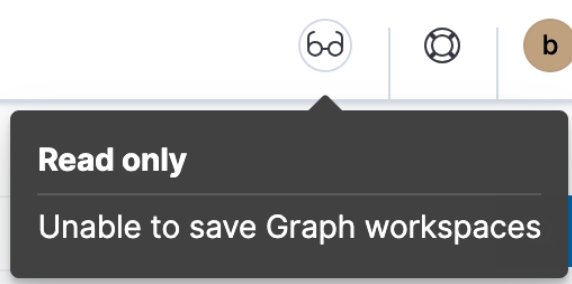
You can also use security to grant read only or all access to different roles. When security is used to grant read only access, the following indicator in Kibana is displayed. For more information on granting access to Kibana, see Granting access to Kibana.
By default, users can configure drilldown URLs to display additional information about a selected vertex in a new browser window. For example, you could configure a drilldown URL to perform a web search for the selected vertex term.
To prevent users from adding drilldown URLs, set xpack.graph.canEditDrillDownUrls to false in kibana.yml:
xpack.graph.canEditDrillDownUrls: false