Deploy ECK on Google Distributed Cloud air-gapped
Elastic Cloud on Kubernetes extends Kubernetes orchestration capabilities to allow you to deploy and manage components of the Elastic Stack. Availability This functionality is generally available and ready for production usage. This documentation corresponds to the latest patch available for each minor version. If you're not using the latest patch, check the release notes for changes.
ECK
Generally available
You can install Elastic Cloud on Kubernetes (ECK) directly from the marketplace available within your Google Distributed Cloud (GDC) air-gapped environment.
The Elastic Package Registry (EPR) container image is not yet available in GDC and must be deployed manually if you plan to use integrations. All other dependencies, such as the Elastic Artifact Registry and Elastic Endpoint Artifact Repository, must also be built and hosted locally as described in the air-gapped deployment documentation.
For extra guidance on running ECK in isolated environments, refer to Running ECK in air-gapped environments.
To install ECK:
Open the Marketplace in your GDC console.
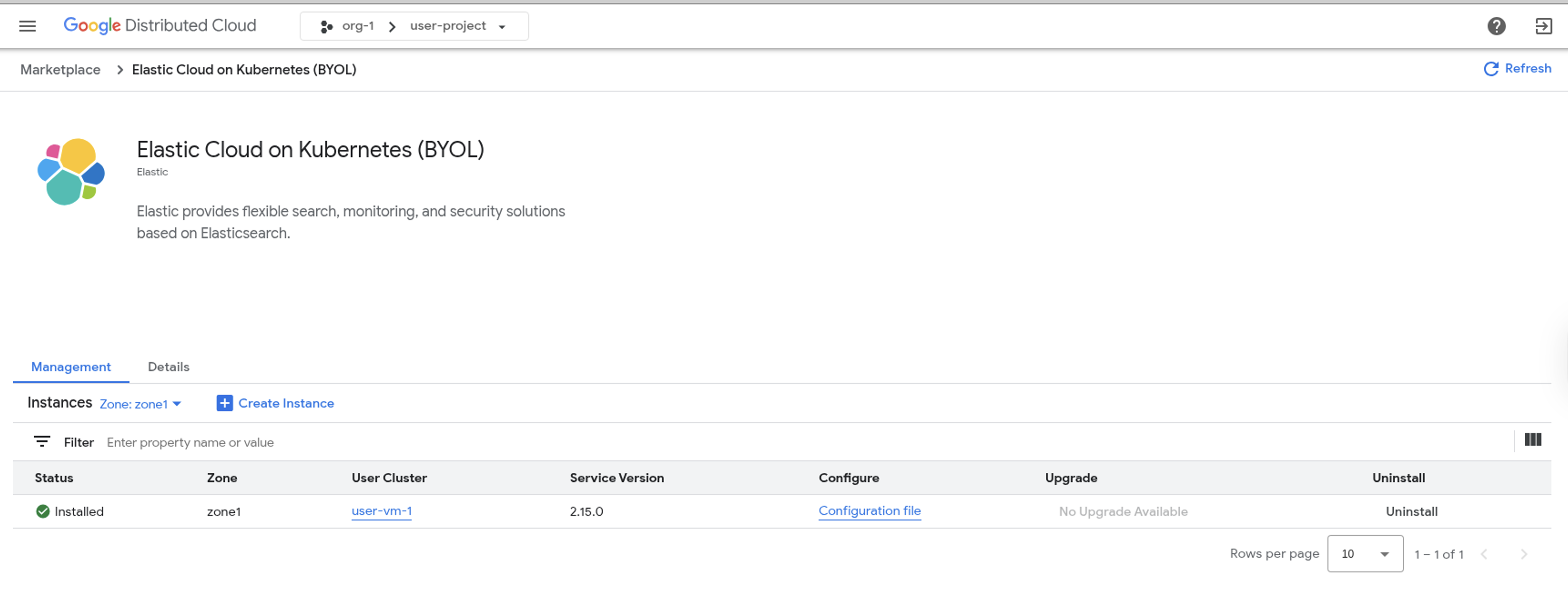
Search for Elastic Cloud on Kubernetes (BYOL).
Click Install.
Select a user cluster, review or adjust the installation parameters, and start the installation.
If you prefer to customize the configuration, refer to the ECK configuration guide for details on setting operator parameters in the Configure the service page.
Once completed, ECK will be running in your GDC air-gapped environment.
Next, open a terminal with kubectl and choose one of the following options:
- Start a trial to enable ECK’s enterprise features.
- Continue using ECK in free & basic mode.
- Apply an Enterprise license.
Follow the ECK Quickstart guide to deploy Elasticsearch and Kibana for your use case, whether it’s Observability, Security, or Search.