Tableau Server
Elastic Cloud Serverless projects are autoscaled environments, fully managed by Elastic and available on Elastic Cloud. Availability This functionality is generally available and ready for production usage. Serverless interfaces and procedures might differ from classic Elastic Stack deployments. The Elastic Stack includes Elastic's core products such as Elasticsearch, Kibana, Logstash, and Beats. Availability This functionality is generally available and ready for production usage. Unless stated otherwise on the page, this functionality is available when your Elastic Stack is deployed on Elastic Cloud Hosted, Elastic Cloud Enterprise, Elastic Cloud on Kubernetes, and self-managed environments. This documentation corresponds to the latest patch available for each minor version. If you're not using the latest patch, check the release notes for changes.
Serverless
Generally available
Stack
Generally available
Use the Elasticsearch JDBC driver and dedicated Elasticsearch Tableau Connector to access Elasticsearch data from Tableau Server.
Elastic does not endorse, promote or provide support for this application; for native Elasticsearch integration in this product, reach out to its vendor.
- Tableau Server 2019.4 or later
- Elasticsearch SQL JDBC driver
- Elasticsearch Connector for Tableau
First, move or download the JDBC driver to the Tableau Server drivers directory:
- Windows:
C:\Program Files\Tableau\Drivers - Mac:
/Users/[user]/Library/Tableau/Drivers
Move the Elasticsearch Connector for Tableau to the Tableau Server connectors directory. To find the location of this directory, refer to Tableau Server documentation or use the TSM command line interface.
Restart Tableau Server.
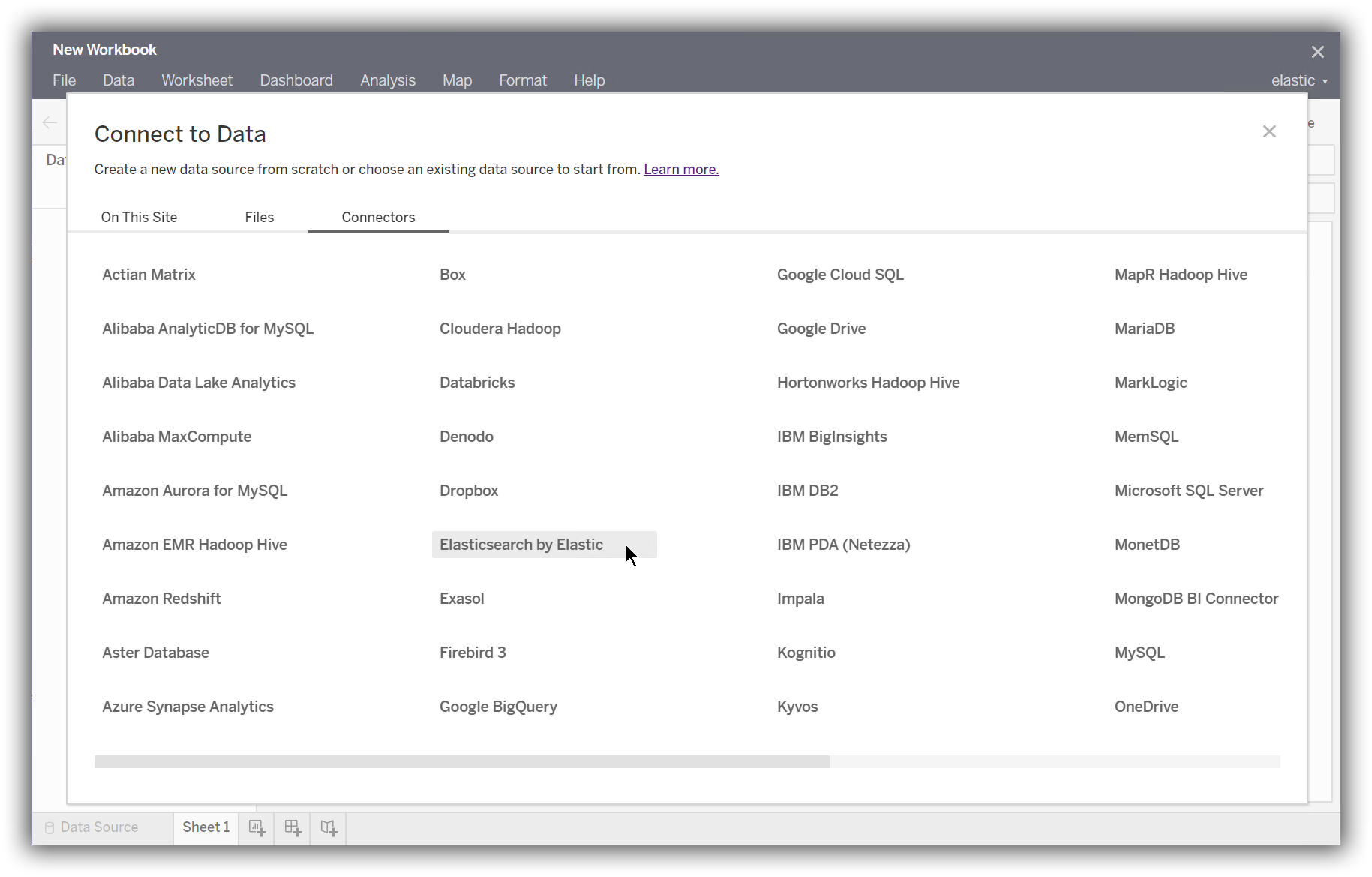
To load data into a workbook, add a New Data Source from the Data menu or using the icon. In the Connectors tab of the Connect to Data modal, select Elasticsearch by Elastic.
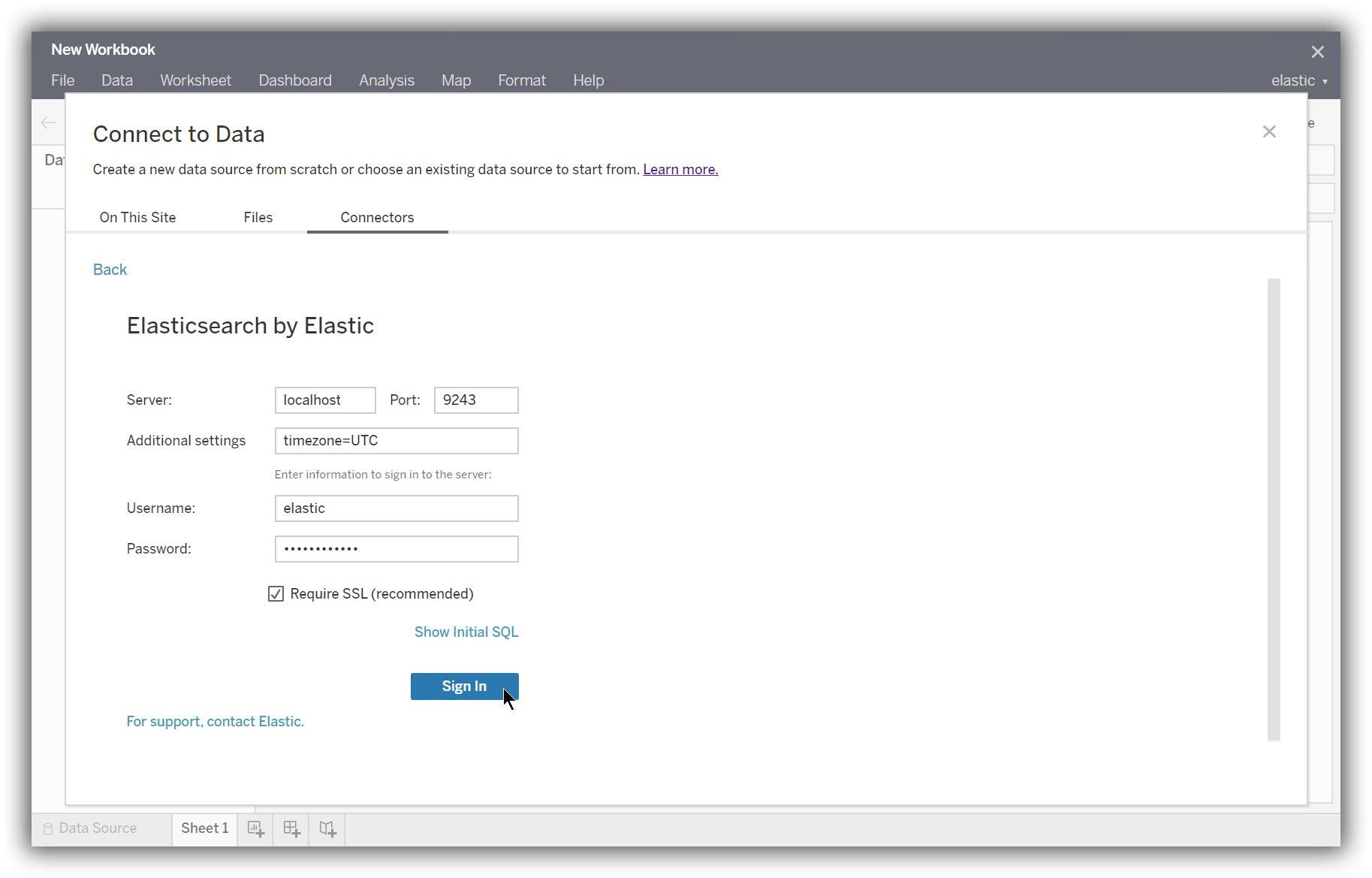
Enter the information for your Elasticsearch instance, and click Sign In.
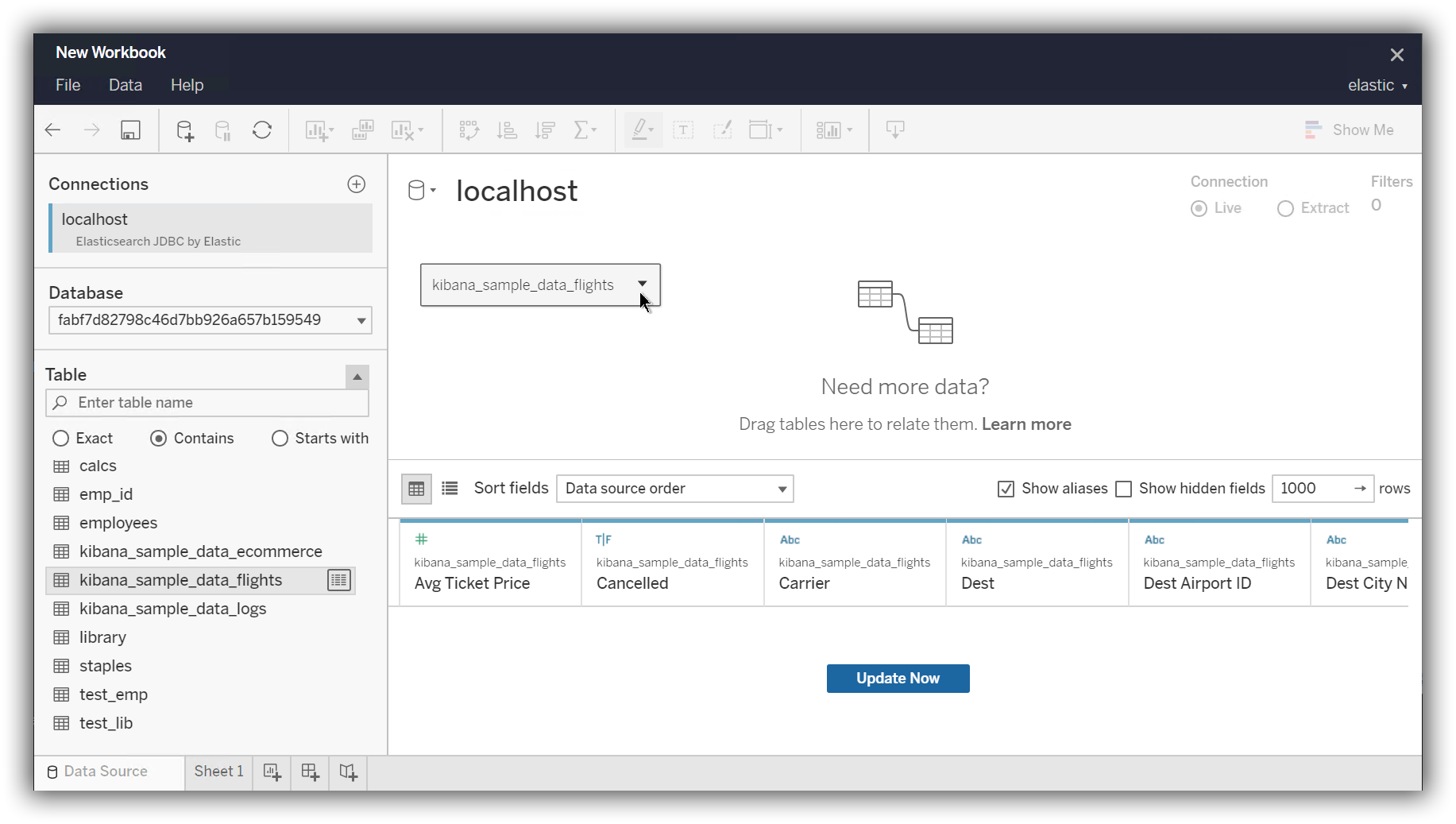
In the main window, select your Elasticsearch instance as the Database. Then select a table to load.
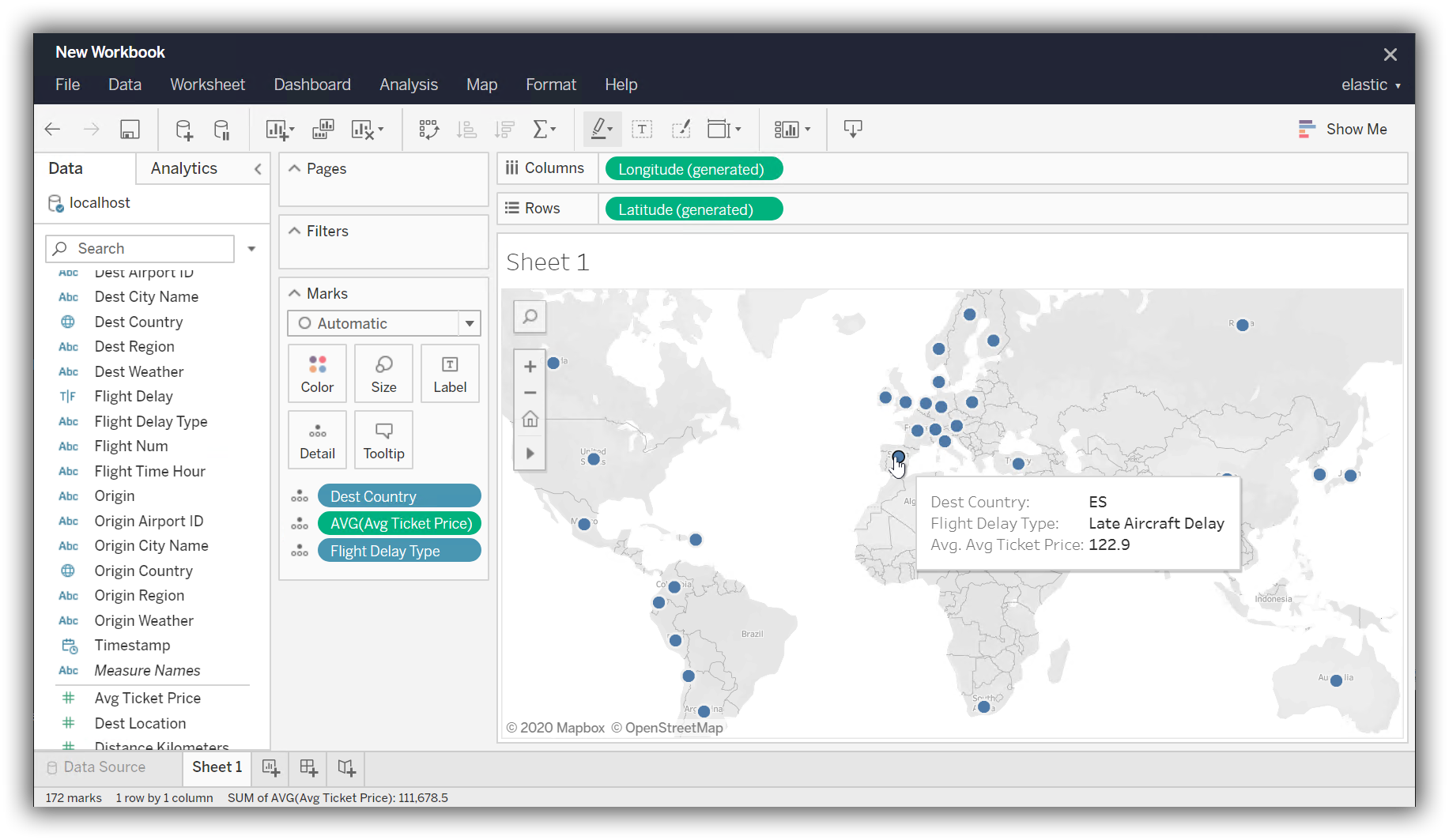
Finally, generate a report.