PostgreSQL module
Elastic Cloud Serverless projects are autoscaled environments, fully managed by Elastic and available on Elastic Cloud. Availability This functionality is generally available and ready for production usage. Serverless interfaces and procedures might differ from classic Elastic Stack deployments. The Elastic Stack includes Elastic's core products such as Elasticsearch, Kibana, Logstash, and Beats. Availability This functionality is generally available and ready for production usage. Unless stated otherwise on the page, this functionality is available when your Elastic Stack is deployed on Elastic Cloud Hosted, Elastic Cloud Enterprise, Elastic Cloud on Kubernetes, and self-managed environments. This documentation corresponds to the latest patch available for each minor version. If you're not using the latest patch, check the release notes for changes.
Serverless
Generally available
Stack
Generally available
Refer to the Elastic Integrations documentation.
Learn more
Elastic Agent is a single, unified way to add monitoring for logs, metrics, and other types of data to a host. It can also protect hosts from security threats, query data from operating systems, forward data from remote services or hardware, and more. Refer to the documentation for a detailed comparison of Beats and Elastic Agent.
This module periodically fetches metrics from PostgreSQL servers.
Default metricsets are activity, bgwriter and database.
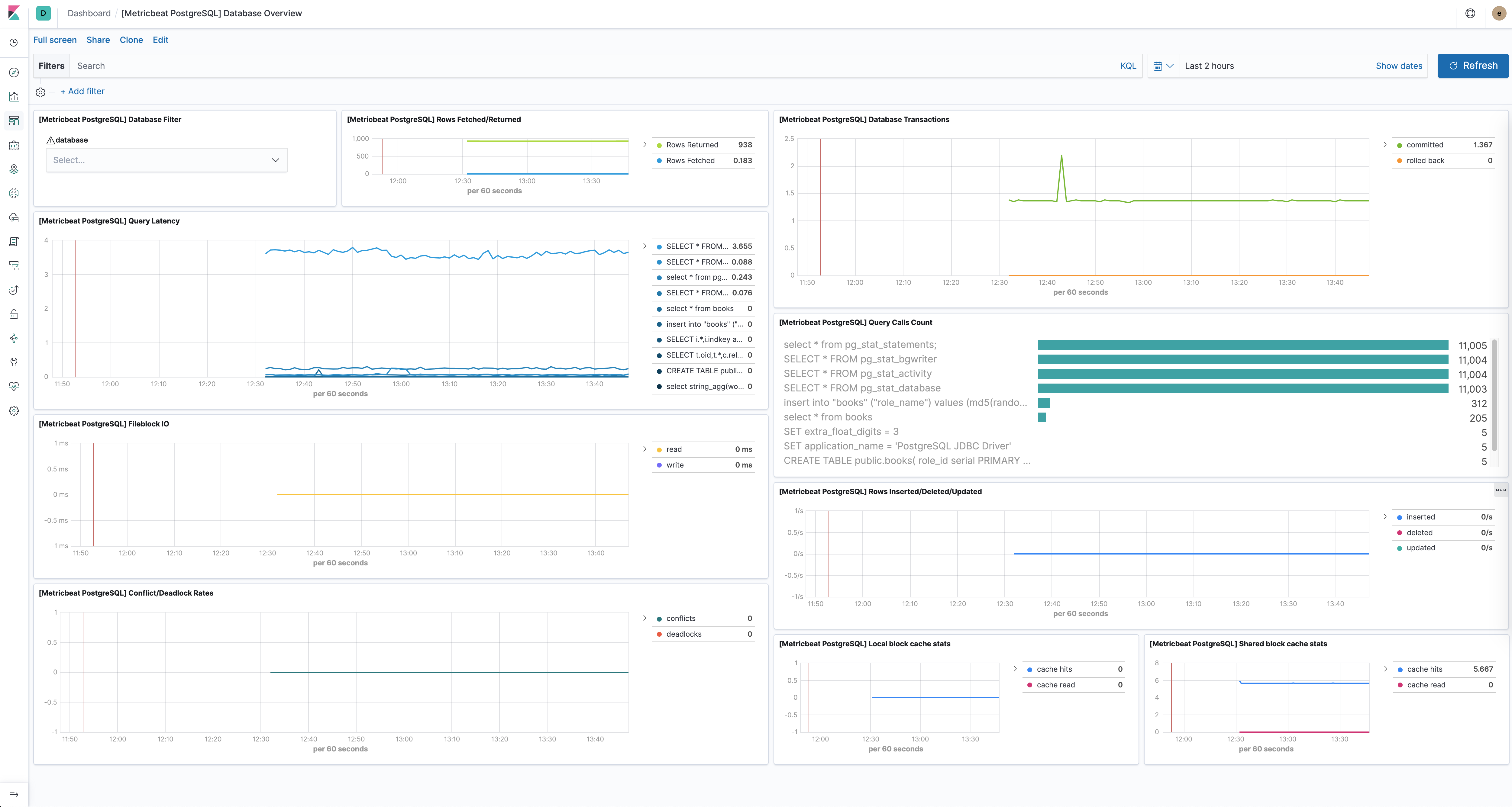
The PostgreSQL module comes with a predefined dashboard showing database-related metrics. For example:
When configuring the hosts option, you must use Postgres URLs of the following format:
[postgres://][user:pass@]host[:port][?options]
The URL can be as simple as:
- module: postgresql
  hosts: ["postgres://localhost"]
Or more complex like:
- module: postgresql
  hosts: ["postgres://localhost:40001?sslmode=disable", "postgres://otherhost:40001"]
You can also separately specify the username and password using the respective configuration options. Usernames and passwords specified in the URL take precedence over those specified in the username and password config options.
- module: postgresql
  metricsets: ["status"]
  hosts: ["postgres://localhost:5432"]
  username: root
  password: test
This module was tested with PostgreSQL 9, 10, 11, 12 and 13. It is expected to work with all versions >= 9.
The PostgreSQL module supports the standard configuration options that are described in Modules. Here is an example configuration:
metricbeat.modules:
- module: postgresql
  enabled: true
  metricsets:
    # Stats about every PostgreSQL database
    - database

    # Stats about the background writer process's activity
    - bgwriter

    # Stats about every PostgreSQL process
    - activity

    # Stats about every statement executed in the server. It requires the
    # `pg_stats_statement` library to be configured in the server.
    #- statement

  period: 10s

  # The host must be passed as PostgreSQL URL. Example:
  # postgres://localhost:5432?sslmode=disable
  # The available parameters are documented here:
  # https://godoc.org/github.com/lib/pq#hdr-Connection_String_Parameters
  hosts: ["postgres://localhost:5432"]

  # Username to use when connecting to PostgreSQL. Empty by default.
  #username: user

  # Password to use when connecting to PostgreSQL. Empty by default.
  #password: pass
The following metricsets are available: