System host dataset
Elastic Cloud Serverless projects are autoscaled environments, fully managed by Elastic and available on Elastic Cloud. Availability This functionality is in beta and is not ready for production usage. For beta features, the design and code is less mature than official GA features and is being provided as-is with no warranties. Beta features are not subject to the support SLA of official GA features. Specific Support terms apply. Serverless interfaces and procedures might differ from classic Elastic Stack deployments. The Elastic Stack includes Elastic's core products such as Elasticsearch, Kibana, Logstash, and Beats. Availability This functionality is in beta and is not ready for production usage. For beta features, the design and code is less mature than official GA features and is being provided as-is with no warranties. Beta features are not subject to the support SLA of official GA features. Specific Support terms apply. Unless stated otherwise on the page, this functionality is available when your Elastic Stack is deployed on Elastic Cloud Hosted, Elastic Cloud Enterprise, Elastic Cloud on Kubernetes, and self-managed environments. This documentation corresponds to the latest patch available for each minor version. If you're not using the latest patch, check the release notes for changes.
Serverless
Beta
Beta
Stack
Beta
Beta
This functionality is in beta and is subject to change. The design and code is less mature than official GA features and is being provided as-is with no warranties. Beta features are not subject to the support SLA of official GA features.
This is the host dataset of the system module.
It is implemented for Linux, macOS (Darwin), and Windows.
The host dataset reads general system information (uptime, IP addresses, OS details) from standard operating system interfaces. No special Linux capabilities or elevated privileges are required. It can run as a non-root user.
This dataset comes with a sample dashboard:
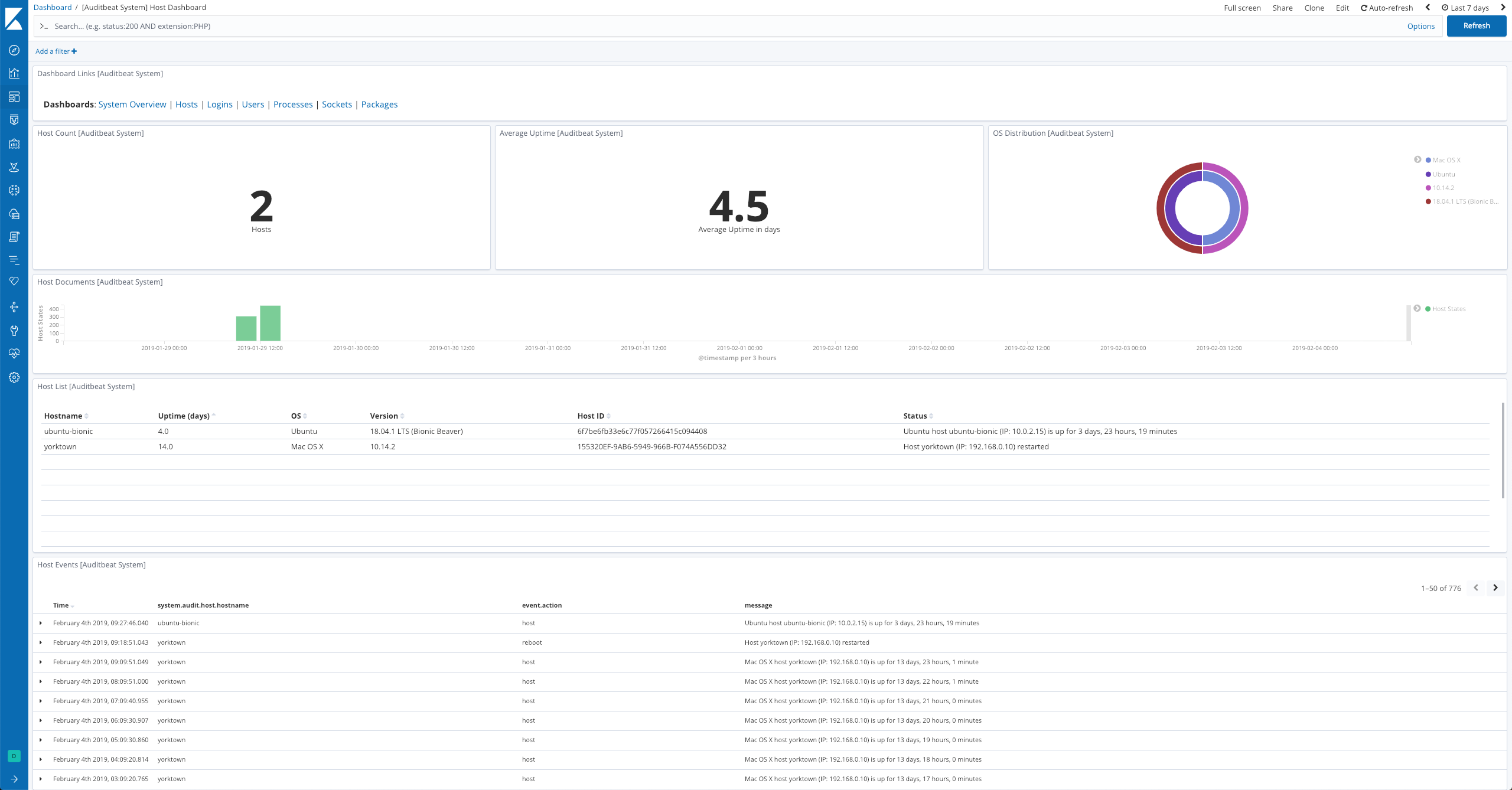
For a description of each field in the dataset, see the exported fields section.
Here is an example document generated by this dataset:
{
    "@timestamp": "2017-10-12T08:05:34.853Z",
    "agent": {
        "hostname": "host.example.com",
        "name": "host.example.com"
    },
    "event": {
        "action": "host",
        "dataset": "host",
        "module": "system",
        "kind": "state"
    },
    "message": "Ubuntu host ubuntu-bionic (IP: 10.0.2.15) is up for 0 days, 5 hours, 11 minutes",
    "service": {
        "type": "system"
    },
    "system": {
        "audit": {
            "host": {
                "architecture": "x86_64",
                "boottime": "2018-12-10T15:48:44Z",
                "containerized": false,
                "hostname": "ubuntu-bionic",
                "id": "6f7be6fb33e6c77f057266415c094408",
                "ip": [
                    "10.0.2.15",
                    "fe80::2d:fdff:fe81:e747",
                    "172.28.128.3",
                    "fe80::a00:27ff:fe1f:7160",
                    "172.17.0.1",
                    "fe80::42:83ff:febe:1a3a",
                    "172.18.0.1",
                    "fe80::42:9eff:fed3:d888"
                ],
                "mac": [
                    "02-2D-FD-81-E7-47",
                    "08-00-27-1F-71-60",
                    "02-42-83-BE-1A-3A",
                    "02-42-9E-D3-D8-88"
                ],
                "os": {
                    "family": "debian",
                    "kernel": "4.15.0-42-generic",
                    "name": "Ubuntu",
                    "platform": "ubuntu",
                    "version": "18.04.1 LTS (Bionic Beaver)"
                },
                "timezone.name": "UTC",
                "timezone.offset.sec": 0,
                "type": "linux",
                "uptime": 18661357350265
            }
        }
    }
}