CoreDNS module
Elastic Cloud Serverless projects are autoscaled environments, fully managed by Elastic and available on Elastic Cloud. Availability This functionality is generally available and ready for production usage. Serverless interfaces and procedures might differ from classic Elastic Stack deployments. The Elastic Stack includes Elastic's core products such as Elasticsearch, Kibana, Logstash, and Beats. Availability This functionality is generally available and ready for production usage. Unless stated otherwise on the page, this functionality is available when your Elastic Stack is deployed on Elastic Cloud Hosted, Elastic Cloud Enterprise, Elastic Cloud on Kubernetes, and self-managed environments. This documentation corresponds to the latest patch available for each minor version. If you're not using the latest patch, check the release notes for changes.
Serverless
Generally available
Stack
Generally available
This is a filebeat module for CoreDNS. It supports both standalone CoreDNS deployment and CoreDNS deployment in Kubernetes.
Read the quick start to learn how to configure and run modules.
Although this module has been developed against Kubernetes v1.13.x, it is expected to work with other versions of Kubernetes.
You can further refine the behavior of the coredns module by specifying variable settings in the modules.d/coredns.yml file, or overriding settings at the command line.
You must enable at least one fileset in the module. Filesets are disabled by default.
Each fileset has separate variable settings for configuring the behavior of the module. If you don’t specify variable settings, the coredns module uses the defaults.
For advanced use cases, you can also override input settings. See Override input settings.
When you specify a setting at the command line, remember to prefix the setting with the module name, for example, coredns.log.var.paths instead of log.var.paths.
Example config:
- module: coredns
  log:
    enabled: true
    var.paths: ["/var/log/coredns.log"]
    var.tags: ["coredns", "staging"]
var.paths- An array of glob-based paths that specify where to look for the log files. All patterns supported by Go Glob are also supported here. For example, you can use wildcards to fetch all files from a predefined level of subdirectories:
/path/to/log/*/*.log. This fetches all.logfiles from the subfolders of/path/to/log. It does not fetch log files from the/path/to/logfolder itself. If this setting is left empty, Filebeat will choose log paths based on your operating system. var.tags- An array of tags describing the monitored CoreDNS setup.
This module comes with a sample dashboard.
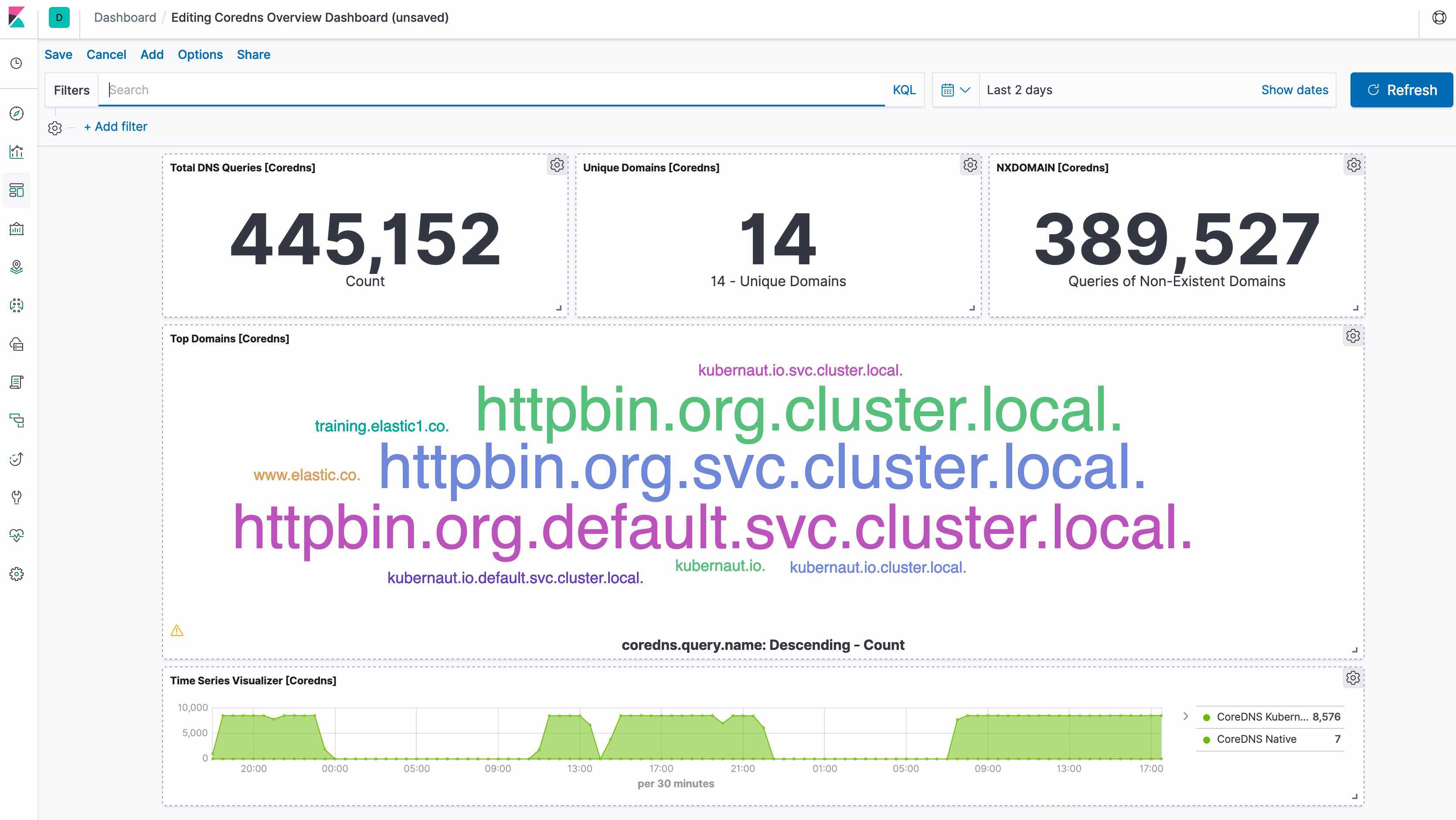
For a description of each field in the module, see the exported fields section.