CouchDB module
Elastic Cloud Serverless projects are autoscaled environments, fully managed by Elastic and available on Elastic Cloud. Availability This functionality is generally available and ready for production usage. Serverless interfaces and procedures might differ from classic Elastic Stack deployments. The Elastic Stack includes Elastic's core products such as Elasticsearch, Kibana, Logstash, and Beats. Availability This functionality is generally available and ready for production usage. Unless stated otherwise on the page, this functionality is available when your Elastic Stack is deployed on Elastic Cloud Hosted, Elastic Cloud Enterprise, Elastic Cloud on Kubernetes, and self-managed environments. This documentation corresponds to the latest patch available for each minor version. If you're not using the latest patch, check the release notes for changes.
Serverless
Generally available
Stack
Generally available
This is the couchdb module.
The default metricset is server.
The Couchdb module is tested in CI with Couchdb 1.7 and 2.3. Because of the differences between v1 and v2 for exposing metrics, the path to request metrics for each version is different:
- v1.* uses
[host]:5984/_statsso the hosts of your config should just be[host]:5984 - v2.* exposes metrics in various places. Local in
[host]:5986/_statsand cluster wide in[host]:5984/_node/[node-name]/_statsor[host]:5984/_node/_local/_stats. Recommended config is[host]:5986to use the local path (double check that you are using port5986) or to use the full path on5984[host]:5984/_node/[node name or _local]/_stats
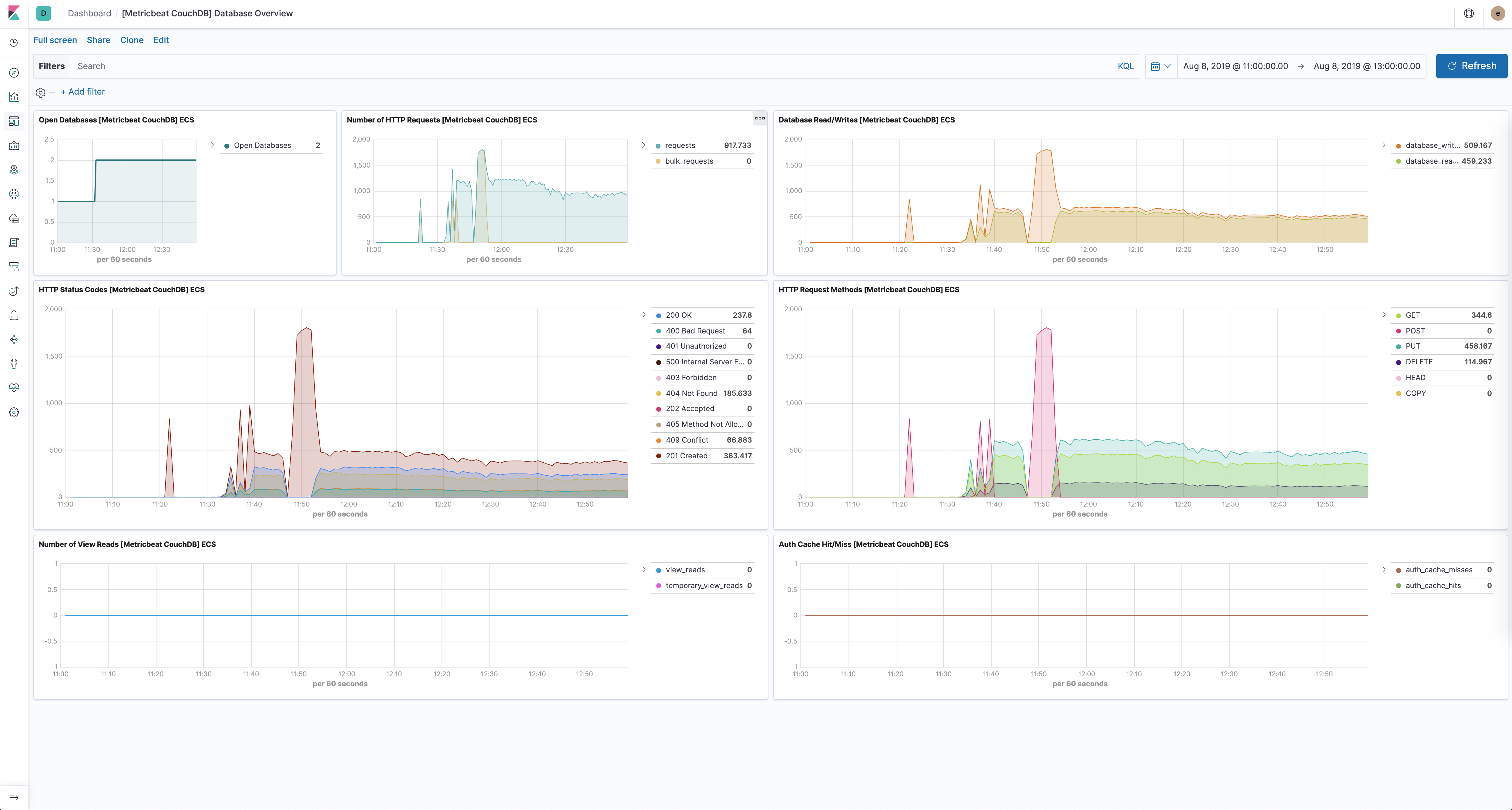
The CouchDB module comes with a predefined dashboard for CouchDB database specific stats. For example:
The CouchDB module supports the standard configuration options that are described in Modules. Here is an example configuration:
metricbeat.modules:
- module: couchdb
  metricsets: ["server"]
  period: 10s
  hosts: ["localhost:5984"]
This module supports TLS connections when using ssl config field, as described in SSL. It also supports the options described in Standard HTTP config options.
The following metricsets are available: