Torq connector and action
Elastic Cloud Serverless projects are autoscaled environments, fully managed by Elastic and available on Elastic Cloud. Availability This functionality is generally available and ready for production usage. Elastic Cloud Serverless projects are autoscaled environments, fully managed by Elastic and available on Elastic Cloud. Availability This functionality is generally available and ready for production usage. The Elastic Stack includes Elastic's core products such as Elasticsearch, Kibana, Logstash, and Beats. Availability This functionality is generally available and ready for production usage. Unless stated otherwise on the page, this functionality is available when your Elastic Stack is deployed on Elastic Cloud Hosted, Elastic Cloud Enterprise, Elastic Cloud on Kubernetes, and self-managed environments. This documentation corresponds to the latest patch available for each minor version. If you're not using the latest patch, check the release notes for changes.
Serverless Observability
Generally available
Serverless Security
Generally available
Stack
Generally available
The Torq connector uses a Torq webhook to trigger workflows with Kibana actions.
You can create connectors in Stack Management > Connectors or as needed when you're creating a rule. For example:
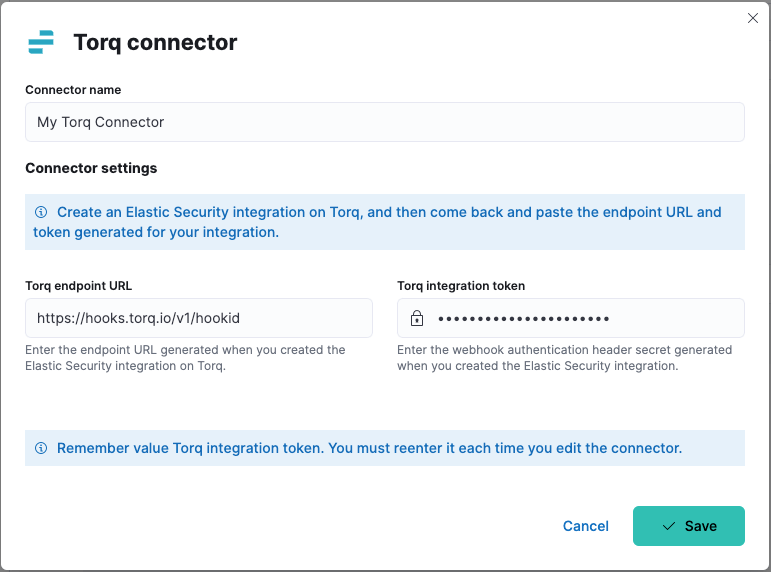
Torq connectors have the following configuration properties:
- Name
- The name of the connector. The name is used to identify a connector in the Stack Management UI connector listing, and in the connector list when configuring an action.
- Torq endpoint URL
- Endpoint URL (webhook) of the Elastic Security integration you created in Torq.
- Torq authentication header secret
- Secret of the webhook authentication header.
You can test connectors as you're creating or editing the connector in Kibana. For example:
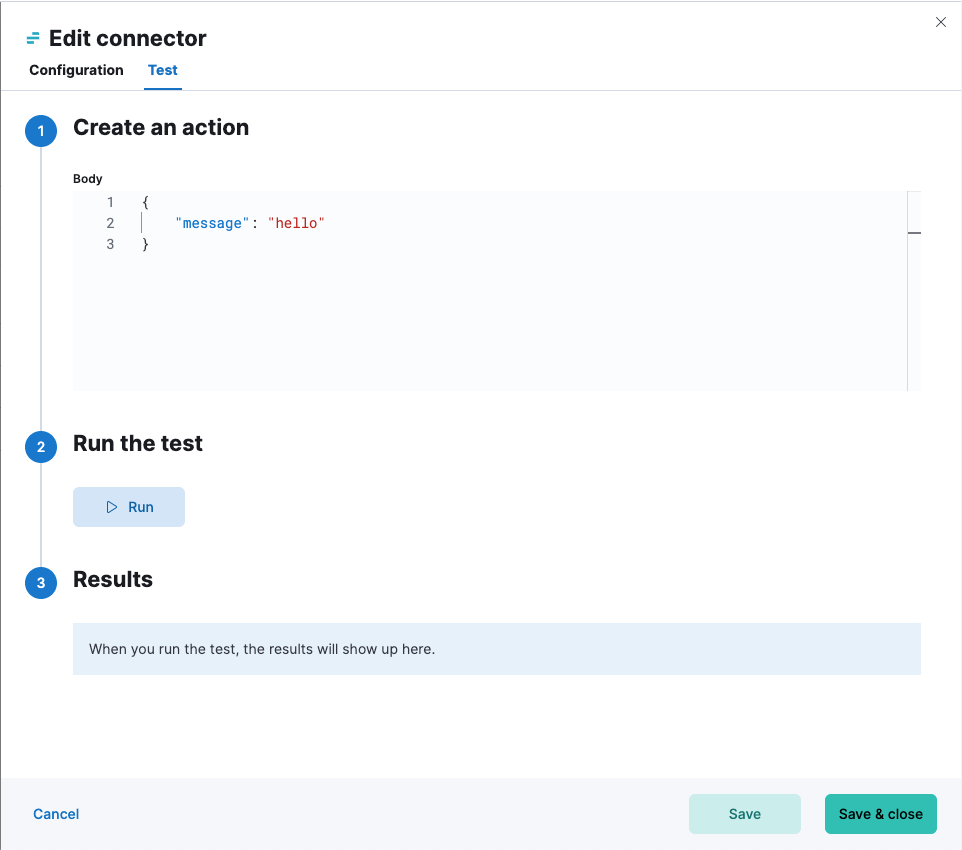
Torq actions have the following configuration properties.
- Body
- JSON payload to send to Torq.