---
title: Torq connector and action
description: The Torq connector uses a Torq webhook to trigger workflows with Kibana actions. You can create connectors in Stack Management > Connectors or as needed...
url: https://www.elastic.co/docs/reference/kibana/connectors-kibana/torq-action-type
products:
- Kibana
applies_to:
- Serverless Observability projects: Generally available
- Serverless Security projects: Generally available
- Elastic Stack: Generally available
---
# Torq connector and action
The Torq connector uses a Torq webhook to trigger workflows with Kibana actions.
## Create connectors in Kibana
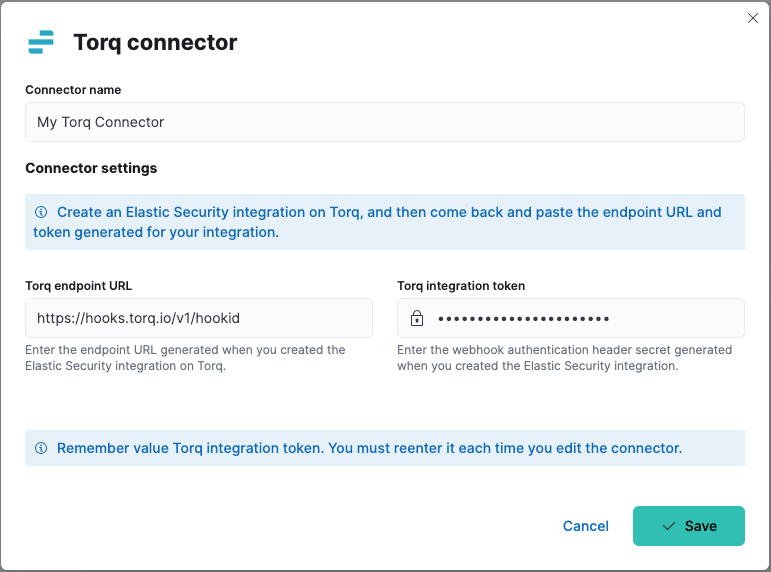
You can create connectors in **Stack Management > Connectors** or as needed when you're creating a rule. For example:
### Connector configuration
Torq connectors have the following configuration properties:
The name of the connector. The name is used to identify a connector in the Stack Management UI connector listing, and in the connector list when configuring an action.
Endpoint URL (webhook) of the Elastic Security integration you created in Torq.
Secret of the webhook authentication header.
## Test connectors
You can test connectors as you're creating or editing the connector in Kibana. For example:
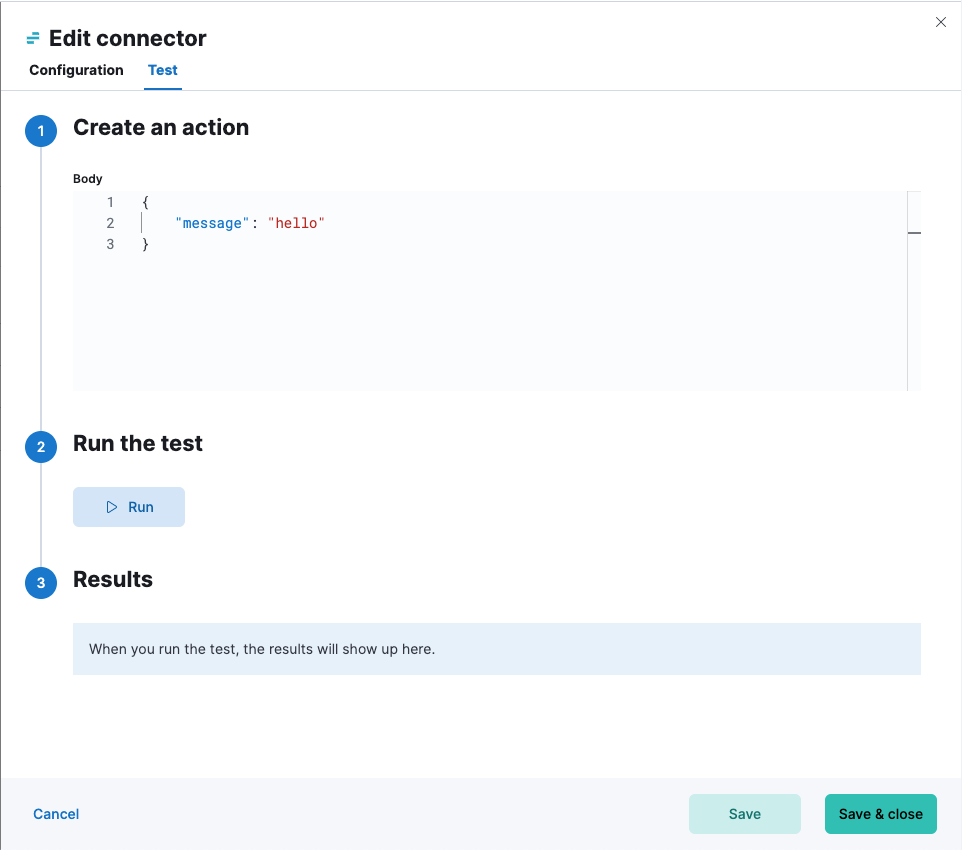
Torq actions have the following configuration properties.
JSON payload to send to Torq.