Using a custom ingest pipeline with the Kubernetes Integration
Elastic Cloud Serverless projects are autoscaled environments, fully managed by Elastic and available on Elastic Cloud. Availability This functionality is generally available and ready for production usage. Serverless interfaces and procedures might differ from classic Elastic Stack deployments. The Elastic Stack includes Elastic's core products such as Elasticsearch, Kibana, Logstash, and Beats. Availability This functionality is generally available and ready for production usage. Unless stated otherwise on the page, this functionality is available when your Elastic Stack is deployed on Elastic Cloud Hosted, Elastic Cloud Enterprise, Elastic Cloud on Kubernetes, and self-managed environments. This documentation corresponds to the latest patch available for each minor version. If you're not using the latest patch, check the release notes for changes.
Serverless
Generally available
Stack
Generally available
This tutorial explains how to add a custom ingest pipeline to a Kubernetes Integration in order to add specific metadata fields for deployments and cronjobs of pods.
Custom pipelines can be used to add custom data processing, like adding fields, obfuscating sensitive information, and more.
The Kubernetes Integration is used to collect logs and metrics from Kubernetes clusters with Elastic Agent. During the collection, the integration enhances the collected information with extra useful information that users can correlate with different Kubernetes assets. This additional information added on top of collected data, such as labels, annotations, ancestor names of Kubernetes assets, and others, are called metadata.
The Kubernetes Provider offers the add_resource_metadata option to configure the metadata enrichment options.
For Elastic Agent versions >[8.10.4], the default configuration for metadata enrichment is add_resource_metadata.deployment=false and add_resource_metadata.cronjob=false. This means that pods that are created from replicasets that belong to specific deployments would not be enriched with kubernetes.deployment.name. Additionally, pods that are created from jobs that belong to specific cronjobs, would not be enriched with kubernetes.cronjob.name.
Kubernetes Integration Policy > Collect Kubernetes metrics from Kube-state-metrics > Kubernetes Pod Metrics
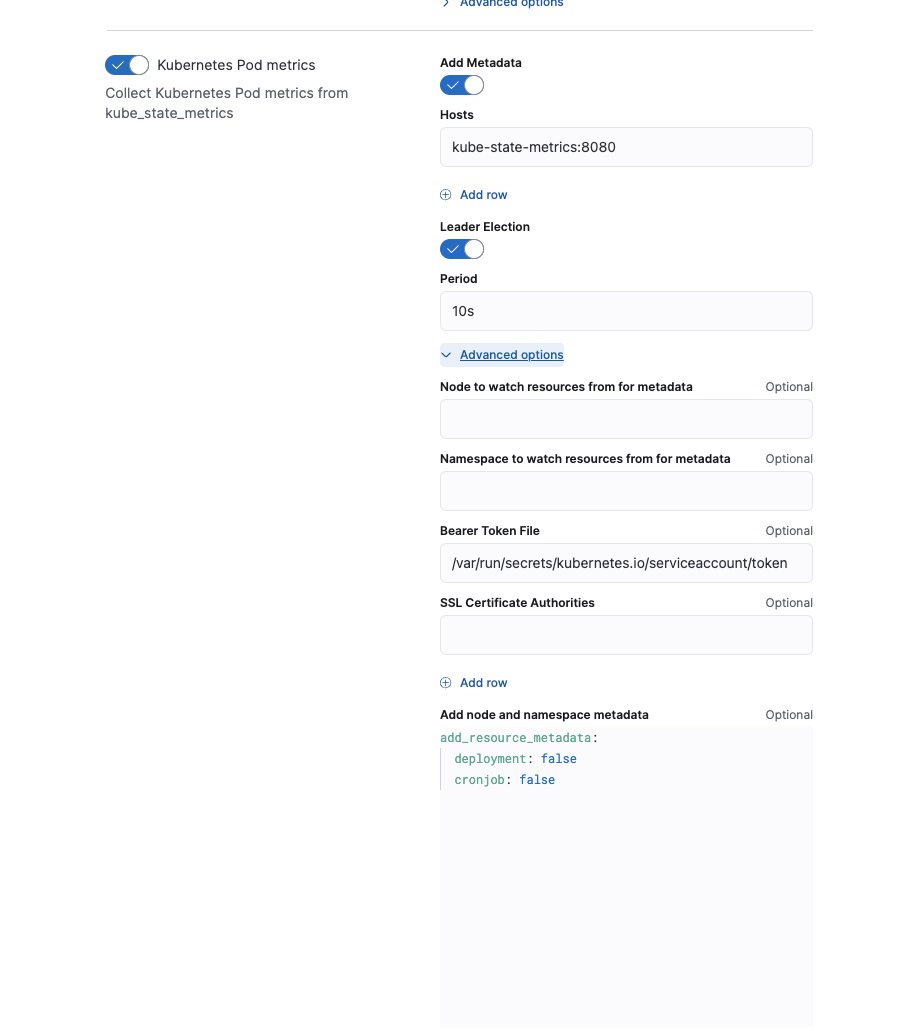
Example: Enabling the enrichment through add_resource_metadata in a Managed Elastic Agent Policy.
Enabling deployment and cronjob metadata enrichment leads to an increase of Elastic Agent’s memory consumption. Elastic Agent uses a local cache in order to keep records of the Kubernetes assets from being discovered.
As an alternative to keeping the feature enabled and using more memory resources for Elastic Agent, users can make use of ingest pipelines to add the missing fields of kubernetes.deployment.name and kubernetes.cronjob.name.
Navigate to state_pod data stream under: Kubernetes Integration Policy > Collect Kubernetes metrics from Kube-state-metrics > Kubernetes Pod Metrics.
Create the following custom ingest pipeline with two processors:
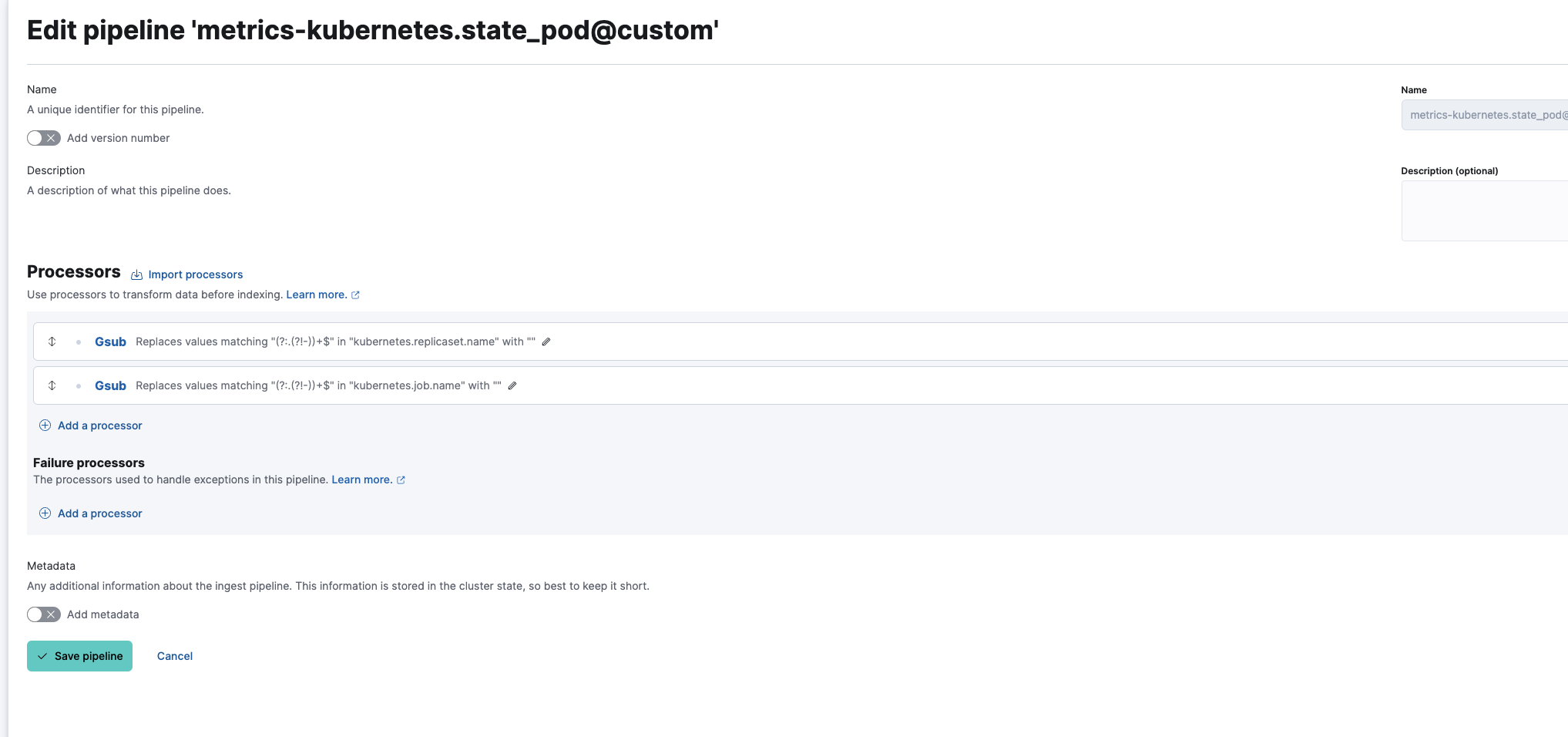
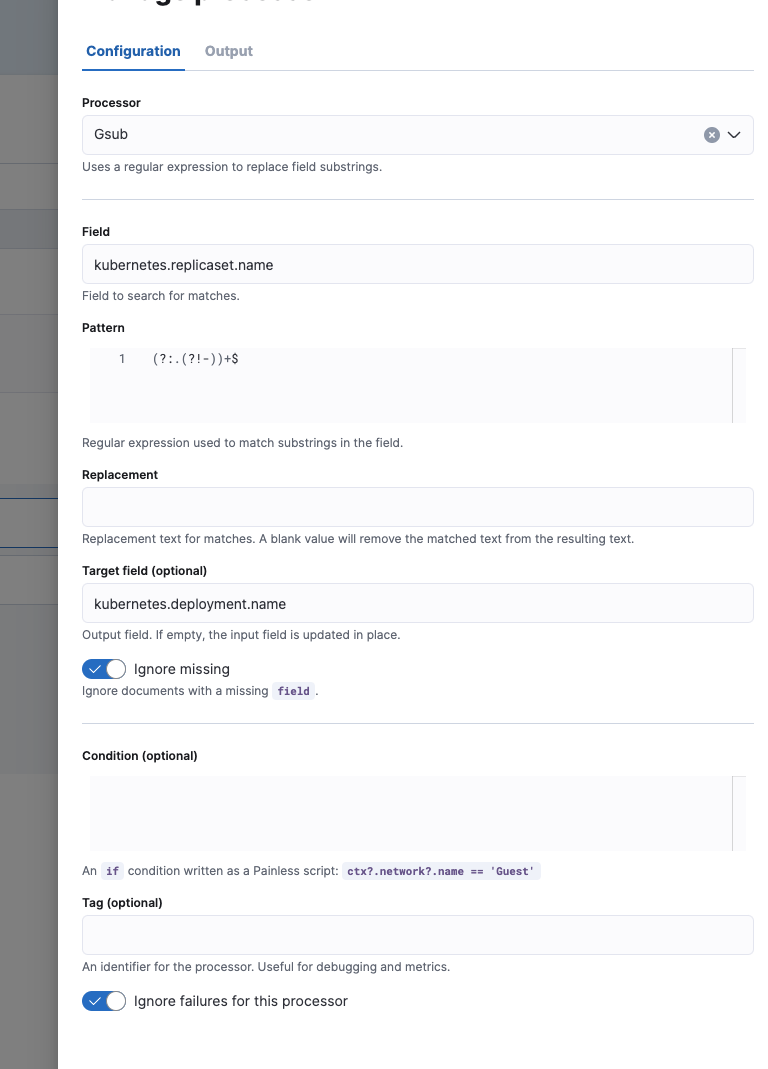
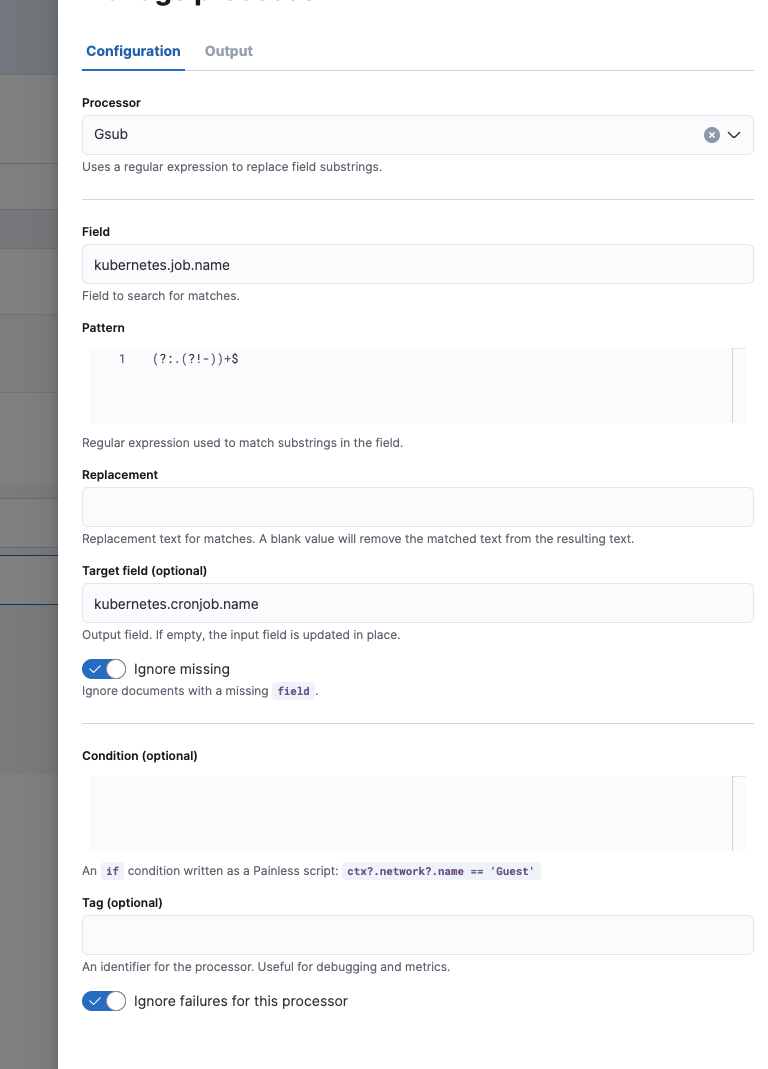
The final metrics-kubernetes.state_pod@custom ingest pipeline:
[
  {
    "gsub": {
      "field": "kubernetes.replicaset.name",
      "pattern": "(?:.(?!-))+$",
      "replacement": "",
      "target_field": "kubernetes.deployment.name",
      "ignore_missing": true,
      "ignore_failure": true
    }
  },
  {
    "gsub": {
      "field": "kubernetes.job.name",
      "pattern": "(?:.(?!-))+$",
      "replacement": "",
      "target_field": "kubernetes.cronjob.name",
      "ignore_missing": true,
      "ignore_failure": true
    }
  }
]
The ingest pipeline does not check for the actual existence of a deployment and cronjob ancestor, it only adds the specific values.