Install Connector
Elastic Cloud Serverless projects are autoscaled environments, fully managed by Elastic and available on Elastic Cloud. Availability This functionality is generally available and ready for production usage. Serverless interfaces and procedures might differ from classic Elastic Stack deployments. The Elastic Stack includes Elastic's core products such as Elasticsearch, Kibana, Logstash, and Beats. Availability This functionality is generally available and ready for production usage. Unless stated otherwise on the page, this functionality is available when your Elastic Stack is deployed on Elastic Cloud Hosted, Elastic Cloud Enterprise, Elastic Cloud on Kubernetes, and self-managed environments. This documentation corresponds to the latest patch available for each minor version. If you're not using the latest patch, check the release notes for changes.
Serverless
Generally available
Stack
Generally available
First, download the Search-UI’s starter app from github by
curl https://codeload.github.com/elastic/app-search-reference-ui-react/tar.gz/master | tar -xz
and should appear as a folder called app-search-reference-ui-react-main.
Navigate to the root to the folder and install the dependencies using the following command:
yarn
Within the folder, we can now install the @elastic/search-ui-elasticsearch-connector library with Yarn.
yarn add @elastic/search-ui-elasticsearch-connector
Make sure to check and update Search UI dependencies to the latest version. You can find the latest version by going to NPM’s page for @elastic/search-ui.
Open the project within your favorite editor.
Within src/App.js, change line 3 to import the Elasticsearch connector. You no longer need the app-search connector.
import ElasticsearchAPIConnector from "@elastic/search-ui-elasticsearch-connector";
and then update the options to the connector
const connector = new ElasticsearchAPIConnector({
  cloud: {
    id: "<my-elastic-cloud-id>"
  },
  apiKey: "<api-key>",
  index: "my-example-movies"
});
If you’re using Elastic Cloud, you can find your cloud id within your deployment’s details.
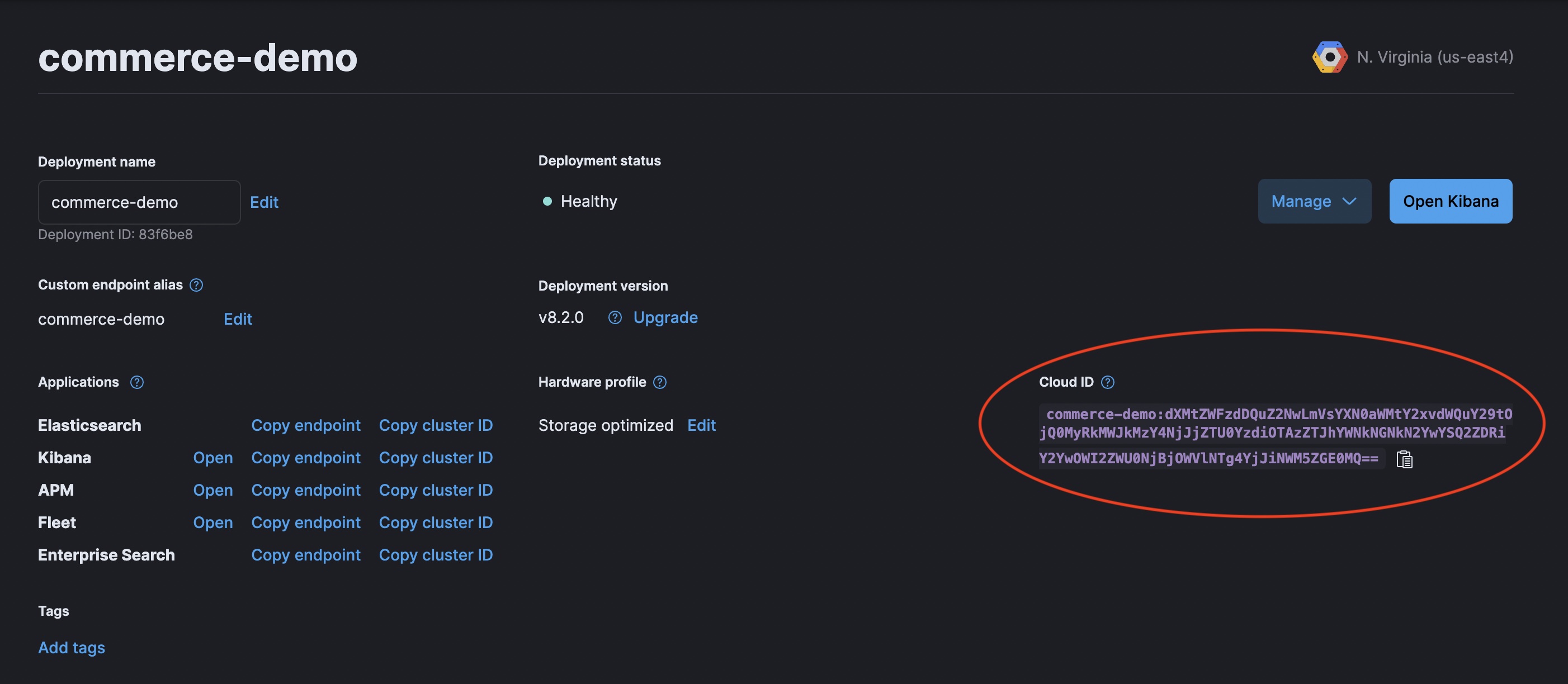
alternatively, if you’re using an on-premise Elasticsearch instance, you can connect via specifying the host.
const connector = new ElasticsearchAPIConnector({
  host: "http://localhost:9200",
  index: "my-example-movies"
});