Product Carousels
Elastic Cloud Serverless projects are autoscaled environments, fully managed by Elastic and available on Elastic Cloud. Availability This functionality is generally available and ready for production usage. Serverless interfaces and procedures might differ from classic Elastic Stack deployments. The Elastic Stack includes Elastic's core products such as Elasticsearch, Kibana, Logstash, and Beats. Availability This functionality is generally available and ready for production usage. Unless stated otherwise on the page, this functionality is available when your Elastic Stack is deployed on Elastic Cloud Hosted, Elastic Cloud Enterprise, Elastic Cloud on Kubernetes, and self-managed environments. This documentation corresponds to the latest patch available for each minor version. If you're not using the latest patch, check the release notes for changes.
Serverless
Generally available
Stack
Generally available
This example uses the App Search connector, which is now deprecated and will no longer be supported. Please use Elasticsearch Connector.
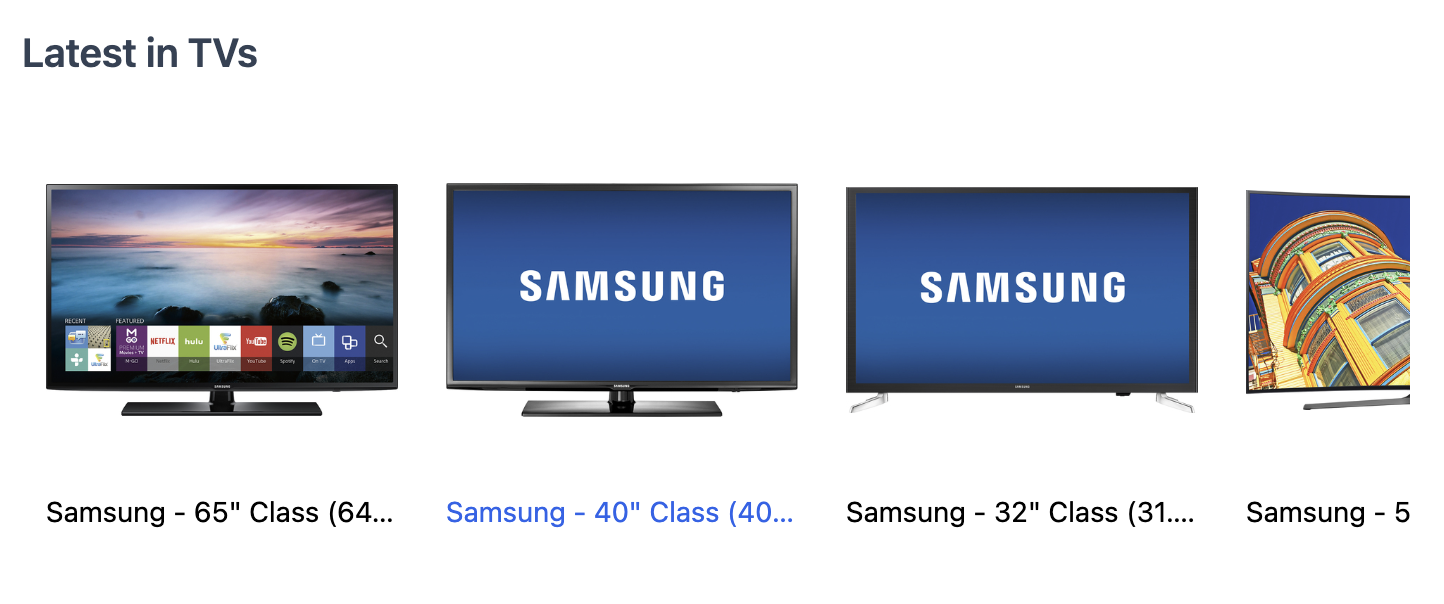
Carousels can be used to show groups of products into a row and are typically used to show products within a specific category or tag, like "most popular", "best rated" and "on sale".
In this example, we show a carousel of products within the "TVs" category using the Results component and overriding the view.
You can adjust the number of results returned via the resultsPerPage configuration.
import { Results, SearchProvider } from "@elastic/react-search-ui";
import { config } from "./config";

const CustomResultsView = ({ children }) => {
  return (
    <div className="relative overflow-x-auto">
      <ul className="flex snap-x">{children}</ul>
import AppSearchAPIConnector from "@elastic/search-ui-app-search-connector";

const connector = new AppSearchAPIConnector({
searchKey: "<search-key>",
engineName: "<engine-name>",
endpointBase: "<endpoint-base>",
});

export const config = () => ({
  alwaysSearchOnInitialLoad: true,
  trackUrlState: false,
  initialState: {
    resultsPerPage: 8
  },
  searchQuery: {
    filters: [{ field: "parent_category", values: ["TVs"] }],
    result_fields: {
      name: {
        raw: {}
      },
      image: { raw: {} },
      url: { raw: {} }
    }
  },
  apiConnector: connector
});
- Creating Components: Build your own components for Search UI.
- Results: Search UI React Results Component.
- Core API: Search UI Configuration API.