ECE API examples: Enable more stack features and add Enterprise Search to a deployment
Elastic Cloud Enterprise is a self-managed orchestration platform for deploying and managing the Elastic Stack at scale. Availability This functionality is generally available and ready for production usage. This documentation corresponds to the latest patch available for each minor version. If you're not using the latest patch, check the release notes for changes.
ECE
Generally available
Enterprise Search is not available in Elastic Stack 9.0+.
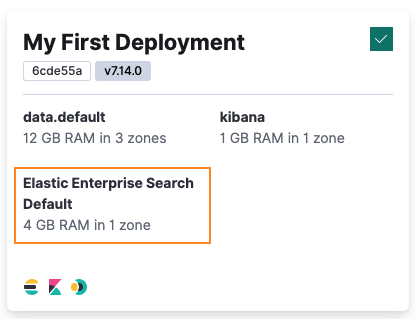
The RESTful API is also useful for adding Elastic Stack features to existing deployments. In this example, we’ll show you how to create a new Enterprise Search instance and associate it with an existing Elasticsearch resource that is part of a deployment. We’ll use My First Deployment that you created in Create a First Deployment: Elasticsearch and Kibana.
This example requires a deployment with an Elasticsearch cluster to work with that is not being used for anything important. If you don’t already have one, you can follow our My First Deployment example to create one.
To add Enterprise Search to an existing deployment:
Make a PUT request to the deployment that includes this resource.
There are different options you can specify, but the most important one is that you need to include the
ref_idof the Elasticsearch resource that Enterprise Search will be associated with, by using the fieldelasticsearch_cluster_ref_id.Shell curl -k -X PUT -H "Authorization: ApiKey $ECE_API_KEY" https://$COORDINATOR_HOST:12443/api/v1/deployments/$DEPLOYMENT_ID -H 'content-type: application/json' -d ' { "name": "My First Deployment", "prune_orphans": false, "metadata": { "system_owned": false, "hidden": false }, "resources": { "elasticsearch": [ { "region": "ece-region", "ref_id": "main-elasticsearch", "plan": { "cluster_topology": [ { "id": "hot_content", "node_roles": [ "data_hot", "data_content", "master", "ingest", "remote_cluster_client", "transform" ], "zone_count": 3, "elasticsearch": { "enabled_built_in_plugins": [], "node_attributes": { "data": "hot" } }, "instance_configuration_id": "data.default", "size": { "value": 4096, "resource": "memory" } }, { "id": "warm", "node_roles": [ "data_warm", "remote_cluster_client" ], "zone_count": 1, "elasticsearch": { "enabled_built_in_plugins": [], "node_attributes": { "data": "warm" } }, "instance_configuration_id": "data.highstorage", "size": { "value": 0, "resource": "memory" } }, { "id": "cold", "node_roles": [ "data_cold", "remote_cluster_client" ], "zone_count": 1, "elasticsearch": { "enabled_built_in_plugins": [], "node_attributes": { "data": "cold" } }, "instance_configuration_id": "data.highstorage", "size": { "value": 0, "resource": "memory" } }, { "id": "frozen", "node_roles": [ "data_frozen" ], "zone_count": 1, "elasticsearch": { "enabled_built_in_plugins": [], "node_attributes": { "data": "frozen" } }, "instance_configuration_id": "data.frozen", "size": { "value": 0, "resource": "memory" } }, { "id": "coordinating", "node_roles": [ "ingest", "remote_cluster_client" ], "zone_count": 1, "elasticsearch": { "enabled_built_in_plugins": [] }, "instance_configuration_id": "coordinating", "size": { "value": 0, "resource": "memory" } }, { "id": "master", "node_roles": [ "master", "remote_cluster_client" ], "zone_count": 1, "elasticsearch": { "enabled_built_in_plugins": [] }, "instance_configuration_id": "master", "size": { "value": 0, "resource": "memory" } }, { "id": "ml", "node_roles": [ "ml", "remote_cluster_client" ], "zone_count": 1, "elasticsearch": { "enabled_built_in_plugins": [] }, "instance_configuration_id": "ml", "size": { "value": 0, "resource": "memory" } } ], "elasticsearch": { "version": "8.13.2" }, "deployment_template": { "id": "default" }, "autoscaling_enabled": false } } ], "enterprise_search": [ { "region": "ece-region", "ref_id": "main-enterprise_search", "elasticsearch_cluster_ref_id": "main-elasticsearch", "plan": { "cluster_topology": [ { "node_type": { "appserver": true, "worker": true, "connector": true }, "instance_configuration_id": "enterprise.search", "size": { "value": 4096, "resource": "memory" }, "zone_count": 1 } ], "enterprise_search": {}, "transient": { "strategy": { "autodetect": {} } } } } ] } } 'DEPLOYMENT_ID-
The deployment ID for
My First Deployment
After the configuration change is complete, your deployment now includes Enterprise Search. If you switch back to the Cloud UI, you can open Enterprise Search to test that it works as expected.