Configure Azure
The Elastic Stack includes Elastic's core products such as Elasticsearch, Kibana, Logstash, and Beats. Availability This functionality is generally available and ready for production usage. Unless stated otherwise on the page, this functionality is available when your Elastic Stack is deployed on Elastic Cloud Hosted, Elastic Cloud Enterprise, Elastic Cloud on Kubernetes, and self-managed environments. This documentation corresponds to the latest patch available for each minor version. If you're not using the latest patch, check the release notes for changes.
Stack
9.1+
Generally available since 9.1
To make API calls to Microsoft Graph, Elasticsearch requires Azure credentials with the correct permissions.
- Log in to the Azure portal and go to Microsoft Entra ID.
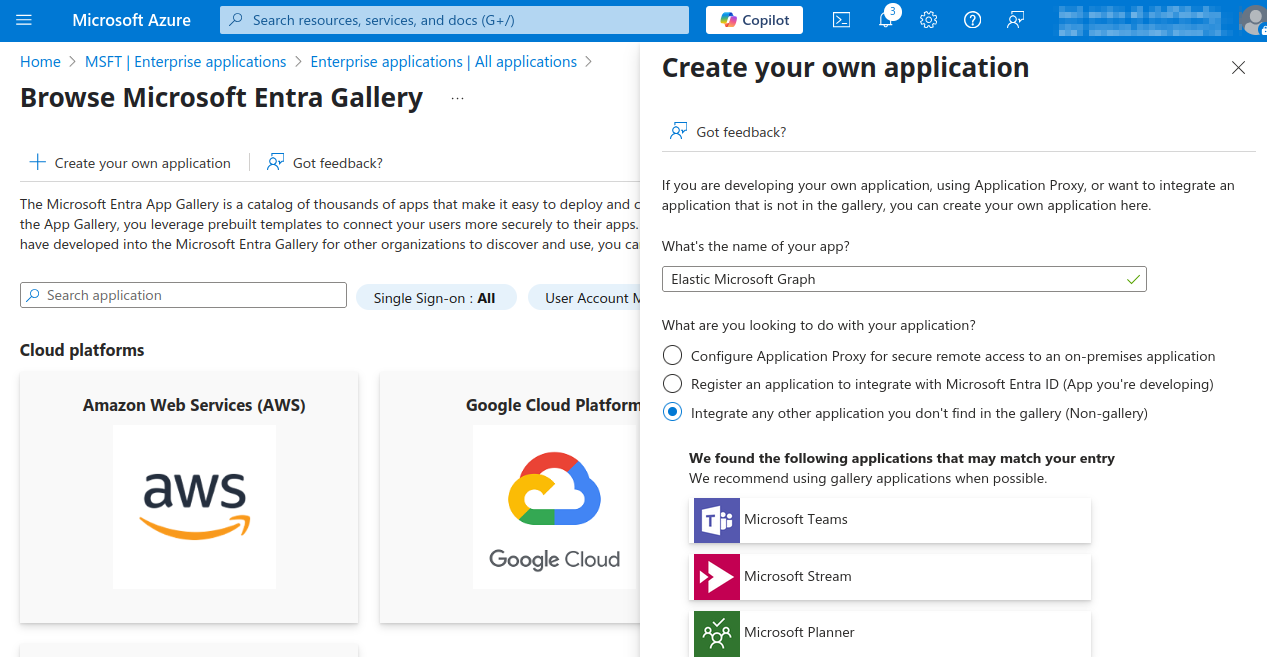
- To register a new application, click Enterprise applications > New application.
- Click Create your own application, provide a name, and select the Integrate any other application you don’t find in the gallery option.
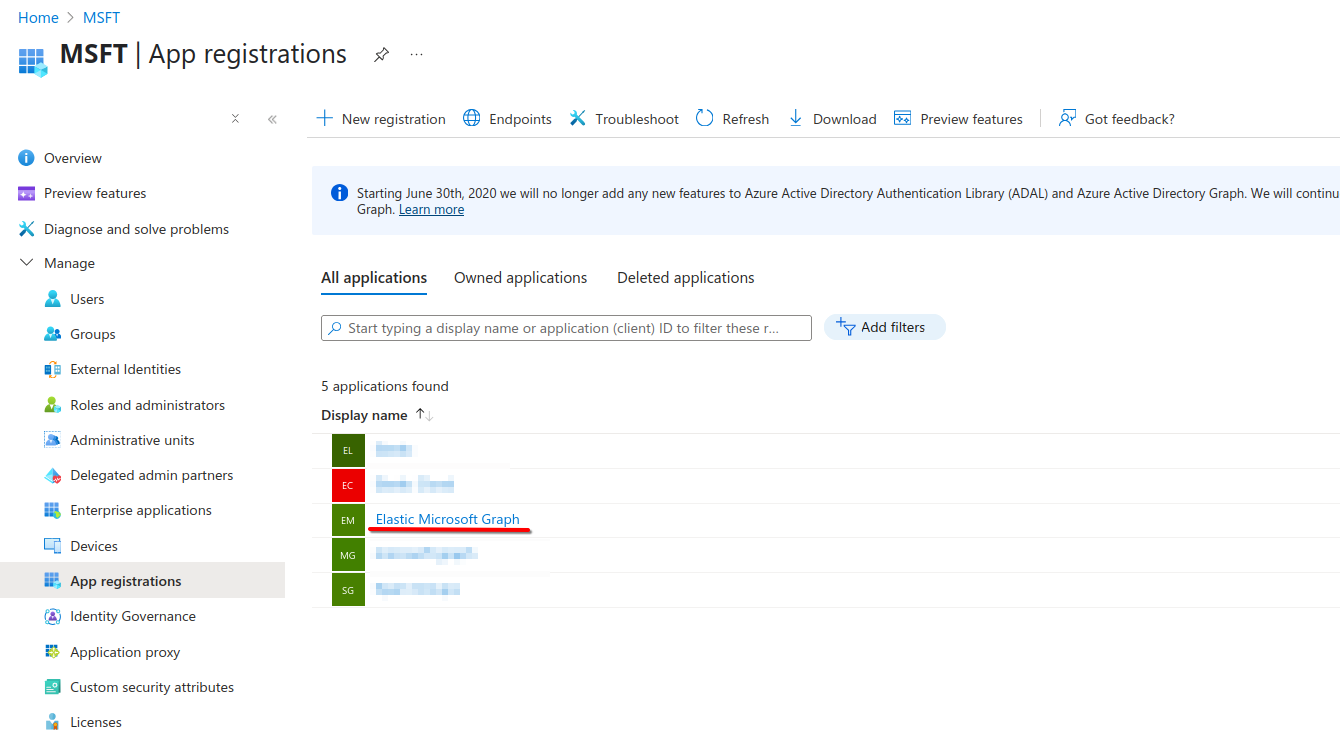
In the Azure portal, go to Microsoft Entra ID.
Under App registrations, select the All applications tab, and then find the application created in the previous section.
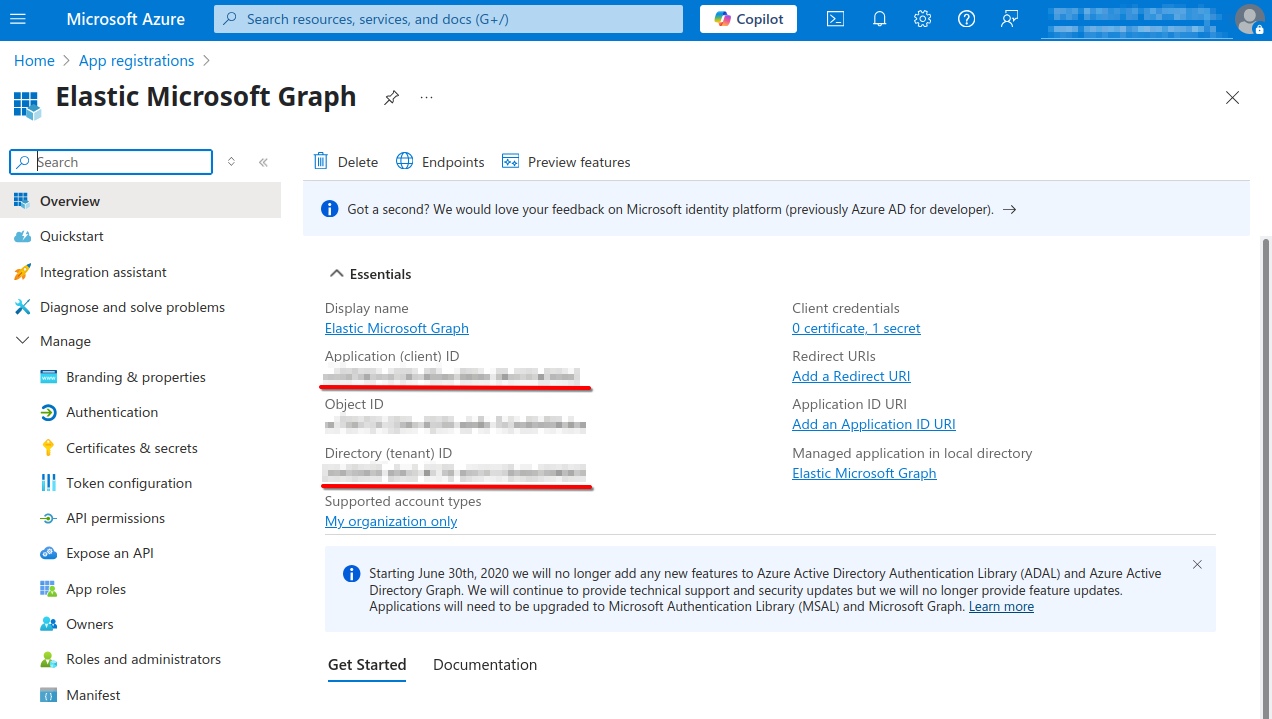
Take note of the Application (client) ID and Tenant ID shown here. These will be needed to configure Elasticsearch later.
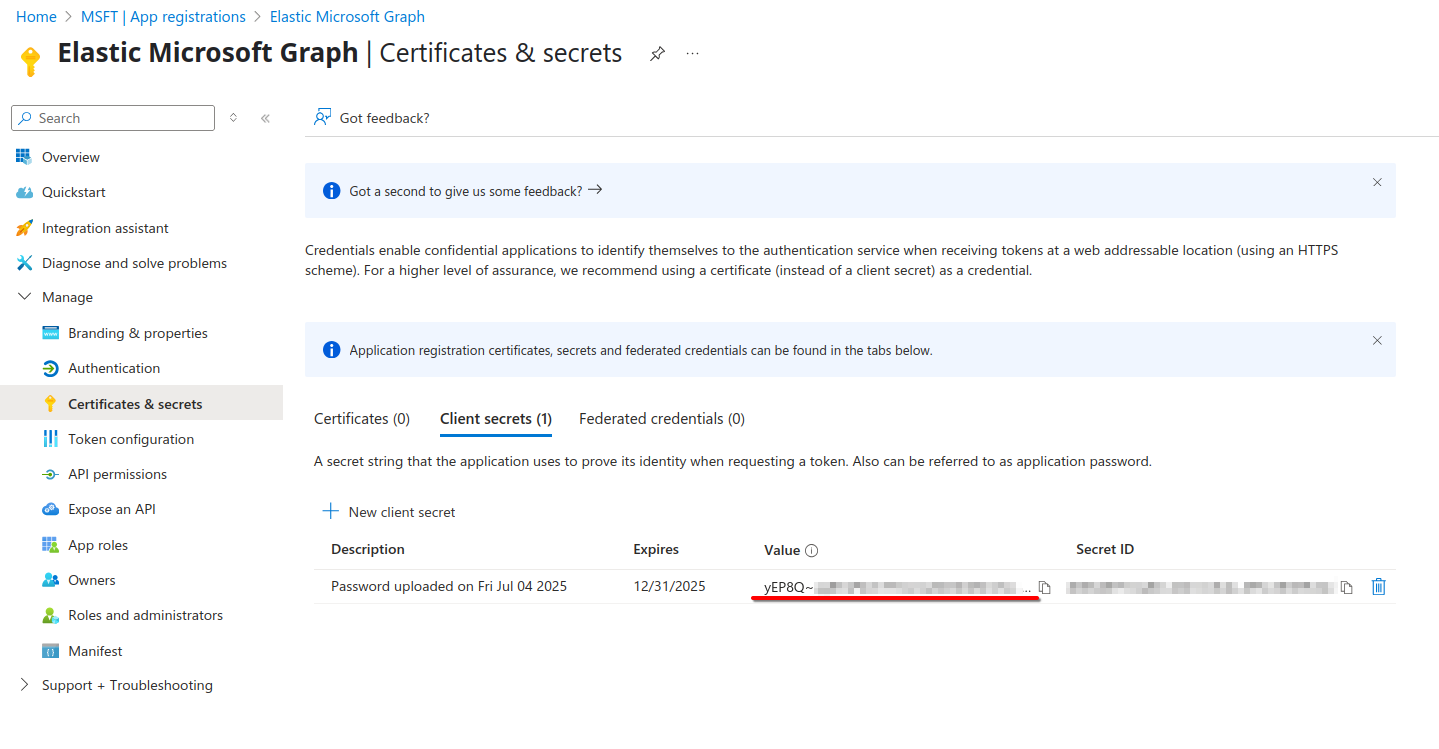
Under Manage > Certificates & secrets, do the following:
- Create a new client secret.
- Take note of your new client secret's Value. This is needed later, and
is only displayed once.
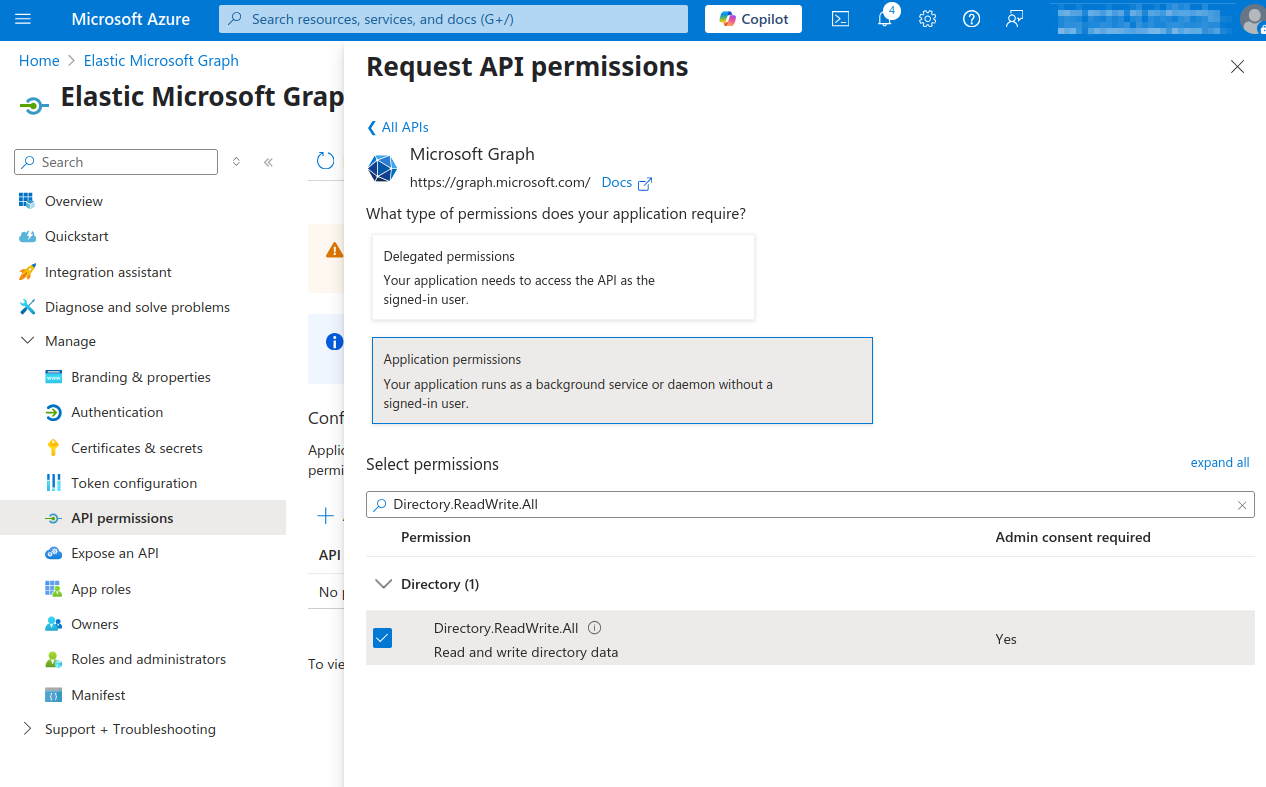
Under Manage > API permissions, do the following:
- Go to Add a permission.
- Choose Microsoft Graph.
- Choose Application permissions.
- Select
Directory.ReadWrite.All,Group.ReadWrite.All,User.Read.All.
NoteAn Azure Admin must approve these permissions before the credentials can be used.