Getting started with the Elasticsearch Java client
This page guides you through the installation process of the Java client, shows you how to instantiate the client, and how to perform basic Elasticsearch operations with it.
Java 17 or later.
dependencies {
    implementation 'co.elastic.clients:elasticsearch-java:9.5.0'
}
In the pom.xml of your project, add the following repository definition and dependencies:
<project>
  <dependencies>

    <dependency>
      <groupId>co.elastic.clients</groupId>
      <artifactId>elasticsearch-java</artifactId>
      <version>9.5.0</version>
    </dependency>

  </dependencies>
</project>
Refer to the Installation page to learn more.
You can connect to the Elastic Cloud using an API key and the Elasticsearch endpoint.
// URL and API key
String serverUrl = "https://localhost:9200";
String apiKey = "VnVhQ2ZHY0JDZGJrU...";

ElasticsearchClient esClient = ElasticsearchClient.of(b -> b
    .host(serverUrl)
    .apiKey(apiKey)
);

// Use the client...

// Close the client, also closing the underlying transport object and network connections.
esClient.close();
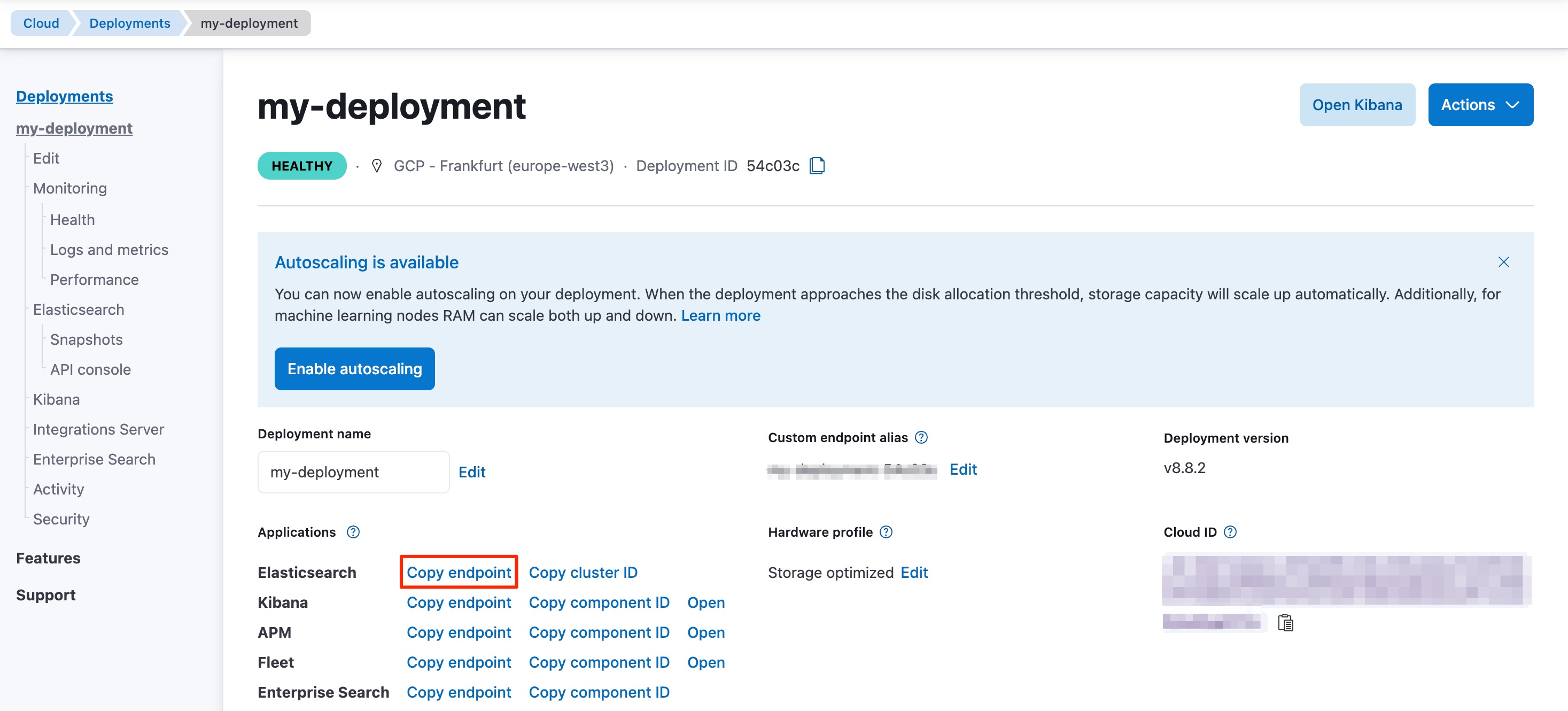
Your Elasticsearch endpoint can be found on the My deployment page of your deployment:
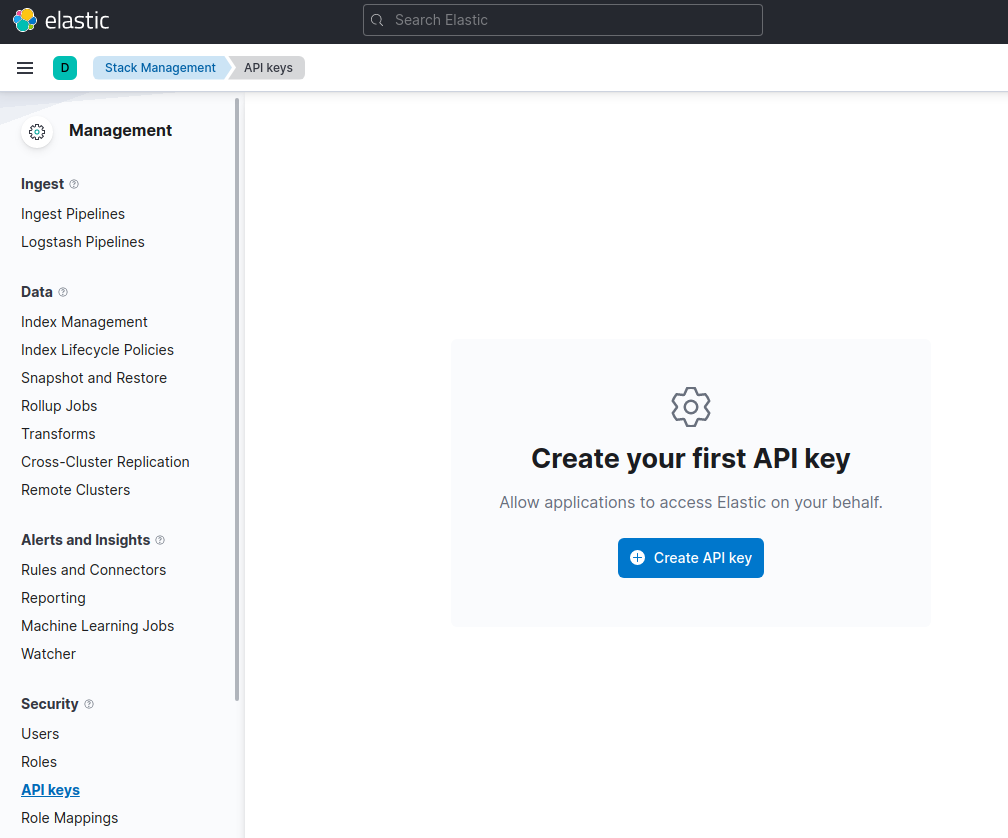
You can generate an API key on the Management page under Security.
For other connection options, refer to the Connecting section.
Time to use Elasticsearch! This section walks you through the basic, and most important, operations of Elasticsearch. For more operations and more advanced examples, refer to the Using the Java API Client page.
This is how you create the product index:
esClient.indices().create(c -> c
    .index("products")
);
This is a simple way of indexing a document, here a Product application object:
Product product = new Product("bk-1", "City bike", 123.0);

IndexResponse response = esClient.index(i -> i
    .index("products")
    .id(product.getSku())
    .document(product)
);

logger.info("Indexed with version " + response.version());
You can get documents by using the following code:
GetResponse<Product> response = esClient.get(g -> g
    .index("products")
    .id("bk-1"),
    Product.class
);

if (response.found()) {
    Product product = response.source();
    logger.info("Product name " + product.getName());
} else {
    logger.info ("Product not found");
}
- The get request, with the index name and identifier.
- The target class, here
Product.
This is how you can create a single match query with the Java client:
String searchText = "bike";

SearchResponse<Product> response = esClient.search(s -> s
        .index("products")
        .query(q -> q
            .match(t -> t
                .field("name")
                .query(searchText)
            )
        ),
    Product.class
);
This is how you can update a document, for example to add a new field:
Product product = new Product("bk-1", "City bike", 123.0);

esClient.update(u -> u
        .index("products")
        .id("bk-1")
        .upsert(product),
    Product.class
);
esClient.delete(d -> d.index("products").id("bk-1"));
esClient.indices().delete(d -> d
    .index("products")
);
The examples folder in the Github repository contains full working examples showing how to set up and use the client.
- Learn more about the API conventions of the Java client.